
Canon PIXMA TS9521Ca – Wireless Home All-in-One Inkjet Printer
Description
Designed for home use, the Canon PIXMA TS9521Ca All-in-One inkjet printer delivers high-quality printing and outstanding wireless connectivity in a compact size. The PIXMA TS9521Ca is easy to set up and maintain and offers great media versatility to print on a variety of media types and sizes, including photo paper, envelopes, borderless photos, banners and more. Use Poster Artist Online to create professional-posters, banners and signage. Produce crisp, colorful documents and photos quickly and cost-effectively with fast print speeds. Keep printing with a plain paper capacity of up to 100 sheets in the bottom cassette, 100 sheets in the rear tray and 20 sheets in the auto document feeder. Easily connect and print through high-speed USB or wirelessly from computers or mobile devices, and also print from your compatible mobile devices using the free Canon PRINT app and more. This comes with a 1-year limited warranty and is backed by Canon's Service and Support network.
Compare the trade-offs
Similar products, side by side
A random selection of analyzed products from the same category. Different products are not necessarily interchangeable.
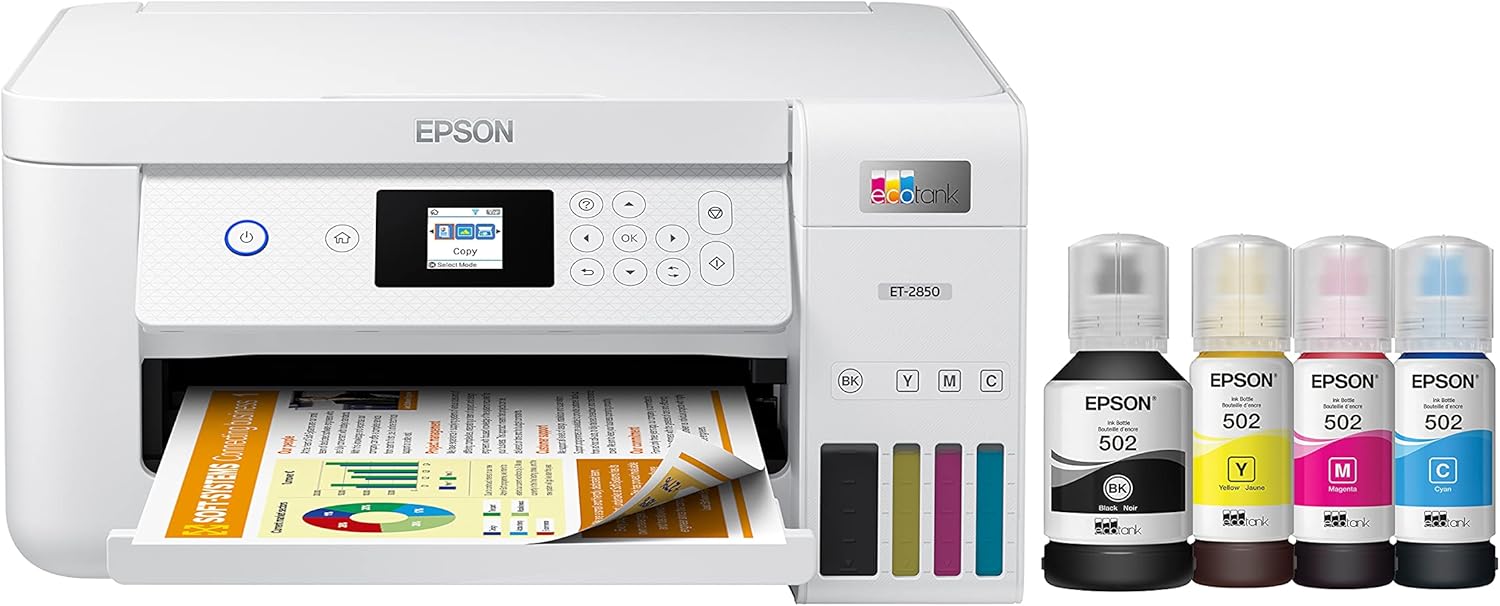
Epson EcoTank ET-2850 Wireless Color All-in-One Cartridge-Free Supertank Printer with Scan, Copy and Auto 2-Sided Printing – The Perfect Family Printer - White (Renewed)

HP OfficeJet Pro 8138e Wireless All-in-One Color Inkjet Printer, Print, Scan, Copy, Fax, ADF, Duplex Printing Best-for-Home Office (Renewed Premium)
One less thing to search
Before you buy: quick questions
Is the print quality good enough for printing photos at home, or do I need a special photo printer?
The PIXMA TS9521Ca is consistently praised for its excellent photo print quality. Users on photography forums and YouTube often highlight its ability to produce vibrant, detailed prints on glossy photo paper. For most home users and hobbyists, it's more than sufficient. However, if you're a professional selling prints, a dedicated photo printer might offer a wider color gamut and larger format options.
I've heard about Wi-Fi issues with some printers. How reliable is the wireless connection?
While many users find the wireless setup straightforward and stable, a common note in reviews is that the printer may occasionally disconnect from the network, requiring a quick restart. This seems to affect some home network setups more than others. For the most reliable experience, we recommend placing the printer close to your router and using the Canon PRINT app, which many find more consistent than built-in operating system drivers.
Can it handle different paper types, like cardstock for invitations or envelopes?
Absolutely! This is one of its standout features. It has a dedicated rear tray for handling thicker media. Users in crafting communities on TikTok and Reddit frequently show it seamlessly printing on heavy cardstock, glossy photo paper, envelopes, and even printable CDs/DVDs. It supports paper sizes up to 13" x 19", making it very versatile for projects.
How expensive is the ink to run, and are there compatible cartridges?
The ink cost is a valid consideration. The printer uses Canon's 5-color individual CLI-281 ink cartridges. While this system lets you replace only the color that runs out, genuine Canon ink can add up with heavy color printing. Many users recommend signing up for Canon's ink subscription program to manage costs. Note that using third-party or refilled cartridges is possible but often mentioned in reviews as a common source of technical errors and may void your warranty.
Who is this printer best suited for, and who might want to look at something else?
It's ideal for home offices, students with demanding projects, crafters, and anyone who needs an all-in-one that excels with various paper types and photo printing. If your primary needs are simple, high-volume black-and-white document printing with maximum reliability and lowest cost-per-page, a monochrome laser printer might be a better fit. Similarly, if you print hundreds of pages per month, an EcoTank-style printer could be more economical long-term.
From a similar, more-reviewed product in this category: Epson EcoTank ET-2850 Wireless Color All-in-One Cartridge-Free Supertank Printer with Scan, Copy and Auto 2-Sided Printing – The Perfect Family Printer - White (Renewed)
Does the ET-2850 come with ink included?
The listing states the box includes one bottle of 502 Black (127 mL) and one bottle each of 502 Cyan, Magenta, and Yellow (70 mL). Some customer reviews report receiving the printer with ink, while others report it arrived without ink bottles.
What is the print quality like?
The listing describes Micro Piezo Heat-Free Technology and pigment black ink for sharp text and impressive color photos. Customer reviews are mixed, with some praising excellent print quality and others reporting inconsistent or poor print results.
Is this printer cartridge-free?
Yes, the listing describes it as cartridge-free with high-capacity ink tanks and EcoFit ink bottles for easy filling.
Does it support wireless printing and automatic two-sided printing?
Yes, the listing states it features wireless connectivity, hands-free voice-activated printing, and automatic 2-sided printing.
What warranty does this renewed printer come with?
The listing states a 90-day limited warranty, while also mentioning a 2-year limited warranty with registration.
Answers are limited to the manufacturer's listing and the reviews we analysed. Questions those sources cannot support are not answered here.
Transparent by design