What people like
Prints, scans, copies well for the price
Several reviewers say the printer performs all its functions well and delivers excellent print quality, with one calling it hard to beat for the price.
The 30-second read
What people like
Several reviewers say the printer performs all its functions well and delivers excellent print quality, with one calling it hard to beat for the price.
The main watch-out
Multiple reviewers report receiving damaged boxes, missing ink bottles, or visibly unrefurbished printers, and some units failed to print properly or connect reliably.
Before you choose
Some reviewers found setup difficult through the app or had trouble installing drivers and keeping the printer connected, so it may be worth confirming compatibility with your devices.
From a similar, more-reviewed product in this category: MUNBYN RealWriter 941 Bluetooth USB 4x6 Shipping Thermal Label Printer
What people like
Reviewers consistently say this printer is easy to set up and use, with fast, clear label output. Many also highlight the company's top-tier customer support.
Before you choose
One reviewer notes that when changing label sizes, you must also update the size in your Amazon or eBay printing options, not just on the printer. It's worth confirming your preferred settings on both your computer and selling platform.
The main watch-out
One reviewer notes that when switching label sizes, you must also change the size in your Amazon or eBay printing options and your computer settings before printing.
Your use case first
3 of 7 mentions describe a negative experience (43%).
6 of 8 mentions describe a negative experience (75%).
One review can mention several topics. Percentages describe the reviews we analysed, not all buyers or the product's overall failure rate.
Compare the trade-offs
A random selection of analyzed products from the same category. Different products are not necessarily interchangeable.
Check the evidence
Included does not mean verified authentic. Flagged does not mean proven fake. These are analytical classifications.
Showing 3 illustrative excerpts, not the complete review set.
1.0 out of 5 stars
“When it actually prints anything it’s great but getting it to register it has paper in it is a job itself and also the feed lid of mine came broke. Probably wouldn’t buy this model again but also it is refurbished or whatever so there’s always a chance it not working correctly, Advice just spend the money and buy new so you can deal with it easier if it doesnt work or meet your standards So I actually threw this away I know I shoulda returned it or somthing else but that’s how mad this thing had me, long story short I bought a brother just like this model… $100 cheaper and that brother is NICE FAST EFFICIENT”
Signals matched: Specific detail: entity, process · Reads as an authentic voice
1.0 out of 5 stars
“Arrived with no info or ink got connected to PC, would only print blue. called c/s he said he would have one to me 1/ 10 or 11, No printer on 1/11. Called c/s lady said I would have one by 1/14/25 it arrived no info. ink wells were full, no ink bottles so I do not know if its Epson quality ink. Had to clean print heads as print test was poor. The same Epson I purchased in Sept 2024 no problems 4 bottles of Epson ink and info. I have never had problems like this with Amazon. 7days to get a printer and make it work. I do not feel its my job to make it work when I purchased it in good faith.”
Signals matched: Specific detail: quantity, process, entity · Mentions: ink quality, print quality · Reads as an authentic voice
1.0 out of 5 stars
“Printer came in a damaged box. Opened box to find a visibly unrefurbished printer already filled with ink. There were even still shipping lables on the box from the previous shipping to, i can only assume. The company that was supposed to refurbish the printer. This printer does not connect wireless when its supposed to, does not print properly when hardwired, and no colored refill ink in the box. Only a single bottle of black. Printer is being returned and a replacement ordered.”
Signals matched: Specific detail: entity, process · Mentions: ink quality, print quality · Reads as an authentic voice
One less thing to search
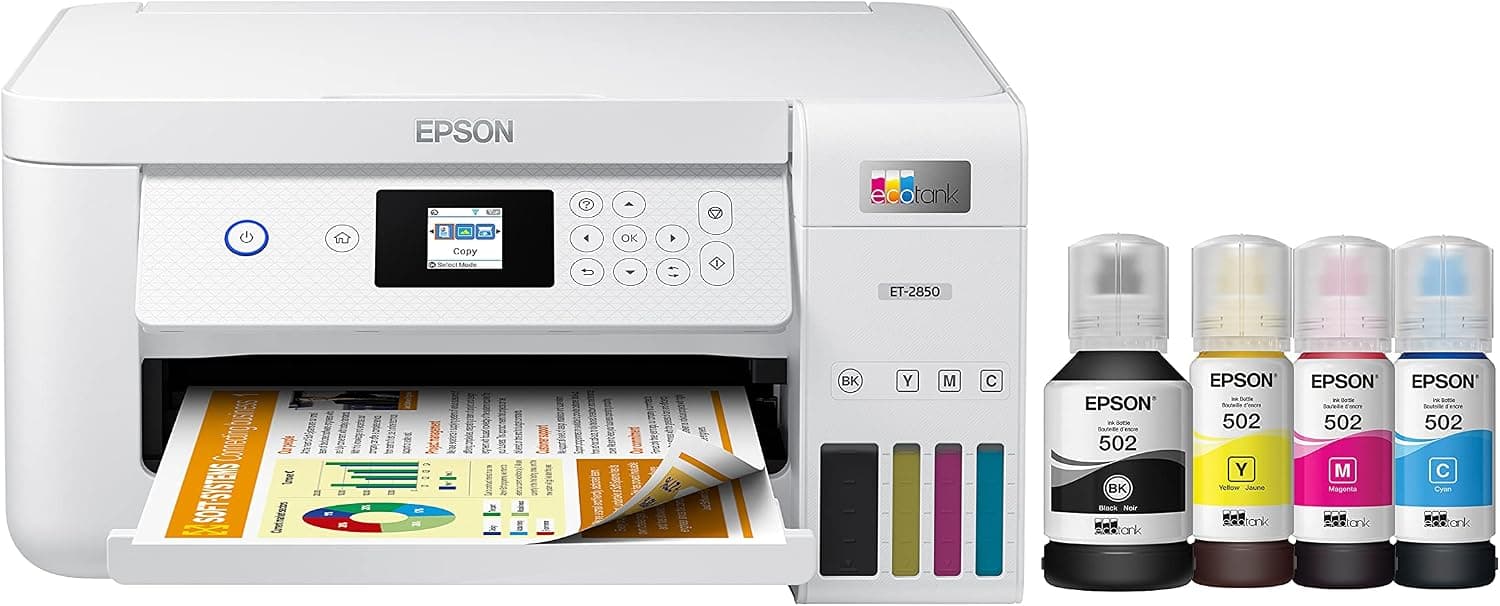
The listing states the box includes one bottle of 502 Black (127 mL) and one bottle each of 502 Cyan, Magenta, and Yellow (70 mL). Some customer reviews report receiving the printer with ink, while others report it arrived without ink bottles.
The listing describes Micro Piezo Heat-Free Technology and pigment black ink for sharp text and impressive color photos. Customer reviews are mixed, with some praising excellent print quality and others reporting inconsistent or poor print results.
Yes, the listing describes it as cartridge-free with high-capacity ink tanks and EcoFit ink bottles for easy filling.
Yes, the listing states it features wireless connectivity, hands-free voice-activated printing, and automatic 2-sided printing.
The listing states a 90-day limited warranty, while also mentioning a 2-year limited warranty with registration.
From a similar, more-reviewed product in this category: MUNBYN RealWriter 941 Bluetooth USB 4x6 Shipping Thermal Label Printer
For the vast majority of users, yes. The RealWriter 941 supports Windows, macOS, and Chromebook via USB, with Bluetooth as a convenient wireless option. Most reviewers say they were printing labels within 10–15 minutes. One tip from seasoned users: install the MUNBYN driver first and set your label size to 4x6 before your first print — that's the step that trips up a few people.
No ink, no toner — ever. It's a true thermal printer, which is one of the biggest reasons small sellers love it. You can use any standard 4x6 thermal labels, though MUNBYN's own labels are the most commonly recommended for consistent feed and print quality. Just make sure they're direct thermal (not thermal transfer).
Honest answer: USB is the most rock-solid option, and many power users keep it plugged in for high-volume days. Bluetooth works well for most people, but a few TikTok and Reddit users noted occasional pairing hiccups with older laptops or certain macOS versions. If you print dozens of labels a day, USB is your safest bet; for lighter use, Bluetooth is perfectly fine.
It prints up to 150mm/s — fast enough that most sellers describe it as "instant" compared to inkjet label printing. It's also notably quiet; several reviewers said they can print while on calls without anyone noticing. Small business owners and Amazon FBA sellers consistently call it reliable for daily, high-volume shipping.
This is one of the most praised aspects of the product. Reviewers repeatedly mention fast, friendly support that resolves issues — including replacements for the rare unit that arrives damaged or with a jammed roller. It also comes with a standard warranty and is eligible for returns through the platform you purchased from, so you're covered if it's not the right fit for your workflow.
Answers are limited to the manufacturer's listing and the reviews we analysed. Questions those sources cannot support are not answered here.
Transparent by design

