What people like
Clear picture and solid value
Several reviewers describe clear picture quality, good color presets, and strong value for the price, with one calling it amazing for the budget.
Our buying verdict
Several reviewers report clear picture and smooth gaming, but one unit failed and color accuracy drew criticism.
Buyers seeking an affordable gaming monitor for PC or console play who mainly care about a clear picture and smooth performance.
Buyers who need consistent, accurate color for creative work or who want strong assurance of long-term reliability.
The 30-second read
What people like
Several reviewers describe clear picture quality, good color presets, and strong value for the price, with one calling it amazing for the budget.
The main watch-out
One monitor stopped working months after purchase, and another reviewer reported poor color and uneven backlight edges; these are separate reports, not a pattern.
Before you choose
One reviewer notes the monitor should be connected to a graphics card for best results, so check your setup before buying.
From a similar, more-reviewed product in this category: KOORUI 24 Inch Gaming Monitor, 180Hz 1080P VA Display with 3000:1 Contrast
What people like
Several reviewers describe the monitor as a strong budget purchase, citing impressive specs for the money and satisfaction with gaming use.
The main watch-out
Several reviewers report the monitor failing or coming apart after months to a couple of years, including a dead screen and a failing power cord.
Before you choose
Two reviewers note that setup benefits from adjusting settings in your GPU software, including color, brightness, and VRR.
Description
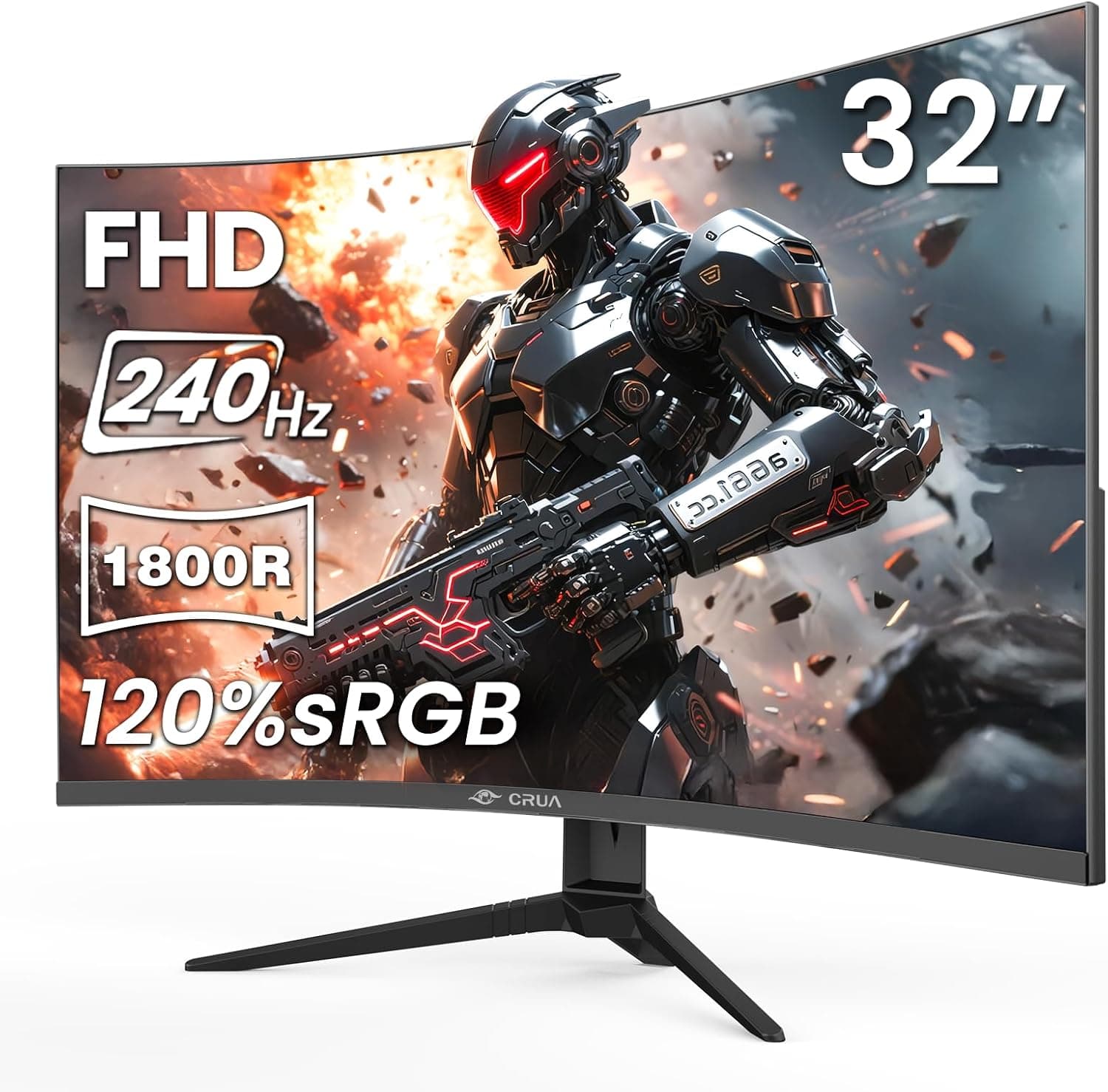
120% sRGB Gaming Monitor This curved gaming monitor delivers 120% sRGB, 3500:1 contrast, 16.7M colors, 8-bit depth, and 288cd/m² brightness for vibrant visuals, rich details, and smooth immersive gameplay 32Inch Monitor Enjoy immersive gameplay with this FHD 1920x1080 gaming monitor. Offering sharper clarity and smoother visuals than HD 720p, it delivers detailed graphics and vivid colors for every battle 32Inch 240Hz Monitor Enjoy next-level immersion with a 240Hz gaming monitor. Smooth visuals, reduced motion blur, and crisp clarity deliver a seamless experience for racing, shooters, and action games FreeSync This gaming monitor with FreeSync keeps every frame in sync, removing tearing and lag. Perfect for competitive players seeking ultra-smooth, responsive performance in fast-paced matches 32Inch Curved Monitor Step into the action with this 1800R curved gaming monitor. The wide curved screen surrounds your vision for immersive viewing, pulling you deeper into every battle and movie. With reduced distortion and eye comfort design, enjoy smooth visuals and long hours of gameplay without fatigue Versatile connections This gaming monitor provides versatile connectivity with HDMI 2.0, DP 1.4, and audio 3.5mm port, ensuring smooth links to PCs, consoles, and speakers. With a 100x100mm wall mount design, slim 32-inch profile, and ergonomic size, it fits any setup for gaming, work, or entertainment
Compare the trade-offs
A random selection of analyzed products from the same category. Different products are not necessarily interchangeable.

Acer 23.8in FHD 1920x1080 IPS 120Hz Office Monitor KB242Y G0bi
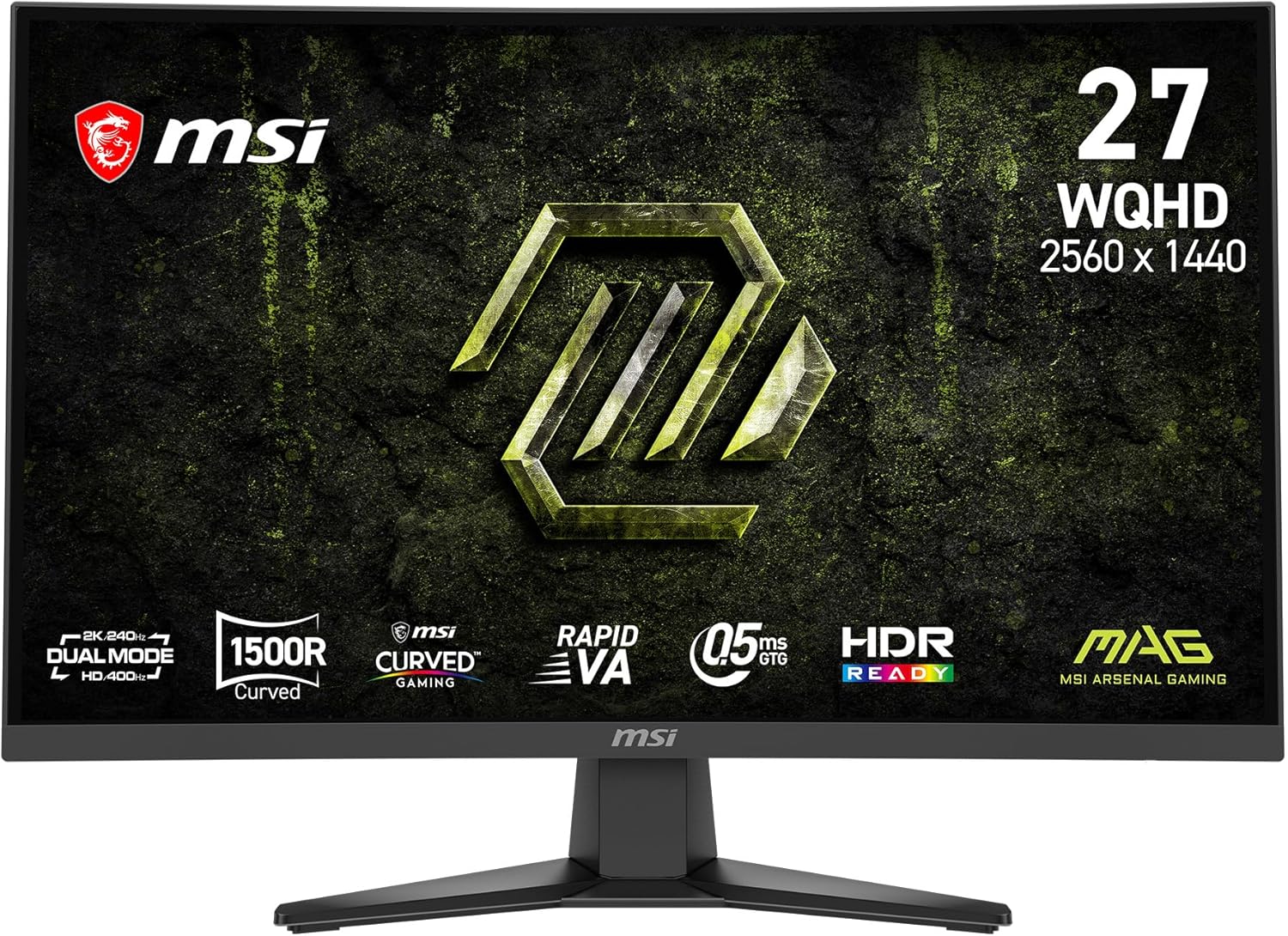
msi MAG 275CQDF X24 27-inch 2560 x 1440 (QHD) Gaming Monitor, AMD FreeSync Premium, Dual Mode with WQHD 240Hz and HD 400Hz, HDR Ready, HDMI, VESA, Tilt, 0.5ms, Black

acer 27 Inch Monitor- KB272-27 Inch FHD IPS (1920 x 1080) Display, Up to 120Hz Refresh Rate, 99% sRGB, Tilt, Adaptive-Sync Support (FreeSync Compatible) 1ms (VRB), sRGB 99% Color, HDMI & VGA Ports
Check the evidence
Included does not mean verified authentic. Flagged does not mean proven fake. These are analytical classifications.
Showing 3 illustrative excerpts, not the complete review set.
150usd 4k is 3 stars
“The Crua 27in white 4k flat monitor a cheap monitor. Minus one star for color being poor, despite saying 120%rgb. Panel does not pass the gray test, edges show highlights and lowlights ALL the way around, so minus another star. Connected to a nvidia 5080 for reference. This will barely pass for gaming, do not buy if you are a creator that requires consistent and accurate color. Plus one star for being 4k, another for arriving complete and undamaged, and another star for price. Info: 1) user menu is the worst I have seen. 2) tilt is the ONLY adjustment 3) RGB lights on the rear light the wall behind the monitor. 4) extremely light 5) dumb monitor, this is good. 6) shows as ejectable in windows 7) the lettering seen in user pics is the screen protector, panel is free of writing. 8) packaged well 9) easy assembly, tools included 10) tune windows and graphics profiles in pc untill you are exhausted for reasonable picture quality. Do not use monitor menu.”
Signals matched: Specific detail: quantity, entity, comparison, process · Reads as an authentic voice
Amazing Monitor for the budget. Crystal Clear.
“Just wow! I was a little hesitant because of a brand I haven't heard before, I'm glad i made this purchase. I bought 2. One for my gaming pc and one for my son xbox....This monitor is crystal clear. No issues with colors, tearing. The presets are very solid for different uses. And seems easy to customize colors. Currently testing it out with Path of Exile 2 and it looks amazing. I tested the second monitor with my son Xbox Series X and it looks crystal clear as well. My son is extremely happy with this monitor.”
Signals matched: Specific detail: quantity, entity, scenario, process · Reads as an authentic voice
Low quality lighting but wouldn’t recommend this product
“Low quality lighting, barely even notice the 4k on such a small screen; wouldn’t recommend this product & putting the stand together is super janky I’d go with MSI for around the same price 1440p is much better and even more noticeably smoother than 4k 120hz which most games can’t even push out Not bad at $160 but i wouldn’t recommend this monitor especially if you’re into story mode games and stuff like that, you won’t even notice on the amount of detail you’re missing until you try something else. 4/10”
Signals matched: Specific detail: quantity, entity, comparison, scenario · Reads as an authentic voice
One less thing to search
It depends on how you'll use it. For gaming, streaming, and movies, the 1920x1080 resolution pairs well with the 1800R curve and delivers smooth, vivid visuals — most buyers are happy here. That said, many Reddit and YouTube users note that text-heavy work like spreadsheets or coding can look a bit soft at this size, since pixel density is lower than a 27" 1080p panel. If productivity is your priority, consider a 1440p model; if entertainment and fast-paced gaming come first, this is a strong fit.
Yes — you'll get the full 240Hz over DisplayPort 1.4, and HDMI 2.0 supports high refresh rates too (check your cable and GPU settings to confirm). AMD FreeSync is supported and keeps frames in sync to reduce tearing and stutter. Many users also report FreeSync working with compatible NVIDIA cards via adaptive sync, though results vary by driver. One honest caveat from the community: this is a VA panel, so dark-scene transitions can smear slightly — great for casual and racing games, less ideal for hardcore esports.
The monitor itself has a clean matte finish and thin three-sided bezels that most owners praise, but the included stand is basic and can wobble if you bump your desk. It supports 100x100mm VESA mounting, and plenty of TikTok and Reddit users say a mount or arm transforms the experience. If you need height adjustment or a rock-solid setup, budget for a VESA arm — it's an easy, worthwhile upgrade.
CRUA offers premium after-sales support and welcomes you to reach out anytime for help with questions or issues, including dead pixels or returns. On colors: some buyers find the picture looks a little flat or cool initially, but a quick calibration (and enabling FreeSync in settings) brings out the 120% sRGB vibrancy and deep 3500:1 blacks. Keep your packaging until you've tested the panel — it makes any replacement or refund much smoother.
It's an excellent value pick for budget-conscious gamers into racing, sims, and casual shooters, plus movie lovers and students building a first immersive setup. The 1800R curve, 240Hz refresh, and vivid VA colors punch well above the price. If you're a competitive esports player chasing zero smearing, or you do lots of text-based work and want maximum sharpness, a 27" 1440p or IPS alternative may suit you better. For everyone in between, it's a practical, high-value choice for gaming, work, and daily entertainment.
From a similar, more-reviewed product in this category: KOORUI 24 Inch Gaming Monitor, 180Hz 1080P VA Display with 3000:1 Contrast
Yes — it's a native 180Hz panel, but you'll need to switch it on manually. Connect via the included HDMI cable (or a DisplayPort-capable setup), then set 180Hz in your GPU's display settings; it defaults to a lower refresh rate out of the box. Many Reddit and YouTube users note that enabling Adaptive Sync/FreeSync alongside it gives the smoothest experience, and it works with both AMD and NVIDIA cards.
The 3000:1 contrast gives noticeably deeper blacks than typical IPS budget monitors, which shines in dark game scenes and movies. For fast-paced competitive shooters, some TikTok and Reddit users mention mild ghosting/smearing in dark transitions — it's great for casual gaming, students, and office work, but color-critical creators or hardcore FPS players may prefer an IPS panel.
Correct, the included stand only tilts (-5° to 20°) and doesn't offer height, swivel, or pivot adjustment, and a few users find the base slightly wobbly. The good news: it's VESA 100×100mm compatible, so a monitor arm or desk mount solves ergonomics entirely — a popular fix among dual-monitor and dorm-room setups.
Budget monitors can vary unit to unit, and some buyers report stuck pixels or corner bleed — but KOORUI backs it with a 3-year manufacturer warranty. If your unit arrives defective, contact the seller for a replacement or refund promptly; most users who did so report a smooth resolution, so inspect the screen within the return window.
At around $120, it's widely praised as one of the best budget 180Hz options — ideal for students, casual gamers, home-office users, and compact or dual-monitor setups. Just set expectations: no built-in speakers, a single HDMI plus VGA, and basic ergonomics. If you need height adjustment, color accuracy, or built-in audio, consider spending more on an IPS alternative.
Answers are limited to the manufacturer's listing and the reviews we analysed. Questions those sources cannot support are not answered here.
Transparent by design