What people like
Good value for the price
Several reviewers describe the monitor as a strong budget purchase, citing impressive specs for the money and satisfaction with gaming use.
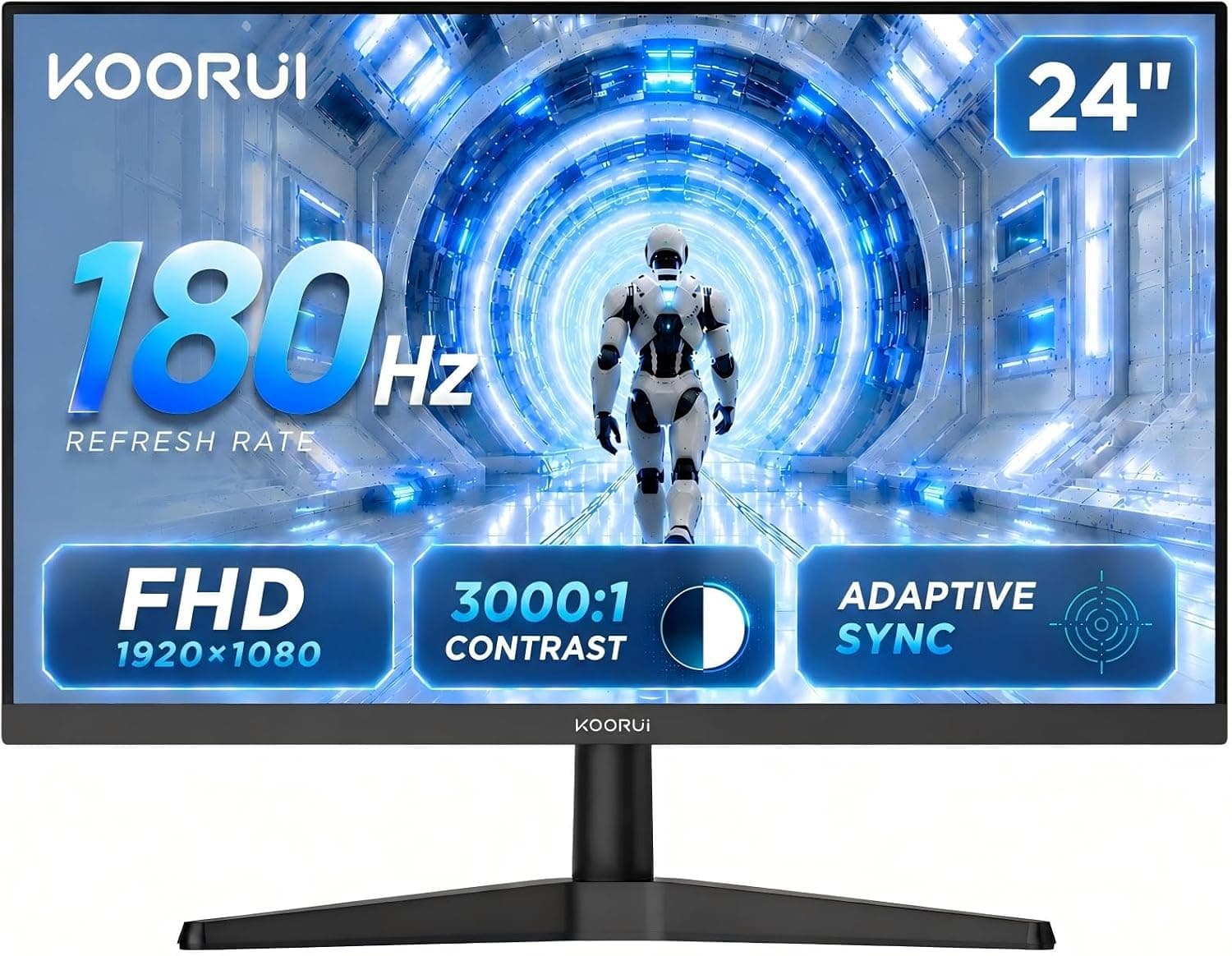
Our buying verdict
Several reviewers found it works well and holds up, but others report screen or power failures.
Buyers seeking an affordable gaming monitor who are comfortable adjusting video card and display settings themselves.
Buyers who prioritize long-term reliability and want a monitor that is unlikely to develop screen or power problems.
The 30-second read
What people like
Several reviewers describe the monitor as a strong budget purchase, citing impressive specs for the money and satisfaction with gaming use.
The main watch-out
Several reviewers report the monitor failing or coming apart after months to a couple of years, including a dead screen and a failing power cord.
Before you choose
Two reviewers note that setup benefits from adjusting settings in your GPU software, including color, brightness, and VRR.
From a similar, more-reviewed product in this category: KOORUI 27 Inch Curved Gaming Monitor 180Hz FHD 1080P, 1500R VA Display
What people like
Several reviewers found the monitor easy to install and mount, and described the picture quality as good or great.
The main watch-out
One reviewer reported the monitor worked the first day but showed a black screen on the second day despite power and detection.
Before you choose
One reviewer noted the monitor cannot support 1440p resolution, so it suits 1080p use only.
Description
KOORUI Gaming Monitor: Find Your Best Choice G2412V Add to Cart G2421V Add to Cart G2711P Buying Options G2721P Add to Cart G2722P Buying Options GN02 Add to Cart Customer Reviews 4.4 out of 5 stars 15,539 4.4 out of 5 stars 15,539 4.4 out of 5 stars 15,539 4.4 out of 5 stars 15,539 4.4 out of 5 stars 15,539 4.4 out of 5 stars 15,539 Price $119.99$119.99 $149.99$149.99 — $199.99$199.99 — $119.99$119.99 Size 24inch 24inch 27inch 27inch 27inch 27inch Refresh Rate 180Hz 180Hz 200Hz 200Hz 200Hz 240Hz Resolution FHD 1920*1080 QHD 2560*1440 FHD 1920**1080 QHD 2560*1440 QHD 2560*1440 FHD 1920**1080 Panel VA Fast IPS Fast IPS Fast IPS Fast IPS VA Response time 1ms 1ms 1ms 1ms 1ms 1ms
Compare the trade-offs
A random selection of analyzed products from the same category. Different products are not necessarily interchangeable.

AOC 24 Inch Gaming Monitor FHD 180Hz Fast IPS 0.5ms HDR, 24G51F2 | 1920x1080 Computer Monitor, Adaptive-Sync, LED, Audio Earphone Out, VESA Mount, Console Ready, 3-Year Warranty

KTC 24.5 Inch 240Hz Gaming Monitor, FHD Computer Monitor Fast IPS, H25T7-A

Laptop Screen Extender, 15.6" Fhd Portable Monitor With Dual Stands
Check the evidence
Included does not mean verified authentic. Flagged does not mean proven fake. These are analytical classifications.
Showing 3 illustrative excerpts, not the complete review set.
Almost a Year of Use — Exceptional 1440p 200Hz Monitor for the Price
“I've been using this KOORUI G2721P for almost a year now, it will be a year on Nov 30, 2026 from the date of purchase, and I can confidently say that it's one of the best budget tech purchases I've made. I picked it up for just $139 during a sale, and considering the specifications, performance, and overall experience, honestly I'm extremely satisfied. This was my first budget gaming monitor, and it genuinely exceeded my expectations by a huge margin. 1. Display Quality - 1440p at 27 Inches Is the Sweet Spot The 27-inch QHD (2560 x 1440) resolution offers a good 109 pixels per inch, which is a great balance between sharpness and screen space. That's about 77.8% more resolution at 1080p as compared to the base 720p, and that extra resolution does make a difference when watching shows, reading text, multitasking and otherwise being productive. I do coding a lot. Helps, I promise. Another feather to their cap is their Fast IPS panel. Viewing angles are even, colors are bright. The color gamut coverage advertised by KOORUI is 95% DCI-P3, which is quite amazing considering the price. It is not to be confused with professional-grade color accuracy from the off, though, and wide color gamut coverage should not be overlooked. Properly calibrated color work would still be recommended for serious color critical work. The display is impressive, however, for normal use: Content viewing, productivity or gaming. The 200Hz refresh rate is another key feature that sets this apart from most smartphones on the market, making it a selling point. 2. 200Hz Refresh Rate By way of comparison, a 60 Hz monitor refreshes its screen about every 16.67ms, while a 200 Hz monitor refreshes the screen every 5 ms. This doesn't necessarily mean that the motion will be perfectly clear, but it certainly means that there are far more chances to show the updated frames, and this means a much smoother experience when the connected hardware can deliver the required frame rate. The advertised 1ms response time needs to be taken with a pinch of salt as well. Typical response times for manufacturers are usually under certain conditions, and the actual transition of the pixels depends on the overdrive level and refresh rate. However, for gamers who demand high frame rates, the overall specs make for an interesting alternative. Another handy feature is adaptive sync support, which minimizes screen tearing and any discrepancies in frame delivery with compatible hardware. 3. HDR400 — Manage Your Expectations This is likely to be the most critical factor for prospective homebuyers. The monitor even touts itself as supporting HDR400, but I would not buy it for HDR. Though HDR400 is a great starting point for entry-level screens, it doesn't guarantee the dramatic contrast and deep blacks of higher-end OLED and Mini-LED screens. This is still an IPS panel but black level and native contrast has limitations. You can't expect to get the OLED experience from a budget IPS screen, so you might be in for a rude shock. This is not a criticism of this product, it is just knowledge about the technology and price range. In my opinion, it's 1440p SDR, high refresh rate and color reproduction that are important selling points rather than the HDR designation. 4. Productivity & Everyday Usage This is used for more than just gaming, it's useful for programming, study, multitasking, surfing and content watching. The 1440 resolution offers sufficient screen space to comfortably use multiple windows and the 27" size isn't too big for a standard desk. The monitor is equipped with two HDMI inputs and a DisplayPort output, making it versatile for connecting with various devices. It is worth noting that the highest refresh rate might vary for different input connections, cables and graphics cards. Note that if you want to purchase it specifically for 200Hz, check that your setup is capable of displaying that mode. It's also a nice thing to have that it's VESA mount compatible, especially for those who wish to install dual monitors or a monitor arm. Tilt adjustment is good but not as necessary as height, swivel or pivot adjustment. 5. Long-Term Value & Reliability Overall, my experience is very good, still, after nearly a year. I think that's more important to me than the excitement of unboxing a new monitor. For $139, I didn't think I'd be getting a high-end viewing experience. Looking for a dependable, high-refresh-rate, sharp monitor that would work for work and play. And that's exactly what I got. There are indeed better monitors on the market, but any meaningful improvements, especially OLED-level contrast, local dimming, and even better HDR performance have a much higher price tag. I also like some of the practical features that this monitor has to offer, such as the QHD resolution, fast-IPs panel, 200Hz refresh rate, Adaptive Sync, flexible connectivity. Final Verdict — 5/5 Stars Would I recommend this monitor? Yes, particularly for those who wish to enjoy games without the hefty price tag, and with only slight compromises in quality. Do I recommend it as a monitor for OLED blacks, for high-end HDR or for professional reference monitor color accuracy? No. These expectations are too high for this budget. This is an extremely alluring package for students, programmers, casual content makers, gamers and anyone looking to create a low budget workstation. I really don't know of any better value overall -- at $139. I'm not saying that it's the top monitor for every price range, but it is certainly one of my greatest purchases of a budget monitor. I'm about a year later, and still very happy with it, I'd certainly buy it again. 5 stars, much well deserved.”
Signals matched: Specific detail: entity, quantity, process, comparison · Reads as an authentic voice
Overall great monitor for what it is
“Overall great monitor for what it is. I have been using it for about two years and it has held up well. Buts whats really bugging me is that I went back to it today because I was thinking about buying another one maybe two one for my son and one for myself. When I purchased it it was 260 270 after tax and such. I checked it out again today and its sitting 100$ more than I bought it for a long while ago. (1.5 to 2) years ago it was 100$ less. I hate it when companies do this. They would have made a customer for life and made a couple more sales off of me today but im gonna hold off and see what else I can find at that same 350+ price point. Note to the company. If you come out with a decent product at a certain price. Keep the product at that price or even slightly lower due to it aging. Your customers will see that and know that your a company that makes good products at a reasonable price and that your not greedy like the rest of the pc market is right now.”
Signals matched: Specific detail: quantity, process · Reads as an authentic voice
Very solid for the price.
“Setting up with your gpu suite is recommended (mine is nvidia app: VRR enabled, 200 Hz, resolution: screen, color: nvidia. May require some manual color and brightness calibration). HDR calibration tool is recommended (MS provided one via store is enough). Only downside is black calibration, it's still a little too bright for my taste. Delivery was awesome, just a couple of days. Pristine package, screen in amazing condition, no dead pixels or anything. Highly recommended.”
Signals matched: Specific detail: entity, quantity, process · Reads as an authentic voice
One less thing to search
Yes — it's a native 180Hz panel, but you'll need to switch it on manually. Connect via the included HDMI cable (or a DisplayPort-capable setup), then set 180Hz in your GPU's display settings; it defaults to a lower refresh rate out of the box. Many Reddit and YouTube users note that enabling Adaptive Sync/FreeSync alongside it gives the smoothest experience, and it works with both AMD and NVIDIA cards.
The 3000:1 contrast gives noticeably deeper blacks than typical IPS budget monitors, which shines in dark game scenes and movies. For fast-paced competitive shooters, some TikTok and Reddit users mention mild ghosting/smearing in dark transitions — it's great for casual gaming, students, and office work, but color-critical creators or hardcore FPS players may prefer an IPS panel.
Correct, the included stand only tilts (-5° to 20°) and doesn't offer height, swivel, or pivot adjustment, and a few users find the base slightly wobbly. The good news: it's VESA 100×100mm compatible, so a monitor arm or desk mount solves ergonomics entirely — a popular fix among dual-monitor and dorm-room setups.
Budget monitors can vary unit to unit, and some buyers report stuck pixels or corner bleed — but KOORUI backs it with a 3-year manufacturer warranty. If your unit arrives defective, contact the seller for a replacement or refund promptly; most users who did so report a smooth resolution, so inspect the screen within the return window.
At around $120, it's widely praised as one of the best budget 180Hz options — ideal for students, casual gamers, home-office users, and compact or dual-monitor setups. Just set expectations: no built-in speakers, a single HDMI plus VGA, and basic ergonomics. If you need height adjustment, color accuracy, or built-in audio, consider spending more on an IPS alternative.
From a similar, more-reviewed product in this category: KOORUI 27 Inch Curved Gaming Monitor 180Hz FHD 1080P, 1500R VA Display
For gaming and video, most owners find it perfectly immersive — the 1500R curve and 99% sRGB colors do a lot of heavy lifting. That said, Reddit and YouTube reviewers are honest: at 27 inches, 1080p shows visible pixels up close, so if you'll be reading documents or editing photos all day, a 1440p panel is worth the stretch. Gamers first, workers second.
Yes — 180Hz is achievable, but make sure you're using the DisplayPort 1.2 connection (the included HDMI cable caps lower). It supports both FreeSync and G-Sync Compatible, so AMD and NVIDIA cards are covered. Just enable Adaptive Sync in the OSD and set the refresh rate in your GPU control panel; many TikTok setup videos walk through this in under a minute.
It's a fair concern, and community feedback is mixed. The 3000:1 contrast gives you deep, rich blacks that IPS panels can't match, but fast motion in dark areas can leave slight smearing. Casual and story-driven gamers rarely notice; hardcore competitive FPS players may want an IPS or TN panel instead. The crosshair overlay and FPS counter help, but they don't fix panel physics.
You're covered — KOORUI backs the panel for 1 year and accessories for 3 years, and the monitor ships with an HDMI cable, power cord, and manual. Buyers strongly recommend unboxing and testing on day one, since the occasional dead pixel does slip through. If something's wrong, contact the seller for a replacement or refund promptly; most report smooth resolutions when they act fast.
It's a fantastic fit for budget gamers, first-time high-refresh buyers, students, and console players who want an affordable curved 180Hz display with vivid colors. Skip it if you need built-in speakers (there are none — audio-out only), do color-critical creative work, or demand pixel-perfect text clarity. In short: buy it for play, not for spreadsheets.
Answers are limited to the manufacturer's listing and the reviews we analysed. Questions those sources cannot support are not answered here.
Transparent by design