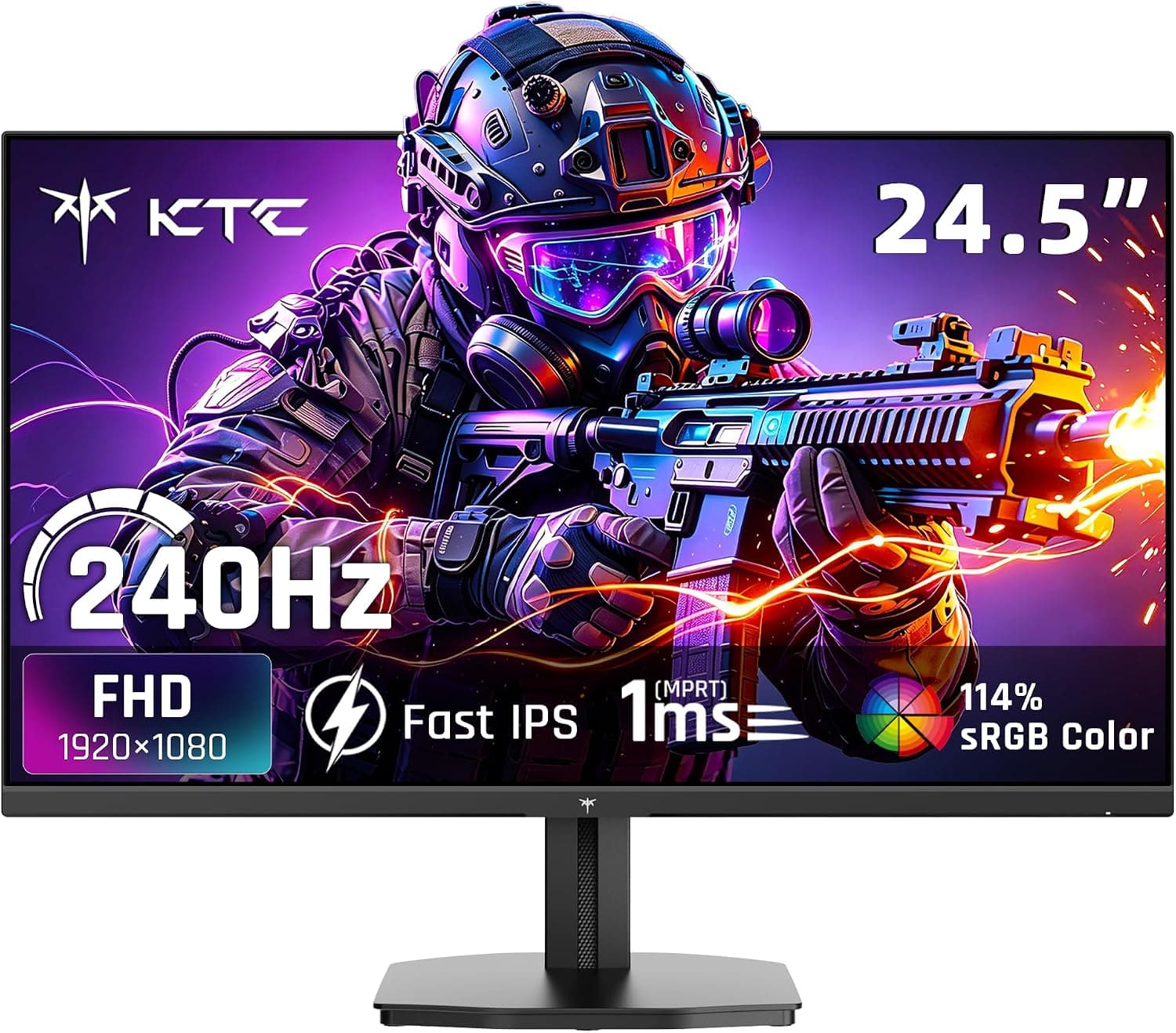
KTC 24.5 Inch 240Hz Gaming Monitor, FHD Computer Monitor Fast IPS, H25T7-A
Description
Product description KTC 24.5 Inch 240hz Gaming Monitor H25T7-A Specific Features of H25T7-A 240Hz Gaming Monitor 1ms Fast-moving visuals stay clear and fluid, giving you the competitive edge to react quicker to in-game action. Adaptive Sync Technology Adaptive Sync technology synchronizes the monitor's refresh rate with your GPU, eliminating screen tearing for seamless, tear-free gameplay. Fast IPS Panel with HDR Blazing speed meets vivid contrast. Fast IPS ensures blur-free motion, while HDR delivers lifelike color and deeper dynamic range for a truly immersive viewing experience. True-to-life Colors This gaming monitor offers a wider color gamut, giving deeper colors and defining features, making the gaming picture more vivid with 114%sRGB, 1000:1 contrast. Eye Care Monitor Screen Previous page Next page KTC 240Hz Gaming Monitor 24.5 Inch 240Hz FHD Add to Cart 24.5 Inch 240Hz FHD Add to Cart 27 Inch 240Hz FHD Add to Cart 23.8 Inch 240Hz FHD Add to Cart 32 Inch 240Hz FHD Add to Cart 32 Inch 240Hz FHD Add to Cart 32 Inch 240Hz QHD Add to Cart Customer Reviews 5.0 out of 5 stars 1 4.5 out of 5 stars 13 3.8 out of 5 stars 26 4.6 out of 5 stars 666 4.6 out of 5 stars 458 3.2 out of 5 stars 5 4.3 out of 5 stars 166 Price $144.99 $ 144 . 99 $134.99 $ 134 . 99 $144.49 $ 144 . 49 $109.99 $ 109 . 99 $199.99 $ 199 . 99 $219.99 $ 219 . 99 $299.99 $ 299 . 99 Screen Size 24.5 Inch 24.5 Inch 27 Inch 23.8 Inch 32 Inch 32 Inch 32 Inch Max Resolution 1920x1080 1920x1080 1920x1080 1920x1080 1920x1080 1920x1080 2560x1440 Refresh Rate 240Hz 240Hz 240Hz 240Hz 240Hz 240Hz oc 280Hz 240Hz Panel Type Fast IPS Fast IPS Fast IPS Fast IPS Curved 1500R HVA Curved 1500R VA Curved 1000R VA Response Time 1ms MPRT 1ms MPRT 1ms MPRT 1ms MPRT 1ms MPRT 1ms MPRT 1ms MPRT Adaptive Sync ✔ ✔ ✔ ✔ ✔ ✔ ✔ sRGB Color Gamut 114% 114% 131% 111% 125% 128% 122% HDR HDR 10 HDR 400 HDR 10 HDR 400 HDR 10 HDR 10 HDR 10 Input Interfaces HDMI&DP HDMI&DP HDMI&DP HDMI&DP HDMI&DP HDMI&DP HDMI&DP Ergonomic Stand Tilt Tilt/Pivot/Height Adjust Tilt/Pivot/Height Adjust Tilt Tilt Tilt Tilt VESA Mount ✔ ✔ ✔ ✔ ✔ ✔ ✔
Compare the trade-offs
Similar products, side by side
A random selection of analyzed products from the same category. Different products are not necessarily interchangeable.

Philips 22 Inch Computer Monitor FHD 120Hz Overclocked IPS VESA, 22E2N1100

SAMSUNG 49-inch Odyssey G9 (G91F) DQHD, 144Hz, Curved Gaming Monitor, Ultra-Wide 32:9 Screen, DisplayHDR 600, AMD FreeSync™ Premium Pro, Ergonomic Stand, LS49FG910ENXZA, 2025

ZZA 27 Inch 4K Gaming Monitor,UHD(3840x2160) 4K 144Hz Flat Monitor, Adaptive Sync,HDMI 2.1 & DP 1.4,Tilt Adjustment PC Monitor, Wall Mountable, for Work, Streaming, and Home Office, Black
One less thing to search
Before you buy: quick questions
The listing only has one review — can I really trust this monitor?
That's a fair concern. The 5.0 rating comes from a single buyer, so treat it as a starting point rather than proof. What you *can* rely on are the specs: a 24.5" Fast IPS panel, 240Hz refresh rate, 1ms response time, and Adaptive Sync. If you're comfortable buying on specs and a solid return policy, it's a low-risk pick — just keep your receipt handy during the return window.
Does it actually hit 240Hz, and what cable do I need?
Yes — but you'll want to use DisplayPort to unlock the full 240Hz. Over HDMI, you're typically capped at 144Hz depending on the version. Many Reddit users recommend checking the included cable first; if it's HDMI-only, grab a DisplayPort 1.4 cable for around $10 to get the full refresh rate. For PS5 or Xbox Series X, expect 120Hz over HDMI 2.1-compatible ports.
How's the build quality and stand? Will I need a monitor arm?
The chassis is lightweight plastic, which is typical at this price. The stock stand offers basic tilt but no height or pivot adjustment, and some YouTube reviewers note mild wobble during intense gaming. If ergonomics matter to you, the 100x100mm VESA mount makes adding an arm easy and is a popular upgrade among owners.
Is the HDR real, and how does it compare to pricier 240Hz monitors?
Be realistic here — this is HDR10 *support*, not true HDR performance. Peak brightness isn't high enough for a dramatic HDR effect, so many TikTok users suggest leaving it off for competitive play. Compared to $300+ options like the ASUS TUF VG249QM1A, you're trading some brightness and color accuracy for a much lower price. For fast-paced shooters on a budget, it holds its own.
What if something goes wrong — warranty, returns, and who is this monitor actually for?
KTC typically offers a limited warranty, but coverage varies by seller, so confirm the terms before checkout and buy from a platform with a clear return window. This monitor is best suited for competitive FPS players, students, and small-desk setups where refresh rate matters more than color grading or premium build. If you need accurate colors for creative work or a fully adjustable stand out of the box, consider spending more on a known brand instead.
From a similar, more-reviewed product in this category: KOORUI 24 Inch Gaming Monitor, 180Hz 1080P VA Display with 3000:1 Contrast
Does this monitor really run at 180Hz, and what do I need to enable it?
Yes — it's a native 180Hz panel, but you'll need to switch it on manually. Connect via the included HDMI cable (or a DisplayPort-capable setup), then set 180Hz in your GPU's display settings; it defaults to a lower refresh rate out of the box. Many Reddit and YouTube users note that enabling Adaptive Sync/FreeSync alongside it gives the smoothest experience, and it works with both AMD and NVIDIA cards.
How does the VA panel perform for gaming and everyday work?
The 3000:1 contrast gives noticeably deeper blacks than typical IPS budget monitors, which shines in dark game scenes and movies. For fast-paced competitive shooters, some TikTok and Reddit users mention mild ghosting/smearing in dark transitions — it's great for casual gaming, students, and office work, but color-critical creators or hardcore FPS players may prefer an IPS panel.
The stand looks basic — can I adjust the height or mount it?
Correct, the included stand only tilts (-5° to 20°) and doesn't offer height, swivel, or pivot adjustment, and a few users find the base slightly wobbly. The good news: it's VESA 100×100mm compatible, so a monitor arm or desk mount solves ergonomics entirely — a popular fix among dual-monitor and dorm-room setups.
What if I receive a unit with a dead pixel or backlight bleed?
Budget monitors can vary unit to unit, and some buyers report stuck pixels or corner bleed — but KOORUI backs it with a 3-year manufacturer warranty. If your unit arrives defective, contact the seller for a replacement or refund promptly; most users who did so report a smooth resolution, so inspect the screen within the return window.
Is it good value, and who is it best suited for?
At around $120, it's widely praised as one of the best budget 180Hz options — ideal for students, casual gamers, home-office users, and compact or dual-monitor setups. Just set expectations: no built-in speakers, a single HDMI plus VGA, and basic ergonomics. If you need height adjustment, color accuracy, or built-in audio, consider spending more on an IPS alternative.
Answers are limited to the manufacturer's listing and the reviews we analysed. Questions those sources cannot support are not answered here.
Transparent by design