What people like
Good image quality for the price
Reviewers repeatedly praise the picture quality and value, with several noting it works well for meetings, streaming and daily use.
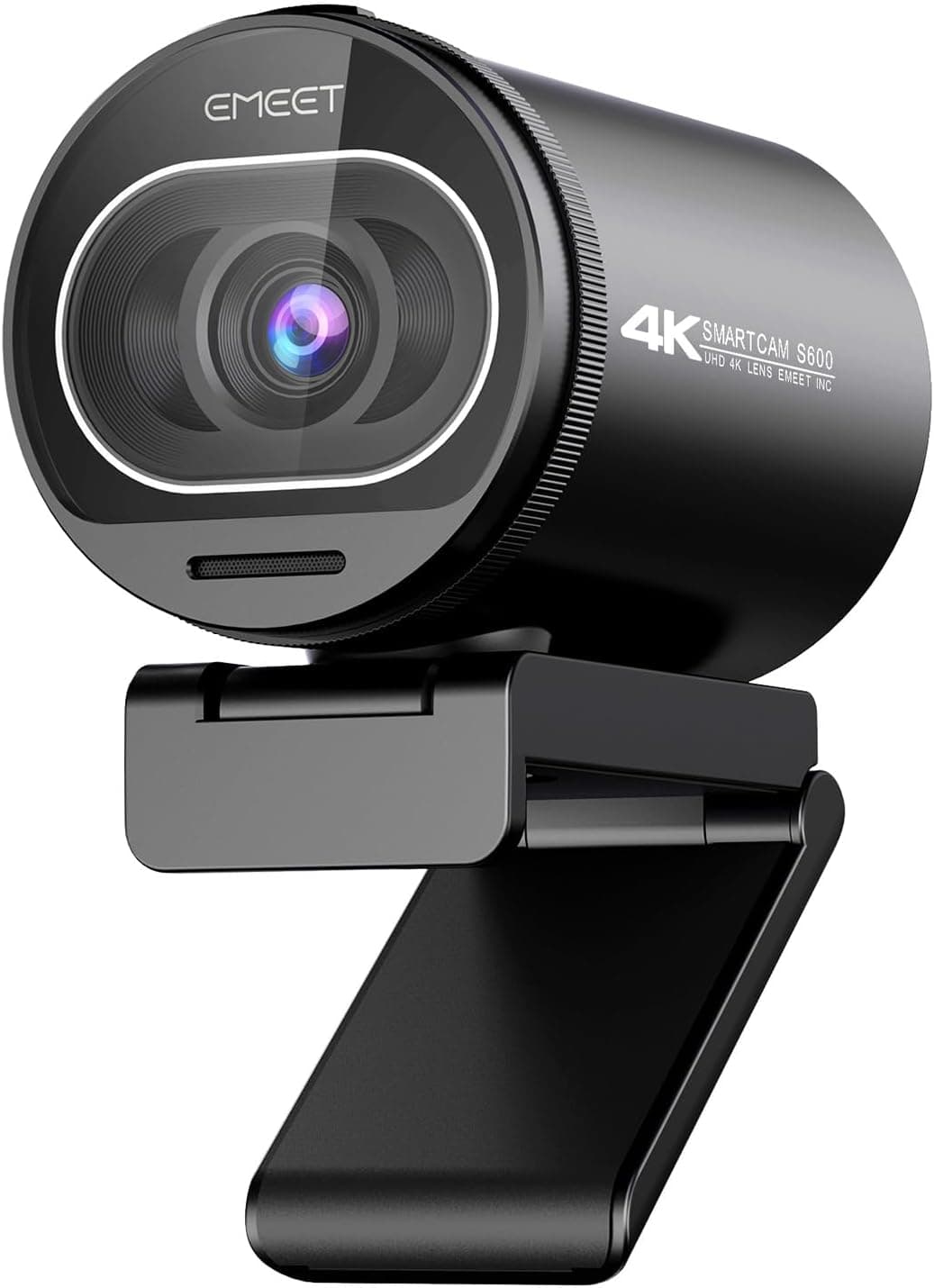
Our buying verdict
A good budget pick for calls and streaming, though the 4K claim and software disappoint.
Home-office users, students and beginner streamers who want an affordable, easy-to-use webcam for calls and everyday streaming.
Buyers expecting true 4K output or professional-grade image quality, who may want to look at a higher-tier camera.
The 30-second read
What people like
Reviewers repeatedly praise the picture quality and value, with several noting it works well for meetings, streaming and daily use.
The main watch-out
One reviewer says the 1080p performance is fine but the 4K promise and the software are disappointing, pulling the overall result down.
Before you choose
Some users find it suits streaming, calls and meetings, but suggest looking elsewhere if you need higher-end performance.
Your use case first
1 of 14 mentions describe a negative experience (7%).
2 of 12 mentions describe a negative experience (17%).
2 of 7 mentions describe a negative experience (29%).
One review can mention several topics. Percentages describe the reviews we analysed, not all buyers or the product's overall failure rate.
From a similar, more-reviewed product in this category: TONOR Dynamic Podcast Microphone with Arm XLR/USB Cable, Black, TD510+
17 of 253 mentions describe a negative experience (7%).
30 of 172 mentions describe a negative experience (17%).
8 of 127 mentions describe a negative experience (6%).
9 of 57 mentions describe a negative experience (16%).
3 of 31 mentions describe a negative experience (10%).
14 of 29 mentions describe a negative experience (48%).
10 of 28 mentions describe a negative experience (36%).
14 of 23 mentions describe a negative experience (61%).
Compare the trade-offs
A random selection of analyzed products from the same category. Different products are not necessarily interchangeable.

UGREEN Webcam 2K, Webcam with Microphone, Camera PC, 86° Field of View, USB A Camera with Privacy Cover, Auto Focus, Automatic Light Correction, Stereo Sound, Plug & Play, USB Camera for Windows/MacOS

Microsoft LifeCam Studio (Retail Packaging)

1080P HD Webcam with Microphone, Noise Cancellation, Privacy, Wide Angle Lens, Auto Light Correction, Plug & Play USB Webcam, Desktop, PC, Mac, Zoom, Skype, Streaming, Jet Black
Check the evidence
Included does not mean verified authentic. Flagged does not mean proven fake. These are analytical classifications.
Showing 3 illustrative excerpts, not the complete review set.
Ordentliche 1080p-Performance, aber das 4K-Versprechen und die Software enttäuschen | 3 / 5 ⭐
“Ich nutze die EMEET S600 nun seit einiger Zeit. Während die Kamera rein optisch einen guten Eindruck macht, ziehen die Software-Erfahrung und das Marketing das Gesamtergebnis deutlich nach unten. Die positiven Punkte: Gute 1080p Performance: Wer mit Full-HD und 60 FPS zufrieden ist, bekommt ein flüssiges Bild. Privatsphäre: Der integrierte Schieber funktioniert super. Autofokus: In gut beleuchteten Räumen reagiert er schnell. Das Software-Problem (EMEETLink): Hier liegt für mich der größte Kritikpunkt. Um die Kamera wirklich einzustellen (Weißabgleich, Sättigung, Zoom), ist man auf die EMEETLink-Software angewiesen, und die ist leider sehr schwach: Umständlich: Das Interface wirkt veraltet und nicht intuitiv. Bugs: Bei mir wurden Einstellungen nach einem Neustart oft nicht gespeichert. Ich musste mehrfach die Sättigung korrigieren, weil das Bild standardmäßig sehr blass ist. Ressourcenhunger: Die App scheint im Hintergrund unnötig viel Leistung zu ziehen. Zudem beißt sie sich manchmal mit Apps wie Zoom oder Teams – wenn EMEETLink offen ist, erkennt die Videokonferenz-Software die Kamera gelegentlich gar nicht erst. Das 4K-Versprechen: Man sollte sich vom "4K" im Namen nicht blenden lassen. Es wirkt eher wie ein Marketing-Gag. Das Bild in 4K ist bei 30 FPS kaum schärfer als ein gutes 1080p-Bild, fängt aber deutlich schneller an zu rauschen, sobald das Licht nicht perfekt (Studio-Niveau) ist. Fazit: Die Hardware wäre eigentlich 4 Sterne wert, aber die mangelhafte Software und die Mogelpackung beim 4K-Bild machen daraus für mich ein durchschnittliches 3-Sterne-Produkt.”
Signals matched: Specific detail: quantity, entity, process · Mentions: quality, functionality, image quality · Reads as an authentic voice
Einfach Super
“4k Glaube ich nicht. Aber macht einen sehr Guten Job für den Preis. Support Klasse. Nach dem 3. Anlauf funktionierte alles was Funktionieren Soll - OBS Discord Animaze und vieles mehr. Wer etwas gutes für eine kleine Preis sucht , ist damit Recht gut bedient. Ich selbst werde noch eine andere Kaufen, da für mich die Qualität etwas besser sein könnte. Aber ich wollte einen Vergleich mit einer teuren Hochgepriesen Kamera machen und den Wettlauf hat die Emeet wieder erwarten gewonnen. Dafür und für den Support ( leider nur englisch) 5 volle Sterne. Gebrauchsanweisung gehört aber in den Müll, denn das ist das einzige was man davon nicht gebrauchen kann :-)”
Signals matched: Specific detail: quantity, entity, process, comparison · Mentions: quality, functionality · Reads as an authentic voice
Cam
“Täglich in Einsatz. ... ich streame und das Bild is mega viel besser wie der andere. Bin mega zu Frieden und fürs tägliche streamen ("kasiimodo) auf twitch (sry für die eigen Werbung) damit wollte ich nur sagen das man auch auf twitch sie benutzen kann und ihr euch davon selbst überzeugen könnt. Es is ein tolles Bild er nimmt auch je Licht mit das das Gesicht gut zu erkennen ist. Hatte immer ein kleines Licht vor mir und hinten mein stand nicht da ich über PC und TV spiele. Aber das davor Licht brauch ich nicht mehr das stand nicht reicht völlig aus. Wie gesagt überzeugen euch selbst. ....”
Signals matched: Specific detail: scenario, comparison, process · Mentions: image quality · Reads as an authentic voice
One less thing to search
Yes. One reviewer bought it specifically because an older camera stopped working with MS-Teams, and reports that this camera "funktioniert tadellos" with Teams and delivers a sharp image. The listing also names Microsoft Teams and Zoom among supported software.
Reviewers describe the resolution as "wunderbar" for home-office use and the picture as "gestochen scharf," and one calls the 1080p 60fps performance "ordentlich." Note that one 3-star reviewer felt the 4K promise and the software were disappointing.
The listing states it is "no false upscaling, only pure 4K quality," but also notes the default resolution is 1080P and must be adjusted on the PC. One reviewer explicitly doubts the 4K claim ("4k Glaube ich nicht"), while another is satisfied with the 1080p 60fps performance.
Yes. The listing describes USB Plug & Play with a standard USB interface and a Type-C adapter, and reviewers call the operation "sehr einfache Bedienung" and say setting it up is no problem. One reviewer did note it took three attempts before everything (OBS, Discord, Animaze) worked.
Yes. The listing states the webcam comes with a privacy cover to switch the camera off, and includes built-in dual microphones with background-noise cancellation algorithms.
From a similar, more-reviewed product in this category: TONOR Dynamic Podcast Microphone with Arm XLR/USB Cable, Black, TD510+
Yes, it supports both XLR and USB output modes and comes with two cables: one for USB plug-and-play connection and one for XLR, which requires connection to a sound card or audio interface.
Yes, it is plug and play with no additional driver required for the USB connection, and reviewers confirm it works immediately after connecting without needing extra programs or drivers.
Reviewers consistently describe it as excellent value, with one noting it was the best among several dynamic microphones tested under $100 CAD, and others calling the price-performance ratio outstanding.
Yes, it supports zero-latency monitoring via a 3.5mm headphone connection, and you can adjust headphone volume by long-pressing the mute button.
Yes, it has a mute button and +/- buttons to adjust microphone volume, and long-pressing the mute button lets you adjust headphone volume.
Answers are limited to the manufacturer's listing and the reviews we analysed. Questions those sources cannot support are not answered here.
Transparent by design