What people like
Good print quality for home use
Several reviewers report sharp, vibrant prints for schoolwork, photos, and artwork, and describe the all-in-one printing, scanning, and copying as convenient for everyday home tasks.
Our buying verdict
Good everyday printing, scanning, and copying for home use, though one reviewer could not complete setup.
Households needing a wireless all-in-one for school papers, occasional photos, scanning, and copying with clean color output.
Buyers who want a trouble-free first-time setup, since one reviewer could not complete setup even with support.
The 30-second read
What people like
Several reviewers report sharp, vibrant prints for schoolwork, photos, and artwork, and describe the all-in-one printing, scanning, and copying as convenient for everyday home tasks.
The main watch-out
One reviewer could not complete setup after hours of trying and found Epson customer service unhelpful, leaving the printer unusable.
Before you choose
Wireless setup was straightforward for reviewers once the app was running, so plan to use the companion app to connect phones or a laptop.
From a similar, more-reviewed product in this category: MUNBYN RealWriter 941 Bluetooth USB 4x6 Shipping Thermal Label Printer
What people like
Reviewers consistently say this printer is easy to set up and use, with fast, clear label output. Many also highlight the company's top-tier customer support.
Before you choose
One reviewer notes that when changing label sizes, you must also update the size in your Amazon or eBay printing options, not just on the printer. It's worth confirming your preferred settings on both your computer and selling platform.
The main watch-out
One reviewer notes that when switching label sizes, you must also change the size in your Amazon or eBay printing options and your computer settings before printing.
Description
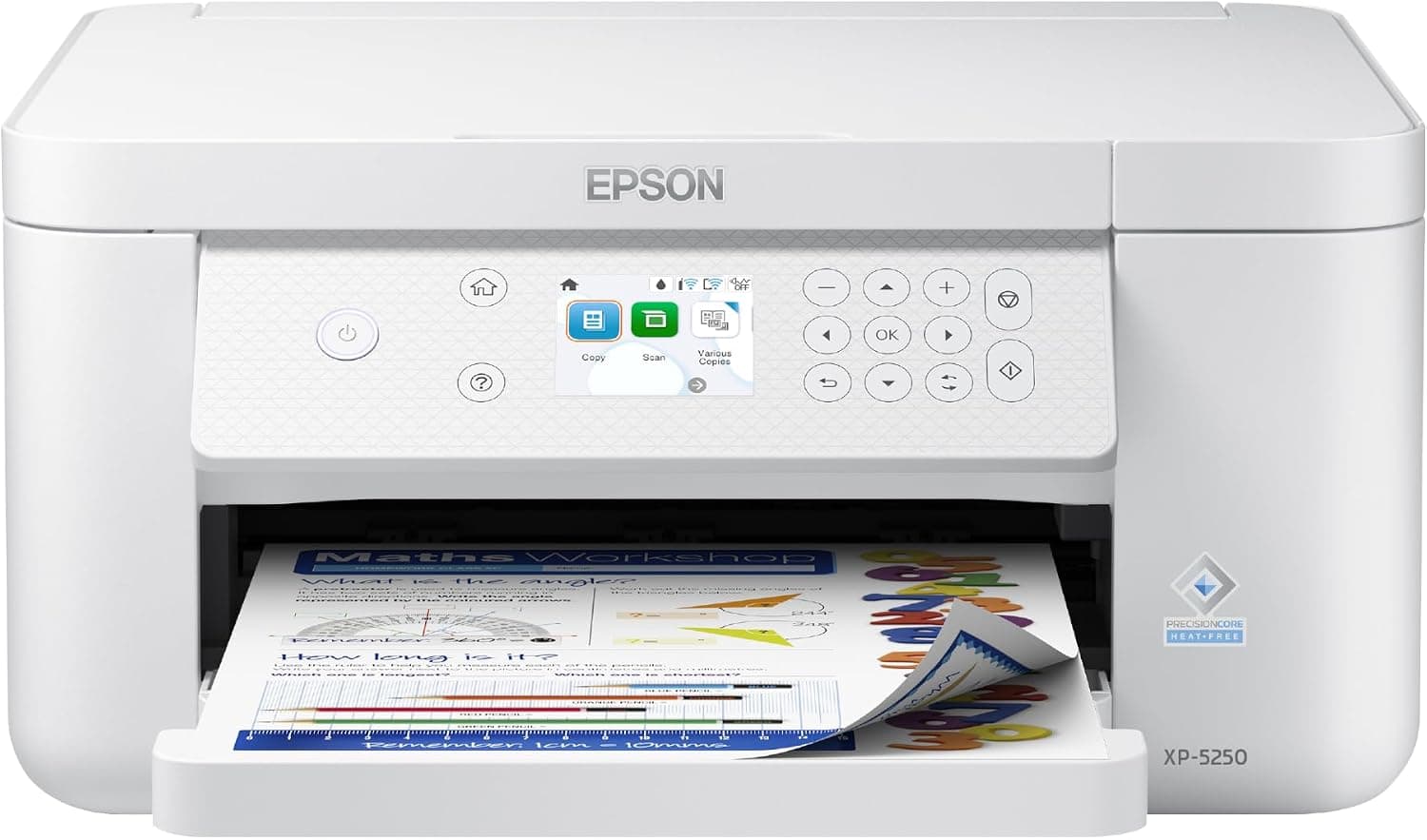
Enjoy fast, easy printing with the Expression Home XP-5250. Our fastest Expression Home printer to date, the XP-5250 printer for home delivers everyday documents—like to-do lists, homework, coupons and more—quickly and easily. Engineered with Epson’s state-of-the-art PrecisionCore technology, this high-performance color printer provides exceptional image quality for remarkable prints and borderless photos for all your creative projects. Plus, this printer scanner copier all-in-one offers a convenient 150-sheet paper tray and simple installation.
Compare the trade-offs
A random selection of analyzed products from the same category. Different products are not necessarily interchangeable.
Check the evidence
Included does not mean verified authentic. Flagged does not mean proven fake. These are analytical classifications.
Showing 3 illustrative excerpts, not the complete review set.
Excellent All-in-One Printer with Good Print Quality and Easy Wireless Printing
“I've owned several Epson printers over the years, and this Expression Home XP-5250 has turned out to be another good one. At around $150, I think it offers a nice combination of features and performance for a home printer. One thing I immediately appreciated was the familiar Epson control panel. It has a 2.4-inch color display with buttons and menus that are very similar to other Epson printers I've owned. Since I'm already familiar with their layout, I was happy to see that they hadn't changed everything around. Wireless connectivity is particularly important in our house because the printer isn't located near my computer, and we share it between multiple devices. So far, wireless printing has worked very well, and I've also been able to connect my phone and print directly from it without any trouble. The print quality is excellent for our needs. Text comes out clearly, colors look good, and the printer is actually fairly quick compared with some of the other printers I've used. I also appreciate the automatic two-sided printing, which is a convenient feature that can help reduce paper usage. The 150-sheet paper tray is another nice advantage because I don't have to constantly refill it. The built-in scanner and copier make it a useful all-in-one machine. I haven't used the copying function very much, but I've used the scanner several times, and it's worked well. My only remaining question is how long the ink cartridges will last and what the ongoing replacement costs will be. I haven't used it long enough to make a fair judgment about ink consumption yet. Overall, I'm very pleased with this printer. It has the features I need, produces good-quality prints, works well with our wireless devices, and is reasonably priced for what it offers. Five stars!”
Signals matched: Specific detail: quantity, entity, comparison · Reads as an authentic voice
Solid printer.
“I like having an all-in-one printer at home because there are always random things that need to be printed, scanned, or copied. Whether it is paperwork, school-related material, shipping labels, or something I need to keep a physical copy of, having a printer available is incredibly convenient. The XP-5250 has a nice feature set for a home printer, and I like that it offers wireless printing instead of requiring everything to be connected directly to a computer. The Epson Smart Panel app is a useful addition because it makes setup and basic operation more convenient from a phone. The printer also has a color display, a 150-sheet paper tray, and individual ink cartridges, so you only have to replace the color that runs out rather than an entire combined cartridge. Print quality is another important consideration, and Epson's PrecisionCore technology is designed to produce sharp documents and good-looking color prints. The biggest thing I would point out is that this printer is designed to use genuine Epson cartridges. That limits your options for cheaper third-party ink, which is something I always consider before buying an inkjet printer. I think this is a good value for someone who needs a reasonably capable home printer but isn't printing hundreds of pages every week. The initial purchase price is reasonable for a wireless printer, scanner, and copier combined, but the ongoing ink costs are something to factor into the total expense. I would order it again for general household use, although someone who prints frequently might be better off looking at a more economical high-volume printer.”
Signals matched: Specific detail: entity, scenario · Reads as an authentic voice
Sharp Color Printing With Wireless Connectivity and Easy-to-Use Features
“This item arrives neatly enclosed in a product box that provides plenty of protection, ensuring that everything is received in perfect condition. The Epson Expression Home XP-5250 is an all-in-one printer that combines printing, scanning, and copying in a relatively compact design. Its white exterior and 2.4-inch color display give it a clean appearance that works well in a home office. The printer uses Epson's PrecisionCore Heat-Free technology, which is designed to produce sharp text and vibrant color prints. It also supports borderless photo printing, making it useful for printing photographs in addition to ordinary documents. The 150-sheet paper tray is another helpful feature because it reduces how frequently paper needs to be purchased. Wireless connectivity allows printing from computers, smartphones, and tablets, while Wi-Fi Direct provides an option for connecting without a router. The Epson Smart Panel app offers additional controls and setup assistance directly from a mobile device. Automatic two-sided printing helps reduce paper consumption, and the individual ink cartridges allow you to replace only the colors that run out. Despite the availability of alternative cartidges, Epson specifies that this printer is designed for genuine Epson cartridges, which is worth considering when calculating ongoing expenses. Overall, this printer offers a useful combination of wireless functionality, color printing, and everyday document management features. I have enjoyed using this printer so far, and I look forward to continuing to do so in the future.”
Signals matched: Specific detail: entity, quantity
One less thing to search
Most owners find setup straightforward thanks to the Epson Smart Panel app and Smart Setup, and Wi-Fi Direct lets you print without a router. That said, some Reddit and YouTube users mention the initial wireless connection can take a few tries — a quick router reboot and updating the app usually resolves it. Once connected, printing from laptops, tablets, and phones is smooth.
The XP-5250 uses four individual Claria 222 cartridges, so you only replace the color that runs out — a genuine money-saver. Keep in mind the printer is designed exclusively for Epson Genuine Cartridges, and non-genuine ink can damage the unit and void your warranty. If you print photos or heavy color volumes, budget for more frequent color refills; light document printing is very economical.
Yes for everyday documents — PrecisionCore technology delivers sharp text at up to 15.5 ppm black and vivid color, and auto-duplex saves paper on multi-page jobs. For photos, borderless printing up to 8.5 x 14 is supported, but as many TikTok reviewers note, you'll get the best results on Epson photo paper rather than plain paper. It's a home all-in-one, not a lab-grade photo printer.
The biggest ones users mention are the single 150-sheet tray (frequent refills for big jobs), the compact 2.4" display with menu-based navigation, and a lightweight plastic build typical of budget home printers. It's ideal for families, students, and light home-office use — but if you print hundreds of pages monthly, a tank or laser model may suit you better.
It comes with a 1-year limited warranty, and Epson support handles defects and setup issues. Overall, buyers rate it around 4.5 stars for delivering print, scan, copy, auto-duplex, and wireless in one compact, affordable package. It's a strong value for everyday home printing — just factor in genuine Epson ink costs and use photo paper for the best picture results.
From a similar, more-reviewed product in this category: MUNBYN RealWriter 941 Bluetooth USB 4x6 Shipping Thermal Label Printer
For the vast majority of users, yes. The RealWriter 941 supports Windows, macOS, and Chromebook via USB, with Bluetooth as a convenient wireless option. Most reviewers say they were printing labels within 10–15 minutes. One tip from seasoned users: install the MUNBYN driver first and set your label size to 4x6 before your first print — that's the step that trips up a few people.
No ink, no toner — ever. It's a true thermal printer, which is one of the biggest reasons small sellers love it. You can use any standard 4x6 thermal labels, though MUNBYN's own labels are the most commonly recommended for consistent feed and print quality. Just make sure they're direct thermal (not thermal transfer).
Honest answer: USB is the most rock-solid option, and many power users keep it plugged in for high-volume days. Bluetooth works well for most people, but a few TikTok and Reddit users noted occasional pairing hiccups with older laptops or certain macOS versions. If you print dozens of labels a day, USB is your safest bet; for lighter use, Bluetooth is perfectly fine.
It prints up to 150mm/s — fast enough that most sellers describe it as "instant" compared to inkjet label printing. It's also notably quiet; several reviewers said they can print while on calls without anyone noticing. Small business owners and Amazon FBA sellers consistently call it reliable for daily, high-volume shipping.
This is one of the most praised aspects of the product. Reviewers repeatedly mention fast, friendly support that resolves issues — including replacements for the rare unit that arrives damaged or with a jammed roller. It also comes with a standard warranty and is eligible for returns through the platform you purchased from, so you're covered if it's not the right fit for your workflow.
Answers are limited to the manufacturer's listing and the reviews we analysed. Questions those sources cannot support are not answered here.
Transparent by design
