What people like
Easy setup and reliable label printing
Reviewers repeatedly say it does what it should, is easy to use, and prints labels cleanly and reliably.
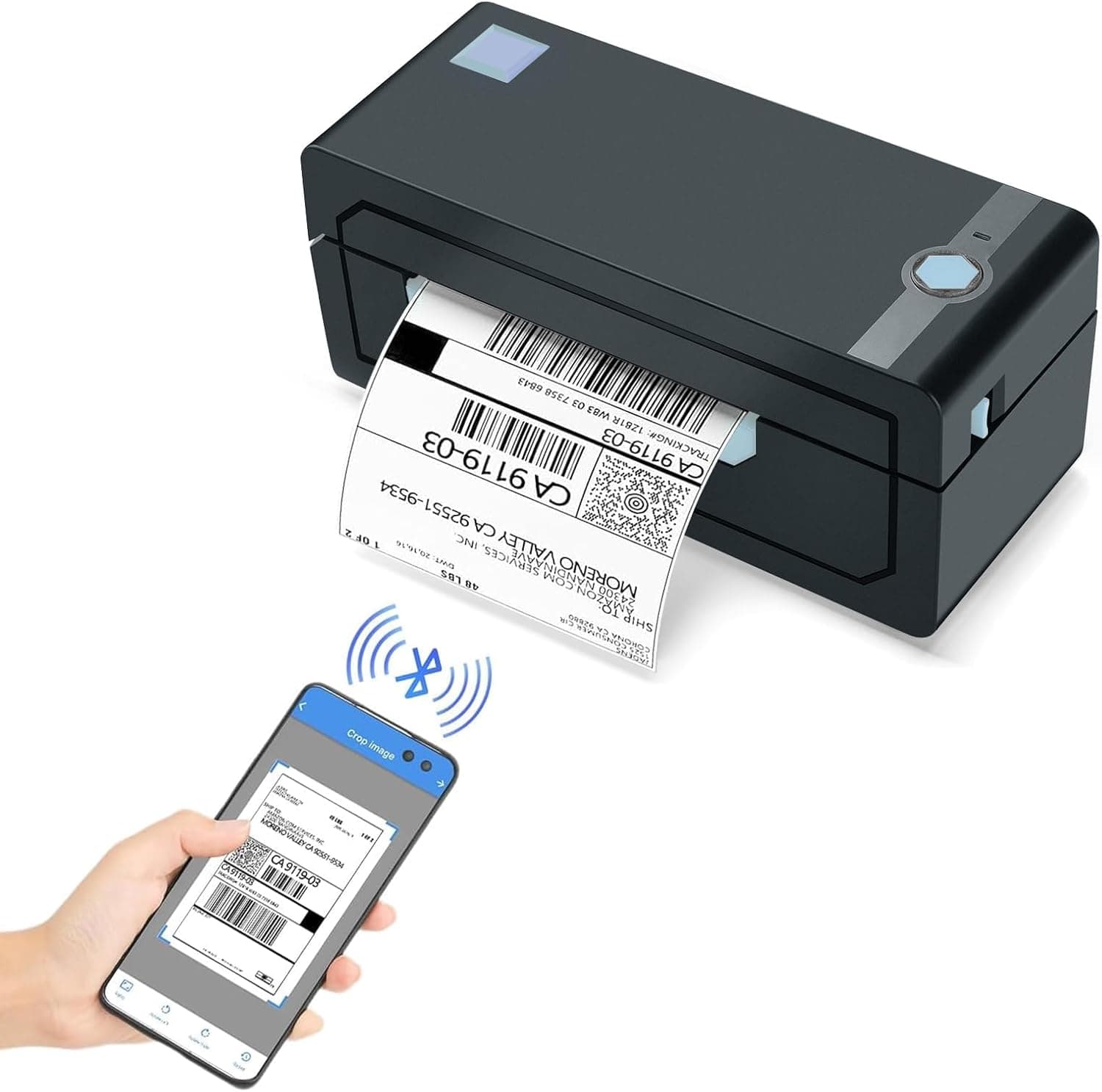
Our buying verdict
A reliable cost-saving pick for shipping labels, though Windows 11 driver issues and occasional feed problems are the key limitations
Sellers and small businesses wanting an affordable, easy-to-use thermal printer for shipping labels without buying ink or toner.
Users who need guaranteed Windows 11 compatibility or flawless out-of-the-box print quality and feeding.
The 30-second read
What people like
Reviewers repeatedly say it does what it should, is easy to use, and prints labels cleanly and reliably.
The main watch-out
One reviewer says the driver software doesn't work on every Windows 11 PC, with no useful help from the manufacturer.
Before you choose
A reviewer notes print quality needed fine-tuning, labels don't always feed perfectly, and small paper bits can stick or melt inside.
From a similar, more-reviewed product in this category: Phomemo Bluetooth DHL Label Printer 4x6 Thermal Printer
What people like
Reviewers repeatedly praise quick, simple setup and reliable Bluetooth/USB connections for printing shipping labels from phone, tablet or PC.
The main watch-out
One reviewer calls the Labelife software a costly subscription trap, and another reports the printer stopped feeding labels after two months and under 10 labels.
Before you choose
Some functions may require a paid subscription, though it's optional; the printer supports various label sizes and types, so confirm your needs fit.
Your use case first
1 of 14 mentions describe a negative experience (7%).
0 of 5 mentions describe a negative experience (0%).
3 of 5 mentions describe a negative experience (60%).
One review can mention several topics. Percentages describe the reviews we analysed, not all buyers or the product's overall failure rate.
From a similar, more-reviewed product in this category: Phomemo Bluetooth DHL Label Printer 4x6 Thermal Printer
19 of 178 mentions describe a negative experience (11%).
42 of 143 mentions describe a negative experience (29%).
7 of 101 mentions describe a negative experience (7%).
25 of 86 mentions describe a negative experience (29%).
6 of 34 mentions describe a negative experience (18%).
15 of 48 mentions describe a negative experience (31%).
18 of 46 mentions describe a negative experience (39%).
15 of 32 mentions describe a negative experience (47%).
Compare the trade-offs
A random selection of analyzed products from the same category. Different products are not necessarily interchangeable.
Check the evidence
Included does not mean verified authentic. Flagged does not mean proven fake. These are analytical classifications.
Showing 3 illustrative excerpts, not the complete review set.
Labels at the Speed of Sanity
“This label printer earns its keep from the first job. Setup is refreshingly easy. Pair it, load labels, and you are printing in minutes without fiddling or frustration. It feels designed for people who want results, not a weekend project. Speed is excellent. Labels fly out cleanly and consistently, keeping pace with busy dispatch sessions without slowing you down. Print quality is sharp and reliable, with barcodes and text coming out crisp and perfectly readable every time. No smudging, no guessing, no reprints. Printer performance is solid across long runs. It stays steady, accurate, and dependable, even when you are hammering through batches. Compatibility is a big win too. Android, iPhone, Windows, and Mac all play nicely, and it works smoothly with the major shipping platforms without drama. Wireless connectivity is stable and dependable. Bluetooth connects quickly, stays connected, and just works in the background while you focus on getting parcels out the door. For the price, the value for money is excellent. This is a proper productivity upgrade. I thank this printer. My parcels thank this printer. Dispatch day feels strangely calm now. Long may it print.”
Signals matched: Specific detail: process · Mentions: ease of use, connectivity, functionality · Reads as an authentic voice
Decent and budget-friendly, but has its quirks.
“Overall, this is a solid, cost-effective shipping label printer, and not needing to buy ink or toner is a huge money-saver. However, it isn't without issues: the print quality took a bit of fine-tuning to get right (and still isn't 100% perfect), small bits of label paper occasionally stick or melt inside, and the labels don't always feed out perfectly straight even after auto-scanning. Despite those flaws, once you get the hang of it, it gets the job done for DHL, Hermes, and DPD labels pretty well for the price. Good for small scale shipping if you're on a budget!”
Signals matched: Specific detail: comparison, process · Mentions: functionality · Reads as an authentic voice
Parfait
“L’imprimante fonctionne correctement pour le moment . Mise en place facile c’est aussi expliqué en français et il ya une clé usb avec pour pouvoir le connecter à ton ordinateur. Je recommande”
Signals matched: Specific detail: entity · Mentions: ease of use, connectivity, functionality · Reads as an authentic voice
One less thing to search
Yes. Multiple reviewers describe it as easy to use and set up, with one noting setup is refreshingly easy and you can be printing within minutes. The listing also states a quick setup in just one minute, with a USB stick containing drivers and instruction videos included.
Not always. One reviewer reported that the driver software does not work on every Windows 11 PC and that no usable alternative help was available from the manufacturer. The listing states Bluetooth printing is supported on Windows 8/10/11, plus a USB port for PC/Mac.
No. The listing describes 203 DPI thermal printing that works completely without ink or toner, and a reviewer specifically mentions never having to buy cartridges again.
It supports folding labels and rolls with an adjustable width of 40 to 104 mm, which the listing says is perfect for 10 x 15 cm / 4 x 6 inch labels. One reviewer noted the default print ticket is somewhat small and needs adjusting to your own needs.
The listing states it is universally compatible with major German platforms including DHL (100 x 150 mm package label), Hermes, DPD, Amazon, eBay and Shopify. One reviewer confirms using it for eBay shipping labels.
From a similar, more-reviewed product in this category: Phomemo Bluetooth DHL Label Printer 4x6 Thermal Printer
Yes. The manufacturer states the printer is compatible with shipping providers such as DHL, Hermes and DPD, and notes that DHL labels should be printed on 4x8" (100x200 mm) label material to meet specifications; if using 4x6 inch labels, set print density to 5 and print speed to 2. Customers also report using it for DHL and other shipping labels.
It supports Bluetooth for iOS and Android devices as well as PCs (Windows, Mac OS, Chrome), and USB for Windows, Mac OS, Chrome and Linux. Reviewers confirm easy setup via Bluetooth with phone or tablet and via USB with a PC.
No. The manufacturer states it is a thermal printer that requires no ink, which it describes as more economical, and a reviewer likewise notes that no ink is needed, making it cheaper in the long run.
Yes. Reviewers describe the installation as very quick and easy to understand, with the printer ready to use in no time, and call the connection and operation child's play.
The manufacturer lists the Labelife software/app as the supported software without mentioning a subscription. Reviewers are divided: one reports being prompted to take out a subscription, while another says extra functions are available with a subscription but it is not mandatory.
Answers are limited to the manufacturer's listing and the reviews we analysed. Questions those sources cannot support are not answered here.
Transparent by design

