What people like
Easy setup, reliable Bluetooth label printing
Reviewers repeatedly praise quick, simple setup and reliable Bluetooth/USB connections for printing shipping labels from phone, tablet or PC.
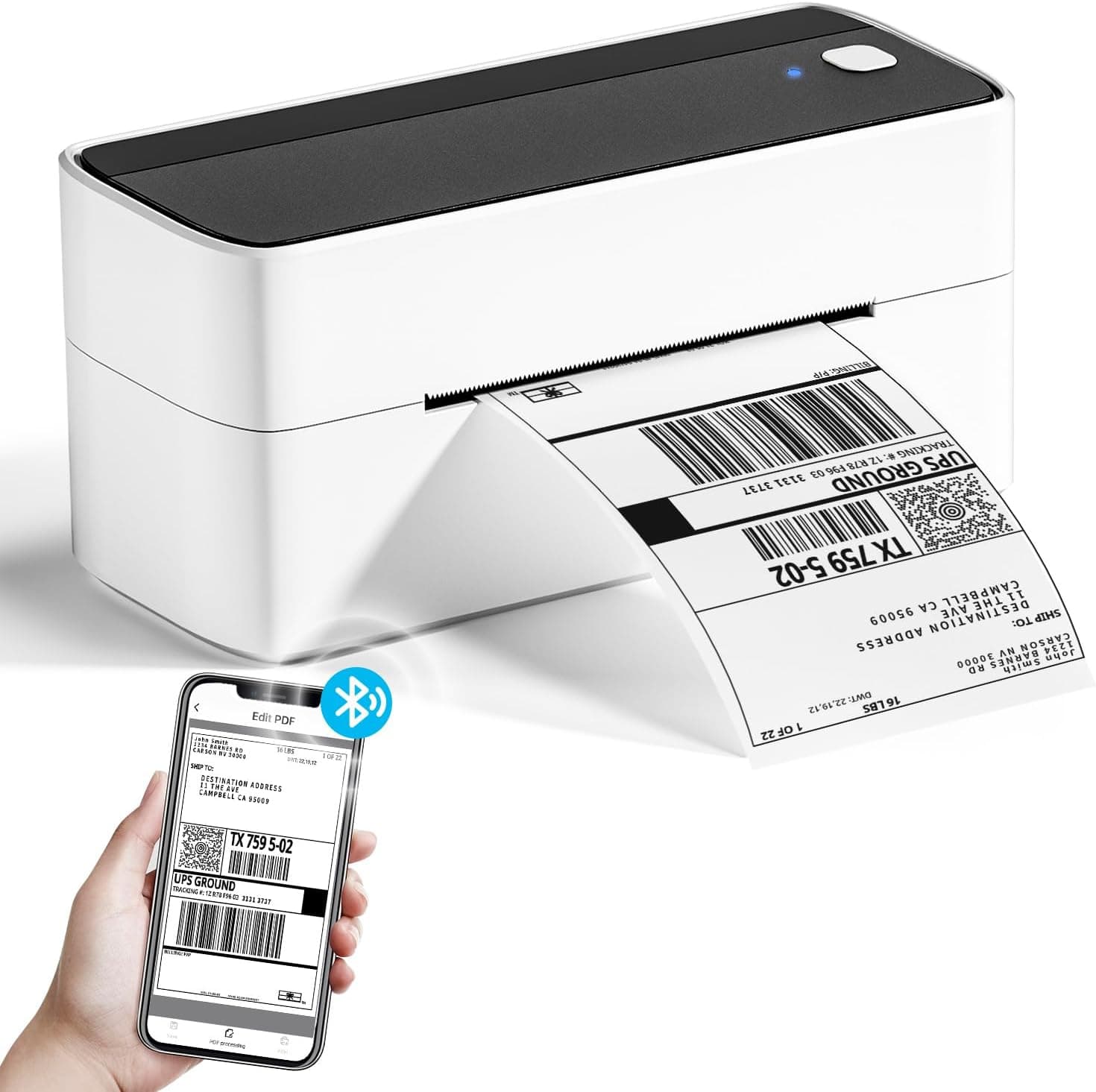
Our buying verdict
A capable, easy-to-use label printer for small sellers, though software subscription and reliability concerns are the main limitations.
Small online sellers and hobbyists who want a compact, easy-to-use thermal printer for shipping labels via Bluetooth, USB, or Wi-Fi.
Buyers who want fully free software without subscription prompts or who need proven long-term reliability for higher-volume printing.
The 30-second read
What people like
Reviewers repeatedly praise quick, simple setup and reliable Bluetooth/USB connections for printing shipping labels from phone, tablet or PC.
The main watch-out
One reviewer calls the Labelife software a costly subscription trap, and another reports the printer stopped feeding labels after two months and under 10 labels.
Before you choose
Some functions may require a paid subscription, though it's optional; the printer supports various label sizes and types, so confirm your needs fit.
From a similar, more-reviewed product in this category: JADENS Bluetooth Thermal Printer for Shipping Labels, 4 x 6 (10 x 15 cm)
What people like
Reviewers repeatedly say it does what it should, is easy to use, and prints labels cleanly and reliably.
The main watch-out
One reviewer says the driver software doesn't work on every Windows 11 PC, with no useful help from the manufacturer.
Before you choose
A reviewer notes print quality needed fine-tuning, labels don't always feed perfectly, and small paper bits can stick or melt inside.
Your use case first
19 of 178 mentions describe a negative experience (11%).
42 of 143 mentions describe a negative experience (29%).
7 of 101 mentions describe a negative experience (7%).
25 of 86 mentions describe a negative experience (29%).
6 of 34 mentions describe a negative experience (18%).
15 of 48 mentions describe a negative experience (31%).
18 of 46 mentions describe a negative experience (39%).
15 of 32 mentions describe a negative experience (47%).
One review can mention several topics. Percentages describe the reviews we analysed, not all buyers or the product's overall failure rate.
From a similar, more-reviewed product in this category: JADENS Bluetooth Thermal Printer for Shipping Labels, 4 x 6 (10 x 15 cm)
1 of 14 mentions describe a negative experience (7%).
0 of 5 mentions describe a negative experience (0%).
3 of 5 mentions describe a negative experience (60%).
Compare the trade-offs
A random selection of analyzed products from the same category. Different products are not necessarily interchangeable.
Check the evidence
Included does not mean verified authentic. Flagged does not mean proven fake. These are analytical classifications.
Showing 3 illustrative excerpts, not the complete review set.
Tolles Gerät - nicht nur für Versand-Etiketten
“Ich habe mir diesen Thermodrucker gekauft, weil ich vor allem Versandetiketten ohne zwingende Kabelverbindung mit dem Handy / Tablet mal schnell per Bluetooth drucken wollte. Mit PC oder Mac habe ich es noch nicht versucht. Der PM 241-BT Thermodrucker ist da relativ günstig (habe ihn reduziert zu 89,59€ bekommen) und er funktioniert bisher perfekt. Nach dem Installieren der APP „Labelife“ muss man nur den passenden Drucker Über „Einrichten“ wählen und dann kann man über die Startseite sofort das gewünschte Thermo-Etikett auswählen. Es gibt dabei eine Menge Auswahlmöglichkeiten und sogar die Funktion, erstellte Etiketten zu speichern. So muss man nicht immer das Selbe eingeben, wenn man kreativ ist. Es braucht nicht viel, bis man die Bedienung gelernt hat. Nur der Papiertransport war am Anfang etwas holprig. Doch sobald man es ein paar mal gemacht hat, ist es easy. Wichtig ist nur, dass man das Papier auch richtig herum einlegt, sonst kommt natürlich nur blankes Papier heraus und man wundert sich vielleicht :) Er erkennt z.B. sogar das Etikett automatisch, wenn man beim „Laden“ des Papiers die Taste oben bis zum Piepton gedrückt hält. Das Drucken funktioniert einwandfrei. Was ich auch gut finde: Man ist auch nicht an einen Nutzer gebunden, sondern mehrere Leute können sich nacheinander problemlos und kabellos verbinden (nur nicht gleichzeitig). Die Druckqualität ist prima und ggf. einstellbar, falls man spezielle Wünsche hat. Da ich ihn hauptsächlich für DHL-Etiketten benötige, fand ich es hilfreich, dass mir der Händler hier einen Hinweis gab, dass man für kleinere Versand-Etiketten in 4“x6“ (ca. 100x150mm) die Druckdichte auf 5 und die Geschwindigkeit auf 2 ändern sollte, in der APP von Labelife. Das soll wichtig für ein optimales Ergebnis sein, das den Vorgaben von DHL am besten entspricht, damit man bei DHL den Code lesen kann. Das scheint bei manchen Leuten ein Problem gewesen zu sein, wie ich hier in den Rezensionen gelesen habe. Ansonsten sollte man wohl besser die Größe 4x8 Zoll (100x200mm) nutzen, wie es in der Beschreibung oben auch angegeben ist. Das hätte ich ohne den freundlichen Hinweis dieses Anbieters wohl nicht so schnell herausgefunden. Aber so ist alles perfekt und ich hatte noch keine Beanstandungen von DHL. Danke dafür! Ich bin lediglich noch etwas am herumtüfteln, wie ich das Versandetikett am schnellsten kopieren und einfügen kann. Bisher mache ich nur einen Screenshot, schneide die Ränder dann ganz eng im Bild zu und kopiere es dann in die Software auf das Etikett. Das ist zwar nicht die beste Lösung, aber bisher hat es geklappt. Die Anleitungs-Videos in der APP sind auf englisch und teilweise etwas schnell, so dass ich das noch nicht so ganz verstanden habe. Dennoch komme ich damit gut klar. Besonders gefällt mir, das man nicht auf spezielle Etikettenrollen (z.B. Hersteller) angewiesen ist, die eine bestimmten Maximaldurchmesser etc. haben, sondern man kann sowohl Rollen mit 100 oder über 700 Etiketten auf einem Abrollständer nutzen, als auch Stapeletiketten (gefaltet). Der handliche Drucker kann in einer Breite von 25,4mm bis 11,6 cm drucken. Die Firma hier hat mir zum Testen gratis eine Rolle mit bunten Etiketten (5x5cm) zukommen lassen, mit dem Vorschlag, die Vielseitigkeit des Thermodruckers auszuprobieren. Anscheinend wissen manche Nutzer wohl zu wenig, dass man eben auch andere Etiketten als nur Versandetiketten bedrucken kann. Im Video zeige ich diese Etiketten, die ich mit dem iPhone kabellos mit einem Druck für ein Giveaway (Fortbildung) bedruckt habe. Man sieht, wie schnell er druckt und wie klar die Schrift ist. In der Software gibt es ein wirklich nette Auswahl an Rahmen, kleinen Grafiken und Vorlagen, die man nutzen kann. Es ist auch kein Problem, eigene Grafiken oder Cliparts aus der Fotomediathek einzufügen. Sogar einfache Fotos oder Bilder kann man in Graustufen drucken. Alles in Allem gefällt mir der Thermodrucker wirklich gut und ich bin bisher absolut begeistert von den vielen Möglichkeiten.”
Signals matched: Specific detail: entity, scenario, quantity, process · Mentions: connectivity, price, functionality, label printing · Reads as an authentic voice
Ottima stampante per etichette rapida utile e di qualità ,consigliata
“Ho acquistato questa stampante termica Phomemo per gestire le spedizioni della mia piccola attività e per le vendite su piattaforme di seconda mano (Vinted, eBay, Subito), e devo dire che ha superato di gran lunga le mie aspettative. È un dispositivo compatto ma incredibilmente potente che fa risparmiare tempo e denaro. Contenuto della confezione e primo impattoLa confezione è curata nei minimi dettagli e contiene tutto il necessario per partire subito:La stampante (dal design minimale e moderno, occupa pochissimo spazio sulla scrivania).Cavo di alimentazione e cavo USB per il PC.Un utilissimo adattatore USB-C (fondamentale per chi ha i MacBook più recenti).Una guida rapida chiara.Un piccolo starter pack di 10 etichette 4x6" (10x15 cm) per fare i primi test. Configurazione e ConnettivitàLa vera forza di questo modello è la versatilità della connessione.Da Smartphone (Bluetooth): L'accoppiamento con iPhone e Android è immediato tramite l'applicazione ufficiale. Dall'app si possono importare direttamente i PDF delle etichette generati dai vari siti e stamparli in un secondo. Da PC/Mac (USB): L'installazione dei driver è rapida. Una volta impostato il formato della pagina (il classico 100x150mm), la stampante viene riconosciuta come una comune stampante di sistema. Qualità e Velocità di StampaLa tecnologia termica diretta significa zero spese per cartucce o inchiostro. La stampante scalda la carta chimica e il testo appare all'istante.Velocità impressionante: Sforna un'etichetta 4x6 completa in meno di un secondo. Se dovete fare spedizioni multiple, è una manna dal cielo. Nitidezza: I codici a barre e i QR Code sono definiti e scuri. I corrieri non hanno mai avuto un problema a scansionarli durante il ritiro. Flessibilità dei formatiGrazie alle guide interne regolabili, non è limitata solo al formato grande da spedizione (4x6 pollici). Si possono inserire rotoli o fogli a soffietto più piccoli per stampare: Etichette per l'organizzazione di faldoni e scatole. Bollini tondi con il logo del proprio brand. Codici a barre per l'inventario. Niente più soldi spesi per inchiostro o toner. Connessione wireless stabile da telefono.Adattatore USB-C incluso nella confezione.Stampa ultra-veloce e silenziosa.”
Signals matched: Specific detail: scenario, entity, comparison · Mentions: quality, functionality, label printing, price · Reads as an authentic voice
Mein bester Kauf für mein kleines Business!
“Als ich mein kleines Online-Geschäft gestartet habe, war das Drucken von Versandetiketten ein riesiger Aufwand. Die Suche nach einem zuverlässigen und vor allem flexiblen Etikettendrucker hat mich zu diesem Modell geführt, und ich bin absolut begeistert. Dieses Gerät hat meinen Arbeitsalltag wirklich revolutioniert! Kinderleichte Verbindung und Bedienung Das absolute Highlight ist die Bluetooth-Funktion. Es ist so bequem, den Drucker einfach per Handy oder PC kabellos zu verbinden. 📱 Das spart nicht nur Kabelsalat, sondern ermöglicht auch, Etiketten von überall aus zu drucken. Die Einrichtung über die "Labelife" App war super intuitiv, und der Drucker war in wenigen Minuten einsatzbereit. Auch die automatische Etikettenerkennung ist ein echtes Game-Changer – einfach das Etikett einlegen, und das Gerät macht den Rest. So stressfrei muss Technik sein! Vielseitigkeit, die begeistert Ich nutze den Drucker hauptsächlich für Versandetiketten im 4x6 Zoll Format für meine Amazon- und Etsy-Bestellungen. Aber die Möglichkeit, auch andere Etikettentypen zu drucken, wie Barcodes oder Adressaufkleber, ist unglaublich praktisch. 🏷️ Es gibt so viele vorgefertigte Vorlagen, die meine Produkte professionell aussehen lassen. Die Kompatibilität mit allen großen Versandplattformen und Kurierdiensten macht die Arbeit einfach. Zuverlässigkeit und Service Die Druckqualität ist hervorragend. Die Etiketten sind gestochen scharf und die Barcodes lassen sich problemlos scannen. Ich hatte bisher keinerlei Probleme mit Fehldrucken oder Papierstaus. Was mir auch ein sehr gutes Gefühl gibt, ist der 24-Stunden-Service und die 30-Tage-Rückgabe. Das zeigt, dass der Hersteller von seinem Produkt überzeugt ist. 😊 Fazit Dieser Etikettendrucker ist für jeden, der regelmäßig Etiketten druckt – egal ob für ein kleines Business oder den privaten Gebrauch – eine absolute Empfehlung. Die Kombination aus kabelloser Freiheit, einfacher Bedienung und der hohen Qualität macht ihn zu einem unverzichtbaren Helfer. Für den Preis bekommt man ein unglaublich zuverlässiges und leistungsstarkes Gerät. Fünf Sterne und eine klare Kaufempfehlung!”
Signals matched: Specific detail: scenario, process · Mentions: connectivity, ease of use, label printing, reliability · Promotional-style language · Reads as an authentic voice
One less thing to search
Yes. The manufacturer states the printer is compatible with shipping providers such as DHL, Hermes and DPD, and notes that DHL labels should be printed on 4x8" (100x200 mm) label material to meet specifications; if using 4x6 inch labels, set print density to 5 and print speed to 2. Customers also report using it for DHL and other shipping labels.
It supports Bluetooth for iOS and Android devices as well as PCs (Windows, Mac OS, Chrome), and USB for Windows, Mac OS, Chrome and Linux. Reviewers confirm easy setup via Bluetooth with phone or tablet and via USB with a PC.
No. The manufacturer states it is a thermal printer that requires no ink, which it describes as more economical, and a reviewer likewise notes that no ink is needed, making it cheaper in the long run.
Yes. Reviewers describe the installation as very quick and easy to understand, with the printer ready to use in no time, and call the connection and operation child's play.
The manufacturer lists the Labelife software/app as the supported software without mentioning a subscription. Reviewers are divided: one reports being prompted to take out a subscription, while another says extra functions are available with a subscription but it is not mandatory.
From a similar, more-reviewed product in this category: JADENS Bluetooth Thermal Printer for Shipping Labels, 4 x 6 (10 x 15 cm)
Yes. Multiple reviewers describe it as easy to use and set up, with one noting setup is refreshingly easy and you can be printing within minutes. The listing also states a quick setup in just one minute, with a USB stick containing drivers and instruction videos included.
Not always. One reviewer reported that the driver software does not work on every Windows 11 PC and that no usable alternative help was available from the manufacturer. The listing states Bluetooth printing is supported on Windows 8/10/11, plus a USB port for PC/Mac.
No. The listing describes 203 DPI thermal printing that works completely without ink or toner, and a reviewer specifically mentions never having to buy cartridges again.
It supports folding labels and rolls with an adjustable width of 40 to 104 mm, which the listing says is perfect for 10 x 15 cm / 4 x 6 inch labels. One reviewer noted the default print ticket is somewhat small and needs adjusting to your own needs.
The listing states it is universally compatible with major German platforms including DHL (100 x 150 mm package label), Hermes, DPD, Amazon, eBay and Shopify. One reviewer confirms using it for eBay shipping labels.
Answers are limited to the manufacturer's listing and the reviews we analysed. Questions those sources cannot support are not answered here.
Transparent by design

