What people like
Sharp, smooth high-refresh gaming display
Several reviewers praise the sharp 1440p image, smooth high refresh rate, and strong value for the price.
Our buying verdict
Several reviewers praise sharp, fluid gaming visuals, while a few report dead pixels or display defects.
Buyers seeking a sharp, fluid gaming monitor who can check the unit on arrival and return it if defective.
Buyers who need reliable out-of-box quality and cannot tolerate dead pixels or display defects.
The 30-second read
What people like
Several reviewers praise the sharp 1440p image, smooth high refresh rate, and strong value for the price.
The main watch-out
Several reviewers received monitors with missing pixels or glitched, flickering screen regions, including across multiple replacements.
Before you choose
One reviewer could not fit the full display on screen and found alternate formats made the image too small.
From a similar, more-reviewed product in this category: KOORUI 24 Inch Gaming Monitor, 180Hz 1080P VA Display with 3000:1 Contrast
What people like
Several reviewers describe the monitor as a strong budget purchase, citing impressive specs for the money and satisfaction with gaming use.
The main watch-out
Several reviewers report the monitor failing or coming apart after months to a couple of years, including a dead screen and a failing power cord.
Before you choose
Two reviewers note that setup benefits from adjusting settings in your GPU software, including color, brightness, and VRR.
Description
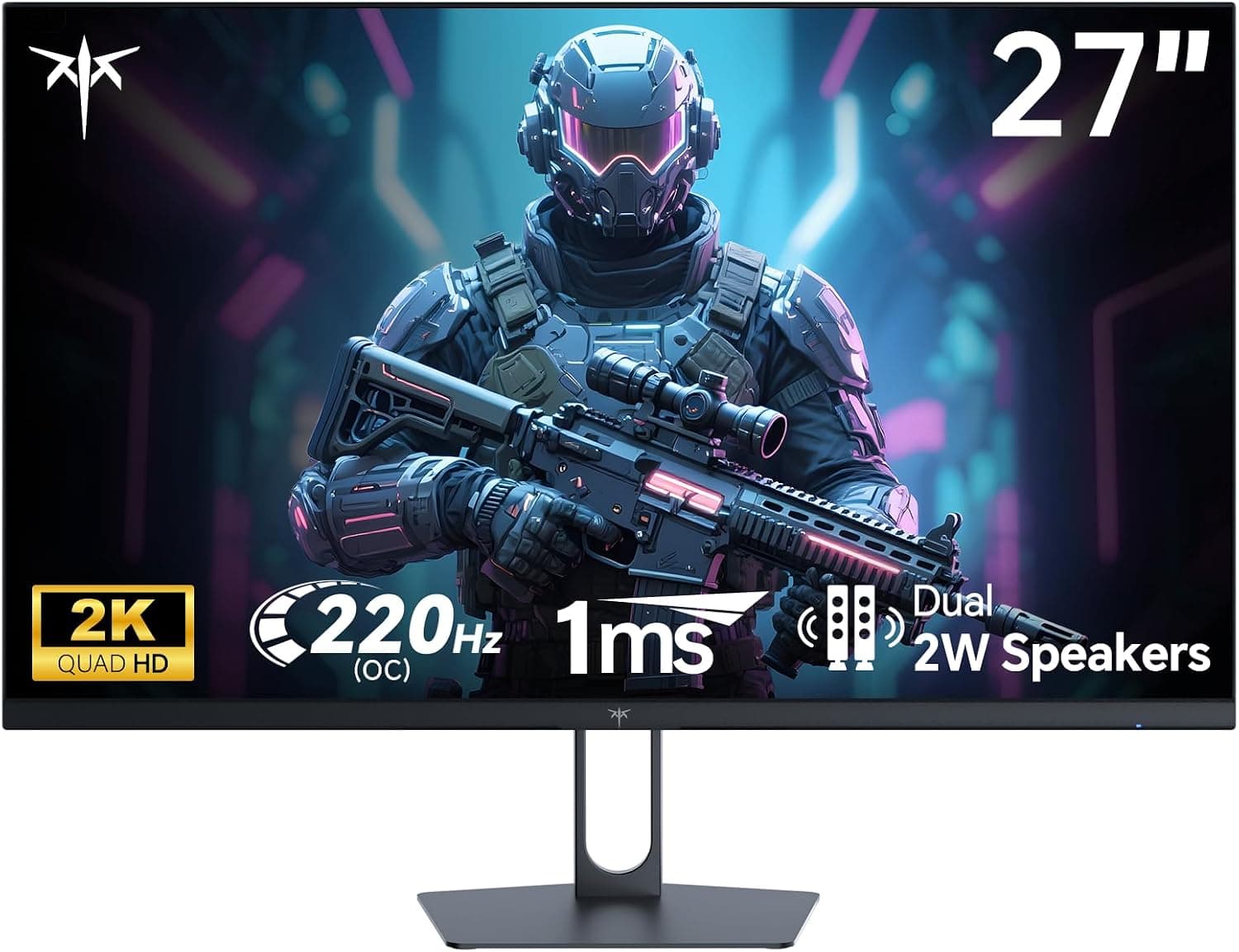
KTC 27 Inch QHD 200Hz (Up to 220Hz) Gaming Monitor Specific Features 2K 2560 x 1440P Monitor Featuring a 2560 x 1440 high-resolution display, this monitor gamer immerses you in extraordinary details with games, videos and movies. 200Hz (Up to 220Hz) Refresh Rate Up to 220Hz refresh rate, making dynamic images more coherent and avoiding blurring and trailing during rapid movement. Adaptive Sync Technology Compatible with Freesync and G-sync technology, the 1440p monitor can furthest reduces screen tearing, stuttering and input latency. 1ms Response Time 1ms response time help enhance gamers' in-game experience. No more annoying when gaming with this KTC monitor. Monitor 27 Inch with Brilliant Colors 27 inch monitor provides 131%sRGB, 450cd/m², HDR 400, 1.07 billion colos for more colors and details, creating a visual feast. KTC Eye-protected Monitor The flicker-free screen and blue light filter provide extended comfort, allowing you to enjoy gaming, browsing, and working for hours without eye strain.
Compare the trade-offs
A random selection of analyzed products from the same category. Different products are not necessarily interchangeable.

New! Sceptre 27-inch Gaming Monitor 100Hz 1ms DisplayPort HDMI x2 100% sRGB AMD FreeSync Build-in Speakers, Eye Care Frameless Machine Black 2025 (E275W-FW100T Series)

KTC 27 Inch QHD Computer Monitor, 2K 144Hz 1440P Gaming Monitor, Eye Care PC Monitor for Office Gamers, HDMI/DP, FreeSync & G-Sync, HDR10, VESA, Tilt Adjustable, H27T27S

KOORUI 24-inch Computer Monitor Full HD 1920 x 1080p 100Hz VA Display 4000:1 Contrast Ratio with HDMI VGA, TÜV Rheinland Certified, 100 x 100 mm VESA Mountable, Ultra-Slim Design, Tilt, Black, E2412F
Check the evidence
Included does not mean verified authentic. Flagged does not mean proven fake. These are analytical classifications.
Showing 3 illustrative excerpts, not the complete review set.
Jumping from a standard 144Hz 1080p panel to a 27-inch 1440p display running at 240Hz natively
“Jumping from a standard 144Hz 1080p panel to a 27-inch 1440p display running at 240Hz natively and overclockable to 275Hz makes an immediate difference the second you move your mouse. The pixel density at 2560 by 1440 across a twenty-seven-inch diagonal hits the sweet spot for desktop gaming and daily office work. Text is noticeably sharp without needing aggressive scaling, and in competitive shooters like Counter-Strike and Apex Legends, tracking fast-moving targets across the screen is buttery smooth with virtually zero perceived input lag. The Fast IPS panel delivers vibrant, saturated colors right out of the box without the washed-out angles or harsh color shifting you typically get with older TN or cheaper VA high-refresh screens. Viewing angles are solid from the sides, and while it is an IPS panel with standard contrast limits in dark scenes, backlight bleed along the edges on my unit was remarkably minimal and uniform. The factory calibration looked fairly balanced, requiring only minor tweaks to bring down the blue bias slightly in the on-screen display menu. The OSD joystick on the back makes navigation straightforward rather than fumbling with clumsy front-facing buttons. Motion handling is where the monitor really stands out. Engaging the medium overdrive setting cleans up fast transitions without introducing distracting inverse ghosting or overshoot halos. G-Sync and FreeSync compatibility worked seamlessly over DisplayPort, keeping frame delivery tear-free during demanding games where framerates fluctuate. The stand provides solid stability on the desk with decent tilt and height adjustments, though it does take up a bit of desk depth, so mounting it to an aftermarket VESA arm frees up plenty of space underneath. The understated black housing keeps the aesthetic clean without screaming gamer accents. If your graphics card has the horsepower to push high frames at 1440p, this monitor offers outstanding speed and visual clarity.”
Signals matched: Specific detail: quantity, entity, scenario, comparison · Reads as an authentic voice
MISSING PIXELS ON 3 MONITORS
“quality on monitor is fine but i ordered 3 different ones and all have come in with a missing pixel somewhere on the monitor. i’m on my 3rd one after 2 returns and this one still has a missing pixel. honestly disappointing and basically wasting my money on something brand new to come with used monitor issues.”
Signals matched: Specific detail: quantity, process · Reads as an authentic voice
Incredible quality and fluidity at 240Hz
“Professional level monitor. The change to 240Hz is abysmal for gaming and the quality of the panel is excellent. Solid and flawless construction. It arrived in perfect condition and works 100%.”
Signals matched: Specific detail: quantity, entity · Reads as an authentic voice
One less thing to search
Yes — the panel is natively 200Hz and reaches 220Hz via overclock when connected through DisplayPort 1.4 (HDMI 2.0 caps at 144Hz). You'll need to enable the overclock in the OSD and use the included DP cable. A lot of Reddit and YouTube users point out it defaults to 200Hz out of the box, so don't be surprised if you have to flip that setting yourself.
The stand offers basic tilt but no height adjustment, which is the most common complaint in reviews — many buyers pair it with a 100x100mm VESA arm for better ergonomics. The built-in speakers are fine for casual video and system sounds but thin for serious gaming or movies, so most users grab a headset or external speakers.
It's flexible across setups: Adaptive-Sync covers both FreeSync and G-Sync Compatible, so NVIDIA cards work well, and the dual HDMI 2.0 ports support consoles at up to 1440p/120Hz. Just note HDR here is entry-level HDR400 — as many TikTok reviewers put it, buy it for the sharp 1440p and high refresh rate, not for a cinematic HDR experience.
It carries a three-year warranty, and most buyers report support responds within about 12 hours and resolves defective panels with a replacement, though a few mention it took some back-and-forth. If yours arrives with noticeable corner bleed or a dead pixel, contact support promptly with photos — the majority of these cases get sorted.
It's ideal for budget-conscious gamers, students, and remote workers upgrading from 1080p/60Hz who want a vivid, fast 27" 1440p IPS panel without premium pricing. If you need true HDR, a height-adjustable stand, or top-tier speakers, you may prefer a Gigabyte M27Q or ASUS TUF VG27AQ — but for pure value on the panel itself, most owners say they'd buy it again.
From a similar, more-reviewed product in this category: KOORUI 24 Inch Gaming Monitor, 180Hz 1080P VA Display with 3000:1 Contrast
Yes — it's a native 180Hz panel, but you'll need to switch it on manually. Connect via the included HDMI cable (or a DisplayPort-capable setup), then set 180Hz in your GPU's display settings; it defaults to a lower refresh rate out of the box. Many Reddit and YouTube users note that enabling Adaptive Sync/FreeSync alongside it gives the smoothest experience, and it works with both AMD and NVIDIA cards.
The 3000:1 contrast gives noticeably deeper blacks than typical IPS budget monitors, which shines in dark game scenes and movies. For fast-paced competitive shooters, some TikTok and Reddit users mention mild ghosting/smearing in dark transitions — it's great for casual gaming, students, and office work, but color-critical creators or hardcore FPS players may prefer an IPS panel.
Correct, the included stand only tilts (-5° to 20°) and doesn't offer height, swivel, or pivot adjustment, and a few users find the base slightly wobbly. The good news: it's VESA 100×100mm compatible, so a monitor arm or desk mount solves ergonomics entirely — a popular fix among dual-monitor and dorm-room setups.
Budget monitors can vary unit to unit, and some buyers report stuck pixels or corner bleed — but KOORUI backs it with a 3-year manufacturer warranty. If your unit arrives defective, contact the seller for a replacement or refund promptly; most users who did so report a smooth resolution, so inspect the screen within the return window.
At around $120, it's widely praised as one of the best budget 180Hz options — ideal for students, casual gamers, home-office users, and compact or dual-monitor setups. Just set expectations: no built-in speakers, a single HDMI plus VGA, and basic ergonomics. If you need height adjustment, color accuracy, or built-in audio, consider spending more on an IPS alternative.
Answers are limited to the manufacturer's listing and the reviews we analysed. Questions those sources cannot support are not answered here.
Transparent by design