What people like
Crisp, readable 4K image
Several reviewers praise the monitor's clear definition and readability, with one noting it is easy to read from a comfortable distance.
Our buying verdict
Several reviewers praise crisp 4K detail and value, but multiple units failed or had connection problems.
Buyers seeking a crisp 4K monitor for reading and work-from-home use who value built-in speakers and are comfortable with mixed reliability reports.
Buyers who need dependable long-term operation or reliable laptop connectivity, given multiple reports of failures and connection problems.
The 30-second read
What people like
Several reviewers praise the monitor's clear definition and readability, with one noting it is easy to read from a comfortable distance.
The main watch-out
Several reviewers report monitors failing or losing laptop connectivity after a few months, including one that arrived with a dark image area.
Before you choose
One reviewer notes built-in speakers with decent sound and a white finish that looks good from both sides.
From a similar, more-reviewed product in this category: KOORUI 24 Inch Gaming Monitor, 180Hz 1080P VA Display with 3000:1 Contrast
What people like
Several reviewers describe the monitor as a strong budget purchase, citing impressive specs for the money and satisfaction with gaming use.
The main watch-out
Several reviewers report the monitor failing or coming apart after months to a couple of years, including a dead screen and a failing power cord.
Before you choose
Two reviewers note that setup benefits from adjusting settings in your GPU software, including color, brightness, and VRR.
Description
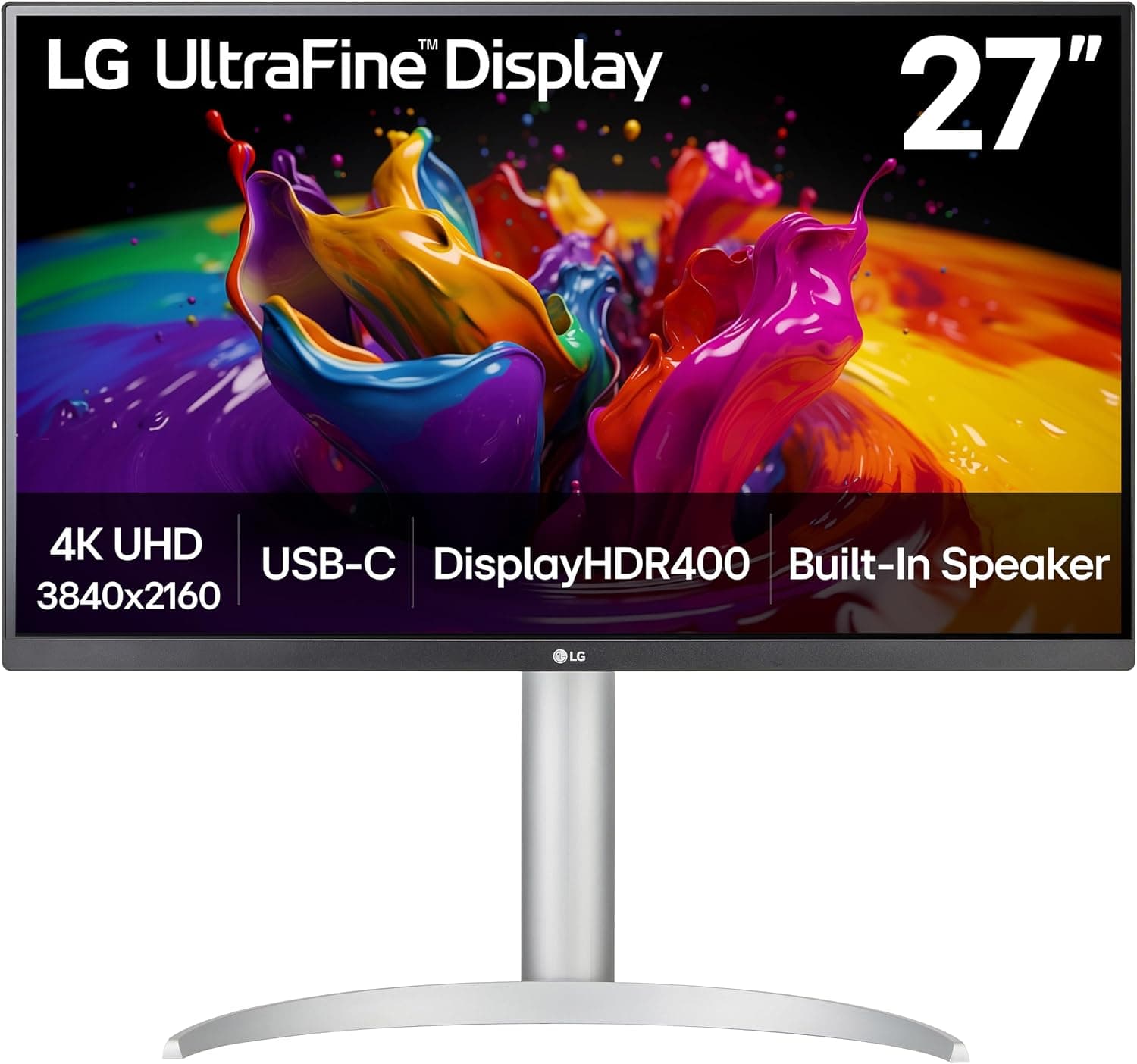
LG 27UP850K 27-inch UltraFine 4K UHD (3840 x 2160) IPS Computer Monitor, 60Hz, 5ms, DisplayHDR 400, Built-in Speaker, HDMI, DisplayPort, USB Type-C, Tilt/Height/Pivot adjustable stand, White
Compare the trade-offs
A random selection of analyzed products from the same category. Different products are not necessarily interchangeable.

ZZA 27 Inch 4K Gaming Monitor,UHD(3840x2160) 4K 144Hz Flat Monitor, Adaptive Sync,HDMI 2.1 & DP 1.4,Tilt Adjustment PC Monitor, Wall Mountable, for Work, Streaming, and Home Office, Black

Dell 27 Monitor S2725QC, 4K UHD IPS, 120Hz, 99% sRGB, 4ms, FreeSync Premium

KTC 24 inch Gaming Monitor QHD 180Hz, Fast IPS 1440p Computer Monitor, Up to 185Hz, 1ms, G-Sync/FreeSync, HDR400, Height Adjustable, 2 x HDMI, 1 x DP H24T7
Check the evidence
Included does not mean verified authentic. Flagged does not mean proven fake. These are analytical classifications.
Showing 3 illustrative excerpts, not the complete review set.
Monitor only worked for 4 months.
“I bought (2) of these monitors - 1 worked good for about 4 months and then started giving problems, and tried to contact LG for support and ended up in automated loop - with no success. The other monitor is working fine. Next time I would probably just go to Bestbuy. While Amazon is convenient- when something goes wrong you are stuck in loop trying to get support.”
Signals matched: Specific detail: quantity, process · Reads as an authentic voice
Best Value 4K Monitor, hands down
“Just received the monitor, already impressed! Was looking for a cheaper monitor to replace my old one. Purchased an HD monitor, regretted it instantly. This is the best value for 4K without a doubt. Worth the extra bucks, especially if you’re looking for a monitor to work from home without sacrificing quality”
Signals matched: Specific detail: comparison, scenario · Reads as an authentic voice
Feliz con la compra !
“Primero, el servicio internacional de Amazon fue impecable, el producto llego a mi casa en 8 dias y todo muy bien ! El monitor anda muy bien y tiene una excelente definicion. Muy recomendable ! Me habia comprado otro monitor de otra marca, localmente, y no tenia estas prestaciones”
Signals matched: Specific detail: quantity, comparison · Reads as an authentic voice
One less thing to search
Yes — that's one of the monitor's biggest draws. The USB-C port handles video, data, and up to 90W power delivery, so most laptops (including MacBooks) run off a single cable. Just note it's tuned for laptops; don't expect it to fast-charge a phone or power a desktop. Many reviewers call this the feature that sold them.
For casual and story-driven gaming, it's perfectly fine — FreeSync and Dynamic Action Sync keep things smooth and responsive. That said, plenty of Reddit and YouTube users warn that if you're used to 144Hz, the 60Hz refresh will feel like a step down. Think of this as a productivity-and-creator monitor that games competently, not a competitive gaming panel.
Be realistic here. DisplayHDR 400 delivers brighter, more vibrant images than a standard monitor, but it's "HDR-lite" — you won't get the dramatic highlight punch of HDR600+ displays, and social users are quick to point that out. The Waves MaxxAudio speakers are fine for calls and notifications but thin for movies, so most owners pair a soundbar or headphones.
Absolutely — this is where the 27UP850K shines. With 95% DCI-P3 coverage, 4K resolution, and a matte IPS panel, creatives consistently praise it for editing, design, and crisp text. If color-critical work is your priority, this is a strong, more affordable alternative to premium studio displays.
A minority of buyers notice slight corner glow or a bit of stand wobble, which is common on IPS panels; if it bothers you, standard retailer returns and LG's warranty cover defects, so buy from a seller with a clear return policy. Overall, this monitor is ideal for remote workers, Mac/PC creatives, coders, and students who want a color-accurate 4K USB-C display with an ergonomic stand — while competitive gamers and HDR enthusiasts may be happier with a high-refresh or HDR600+ alternative.
From a similar, more-reviewed product in this category: KOORUI 24 Inch Gaming Monitor, 180Hz 1080P VA Display with 3000:1 Contrast
Yes — it's a native 180Hz panel, but you'll need to switch it on manually. Connect via the included HDMI cable (or a DisplayPort-capable setup), then set 180Hz in your GPU's display settings; it defaults to a lower refresh rate out of the box. Many Reddit and YouTube users note that enabling Adaptive Sync/FreeSync alongside it gives the smoothest experience, and it works with both AMD and NVIDIA cards.
The 3000:1 contrast gives noticeably deeper blacks than typical IPS budget monitors, which shines in dark game scenes and movies. For fast-paced competitive shooters, some TikTok and Reddit users mention mild ghosting/smearing in dark transitions — it's great for casual gaming, students, and office work, but color-critical creators or hardcore FPS players may prefer an IPS panel.
Correct, the included stand only tilts (-5° to 20°) and doesn't offer height, swivel, or pivot adjustment, and a few users find the base slightly wobbly. The good news: it's VESA 100×100mm compatible, so a monitor arm or desk mount solves ergonomics entirely — a popular fix among dual-monitor and dorm-room setups.
Budget monitors can vary unit to unit, and some buyers report stuck pixels or corner bleed — but KOORUI backs it with a 3-year manufacturer warranty. If your unit arrives defective, contact the seller for a replacement or refund promptly; most users who did so report a smooth resolution, so inspect the screen within the return window.
At around $120, it's widely praised as one of the best budget 180Hz options — ideal for students, casual gamers, home-office users, and compact or dual-monitor setups. Just set expectations: no built-in speakers, a single HDMI plus VGA, and basic ergonomics. If you need height adjustment, color accuracy, or built-in audio, consider spending more on an IPS alternative.
Answers are limited to the manufacturer's listing and the reviews we analysed. Questions those sources cannot support are not answered here.
Transparent by design