What people like
Good value and smooth gaming performance
Several reviewers found the monitor a good value for its quality and size, and two noted smooth, low-delay gaming with adjustable color settings.
Our buying verdict
Several reviewers found it good value and smooth for gaming, but one reported severe ghosting and another noted dull colors.
Buyers seeking an affordable 22-inch monitor for basic tasks or casual gaming who can accept some risk of picture-quality issues.
Buyers who need consistently accurate colors or ghost-free motion for primary monitor use.
The 30-second read
What people like
Several reviewers found the monitor a good value for its quality and size, and two noted smooth, low-delay gaming with adjustable color settings.
The main watch-out
One reviewer reported severe ghosting out of the box, with visible trails when dragging windows or moving the mouse.
Before you choose
One reviewer noted the stand requires four small screws and a screwdriver, and settings needed adjustment out of the box.
From a similar, more-reviewed product in this category: KOORUI 24 Inch Gaming Monitor, 180Hz 1080P VA Display with 3000:1 Contrast
What people like
Several reviewers describe the monitor as a strong budget purchase, citing impressive specs for the money and satisfaction with gaming use.
The main watch-out
Several reviewers report the monitor failing or coming apart after months to a couple of years, including a dead screen and a failing power cord.
Before you choose
Two reviewers note that setup benefits from adjusting settings in your GPU software, including color, brightness, and VRR.
Description
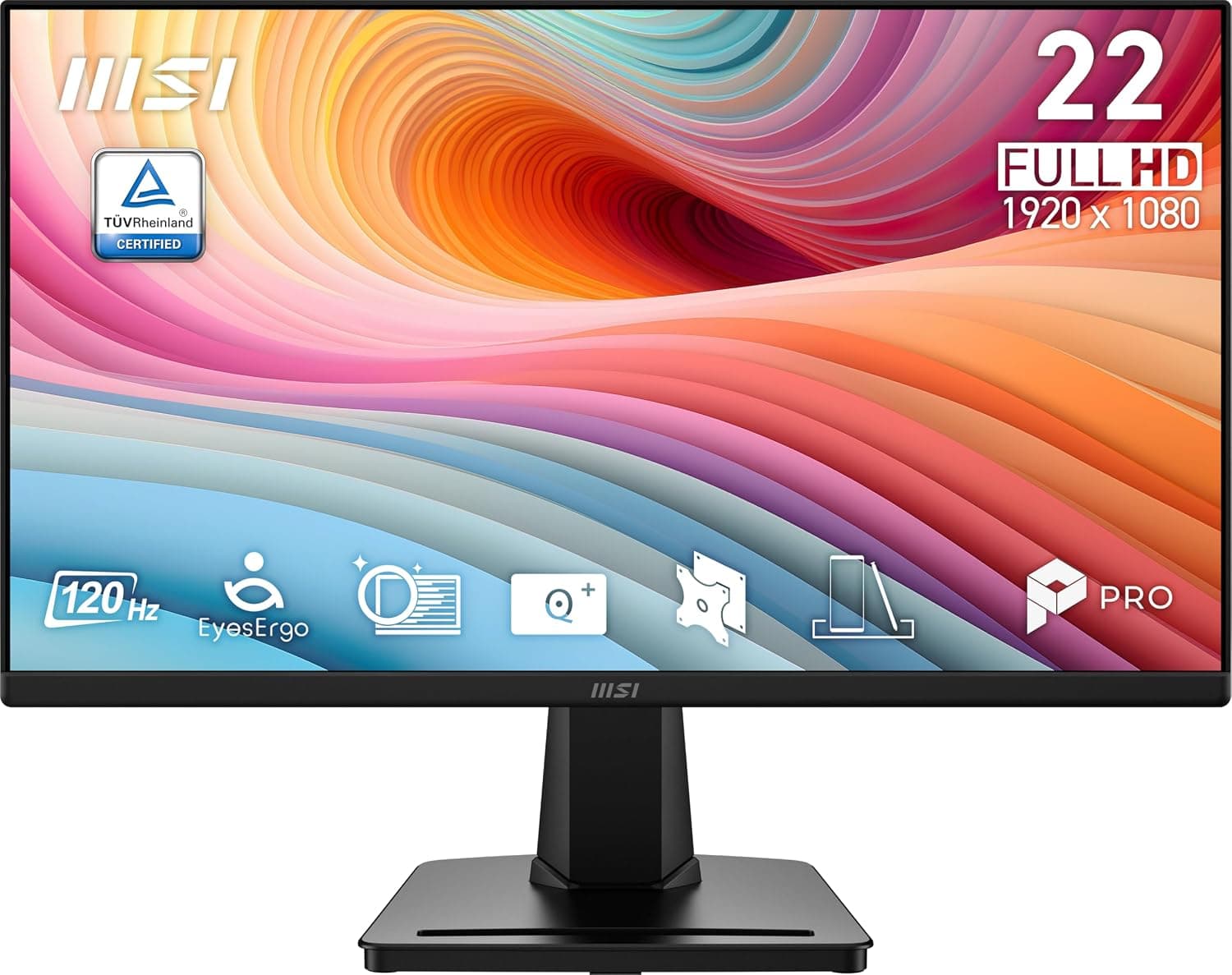
The PRO MP225 E12VL monitor combines a 120Hz refresh rate and Adaptive-Sync for smooth gaming and work. Its ergonomic features, tool less design, and VESA Mount support enhance comfort and immersion, making it the perfect all-in-one solution.
Compare the trade-offs
A random selection of analyzed products from the same category. Different products are not necessarily interchangeable.

SANSUI 34 Inch 240Hz Ultrawide Curved Gaming Monitor UWQHD 3440×1440, 21:9 2K Curved Monitor 1500R,HDR400,Fast VA, PIP/PBP,AI Crosshair,AIPQ(Visual Enhance),MPRT 1ms,HDMI2.1*2,DP1.4*2(DP Cable Incl.)

Sceptre New 22-Inch Gaming Monitor, FHD 1080p, Up to 144Hz, HDMI, DisplayPort, Built-in Speakers, Machine Black (E225W-FW144 Series, 2026)

ROADOM 7" Touchscreen Monitor, 1024x600 IPS Raspberry Pi Screen, HDMI
Check the evidence
Included does not mean verified authentic. Flagged does not mean proven fake. These are analytical classifications.
Showing 3 illustrative excerpts, not the complete review set.
Much easier on my eyes than my laptop screen, and good for gaming too
“I bought the MSI PRO MP243W E14 to use instead of my 15.6" laptop screen. I spend many hours a day on my computer, and the small laptop screen made my eyes feel tired and strained after a while. Switching to this 24" monitor made a big difference for me. Everything is bigger and easier to read, and I can have two windows open side by side without squinting or constantly switching tabs. What I like: Bigger screen, more comfortable. Going from 15.6" to 24" is a big upgrade. Text is clear, and I don’t have to lean toward the screen as much. The IPS panel looks good. The colors look natural, and the picture stays consistent even when I’m not sitting perfectly straight in front of it. 144Hz is smooth. Even for normal things like scrolling and moving windows, it feels smoother than my laptop. I also play games once in a while, and it feels nice and responsive. I’m not a hardcore gamer, but it’s great for casual play. It comes in white. Most monitors only come in black, so I was happy to find a white option. It looks clean and bright on my desk, and it matches my setup much better. The thin bezels make it look modern too. It’s simple to set up. I plugged it in and it worked right away. What could be better: The screen is very bright. This is great in a lit room, but in a dark room it can feel harsh on the eyes. I recommend having a lamp or another light source behind or beside the monitor so the contrast isn’t so strong. Lowering the brightness in the settings also helps. The stand is basic. A monitor arm would help if you want to adjust the height more. If your version has built-in speakers, they’re not great, so I use headphones. To get the full 144Hz with a laptop, you may need to check your laptop’s ports and settings. This is worth checking before you buy. Final thoughts: If you’re using a small laptop screen for school or work, this monitor is a really good upgrade for the price. It’s comfortable for long hours, looks good, and is nice for gaming too. The white color is a nice bonus, since it’s hard to find. Just make sure you have some soft lighting in the room, especially at night. I would recommend it.”
Signals matched: Specific detail: quantity, entity, scenario, comparison · Reads as an authentic voice
Meh...
“A bit darker and duller in color than I expected. I use it as my 3rd screen for simple tasks ans it works for that purpose but if I were to use this for main monitor I would be pissed off. Picture quality is mediocre and I did not test sound at all. It is light weight which matters most for me. Because I hang it on a pole. Plug and play and has VGA and HDMI ports.”
Signals matched: Specific detail: quantity, scenario, entity · Reads as an authentic voice
Requires tools
“The description is off. The assembly is not tool free. When you open the box the very first image is someone with a screwdriver. To assemble the stand you need to screw 4 small screws. Comes with a display port cable, no HDMI cable. Settings out the box require adjustments.”
Signals matched: Specific detail: quantity, process, entity · Reads as an authentic voice
One less thing to search
Good catch — the panel is a 21.45-inch diagonal, which MSI rounds to "22-inch" in the product name. It's a compact FHD screen, so if you're measuring a tight desk or dorm setup, plan around the 21.45-inch figure. Most buyers find it perfectly sized as a main monitor for close seating or as a secondary display.
Yes — it hits 120Hz at Full HD over the HDMI 1.4b port, and Adaptive Sync keeps things tear-free with compatible GPUs. Many TikTok and Reddit users confirm smooth 120Hz on compatible consoles and PCs. Just note there's a single HDMI plus a legacy VGA (D-Sub) port, so multi-device setups may need a switcher.
There are no built-in speakers, so you'll want headphones or external speakers — a detail several reviewers wished they'd caught before buying. The stand tilts but doesn't adjust for height; if ergonomics matter, the 100×100mm VESA mount lets you attach it to an arm or wall bracket for proper eye-level positioning.
The 1ms is a marketing figure; in practice, the VA panel can show slight dark-scene smearing in fast-paced shooters, as some tech reviewers note. For casual and mid-tier gaming, streaming, and everyday work it looks great, and the 4000:1 contrast delivers noticeably deeper blacks than IPS rivals. Competitive FPS purists may want a TN or fast-IPS panel instead.
For the price, it's a strong pick — smooth 120Hz, excellent contrast, TÜV-certified flicker-free/low blue light, and tool-less VESA-ready setup make it a favorite among students, dorm users, budget gamers, and office workers. It's less ideal if you need built-in audio, height adjustment, or multiple modern ports. If those matter, consider spending a bit more on an adjustable-stand or IPS model.
From a similar, more-reviewed product in this category: KOORUI 24 Inch Gaming Monitor, 180Hz 1080P VA Display with 3000:1 Contrast
Yes — it's a native 180Hz panel, but you'll need to switch it on manually. Connect via the included HDMI cable (or a DisplayPort-capable setup), then set 180Hz in your GPU's display settings; it defaults to a lower refresh rate out of the box. Many Reddit and YouTube users note that enabling Adaptive Sync/FreeSync alongside it gives the smoothest experience, and it works with both AMD and NVIDIA cards.
The 3000:1 contrast gives noticeably deeper blacks than typical IPS budget monitors, which shines in dark game scenes and movies. For fast-paced competitive shooters, some TikTok and Reddit users mention mild ghosting/smearing in dark transitions — it's great for casual gaming, students, and office work, but color-critical creators or hardcore FPS players may prefer an IPS panel.
Correct, the included stand only tilts (-5° to 20°) and doesn't offer height, swivel, or pivot adjustment, and a few users find the base slightly wobbly. The good news: it's VESA 100×100mm compatible, so a monitor arm or desk mount solves ergonomics entirely — a popular fix among dual-monitor and dorm-room setups.
Budget monitors can vary unit to unit, and some buyers report stuck pixels or corner bleed — but KOORUI backs it with a 3-year manufacturer warranty. If your unit arrives defective, contact the seller for a replacement or refund promptly; most users who did so report a smooth resolution, so inspect the screen within the return window.
At around $120, it's widely praised as one of the best budget 180Hz options — ideal for students, casual gamers, home-office users, and compact or dual-monitor setups. Just set expectations: no built-in speakers, a single HDMI plus VGA, and basic ergonomics. If you need height adjustment, color accuracy, or built-in audio, consider spending more on an IPS alternative.
Answers are limited to the manufacturer's listing and the reviews we analysed. Questions those sources cannot support are not answered here.
Transparent by design