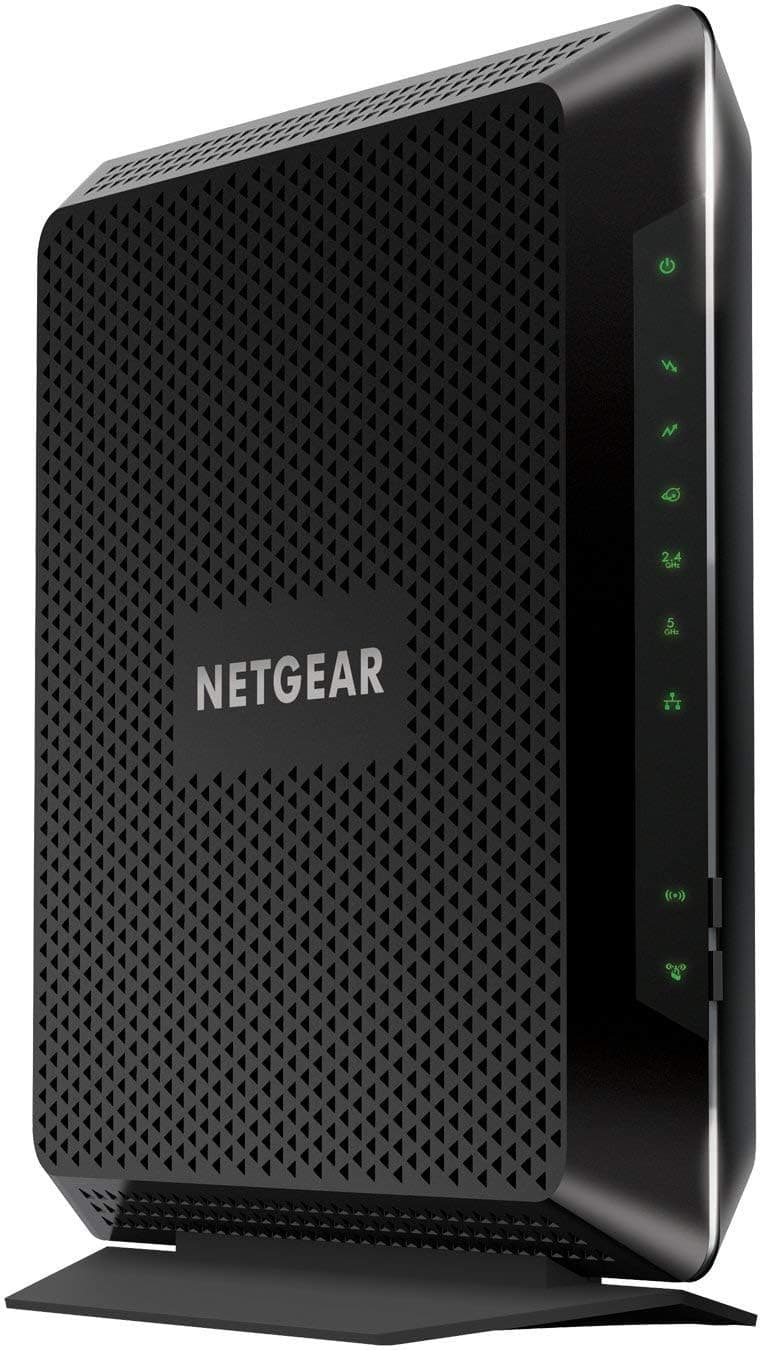
Netgear Nighthawk Cable Modem WiFi Router Combo C7000-Compatibility Cable Providers including Xfinity by Comcast, Cox (Renewed)

Netgear Nighthawk Cable Modem WiFi Router Combo C7000-Compatibility Cable Providers including Xfinity by Comcast, Cox (Renewed)

4.3 on Amazon6,778 ratingswww.amazon.com
Review reliability
85/ 100Grade A
Reviews are overwhelmingly top-rated, consistently detailed and on-topic, balanced across topics, free of promotional language, and mostly authentic-sounding, with star ratings and text tone generally matching.
Affiliate link — commission is the same whatever the score.

The 30-second read

Before you decide

A starting point, not a buying verdict

What people like

Easy setup and strong performance

Reviewers consistently praise the straightforward setup process and the reliable speed and coverage for mid-tier cable plans. Many also highlight the user-friendly interface and long-term durability.

The main watch-out

Refurbished units may fail early

One reviewer reported that their renewed unit died within 48 hours of use, indicating a risk of hardware failure with refurbished models.

Before you choose

Check provider compatibility and activation steps

Compatibility varies by cable provider, and activation may require specific steps such as avoiding symmetrical speed plans or performing internal activation. Verify your provider's requirements before purchasing.

From a similar, more-reviewed product in this category: TP-Link Deco X55 AX3000 WiFi 6 Mesh System, Deco X55(3-Pack)

What people like

Easy setup and strong coverage

Reviewers consistently praise the simple app-based setup and the reliable, fast Wi-Fi coverage it provides across large or multi-story homes.

The main watch-out

Intermittent drops and speed issues

Some users report occasional connection drops between units and inconsistent speeds, and one review mentions receiving an opened, pre-configured product.

Before you choose

Check placement and modem compatibility

Placement matters for optimal coverage, and you may need a Cat6/Cat6a Ethernet cable to connect to your modem for full performance.

Your use case first

Your concerns

setup

Mostly positive

32 of 250 mentions describe a negative experience (13%).

speed

Mixed experiences

45 of 185 mentions describe a negative experience (24%).

signal strength

Mixed experiences

31 of 109 mentions describe a negative experience (28%).

range

Mostly positive

5 of 43 mentions describe a negative experience (12%).

user-friendly

Mostly positive

5 of 40 mentions describe a negative experience (13%).

compatibility

Mostly negative

88 of 171 mentions describe a negative experience (51%).

quality

Mostly negative

80 of 90 mentions describe a negative experience (89%).

durability

Mostly negative

52 of 69 mentions describe a negative experience (75%).

One review can mention several topics. Percentages describe the reviews we analysed, not all buyers or the product's overall failure rate.

From a similar, more-reviewed product in this category: TP-Link Deco X55 AX3000 WiFi 6 Mesh System, Deco X55(3-Pack)

easy to set up

Mostly positive

147 of 1663 mentions describe a negative experience (9%).

speed

Mixed experiences

248 of 934 mentions describe a negative experience (27%).

signal strength

Mixed experiences

140 of 704 mentions describe a negative experience (20%).

coverage

Mostly positive

45 of 605 mentions describe a negative experience (7%).

wifi range

Mixed experiences

45 of 291 mentions describe a negative experience (15%).

connectivity

Mostly negative

474 of 938 mentions describe a negative experience (51%).

value for money

Mixed experiences

225 of 693 mentions describe a negative experience (32%).

reliability

Mostly negative

329 of 460 mentions describe a negative experience (72%).

Compare the trade-offs

Similar products, side by side

A random selection of analyzed products from the same category. Different products are not necessarily interchangeable.

Check the evidence

What the review excerpts say

Included does not mean verified authentic. Flagged does not mean proven fake. These are analytical classifications.

Showing 3 illustrative excerpts, not the complete review set.

Included in analysis5.0/5 stars

Small footprint! Four Ethernet Ports!

“Although over the years I have depended on hundreds of reviews, I have written only one other review which was for an excellent washing machine that I once purchased, I feel compelled to give a five star rating for this NetGear Modem Router Combo C7000. For those who may not be interested in the back story, I will explain that I purchased this unit from Amazon on January 18, 2025 for $99.99 as a renewed (refurbished) item and have had zero problems with it. I don’t know how to explain it, but it appears to be a brand new unit, including the packaging, but that is not all. The unit has four Ethernet ports which allow me to connect directly with my VOIP phone as well as with my security cameras. BACK STORY: Early in January of 2015 I purchased my first NetGear Modem Router Combo. It lasted ten years with zero problems. Earlier this month (January) I received a notice from my internet service provider that they were going to do a service upgrade and that there would be an outage from midnight until about 6:00 a.m. As of 12:00 noon I still did not have service, so, I I called Spectrum. The fellow told me that they had resumed service and that he would send someone out later in the afternoon. After checking he apologized saying that he would not be able to do so until late the next day. When the service worker came out, the first thing that he said even before coming into the house was “Your modem is fried.” I asked what the upgrade was all about. He said that they increased the power. I then asked if that could have caused my modem to fail. He said “no.” I still suspicioned that there was a connection; however, I knew that there was no alternative. I also knew that a modem is furnished with the Internet subscription, but not a router. That was going to be $10 per month. I didn’t say anything more to him, but I immediately researched Amazon for NetGear modem router combos. I then purchased a new NetGear C6230 for $133.00, which was advertised as being compatible with Spectrum. (Now being sold for $116.00.) After changing the cable and registering it with my WiFi settings, I called Spectrum to have them make the necessary changes and communicated with a very nice and patient fellow. After about fifteen minutes, much of it being on hold, he apologized for the delay and told me that that modem was not on the approved list of modem routers for Spectrum. He then directed me to an approved list of about (only) five or six approved modem routers. This list was on a submenu of a submenu of a submenu. And I believe I know why. I immediately returned the modem router combo to Amazon and they credited my bank account on the same day. I then purchased the C7000. When I returned the (large bulky) modem and the (large bulky) router to Spectrum, I cannot say that they were overjoyed. I was delayed approximately thirty minutes in completing the paperwork for returning their equipment. By having my own router, I have saved hundreds of dollars over the past ten years and at today’s rate, if I am able to go ten years with this modem router combo I will save myself at least $1,200,… probably more because their rates — like everything else in the marketplace — are constantly increasing. One final note. Over the years when I would turn on or turn off my WiFi service, I would notice that more than half of the modems appearing in my list had been given “cutesy” names like Bulldog, FBI, Mexican Mafia, etc. Now, all but two have names including the word Spectrum. For example: SpectrumSetup-23. Something tells me that I wasn’t the only person who had a “fried” modem.”

Signals matched: Specific detail: entity, quantity · Mentions: quality · Reads as an authentic voice

Included in analysis5.0/5 stars

Full-featured, powerful, easy to setup, great software. As advanced or simple as you want it to be

“This router & modem combo is easy to setup, simple to use, and has every feature both hardware and software I could want. It replaces a previous Netgear router/modem, which died after 10 years of flawless use. The customer / technical support is great, included documentation is straightforward, and it was simple to setup and activate with my ISP. My favorite feature of this, as well as my old router is the genie software that gives powerful administrative functions that's as simple or as complex as you want it to be. I'm no IT expert, but I was able to understand and utilize many advanced features such as security restrictions, setting radio channels to less crowded ones, changing the DNS server, guest networks etc. But if you all you want to do is change the passwords and WiFi name, and leave everything else at default settings, that will work perfectly well for most people. The software is very intuitive to use. PS- I bought this item as 'renewed', and was a bit hesitant about the condition, but it arrived looking absolutely brand new pristine condition, with all brand new parts, a manual, and a special 90-day refurbished warranty card from the manufacturer (Netgear), not from Amazon. The warranty was something I wasn't clear on whether or not I would get before ordering. So while I don't know if every 'renewed' item will come in as pristine condition as mine (perhaps I got lucky), you can rest assured that you will get the full warranty at least.”

Signals matched: Specific detail: entity, process, comparison · Mentions: setup, user-friendly, quality, durability · Reads as an authentic voice

Included in analysis1.0/5 stars

Works Spectrum July 2025, refurb units die easy

“Edit to 1 star, the unit died within 48 hours of use, but that’s just hardware failure, I’ll leave up the previous stuff I wrote: Works for Spectrum July 2025, important steps: 1. Do not let them give you "symmetrical speed" no matter what plan you choose, slowest or fastest, it cannot be "symmetrical" 2a. You have to do an internal activation on this modem/router combo first before spectrum activation, and Firefox does not work for it, you have to use Chrome, or Safari or Edge I guess would also work since they're chromium 2b. Attempt to connect to the router either using the supplied ethernet cable or using the wifi password on the label, then type into chrome 192.168.0.1 or the routerlogin address (this step is explained in the included instruction paper) 3. First thing that will come up is it will make you change the default password, easy, you just have to do it. 4. Only now can you activate spectrum, it will basically automatically do it if you've already called them, but when it says on screen "this will take 10 minutes" that is true, just keep waiting, it will work. I went back to firefox for this, and you should use firefox in general, it has the best adblocker extensions. 5. Spectrum activation screen then says "we need to restart your modem" and it will automatically do that. 6. Spectrum activation screen then says "failed to restart" but it actually works, just close the screen then, check your favorite websites, should be working.”

Signals matched: Specific detail: process, quantity, entity · Mentions: compatibility, setup, durability · Reads as an authentic voice
One less thing to search

Before you buy: quick questions

Is the Netgear Nighthawk C7000 compatible with Xfinity and Cox?
From 2 kept reviews mentioning "compatibility"From the manufacturer's listing

Yes. The manufacturer's listing states it is compatible with major cable internet providers including Xfinity and Cox, and one customer review describes activating it through the Xfinity account app. The listing also notes it is NOT compatible with Verizon, Spectrum, AT&T, CenturyLink, DSL providers, DirecTV, DISH, or any bundled voice service.

How easy is it to set up?
From 6 kept reviews mentioning "setup"From the manufacturer's listing

Multiple reviewers describe setup as easy and straightforward, with one noting it took about 25 minutes and another about 15 minutes including Xfinity activation. The listing includes a quick install guide and an Ethernet cable in the box.

What internet speeds does this modem router support?
From 3 kept reviews mentioning "speed"From the manufacturer's listing

The listing says it is best for cable provider plans up to 800Mbps, and it features 24x8 channel bonding with a data transfer rate of 1900 megabits per second. One reviewer reports being satisfied with stability and speed on a 400 Mbps cable plan.

How many devices can it handle and what is the Wi-Fi coverage?
From 2 kept reviews mentioning "range"From the manufacturer's listing

The listing states coverage of 1800 sq ft with dual-band 802.11ac Wi-Fi and three fixed antennas. One reviewer reports having 10 devices pulling from it and notes great download and upload capabilities.

Is this a renewed unit, and does it come with a warranty?
From 2 kept reviews mentioning "durability"From the manufacturer's listing

The product title and listing identify it as Amazon Renewed, and the listing states 24/7 basic technical support is provided for 90 days from purchase date when purchased from a NETGEAR authorized reseller. One reviewer reported their refurbished unit died within 48 hours of use.

From a similar, more-reviewed product in this category: TP-Link Deco X55 AX3000 WiFi 6 Mesh System, Deco X55(3-Pack)

How easy is the Deco X55 to set up?
From 6 kept reviews mentioning "easy to set up"From the manufacturer's listing

Reviewers consistently describe setup as easy and quick, using the free Deco app on a phone with clear visual guidance. One novice noted that coordinating reboots of the ISP modem and first router was a bit confusing.

How much area does the 3-pack cover?
From 6 kept reviews mentioning "coverage"From the manufacturer's listing

The manufacturer states the Deco X55 3-pack covers up to 6,500 square feet and eliminates dead zones. Reviewers report strong coverage in a 1,600-square-foot home, a two-story villa with thick precast walls, and a 240m2 two-floor house with concrete walls.

How many devices can the Deco X55 3-pack connect?
From the manufacturer's listing

According to the manufacturer's listing, the Deco X55 3-pack is strong enough to connect up to 150 devices with strong and reliable Wi-Fi.

Does it support wired Ethernet connections?
From the manufacturer's listing

The listing states each Deco X55 has 3 Gigabit Ethernet ports (6 in total for a 2-pack) and supports Wired Ethernet Backhaul for better speeds, and any unit can work as a Wi-Fi router.

How reliable is the connection over time?
From 3 kept reviews mentioning "reliability"

One long-term reviewer reported a year of flawless performance with a single network throughout the house and low ping in games. Another reviewer, however, experienced the pods losing connection to the main router every couple of days, which increased to 2-3 times a day until the issue was resolved.

Answers are limited to the manufacturer's listing and the reviews we analysed. Questions those sources cannot support are not answered here.

Transparent by design

Understand the analysis