What people like
Easy setup and strong coverage
Reviewers consistently praise the simple app-based setup and the reliable, fast Wi-Fi coverage it provides across large or multi-story homes.
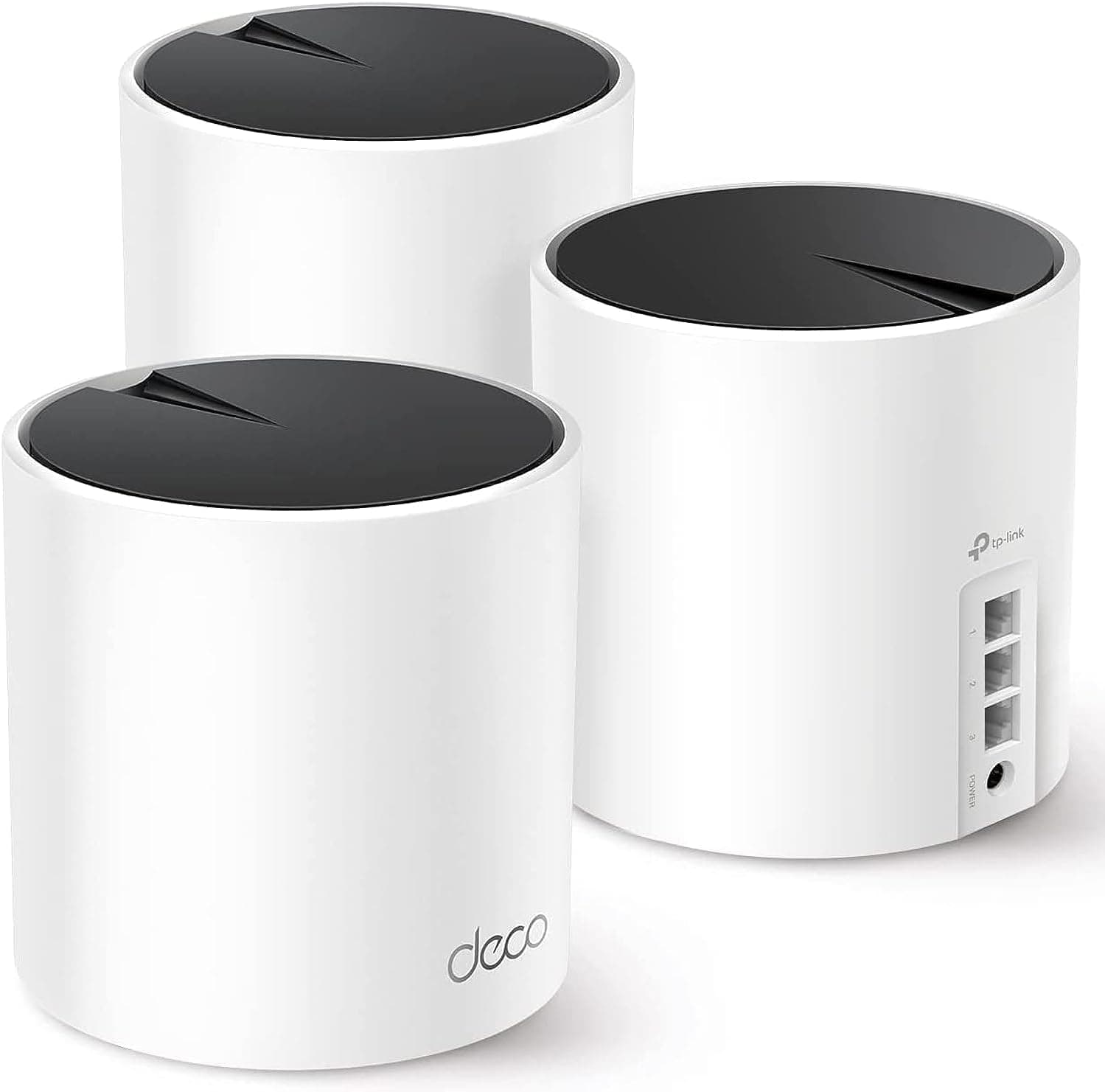
The 30-second read
What people like
Reviewers consistently praise the simple app-based setup and the reliable, fast Wi-Fi coverage it provides across large or multi-story homes.
The main watch-out
Some users report occasional connection drops between units and inconsistent speeds, and one review mentions receiving an opened, pre-configured product.
Before you choose
Placement matters for optimal coverage, and you may need a Cat6/Cat6a Ethernet cable to connect to your modem for full performance.
From a similar, more-reviewed product in this category: TP-Link Dual-Band AX3000 Wi-Fi 6 Wireless Gigabit Internet Router for Home
What people like
Reviewers consistently praise the simple setup, reliable coverage throughout the home, and fast Wi-Fi 6 speeds with good multi-device performance.
The main watch-out
One reviewer notes the router lacks a kill switch, which they consider essential for VPN use, despite otherwise finding it easy to set up and reliable.
Before you choose
A reviewer mentions the 5GHz range is sufficient for travel but may not cover a massive room or house, so consider your space size before buying.
Your use case first
147 of 1663 mentions describe a negative experience (9%).
248 of 934 mentions describe a negative experience (27%).
140 of 704 mentions describe a negative experience (20%).
45 of 605 mentions describe a negative experience (7%).
45 of 291 mentions describe a negative experience (15%).
474 of 938 mentions describe a negative experience (51%).
225 of 693 mentions describe a negative experience (32%).
329 of 460 mentions describe a negative experience (72%).
One review can mention several topics. Percentages describe the reviews we analysed, not all buyers or the product's overall failure rate.
From a similar, more-reviewed product in this category: TP-Link Dual-Band AX3000 Wi-Fi 6 Wireless Gigabit Internet Router for Home
216 of 999 mentions describe a negative experience (22%).
80 of 503 mentions describe a negative experience (16%).
131 of 456 mentions describe a negative experience (29%).
96 of 388 mentions describe a negative experience (25%).
15 of 191 mentions describe a negative experience (8%).
26 of 137 mentions describe a negative experience (19%).
287 of 532 mentions describe a negative experience (54%).
282 of 477 mentions describe a negative experience (59%).
Compare the trade-offs
A random selection of analyzed products from the same category. Different products are not necessarily interchangeable.

Google Nest WiFi Pro - 6E - Reliable Home Wi-Fi System with Fast Speed and Whole Home Coverage - Mesh Router - 3 Pack - Snow

NETGEAR Nighthawk Tri-Band Whole Home Mesh WiFi 6 System (MK73S) – Router + 2 Satellite Extenders - 3Gbps Speed - Coverage up to 4,500 sq. ft., 25 Devices - Includes 1-Year Armor – AX3000 802.11ax

TP-Link Deco 7 BE23 Dual-Band BE3600 WiFi 7 Mesh Wi-Fi System | 4-Stream 3.6 Gbps, 160 Mhz | Covers up to 4,500 Sq.Ft | 2× 2.5G Ports Wired Backhaul | VPN,MLO,AI-Roaming, HomeShield, 2-Pack
Check the evidence
Included does not mean verified authentic. Flagged does not mean proven fake. These are analytical classifications.
Showing 3 illustrative excerpts, not the complete review set.
UPDATED: Now 5 star! Super fast Wifi-6, easy install, good choice to upgrade to a mesh system!
“Thanks to Prime Day it was time for me to finally upgrade my home network. I was looking for a reasonably priced WiFi-6 mesh system with 3 stations (1 main + 2 satellites), at least AX3000 speeds, and a price tag of up to $300. It came down to two choices: the Eero 6+ and what I chose instead, the TP-Link Deco X55. Both systems had similar specs, but I liked how the TP-Link Deco had 3x Gigabit ethernet ports per satellite (the Eeeros have just 2). That meant I could wire each satellite in a daisy-chain configuration for a wired backhaul AND connect the 3rd ethernet plug to the gigabit switches I had at each satellite location. This meant that all of my hard-wired devices could stay hardwired, while adding mesh WiFi at full speeds (no bandwidth reserved for transmission thanks to the backhaul). Installation was quick and easy - I simply turned off my cable modem, disconnected my previous router, installed one of the Deco X55's in its place (in my bedroom), and turned everything back on. After downloading the TP-Link Deco app I had an internet connection set up and good to go in less than 5 minutes! Once that was working, I added the other two Deco's into the mix - one in the living room and one in the family room - with all three forming an almost perfect triangle for whole-home coverage. In less than 15 minutes after opening the box, I had a fast, Wifi-6 mesh system in my home. I had been using an older AC1900 router for almost 10 years now and back then it was just fine - but with more and more smart home devices being added to my home, it no longer was enough. I have a medium-sized amount of smart home devices (around 50 devices including hubs) and on occasion, I'd experience signal dropouts on some of the farther cameras, and other devices would sporadically go offline/online at random. With the X55 mesh installed, all of my issues disappeared! My smart cameras used to show a signal strength of between 80% (indoor cameras) down to around 55% (outdoor cameras). With the TP-Link Deco mesh in place, the signal strength changed to 100% indoor and 95% outdoor - a major improvement for sure. Pulling up live and recorded footage from the outdoor camera is so much quicker now. All of the other indoor smart devices I have all show 98-100% signal strength. Needless to say, this was a definite upgrade! As for my rating, I give it a solid 4-stars. There are a few small details that keep me from giving it a full 5-stars: some missing features that I had with my old router. One of them is being able to bulk reserve IPs by entering them into the app beforehand; with the TP-Link Deco, the device has to be connected to the network FIRST (with whatever DHCP IP address the Deco gives it), then you have to go into the app to reserve it with a static IP. I would rather have the more common table where you just enter each Mac address, static IP, and device name and it's done. Another missing feature is being able to have at least 2 separate SSIDs (not including a guest SSID). With the Deco you can only have one main SSID and one isolated guest SSID. Finally, to see some speed numbers I ran speed tests using both fast.com and speedtest.com, and the day before installing the mesh system I had an average internet speed of around ~260Mbps. The day after I installed the TP-Link mesh system my speeds went up to well over 490Mbps! Downloading is a lot faster, and streaming is super snappy as well. So in the end, I am very happy with my purchase of the TP-Link Deco X55 Wifi6 mesh system. Aside from the small feature complaints above, everything is awesome! I no longer have devices going offline/online. My internet speed has almost doubled (my old router was the bottleneck!) and streaming seems quicker as well. If you are looking for a mesh system to upgrade your current home network to the current WiFi6 standards, I would say that this is definitely a good buy! ------------ EDIT 02.18.2024: TP-Link Improvements Are Awesome! TP-Link has been steadily pushing out Deco firmware and app updates, and my -1 star complaint no longer exists thanks to two added features that completely address my complaints: - CUSTOM IP RESERVATIONS First, I don't have to play the game of connecting a new device, letting the Deco assign a DHCP address to it, then having to go back into the app to manually change the reserved IP. Now I can go straight into the Deco app and under the "Address Reservation" tab I can now select "Custom"; this brings me to a page where I can manually type in a MAC address AND the local IP address that I want to assign to it - without having to connect the device first. - SEPARATE IoT NETWORK My other complaint was that I only had the option to have two SSIDs - one main and one guest network. I wanted to be able to configure another SSID specifically so I could group all of my Smarthome devices, and after a couple of firmware updates later TP-Link not only gave me that option, but an even better one: they added a dedicated Iot (Internt of Things) network! Not only does this group my sparthome devices separate from my main network, but it also restricts communications between networks so that the IoT devices stay isolated. This is exactly the feature I wanted them to add during my initial review. - VPN COMPATIBILITY TP-Link has also added the option to use a VPN (server or client) directly through the router, as opposed to having to VPN each individual device manually. Furthermore, the VPN can be assigned to the network in two ways: either all devices (every device connected to the mesh will go through the VPN) or I can select specific MAC addresses that must pass through the VPN before reaching the Internet (tI chose option #2). With this I can make sure that certain devices that like to "call home" can only do so through the VPN, helping to protect my network and privacy. All in all, TP-Link has done a great job at supporting these devices, and their ability to add additional features over time have made me feel confident to revise my initial review now give this system a worthy 5 stars!”
Signals matched: Specific detail: quantity, entity, comparison · Mentions: speed, value for money · Reads as an authentic voice
App NG, reviewed both models purchased, X55, & AXE5400 (3 packs)
“04/05/2023: First I would recommend yo FIRST i WOULD RECOMMEND THAT YOU PURCHASE DIFFERENT COMPANY ROUTER. Pros: Nice looking, delivered in a box. Streaming has had no issues unless the TiVo Ethernet is working. My broadband speed is at 200MBS, When I had 400, I got 3, when I got 3, I got 2, guess what I get now? between 20-147 MBPS. Now I use Speedtest.net by ookla ( for years) I was reluctant to install a Mesh system being the 2.4ghz requirements for accessories. But I had an Archer C10, with about 65 connections and I looked one day and saw 20 was the number then suggested. Surprisingly it worked for several years. I only bought the Mesh when I saw how many connections it would support. So I set up the guest network as a dedicated 2.4ghz. Now every time I run a scan or network optimization it tells me that my guest network is enabled and should be disabled. Like you will see below, the system is very flawed. If you travel and leave your home to automation your time away will be ruined. It may show something off that's on but since it shows off you can't see it. One of the worst things is items constantly being dropped are outdoor lights ( in the soffit so still under 15-20ft. from any Deco, the other being Ring Cameras. Now my main concern first about the cameras is if a ring camera goes off line the camera actually blinks a white/blue light indicating you aren't on line. So If I am a thief and looking at blocks and I see a camera blinking and the same the next day I would think nobody's home because usually it would be re-connected. When a outdoor light ( not always the same one)is not working is just another indicator of an issue. I would say simple install which it mostly is except when you have to reboot or update firmware and the Deco's (X55) reboot one doesn't go green. ( waited 3 hours) so i went to that Deco and it has 3 Ethernet connections so I unplug the connections and remove and reinsert the power cable it finally goes green and I plug in the cables, it goes red again but after a few minutes it went green. ( right before I unplugged it again). My home is two stories and a basement. it is approx. 2000 sq ft of interior usable space. I have a Deco in the three rooms upstairs(1 XE pro 75 and 2 X55), (not in the bathroom) and two on the main floor at both ends of the house1&1 and another in the basement(XE75Pro) 1/29/23 Crap. Don’t bother to change the Deco descriptions to what the item actually is because it will drop them, change the name to a generic HS103 (tp- link plug)or Ring camera(s) or exterior lighting. this 9am I had 71 clients with about 10 not renamed. This evening I had 45 clients, from there I went to the item, blocked it, then unblocked it (it refreshes sometimes) NG. I turned off power to the lights and back on and I’m missing 6 of 10. I’m missing 5 Ring cameras , and 5 tp link mini plug not on any deco not on any block list and not on the complete network connection table. By 7pm nothing changed. 1.5 out of 5 stars App NG, Drops clients, changes names items) Reviewed in the United States 🇺🇸 on January 11, 2023 Style: AXE5400 Pro, 3-packVerified Purchase the app is inaccurate. the deco drop off. If you change the name like I did to know what is what and then it gets dropped and LOSES THE NAME. So I have to go back to the MAC id of the item to rename the device only to reset immediately, a few minutes after, and hours later as well. when things go "off line" which is difficult for power outlets as they are powered. Cams Ring get dropped and do not connect back, you have to go the the list of "offline" and clear the items and THEN they re-connect. Some of the items that drop do re-connect but those are hardwired and its beyond me how a computer plugged in can go off line. You might think I have a huge house, its about 2000sq of living space. I have three of these and three X55 deco as well so you see I'm running six and it drops my doorbell 12 feet away from the deco or access point ( Netgear Nighthawk set to AP mode for 2.4)it does go through a wall consisting of sheetrock, wood 2x4"s ( 1957) plywood, tarpaper, and vinyl siding. and doorbell. The previous Archer C50 ( for 20 connections) I have over 70 at all times so I decided to upgrade. So far I'm mixed because the amount of time, placing, testing, naming, I have spent many hours looking at what is happening. I can work around an app that basically sucks for anything really necessary if the errors were consistent but they are not and therefore UNRELIABLE. I bought at Christmas so I Have until 1/31 to return and I will, I will also order another set of both to see if it's the units but I don't think so. Perhaps I will order the BE33000 in March and see if its any better as I can do another return cycle if the replacements don't improve the quality of the device. If you are looking for an APP that is important to you , don't buy these You also cannot specify a Deco for a WiFi item. it connects, but it connects to Decos that it connects to even though the AXE are backhauled and the A55 are hardwired to the network as well. So you can block it and unblock it and see if it connects to the Deco in the same room or another part of the house. Another annoying thing is it shows for my Ring cameras, my TP-Link mini plugs, and two Echo's as hardwired. If anyone can find an Ethernet port on my camera & plugs you are better than me.”
Signals matched: Specific detail: quantity, entity, comparison · Mentions: speed, reliability · Reads as an authentic voice
Wow. Super easy and effective upgrade for all skill levels.
“Highly recommended upgrade for those looking to increase their wireless speeds with several connected devices. I thought it wouldn't be much of an improvement over my DOCSIS 3.0 cable modem/router + Wifi extender, which appeared to be significantly throttling my bandwidth, but mesh Wifi is in fact different and more effective at extending range and providing speed consistency throughout the home. Why I purchased: I decided to try a mesh network as we were having some issues with streaming video quality, such as blurry/pixilated picture on our streaming TV, or buffering/loading on tablets or other devices playing video. A couple suspected reasons for these bandwidth issues were ethernet connected computer(s), use of a Wifi extender, and/or a Wifi security camera at the extent of the Wifi signal range that were reducing the connection quality of the other devices mentioned. Improvements after installing: One main issue I was seeing was an outdoor security camera that had a weak signal was having trouble staying connected. On my smartphone, I also had trouble staying connected to my Wifi when standing next to the camera outside. After installing this system, I have a strong signal throughout the house and near this camera, and speed tests indicate a much faster connection speed than before. There was a +50 Mbps jump in the upstairs far corner of the house. The security camera also remained connected much more reliably. I thought that it wouldn't be possible to still get a great signal across the house, figuring there was no way connecting through a satellite would provide any kind of decent speed, but it does! My understanding is that the software for this system is able to appropriately manage consistency of connections (through all connection points), so there is in fact an advanced capability over older routers to keep speeds high regardless of distance from the main router. Setup: Installing this system took less than 10 minutes to be fully up and running - very easy plug-and-play. May take 20 or 30 minutes for someone not as savvy.. but between the app and the automatic connections between the routers, it couldn't have been easier, and very difficult to mess up. Simply connect an ethernet cable from your modem to the main router (each of the 3 units is the same), connect the power cable, then download the app on your smartphone. In the app, after some brief setup steps (includes creating an account), the main step is to connect to the router through the on-screen prompts. From there, you can name your wireless network and password. Connecting the other 2 satellite routers: Place them within a reasonable distance from the main router (~20-30 feet/1-2 rooms away), then plug in to power. Wait ~2 minutes and done! The whole system was live and wirelessly connected through the main router. I couldn't believe it. In my relatively square-shaped house with the main router on one far side, I was able to place the 3 routers in a triangular pattern, where both satellites are about equal distance from the main router in the middle of the house (about 20 feet each). If your router is in the middle of your home, you may want to place the satellites at either end. I believe a daisy chain (main router at one end like I have, then 2 satellites in a line across the house) is also an option for larger, more expansive homes to maximize the range. I didn't test the daisy chain, but I'd expect diminishing speed at the far end (although one may be surprised based on my observations so far with the management of the traffic at farther distances). While at the far end of my house and running a speed test, I can't tell that I'm not connected to my main router as the speed is still very good. The daisy chain may slightly differ, but can't say for sure. 2.4 GHz vs. 5 GHz networks: Wait, you don't need to set up 2 different networks?? The app basically eliminates all complexity over traditional router setup apps, making the setup choices totally accessible for anyone of any networking skill level. In the app, there is an option to broadcast 2.4 GHz + 5 GHz, 2.4 GHz only, or 5 GHz only. I remained on the first option as I needed support for 2.4 GHz-only devices. Otherwise, 5 GHz would be fine and preferred for everything (supports faster speeds). Apparently, the single network name/password automatically creates a dual band setup, if choosing both. Devices that connect apparently are favored to the optimal band - frankly, I don't know the details there, but would assume 5 GHz connects first over 2.4, unless only compatible with 2.4. Refurbished vs. New: No difference here. If you want to save a little money, refurbished is a good option for you. The box came with everything in it including an ethernet cable as if it were new. As far as condition, there were a few scuffs on the units, but nothing terrible. I could almost rub off any blemishes. I'm not looking at them anyway. Overall, highly recommended for those looking to make the leap to a mesh network, or debating whether mesh is just all hype (it's not with this system).”
Signals matched: Specific detail: entity, comparison, scenario · Mentions: speed, wifi range, coverage · Reads as an authentic voice
One less thing to search
Reviewers consistently describe setup as easy and quick, using the free Deco app on a phone with clear visual guidance. One novice noted that coordinating reboots of the ISP modem and first router was a bit confusing.
The manufacturer states the Deco X55 3-pack covers up to 6,500 square feet and eliminates dead zones. Reviewers report strong coverage in a 1,600-square-foot home, a two-story villa with thick precast walls, and a 240m2 two-floor house with concrete walls.
According to the manufacturer's listing, the Deco X55 3-pack is strong enough to connect up to 150 devices with strong and reliable Wi-Fi.
The listing states each Deco X55 has 3 Gigabit Ethernet ports (6 in total for a 2-pack) and supports Wired Ethernet Backhaul for better speeds, and any unit can work as a Wi-Fi router.
One long-term reviewer reported a year of flawless performance with a single network throughout the house and low ping in games. Another reviewer, however, experienced the pods losing connection to the main router every couple of days, which increased to 2-3 times a day until the issue was resolved.
From a similar, more-reviewed product in this category: TP-Link Dual-Band AX3000 Wi-Fi 6 Wireless Gigabit Internet Router for Home
Multiple reviewers describe setup as easy, including one who upgraded from a TP-Link Archer C7 and another who set it up for travel use. The listing also includes a Quick Installation Guide and an RJ45 Ethernet cable in the box.
Reviewers report strong, stable coverage throughout the home, with one noting the 5 GHz signal strength seemed better than their previous router. The listing cites 4 high-gain external antennas and Beamforming technology to extend reliable Wi-Fi.
The listing states next-gen Gigabit Wi-Fi 6 speeds of 2402 Mbps on 5 GHz and 574 Mbps on 2.4 GHz, and reviewers say Wi-Fi 6 makes a noticeable difference with faster speeds and smoother streaming. One reviewer specifically praised its speed and processing power compared to other routers.
Yes, reviewers mention "Smart Connect" allows combining the 2.4G and 5G bands under a single SSID, with the router deciding which to use per client. One reviewer confirmed selecting the smart option during setup.
The listing states it works with all internet service providers such as AT&T, Verizon, Xfinity, Spectrum, RCN, Cox, CenturyLink, and Frontier, though a modem is required for most ISPs.
Answers are limited to the manufacturer's listing and the reviews we analysed. Questions those sources cannot support are not answered here.
Transparent by design