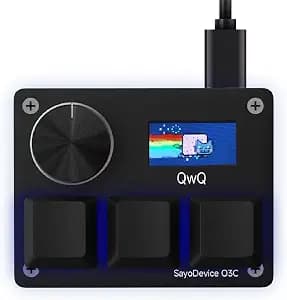
O3C Rapid Trigger Hall Effect Keyboard Suitable for OSU and Geometry Dash Rhythm Game Macro Keypad with Magnetic Linear Switches (Black, Gateron Jade Pro Green Switch)
Description
【SayoDevice O3C Keyboard】This keyboard with 3 Hall magnetic linear switches, 1 knob, 1 screen! TYPE-C,USB 2.0 high-speed 8000HZ.; 【Custom Screen】With 0.96 inch IPS color screen,160*80 Resolution, Visible key range and button counting, Support custom animations.; 【Custom Keys And Knob】The Keys and knob can also be set with any key or ctrl/alt/shift + any keys.; 【Custom Switches】Professional Game magnetic swithes, Rapid Trigger, 0~4.000mm Custom trigger release.; 【Replaceable Switches】3 Swithes available, Supports any hall magnetic switches, Hot-swappable, With a simple click for calibration.; 【NOTICE】Sometimes, the keyboard needs to do "CALIBRATION" ( The steps are shown in the figure ) before use for the first time or after firmware upgrade.
Compare the trade-offs
Similar products, side by side
A random selection of analyzed products from the same category. Different products are not necessarily interchangeable.
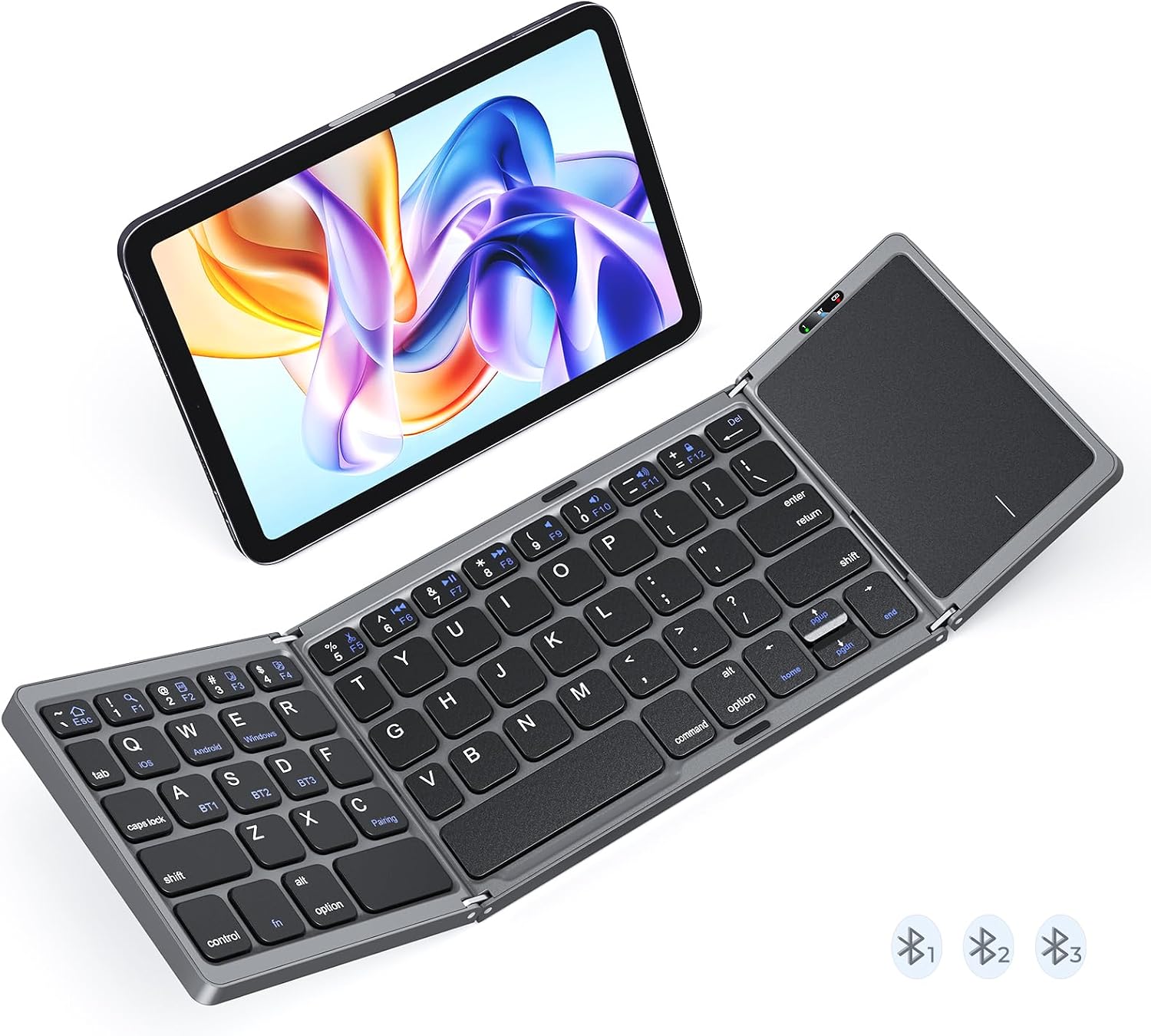
MEETION Foldable Bluetooth Keyboard with Touchpad, Portable Wireless, Gray

Dell Keyboard Smartcard USB

Keychron C1 Pro 8K QMK Wired Custom Mechanical Keyboard, TKL Layout Launcher Support with Hot-Swappable Super Red Switch, PBT Keycaps Compatible for Mac Windows Linux
One less thing to search
Before you buy: quick questions
¿Este teclado es plug-and-play para juegos como OSU y Geometry Dash, o necesita configuración de software?
Para desbloquear todo su potencial—especialmente la función "Rapid Trigger" que lo hace excepcional para juegos de ritmo—se requiere configuración de software. Considérelo como una herramienta de alto rendimiento que necesita ajustes. Recién sacado de la caja, funcionará como un teclado básico, pero la mayoría de usuarios en TikTok y Reddit recomiendan descargar el software complementario para ajustar el punto de actuación y la sensibilidad del disparador rápido, obteniendo así una verdadera ventaja competitiva.
Soy nuevo en los teclados de efecto Hall. ¿Es difícil de usar el software?
El software es potente pero tiene una curva de aprendizaje. Los usuarios nuevos a menudo lo encuentran poco intuitivo al principio. La buena noticia es que hay una comunidad sólida alrededor de él. Muchos creadores de YouTube y usuarios de foros han hecho tutoriales paso a paso para configurarlo específicamente para OSU y Geometry Dash. Una vez que configuras tu perfil, rara vez necesitas abrir el software de nuevo.
¿Cómo es la calidad de construcción y la durabilidad? He visto comentarios contradictorios.
Los componentes internos (interruptores magnéticos, PCB) son muy elogiados por su rendimiento y durabilidad. Algunas reseñas de usuarios señalan que los elementos externos, como la perilla de volumen o los estabilizadores, pueden parecer menos premium y presentar ligeras inconsistencias como bamboleo o traqueteo. La construcción central es sólida para juegos intensos, pero los entusiastas a menudo eligen actualizar las keycaps y lubricar los estabilizadores para una sensación perfecta.
¿Cuál es la verdadera diferencia entre el interruptor Gateron Jade Pro Green y otras opciones?
Los interruptores Gateron Jade Pro Green son interruptores magnéticos *lineales*. Esto significa que son excepcionalmente suaves y consistentes sin golpe táctil, lo que es ideal para pulsaciones rápidas y repetidas en juegos de ritmo. Son más ligeros y rápidos que los interruptores mecánicos tradicionales. Si prefieres un golpe táctil o una presión más fuerte, podrías considerar otros modelos, pero para el caso de uso previsto, los Jade Pro Greens son la opción popular centrada en el rendimiento.
¿Para quién es realmente más adecuado este teclado y quién podría querer buscar otra opción?
Este teclado es una oferta fantástica para jugadores de juegos de ritmo y aficionados al bricolaje que quieran experimentar con la tecnología de vanguardia de efecto Hall sin una gran inversión. Si disfrutas personalizando tu equipo para un rendimiento máximo, te encantará. Sin embargo, si buscas un teclado macro simple, sin configuración, para atajos generales o juegos, un teclado mecánico tradicional podría ser una opción más adecuada y menos frustrante.
From a similar, more-reviewed product in this category: Razer Joro Wireless Gaming Keyboard, Portable Compact 75%, Low Profile Keys
Does the Razer Joro work wirelessly with Bluetooth, and how many devices can it pair with?
The listing states Bluetooth 5.0 with pairing for up to three devices across Windows, Mac, handhelds, and mobile, with shortcuts to switch between them. Reviews are mixed on wireless reliability: one reviewer reported stable, fast Bluetooth, while others reported connection problems and missed keystrokes after the keyboard sleeps.
How does the keyboard feel to type and game on?
The listing describes ultra low-profile switches with quick, precise actuation and satisfying tactile feedback. Reviewers who liked it compared the feel to laptop scissor keys and Apple-style chiclet keys, calling it quiet with good tactile response, though one noted the spacebar is small.
Is the Razer Joro actually portable and well built?
The listing says it weighs 374 g and is 16.5 mm thin with a full function row and full-sized arrow keys. Reviewers described it as sturdy and minimalist, and one noted the static angle is a deliberate trade-off for a keyboard meant to be carried around.
What are the complaints about the RGB lighting?
The listing advertises Chroma RGB with 16.8 million colors and dynamic effects. Reviewers reported a glow around the keys rather than through the lettering, secondary symbols that are hard to see, and one said the lighting stayed on while the PC was locked.
Do I need Razer Synapse software to use all the keyboard's features?
The listing ties Snap Tap and Chroma customization to Razer Synapse 4. Reviewers noted that some functions, such as turning off Fn lock to use F1–F12 directly, require Synapse, and one complained there is no Synapse software for SteamOS.
Answers are limited to the manufacturer's listing and the reviews we analysed. Questions those sources cannot support are not answered here.
Transparent by design