What people like
Strong coverage and reliable performance
Several reviewers report strong signal, good range, and stable connections, often improving coverage over previous access points or routers.
Our buying verdict
Strong coverage and speed for many, but setup friction and some reliability complaints recur.
Buyers wanting strong Wi-Fi coverage and speed for a home or small office who can use PoE or the included adapter and are comfortable with Omada setup.
Buyers who need a 6GHz band, simple plug-and-play setup, or who require consistently drop-free operation without troubleshooting.
The 30-second read
What people like
Several reviewers report strong signal, good range, and stable connections, often improving coverage over previous access points or routers.
The main watch-out
Several reviewers report setup frustration, including unclear instructions, default IP access issues, and devices failing to connect after upgrade; some also note mesh or Wi-Fi 7 compatibility problems.
Before you choose
Reviewers note the unit can be powered by PoE or the included DC adapter, but a PoE injector or switch is not included, so plan your power setup accordingly.
From a similar, more-reviewed product in this category: Tenda WiFi 6 AX3000 Smart WiFi Router, Dual Band Gigabit Wireless Internet Router, 3 Gigabit LAN Ports, OFDMA+MU-MIMO, Parental Control+Remote Control, Easy App Setup, RX9Pro(Black)
What people like
Many reviewers found the router very easy to set up, often plug-and-play or via the app, and praised its fast speeds and strong signal coverage. Several also considered it good value for the price.
The main watch-out
Some users reported poor range, especially in larger homes or multi-story houses, with weak signals and dead zones. A few also mentioned reliability issues like networks dropping or needing reboots.
Before you choose
If you need VPN support, note that only PPTP and L2TP are available, not OpenVPN. Also consider your home layout, as several reviews mention range limitations in larger or multi-story spaces.
High-volume review analysis
Five signals are scored from the collected reviews; every line shows the statistic that produced it.
Signals run from −1 to +1. See Methodology for what this analysis cannot detect.
Description
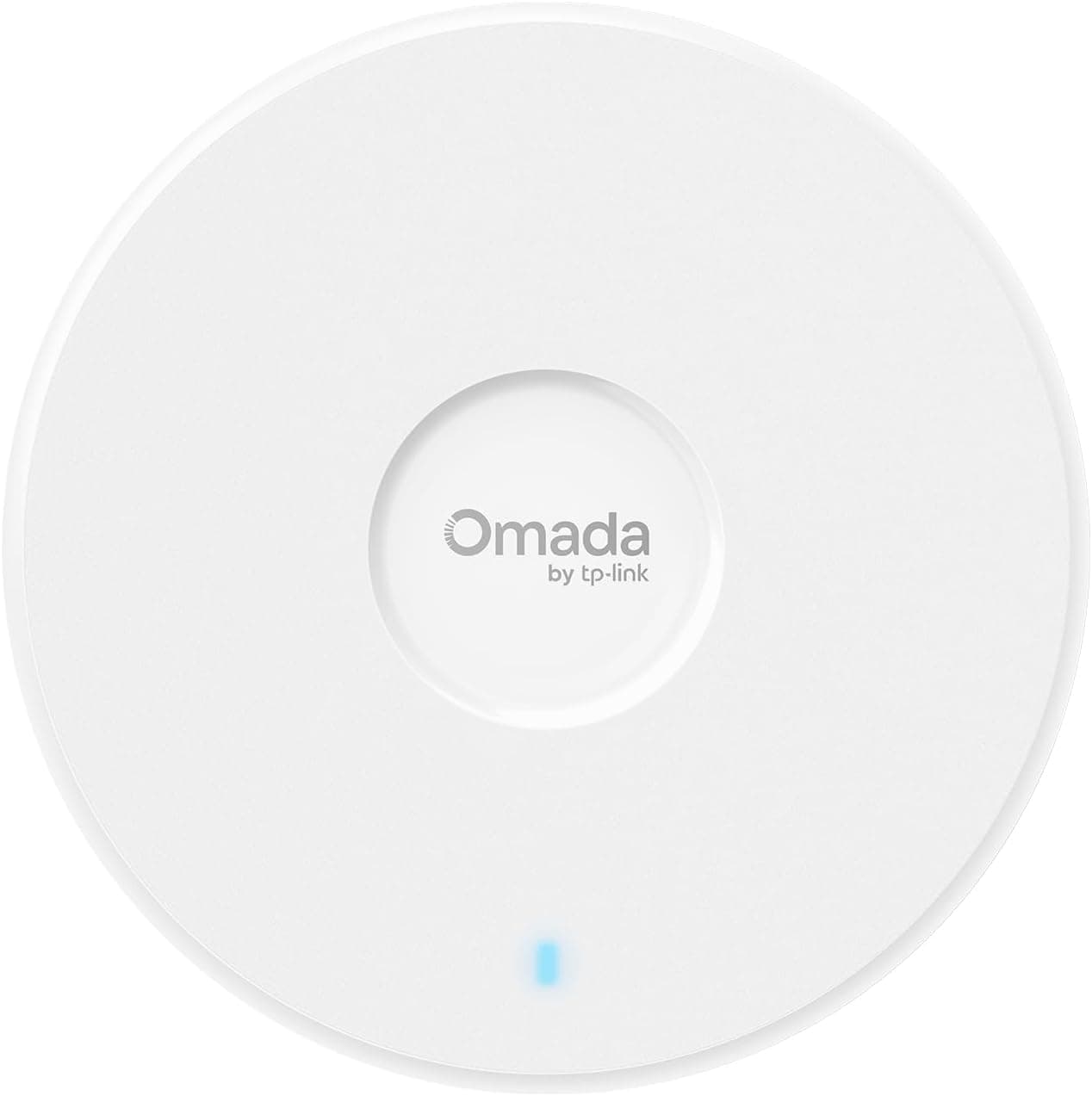
Product OverviewThe TP-Link Omada EAP720 is a dual-band WiFi 7 access point engineered for high-performance business environments. It delivers wireless speeds of up to 5.0 Gbps and supports ultra-low latency to handle high-density network demands. Designed for flexible deployment, this device integrates with the Omada SDN platform for streamlined, centralized cloud management. Key Features & BenefitsNext-Gen Performance: Utilizes WiFi 7 technology to provide dual-band speeds up to 5.0 Gbps with ultra-low latency.High Capacity: Features a 2.5G Ethernet port and supports over 250 concurrent clients for high-density environments.Centralized Management: Fully integrates with the Omada SDN platform, enabling cloud access and easy management via the Omada app.Seamless Connectivity: Supports Mesh technology and seamless roaming to ensure uninterrupted user experiences throughout the premises.Flexible Installation: Designed for versatile ceiling or wall mounting to optimize wireless coverage in various structural layouts. Technical SpecificationsModel: TP-Link Omada EAP720Wireless Standard: WiFi 7 (Dual-Band)Maximum Speed: 5.0 GbpsInterface: 2.5G Ethernet PortClient Capacity: 250+ ClientsManagement: Omada SDN (Cloud & App) Ideal ForHigh-density business environments requiring robust capacity.Networks demanding ultra-low latency and high throughput.Organizations utilizing the Omada SDN for centralized control.
Check the evidence
Included does not mean verified authentic. Flagged does not mean proven fake. These are analytical classifications.
Showing 3 illustrative excerpts, not the complete review set.
HUGE reliability upgrade over consumer mesh WiFi
“I recently installed the TP-Link EAP720 WiFi 7 access point as part of a home network upgrade, and I have been extremely happy with it. Before buying this, I was also looking at the Ubiquiti U7 Pro Max. I ended up choosing the TP-Link EAP720 because of the significant cost savings, and honestly, I am very glad I did. The performance and reliability have been excellent, and for my needs, it has been a fantastic value. I am using it with a TP-Link TL-SG3428 managed switch, a TP-Link TL-SG2210MP Managed PoE+ switch, and my home-built OPNsense router. I am also running the Omada Software Controller as a Docker container on my Dell PowerEdge T340 home server. Everything plays very nicely together. The TL-SG2210MP is powering the EAP720 over PoE+, which I love because I only had to run one network cable to the access point instead of running both a network cable and a separate power cord. The EAP720 adopted into the Omada controller easily, firmware updates were simple, and managing the access point along with the rest of my TP-Link Omada equipment has been smooth and straightforward. Installation was also very easy. The included mounting bracket made it simple to mount the access point to the ceiling in my network closet. It feels secure, looks clean, and gives the setup a much more professional look compared to my previous consumer mesh equipment. The biggest improvement for me has been reliability. With my previous consumer-grade mesh system, the band steering was honestly terrible. I constantly had issues where devices would randomly lose connection or I would have to manually switch between separate 2.4 GHz and 5 GHz networks to get things working properly again. Since installing the EAP720, I have been able to broadcast 2.4 GHz and 5 GHz together on one SSID without any issues. Devices connect properly, stay connected, and I have not had a single WiFi network drop since installing it. Coverage has also been much better than I expected. My home is about 2,000 square feet, and I currently have this access point centrally located in my network closet. Even though the closet is in a good central location, it is still surrounded by walls, so I was a little concerned about how well the signal would penetrate and reach both ends of the house. Thankfully, that has not been an issue at all. I am getting excellent coverage throughout the home. In the future, I may upgrade to two access points, but that is mostly because I am a networking nerd and want to, not because I actually need to. I also like that this gives me a solid upgrade path for the future. Not every device in my house can fully take advantage of WiFi 7 yet, and my core LAN is currently still 1Gbps, but the EAP720 gives me room to grow. Having WiFi 7 support and a 2.5Gbps Ethernet uplink means it will be ready when I eventually upgrade more of my network to 2.5Gbps. Overall, the TP-Link EAP720 has been a huge upgrade over my old consumer mesh system. It has been stable, easy to manage, easy to mount, and an excellent value compared to some of the more expensive options. If you are already using Omada equipment or want something more reliable and professional than a typical consumer WiFi setup, I would definitely recommend it.”
Signals matched: Specific detail: entity, comparison · Reads as an authentic voice
Constant, and I mean CONSTANT disconnects. Good luck connecting.
“If you’re debating on getting the EAP720 please keep reading because it’s horrible. Just get a different model, do not get the EAP720. The EAP610 worked almost flawlessly out of the box and other than having to restart my modem it was basically plug n play. So far I’m 1000000% satisfied with the EAP610. I didn’t even look at the instructions, it did everything I was expecting other than the restart but that’s a very minor complaint. Please read below for the review for the EAP720. Frustrating and annoying. Basically, that's it, although I'll go into a little more detail, but this piece of junk just doesn't work right. The instructions are garbage, it's just pictures with no actual instructions. Fine, I've done this a couple times and although it's been a while it wasn't difficult to plug in power, plug in ethernet, and go to the setup page on my PC. Except that didn't work. Until it did. Then it stopped working. Then it worked. I finally got to change SSID/Passwords and connected my phone. Well, I tried to. It just...didn't connect. Then it did. Then it dropped. Then it connected for a while so I did a speed test and I got excited because the connection was great and the speed was fantastic. Until it dropped connection for no reason. I think you can tell where the frustration comes from by now. So after a day or two, it seemed to have a steady connection and I wasn't dropping the connection constantly, so I foolishly thought maybe something got fixed. Then I got home and it was disconnected again. Turned it off and on, it connected. Then it dropped. Then it connected, then it dropped. Then I unplugged the piece of crap and I'm returning it. Maybe I got a dud. I ordered a different model number of the "same" WAP, and it should be here tomorrow. My old one bit the dust, and that's the only reason I even need one, but so far TP-Link/Omada isn't coming through for me. If the next one works I'll post a glowing review but the EAP720/DE2000 whatever the stupid model number is, just plain sucks.”
Signals matched: Specific detail: entity, comparison · Reads as an authentic voice
Excellent AP. Completely exceeded expectations.
“Image: Work in progress. TLDR: - Very good coverage. - Easily handles a ton of active wi-fi devices. - High 800-900's Mbps bandwidth via wi-fi with a 1 Gbps connection. - VLAN capable. - PoE+ - Web UI is a little awkward, but otherwise straight forward. - Absolutely no buyer's remorse. Exceeded expectations. I bought one to replace my sister's crappy all-in-one ISP router/modem/firewall. After researching Wi-Fi 7 APs that could accommodate an active family household, I whittled the options down and settled on this. I intended to overshoot their bandwidth/device limit/wi-fi standard requirements enough for some easy future-proofing. I assumed it'd be more than capable of handling their many active wi-fi devices and provide decent bandwidth. This turned out to be correct. This access point far exceeds their requirements. They have a 1 Gbps connection and are consistently getting high 800's-900's Mbps via wi-fi connections, anywhere in the house. It's connected to a OPNsense router/firewall through a TP-Link TL-SG2008P managed switch. I'm currently running both the switch and AP in standalone mode (manually configured via their respective UI's), but I intend to run them via an Omada OC200 controller in the near future. I have several VLANs set up, each with their own SSIDs, allowing for clean network segmentation. This keeps their IoT devices, children's devices, and guest devices, all separated from each other and their phones, laptops, desktops.”
Signals matched: Specific detail: quantity, entity, scenario, comparison · Reads as an authentic voice
One less thing to search
It can run standalone, but you'll unlock its full potential — centralized dashboards, cloud access, seamless roaming, and mesh — only with an Omada controller (hardware or the free software version). Many Reddit users note the standalone app is fine for a single AP, but multi-AP setups really want a controller. If you're a home user who wants zero fuss, factor that into your decision.
They'll connect just fine — the EAP720 is backward compatible with 802.11a/b/g/n/ac/ax. Just know that the headline Wi-Fi 7 features (MLO, 4K-QAM, 240 MHz) only kick in with Wi-Fi 7-capable clients. As one YouTube reviewer put it, "It's future-proofing, not an instant speed boost for every device you own."
TP-Link rates it at up to 1,500 ft² / 140 m² based on lab testing, but real-world coverage depends heavily on walls, floors, and interference. Users in open-plan offices and small homes report strong results from a single unit, while multi-floor or thick-walled spaces often need two. A good rule of thumb: plan for one AP per open zone, not per square footage on the box.
Yes — a 12V/1.5A DC adapter is in the box, so you can power it right out of the gate. If you prefer PoE, it supports 802.3at (PoE+); note that lower-tier 802.3af injectors may not deliver enough power and can cause reboots, a complaint echoed by several Amazon reviewers. The 2.5G port handles both data and power when using a compatible PoE+ switch.
It's an access point, not a router, so it needs to sit behind a router or gateway on your network. It shines for small businesses, homelabbers, and prosumers already in (or willing to join) the Omada ecosystem — especially those with 2.5G switches or NAS setups. Casual home users wanting a simple all-in-one may be happier with a consumer mesh kit; as one TikTok commenter summed up, "Great AP, wrong product if you wanted a router."
From a similar, more-reviewed product in this category: Tenda WiFi 6 AX3000 Smart WiFi Router, Dual Band Gigabit Wireless Internet Router, 3 Gigabit LAN Ports, OFDMA+MU-MIMO, Parental Control+Remote Control, Easy App Setup, RX9Pro(Black)
Multiple reviewers describe setup as very easy, with one calling it "plug and play really," and another noting the app is great and shows what is logged in. One reviewer did need tech support to get it running, and another had to watch a YouTube video because the manual instructions did not work as described.
Reviews are mixed: some say the covered area is large and the signal strength was impressive through brick walls and metal doors, while others report poor range and weak signal even in small homes or apartments. The manufacturer states the RX9 achieves Wi-Fi 6 signal coverage for small and medium-sized houses.
The manufacturer lists dual-band concurrent rates up to 2976Mbps (2.4GHz: 574Mbps, 5GHz: 2402Mbps), which it says is 66% faster than the peak speed of the AX1800. Reviewers describe speeds as faster than their old routers and high, with one reporting no speed loss while running 6 4K security cameras, 2 UHD TVs, a PC, and two mobile devices.
One long-term reviewer (about 1.5 years) reports good speed and range but says the 5GHz network sometimes disappears and both networks occasionally go down for a few minutes, plus an app bug with password changes. Another reviewer reported having to manually restart the device within 24 hours of installation.
The listing states the RX9 supports IPv6, WPA3 security, TWT power saving, and includes Access Point Mode and Guest Mode, with app-based control. One reviewer confirms using it successfully as a Wi-Fi access point for a client's local network.
Answers are limited to the manufacturer's listing and the reviews we analysed. Questions those sources cannot support are not answered here.