What people like
Easy setup and strong performance
Many reviewers found the router very easy to set up, often plug-and-play or via the app, and praised its fast speeds and strong signal coverage. Several also considered it good value for the price.
The 30-second read
What people like
Many reviewers found the router very easy to set up, often plug-and-play or via the app, and praised its fast speeds and strong signal coverage. Several also considered it good value for the price.
The main watch-out
Some users reported poor range, especially in larger homes or multi-story houses, with weak signals and dead zones. A few also mentioned reliability issues like networks dropping or needing reboots.
Before you choose
If you need VPN support, note that only PPTP and L2TP are available, not OpenVPN. Also consider your home layout, as several reviews mention range limitations in larger or multi-story spaces.
From a similar, more-reviewed product in this category: Omada EAP720 BE5000 Wi-Fi 7 Access Point, 2.5G Port, w/DC Adapter
What people like
Several reviewers report strong signal, good range, and stable connections, often improving coverage over previous access points or routers.
The main watch-out
Several reviewers report setup frustration, including unclear instructions, default IP access issues, and devices failing to connect after upgrade; some also note mesh or Wi-Fi 7 compatibility problems.
Before you choose
Reviewers note the unit can be powered by PoE or the included DC adapter, but a PoE injector or switch is not included, so plan your power setup accordingly.
Your use case first
1 of 9 mentions describe a negative experience (11%).
2 of 8 mentions describe a negative experience (25%).
11 of 18 mentions describe a negative experience (61%).
8 of 17 mentions describe a negative experience (47%).
4 of 9 mentions describe a negative experience (44%).
12 of 15 mentions describe a negative experience (80%).
One review can mention several topics. Percentages describe the reviews we analysed, not all buyers or the product's overall failure rate.
Check the evidence
Included does not mean verified authentic. Flagged does not mean proven fake. These are analytical classifications.
Showing 3 illustrative excerpts, not the complete review set.
It's.... Okay.
“If you're looking for a functional router that will replace a router/modem combo; it works fine. The range leaves a lot to be desired in our 2 story, 3 bedroom house. We had to wire it to the upper floor to get reasonable speeds from our modem. It caused a plethora of issues when I first set it up on our non-bridged modem/router that eventually resolved themselves. Still, it's okay-ish for the price. My biggest issue is actually with the companion app. The UI is extremely clunky, mistranslated in parts, gives redundant and false information (the 1 minute timer for rebooting the router for instance), doesn't track network traffic accurately at all, doesn't allow for easy throttling, does not save settings (won't let me change the auto-reboot time) and is just all-in-all, poorly developed. Tenda, if you're reading this at all; please overhaul your app entirely. Give us more freedom, accurate information on traffic and an overall smoother experience.”
Signals matched: Specific detail: scenario, process · Mentions: setup, speed, signal quality · Reads as an authentic voice
Scappa finché sei ancora in tempo, il dispositivo aveva tutto per funzionare bene, se funzionava.
“Ho acquistato il dispositivo di questa marca a me sconosciuta, quando è arrivato ho dovuto guardare un video su YouTube per poterlo configurare, perché così come era descritto nel manuale non funzionava. L'ho installato e avevo un buon segnale, in meno di 24 ore ho dovuto riavviare manualmente il dispositivo perché non inviava più segnale. Ho chiamato il SAC della marca, mi ha risposto un uomo gentile dicendomi che non poteva consigliarmi in quanto l'apparecchio al momento funzionava. Quando ha smesso di funzionare, l'altra sera, ho chiamato di nuovo e poi non ha risposto nessuno ed è stato così per qualche giorno, senza riuscire a contattare il marchio. Non lo consiglio, non ha funzionato per me.”
Signals matched: Specific detail: process, quantity · Mentions: setup, signal quality, reliability · Reads as an authentic voice
Sirve perfectamente
“Realmente no le daba mucho crédito a la marca, pero me sorprendió para bien. Anteriormente compré un Huawei y me decepcionó. Terminó descomponiéndose muy pronto y no me hicieron válida la garantía porque exactamente tenía unos días que se había terminado. Este lo instalé y su potencia de señal y rapidez fueron notables. Tiene su propia app y funciona también en dispositivos iOS a diferencia del otro. Hasta el momento súper recomendado. Grata sorpresa”
Signals matched: Specific detail: comparison, entity · Mentions: signal quality, speed · Reads as an authentic voice
One less thing to search
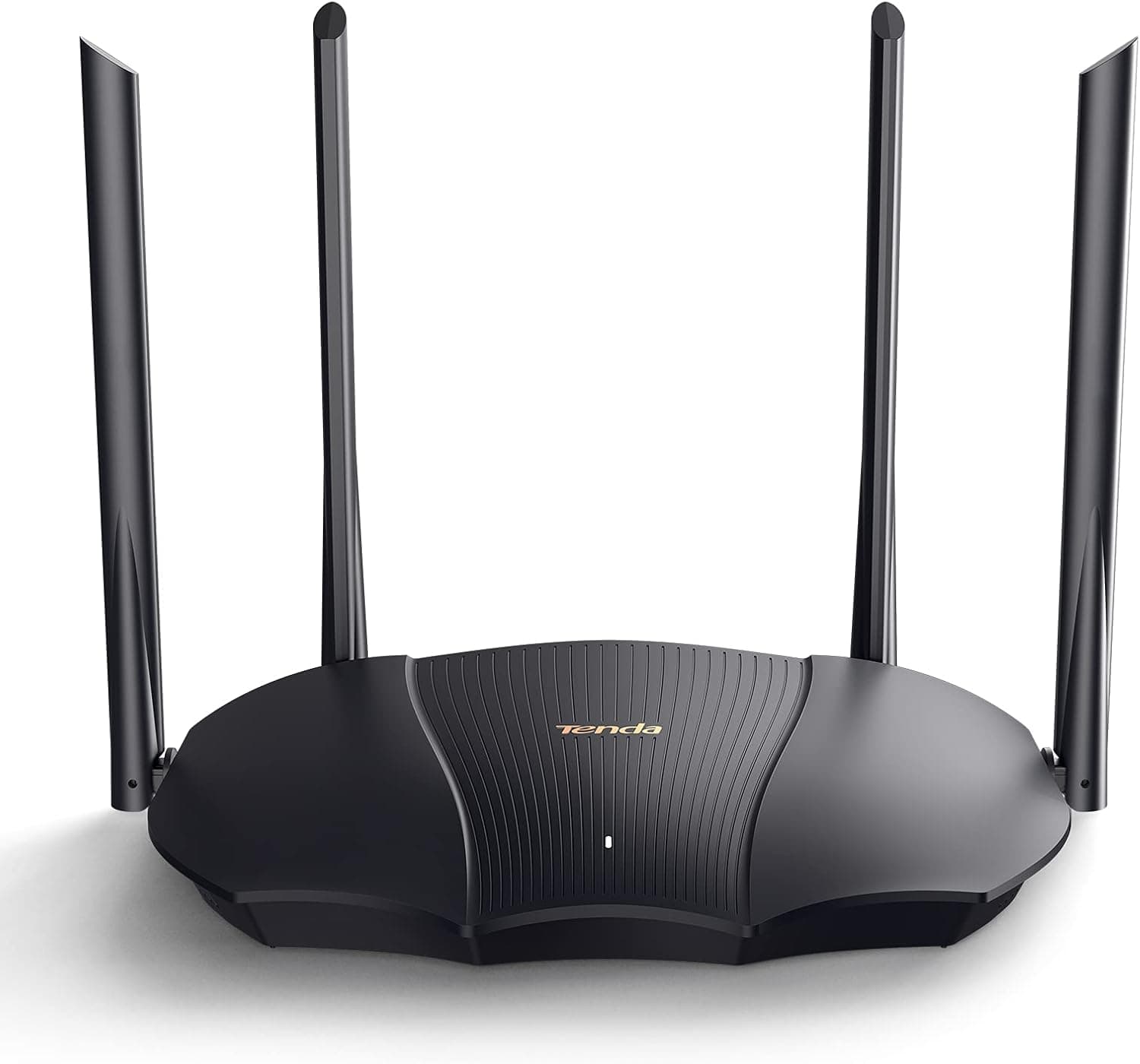
Multiple reviewers describe setup as very easy, with one calling it "plug and play really," and another noting the app is great and shows what is logged in. One reviewer did need tech support to get it running, and another had to watch a YouTube video because the manual instructions did not work as described.
Reviews are mixed: some say the covered area is large and the signal strength was impressive through brick walls and metal doors, while others report poor range and weak signal even in small homes or apartments. The manufacturer states the RX9 achieves Wi-Fi 6 signal coverage for small and medium-sized houses.
The manufacturer lists dual-band concurrent rates up to 2976Mbps (2.4GHz: 574Mbps, 5GHz: 2402Mbps), which it says is 66% faster than the peak speed of the AX1800. Reviewers describe speeds as faster than their old routers and high, with one reporting no speed loss while running 6 4K security cameras, 2 UHD TVs, a PC, and two mobile devices.
One long-term reviewer (about 1.5 years) reports good speed and range but says the 5GHz network sometimes disappears and both networks occasionally go down for a few minutes, plus an app bug with password changes. Another reviewer reported having to manually restart the device within 24 hours of installation.
The listing states the RX9 supports IPv6, WPA3 security, TWT power saving, and includes Access Point Mode and Guest Mode, with app-based control. One reviewer confirms using it successfully as a Wi-Fi access point for a client's local network.
From a similar, more-reviewed product in this category: Omada EAP720 BE5000 Wi-Fi 7 Access Point, 2.5G Port, w/DC Adapter
It can run standalone, but you'll unlock its full potential — centralized dashboards, cloud access, seamless roaming, and mesh — only with an Omada controller (hardware or the free software version). Many Reddit users note the standalone app is fine for a single AP, but multi-AP setups really want a controller. If you're a home user who wants zero fuss, factor that into your decision.
They'll connect just fine — the EAP720 is backward compatible with 802.11a/b/g/n/ac/ax. Just know that the headline Wi-Fi 7 features (MLO, 4K-QAM, 240 MHz) only kick in with Wi-Fi 7-capable clients. As one YouTube reviewer put it, "It's future-proofing, not an instant speed boost for every device you own."
TP-Link rates it at up to 1,500 ft² / 140 m² based on lab testing, but real-world coverage depends heavily on walls, floors, and interference. Users in open-plan offices and small homes report strong results from a single unit, while multi-floor or thick-walled spaces often need two. A good rule of thumb: plan for one AP per open zone, not per square footage on the box.
Yes — a 12V/1.5A DC adapter is in the box, so you can power it right out of the gate. If you prefer PoE, it supports 802.3at (PoE+); note that lower-tier 802.3af injectors may not deliver enough power and can cause reboots, a complaint echoed by several Amazon reviewers. The 2.5G port handles both data and power when using a compatible PoE+ switch.
It's an access point, not a router, so it needs to sit behind a router or gateway on your network. It shines for small businesses, homelabbers, and prosumers already in (or willing to join) the Omada ecosystem — especially those with 2.5G switches or NAS setups. Casual home users wanting a simple all-in-one may be happier with a consumer mesh kit; as one TikTok commenter summed up, "Great AP, wrong product if you wanted a router."
Answers are limited to the manufacturer's listing and the reviews we analysed. Questions those sources cannot support are not answered here.
Transparent by design