What people like
Easy to use and works well
Several reviewers found the printer convenient, easy to use, and functioning well, including with Windows 11 PCs over Bluetooth.
Our buying verdict
Several reviewers report easy printing, while others flag subscription and genuine-label requirements.
Buyers willing to use the required app subscription and genuine labels, who mainly need occasional label printing from a Windows PC over Bluetooth.
Buyers who want to print without an ongoing subscription or who plan to use third-party label rolls.
The 30-second read
What people like
Several reviewers found the printer convenient, easy to use, and functioning well, including with Windows 11 PCs over Bluetooth.
The main watch-out
Several reviewers report a required app subscription to print and that the printer only accepts genuine labels, limiting use of other paper rolls.
Before you choose
One reviewer reported that each time the printer is turned on, it wastes one label, which matters if you power it off and on often.
From a similar, more-reviewed product in this category: MUNBYN RealWriter 941 Bluetooth USB 4x6 Shipping Thermal Label Printer
What people like
Reviewers consistently say this printer is easy to set up and use, with fast, clear label output. Many also highlight the company's top-tier customer support.
Before you choose
One reviewer notes that when changing label sizes, you must also update the size in your Amazon or eBay printing options, not just on the printer. It's worth confirming your preferred settings on both your computer and selling platform.
The main watch-out
One reviewer notes that when switching label sizes, you must also change the size in your Amazon or eBay printing options and your computer settings before printing.
Description
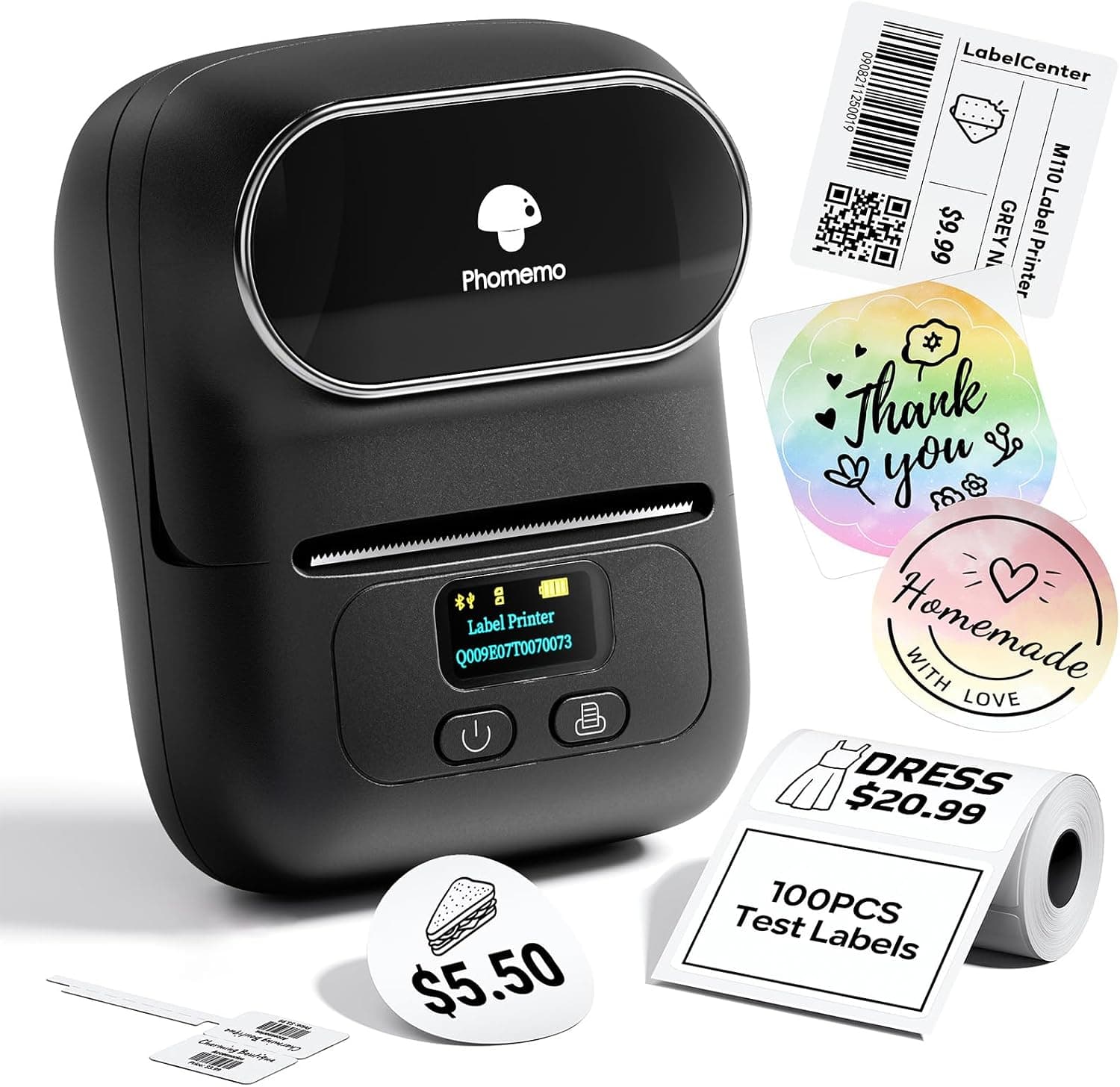
Product description -0:00 Previous page Next page Previous page Next page 1 Compatible with Phone&PC 2 How to install paper roll 3 Use APP-Print Master 4 How to connect to PC More templates, More ideas Previous page Next page Ideal for Business/Home Labeling Previous page Next page More sizes and types of Labels for Phomemo M110/M221/M220/M200/M120/M150/M160 Phomemo 40x30mm Labels Add to Cart Xmas Gift Thermal Labels Add to Cart PhomemoM20Pro Label Maker Add to Cart 2 Inch Round Labels Add to Cart 3Roll White Jewelry Label Add to Cart 3 Rolls 2' (Circle) Add to Cart 6 Rolls 1.57''x1.18'' Add to Cart Customer Reviews 4.7 out of 5 stars 4,619 4.9 out of 5 stars 15 4.3 out of 5 stars 35 4.8 out of 5 stars 367 5.0 out of 5 stars 5 4.6 out of 5 stars 2,029 4.7 out of 5 stars 4,619 Price $9.99$9.99 $12.99$12.99 $69.99$69.99 $12.99$12.99 $18.96$18.96 $21.99$21.99 $36.79$36.79 Paper Size 1.57''x1.18'' (1 Roll) 1.96''x3.15'' (1 Roll) 0.75''-1.96'' 2'' (1 Roll Circle) 30x25+45mm 2'' (3 Rolls Circle) 1.57''x1.18'' (6 Rolls) For M110/M221/M220 ✔ ✔ ✔ ✔ ✔ ✔ ✔ Sticker Label ✔ ✔ ✔ ✔ ✔ ✔ ✔ Waterproof ✔ ✔ ✔ ✔ ✔ ✔ ✔ Oilproof ✔ ✔ ✔ ✔ ✔ ✔ ✔ Wearproof ✔ ✔ ✔ ✔ ✔ ✔ ✔ Strong Adhesion ✔ ✔ ✔ ✔ ✔ ✔ ✔
Compare the trade-offs
A random selection of analyzed products from the same category. Different products are not necessarily interchangeable.

Phomemo Bluetooth Shipping Label Printer, 241BT 4X6 Wireless Thermal Label Printer for Small Business, Labels Printers for Shipping Package, Compatible with iPhone, Android, Amazon, Shopify, Black

Label Printer, 4x6 Shipping Label Thermal Printer for Packages, Bluetooth Conection and Compatible with Android, iPhone, Windows, Mac, Chromebook, Amazon, Ebay, UPS, USPS, FedEx, with Holder

Portable Printers Wireless for Travel, N80 Wireless Thermal Printer Bluetooth Inkless Printer Support 8.5" X 11" US Letter & A4, Compatible with iOS, Android, Laptop
Check the evidence
Included does not mean verified authentic. Flagged does not mean proven fake. These are analytical classifications.
Showing 3 illustrative excerpts, not the complete review set.
Unit is very efficient and works well with Windows11 PCs
“Unit is very efficient and works well with Windows11 PCs. I have it connected by Bluetooth to two different PCs. Either one can connect and print to it very easily. I store the local configuration files in a folder that Syncs between both PCs so whatever I add or change in the configuration on one PC is always updated to the other PC.”
Signals matched: Specific detail: entity, process · Reads as an authentic voice
I believe that specifying that this printer only accepts genuine labels is incorrect.
“I didn't like that the machine only accepts genuine paper rolls, but there's nowhere that says the rolls for this printer must be genuine. In other words, I bought paper that supposedly works with this M110 machine, which I won't be able to use; it was wasted money.”
Signals matched: Specific detail: entity · Reads as an authentic voice
This uses proprietary labels despite what is listed in ad
“This uses proprietary labels despite what is listed in ad. I did however remove the rfid from the labels and stuck to the outside of print tab then loaded another brand labels of a different size with no issues. As long as it doesn't keep count it should be fine.”
Signals matched: Specific detail: entity, process · Reads as an authentic voice
One less thing to search
No — and this is the most common surprise. The M110 handles labels from about 0.78" to 2" (20–50mm) wide, so it's built for price tags, barcodes, cable labels, jewelry, and organization — not 4x6 shipping labels. If shipping labels are your main need, a wider thermal printer is the better fit. Many TikTok and Reddit users specifically flag this, so check your label size before buying.
You don't need one to print. The free Print Master app includes plenty of templates, 80+ fonts, and 1000+ icons, plus OCR and Excel batch printing. A handful of premium templates and icons are marked with a diamond and require a paid membership — reviewers often note this isn't obvious up front, so look for the diamond icon before designing.
Once paired, it's fast — Bluetooth 4.0 connects in about 2 seconds with roughly a 33-foot range, and one-click printing works well. First-time pairing is where some users hit friction, especially after app updates. It also works with PC/laptops (Windows, Mac, Chrome, Linux) via the app, though setup is less plug-and-play than on a phone — a quick YouTube walkthrough helps.
No ink ever — it's thermal, so you only buy label rolls. Phomemo's labels are waterproof, oil-proof, and wear-resistant with strong adhesion, which is why crafters and small sellers like them. Print can look faint on some units; bumping up density in the app usually fixes it. Replacement rolls are reasonably priced, and third-party rolls in the supported size range generally work too.
For small-label tasks, most buyers consider it excellent value given its portability and no-ink running costs. If you hit connection trouble, fully charge the device first (a common fix), then reach out to Phomemo's after-sales support for troubleshooting or repair. It's best suited to home organizers, students, and small-shop sellers labeling small items — not to buyers wanting a keyboard-based or wide-format printer.
From a similar, more-reviewed product in this category: MUNBYN RealWriter 941 Bluetooth USB 4x6 Shipping Thermal Label Printer
For the vast majority of users, yes. The RealWriter 941 supports Windows, macOS, and Chromebook via USB, with Bluetooth as a convenient wireless option. Most reviewers say they were printing labels within 10–15 minutes. One tip from seasoned users: install the MUNBYN driver first and set your label size to 4x6 before your first print — that's the step that trips up a few people.
No ink, no toner — ever. It's a true thermal printer, which is one of the biggest reasons small sellers love it. You can use any standard 4x6 thermal labels, though MUNBYN's own labels are the most commonly recommended for consistent feed and print quality. Just make sure they're direct thermal (not thermal transfer).
Honest answer: USB is the most rock-solid option, and many power users keep it plugged in for high-volume days. Bluetooth works well for most people, but a few TikTok and Reddit users noted occasional pairing hiccups with older laptops or certain macOS versions. If you print dozens of labels a day, USB is your safest bet; for lighter use, Bluetooth is perfectly fine.
It prints up to 150mm/s — fast enough that most sellers describe it as "instant" compared to inkjet label printing. It's also notably quiet; several reviewers said they can print while on calls without anyone noticing. Small business owners and Amazon FBA sellers consistently call it reliable for daily, high-volume shipping.
This is one of the most praised aspects of the product. Reviewers repeatedly mention fast, friendly support that resolves issues — including replacements for the rare unit that arrives damaged or with a jammed roller. It also comes with a standard warranty and is eligible for returns through the platform you purchased from, so you're covered if it's not the right fit for your workflow.
Answers are limited to the manufacturer's listing and the reviews we analysed. Questions those sources cannot support are not answered here.
Transparent by design