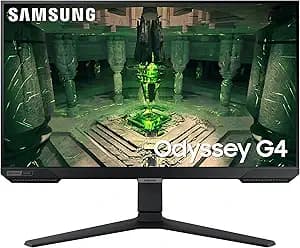
SAMSUNG 25" Odyssey G4 Series FHD Gaming Monitor, IPS, 240Hz, 1ms, G-Sync Compatible, AMD FreeSync Premium, HDR10, Ultrawide Game View, DisplayPort, HDMI, Fully Adjustable Stand, LS25BG402ENXGO
Description
When it comes to gaming performance, the slightest disadvantage can be the difference between winning and losing a match. With a 240Hz refresh rate, lightning fast 1ms (GTG) response time and full adaptive G-Sync compatibility and FreeSync Premium support, you can be sure that the Odyssey G4 Gaming Monitor won’t let you down on the battlefield. Adjust your screen to 21:9 aspect ratio to discover hidden areas in game scenes with Ultrawide Game View. Swivel, tilt, and adjust your monitor until all enemies are in perfect view. Your display can be moved freely so you can find total gaming comfort. With Auto Source Switch+, your monitor detects when connected devices are turned on and instantly switches to the new source signal. This helps you get to your game action faster without flipping through multiple input sources.
Compare the trade-offs
Similar products, side by side
A random selection of analyzed products from the same category. Different products are not necessarily interchangeable.
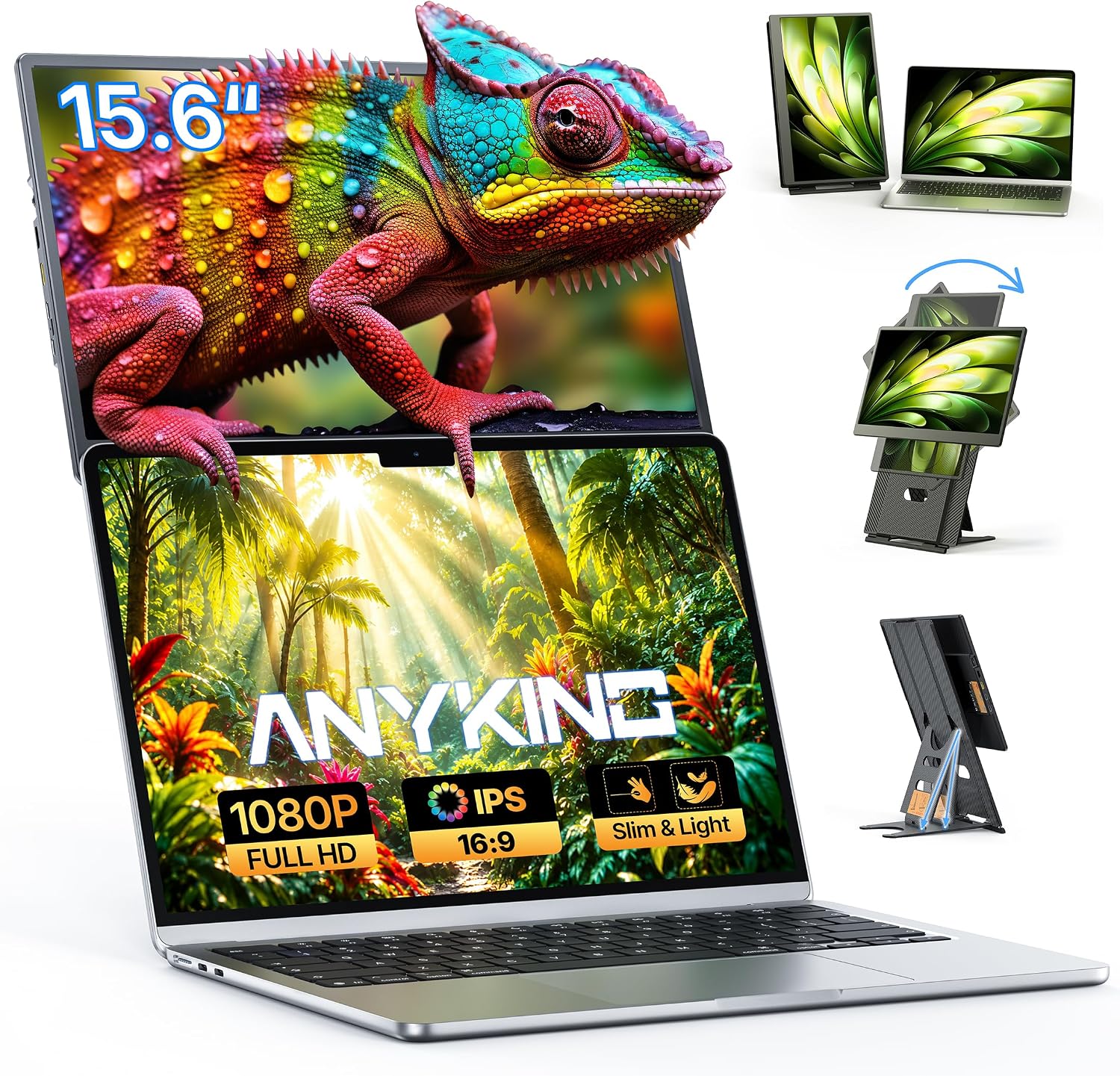
Laptop Screen Extender 15.6", 5 Modes & Detachable Slim Portable Monitor

KTC 24 inch Gaming Monitor QHD 180Hz, Fast IPS 1440p Computer Monitor, Up to 185Hz, 1ms, G-Sync/FreeSync, HDR400, Height Adjustable, 2 x HDMI, 1 x DP H24T7

ASUS ZenScreen MB16AHV 15.6 Inch 1080p Portable Monitor
One less thing to search
Before you buy: quick questions
Is the 25-inch ultrawide screen too small for gaming, and how does it compare to a standard 27-inch monitor?
The 25-inch diagonal with a 21:9 ultrawide aspect ratio offers a unique experience. It's narrower in height but wider in width compared to a standard 27-inch 16:9 monitor. This provides fantastic peripheral vision in supported games (like FPS and racing sims), which competitive gamers love. If your priority is immersive, cinematic single-player games, some users suggest a larger 34-inch ultrawide might be more satisfying. For fast-paced competitive play, however, this size keeps all action easily within your field of view.
I've heard the stand is wobbly. How bad is it, and can I mount it on a monitor arm?
The fully adjustable stand provides great ergonomics (tilt, swivel, height), but some users note it can have a slight wobble, especially at full height on less stable desks. The good news is this monitor is VESA compatible (100x100mm), so you can easily mount it on a third-party monitor arm or stand for a rock-solid setup. Many Reddit users have done this to save desk space and eliminate wobble entirely.
How does the 240Hz refresh rate and G-Sync/FreeSync work in real use? Is it good for both PC and consoles?
For PC gamers with a capable graphics card, the 240Hz refresh rate and 1ms response time deliver exceptionally smooth, tear-free gameplay, which is a game-changer for esports titles. It's both NVIDIA G-Sync Compatible and AMD FreeSync Premium certified, ensuring broad compatibility. For consoles like the PS5 or Xbox Series X, it supports up to 120Hz on compatible games via HDMI, making it a great high-performance option for cross-platform gamers.
Is the HDR10 support actually good, or is it just a marketing spec?
This is a common point discussed in reviews. While the monitor is HDR10 certified, it lacks the high peak brightness and full-array local dimming found in premium HDR displays. Most users and tech reviewers agree that the HDR effect is subtle at best. You're primarily buying this monitor for its fantastic 240Hz IPS panel and adaptive sync performance. The SDR picture quality is excellent, but don't expect a transformative HDR experience.
What's the deal with quality control and dead pixels? What's the warranty/return policy?
The vast majority of units arrive perfectly fine, but as with any monitor panel, there's a small chance of receiving one with a stuck or dead pixel. It's always a good practice to check your monitor thoroughly upon arrival. We recommend purchasing from a retailer with a clear and hassle-free return or exchange policy for defective items. The monitor comes with a standard manufacturer's warranty, but retailer policies often provide the quickest solution for immediate panel issues.
From a similar, more-reviewed product in this category: KOORUI 24 Inch Gaming Monitor, 180Hz 1080P VA Display with 3000:1 Contrast
Does this monitor really run at 180Hz, and what do I need to enable it?
Yes — it's a native 180Hz panel, but you'll need to switch it on manually. Connect via the included HDMI cable (or a DisplayPort-capable setup), then set 180Hz in your GPU's display settings; it defaults to a lower refresh rate out of the box. Many Reddit and YouTube users note that enabling Adaptive Sync/FreeSync alongside it gives the smoothest experience, and it works with both AMD and NVIDIA cards.
How does the VA panel perform for gaming and everyday work?
The 3000:1 contrast gives noticeably deeper blacks than typical IPS budget monitors, which shines in dark game scenes and movies. For fast-paced competitive shooters, some TikTok and Reddit users mention mild ghosting/smearing in dark transitions — it's great for casual gaming, students, and office work, but color-critical creators or hardcore FPS players may prefer an IPS panel.
The stand looks basic — can I adjust the height or mount it?
Correct, the included stand only tilts (-5° to 20°) and doesn't offer height, swivel, or pivot adjustment, and a few users find the base slightly wobbly. The good news: it's VESA 100×100mm compatible, so a monitor arm or desk mount solves ergonomics entirely — a popular fix among dual-monitor and dorm-room setups.
What if I receive a unit with a dead pixel or backlight bleed?
Budget monitors can vary unit to unit, and some buyers report stuck pixels or corner bleed — but KOORUI backs it with a 3-year manufacturer warranty. If your unit arrives defective, contact the seller for a replacement or refund promptly; most users who did so report a smooth resolution, so inspect the screen within the return window.
Is it good value, and who is it best suited for?
At around $120, it's widely praised as one of the best budget 180Hz options — ideal for students, casual gamers, home-office users, and compact or dual-monitor setups. Just set expectations: no built-in speakers, a single HDMI plus VGA, and basic ergonomics. If you need height adjustment, color accuracy, or built-in audio, consider spending more on an IPS alternative.
Answers are limited to the manufacturer's listing and the reviews we analysed. Questions those sources cannot support are not answered here.
Transparent by design