What people like
Quiet, comfortable, high-quality typing
Reviewers consistently praise the keyboard as silent and soft to the touch, with quality comparable to top brands at a lower price. Many also find it easy to connect and quick to set up.
The 30-second read
What people like
Reviewers consistently praise the keyboard as silent and soft to the touch, with quality comparable to top brands at a lower price. Many also find it easy to connect and quick to set up.
The main watch-out
One reviewer reported that the keyboard did not work properly on a Windows 11 desktop and eventually stopped responding altogether.
Before you choose
Reviews mention use with Windows 11 desktops and Samsung tablets, so confirm it fits your intended device and setup.
From a similar, more-reviewed product in this category: Razer Joro Wireless Gaming Keyboard, Portable Compact 75%, Low Profile Keys
What people like
Reviewers praise the solid build, responsive scissor keys, and stable wired and Bluetooth connections.
The main watch-out
One reviewer reports the keyboard sleeps after 5-10 minutes idle, so the first keys typed are missed; battery life without lights is also a concern.
Before you choose
Synapse software needs broad input permissions, and there's no SteamOS version, limiting Fn-lock and key customization on some setups.
Your use case first
0 of 10 mentions describe a negative experience (0%).
1 of 7 mentions describe a negative experience (14%).
One review can mention several topics. Percentages describe the reviews we analysed, not all buyers or the product's overall failure rate.
From a similar, more-reviewed product in this category: Razer Joro Wireless Gaming Keyboard, Portable Compact 75%, Low Profile Keys
9 of 35 mentions describe a negative experience (26%).
2 of 13 mentions describe a negative experience (15%).
2 of 11 mentions describe a negative experience (18%).
0 of 8 mentions describe a negative experience (0%).
4 of 13 mentions describe a negative experience (31%).
5 of 12 mentions describe a negative experience (42%).
5 of 11 mentions describe a negative experience (45%).
9 of 11 mentions describe a negative experience (82%).
Compare the trade-offs
A random selection of analyzed products from the same category. Different products are not necessarily interchangeable.

MONSGEEK M2 V5 VIA Aluminum Mechanical Keyboard Quick Release Tri-Mode Gaming Keyboard with 8000 mAh RGB Hot-swappable Black Piano, Pre-lubed Stellar Rose Switch

Guiheng Foldable Bluetooth Keyboard with Touchpad, Portable Wireless Keyboard Rechargeable Full Size Ultra Slim Pocket Folding Key Board for Android Windows iOS Tablet & Laptop-Grey

CZUR K5S Bluetooth Keyboard with Touchpad, Wireless & Wired, Rechargeable
Check the evidence
Included does not mean verified authentic. Flagged does not mean proven fake. These are analytical classifications.
Showing 3 illustrative excerpts, not the complete review set.
High quality comparable to top brands
“This is a very high quality wireless keyboard that rivals the top brands at a fraction of the price. It is very easy to connect via bluetooth and uses standard usb charging. TECKNET makes very comparable quality products to the major brands. I have been pleasantly surprised with all of their products so far.”
Signals matched: Specific detail: entity, comparison · Mentions: quality, functionality · Reads as an authentic voice
Keyboard Stopped Responding
“I tested it on my Windows 11 desktop. Unfortunately, the keyboard did not work properly and eventually stopped responding altogether. I was unable to use it reliably.”
Signals matched: Specific detail: entity, scenario · Mentions: functionality · Reads as an authentic voice
Very nice and works great.
“Very nice and works great. I bought this to pair with a mouse of same brand that I bought few months before. This company makes good products.”
Signals matched: Specific detail: entity · Mentions: quality · Reads as an authentic voice
One less thing to search
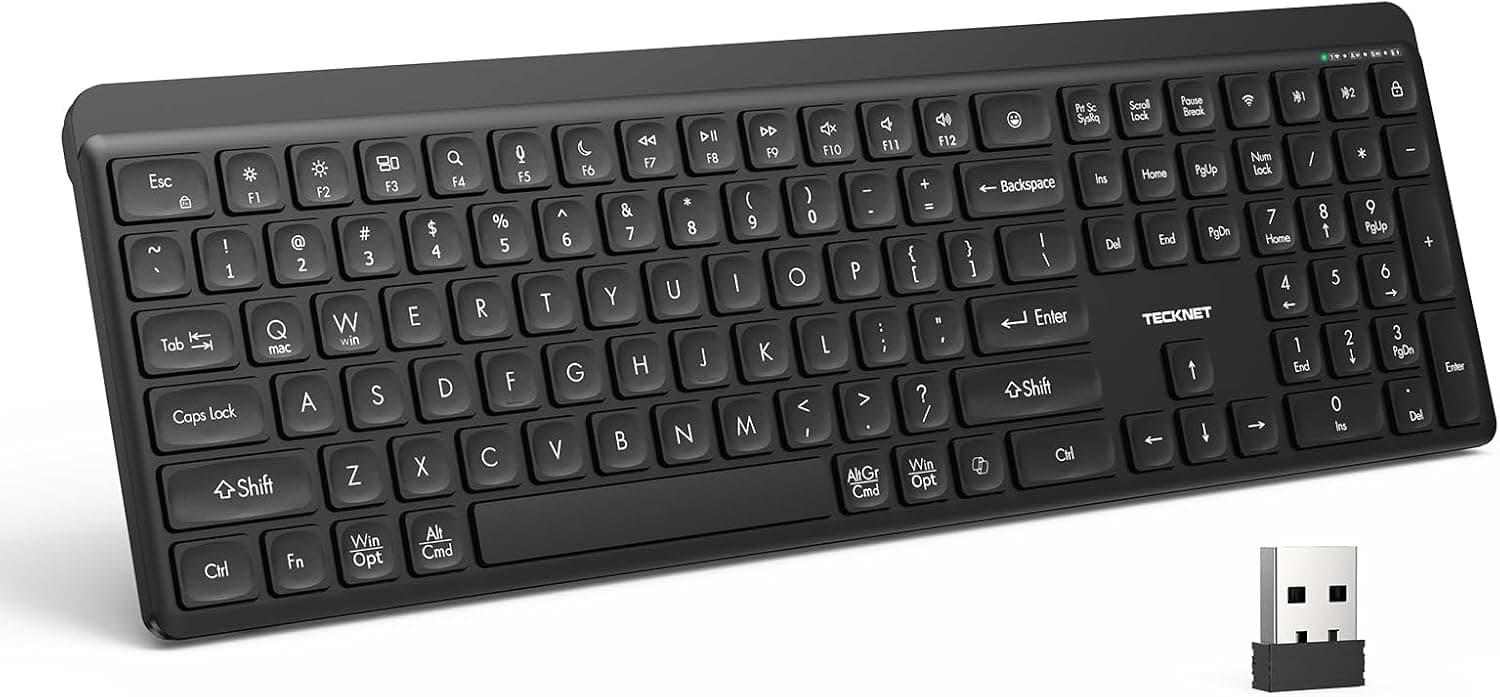
The manufacturer states it supports one 2.4GHz wireless connection plus dual Bluetooth (5.3) modes, allowing you to connect up to 3 devices and switch between them. It is compatible with laptops, desktops, tablets, and smartphones within 10 m.
The listing describes soft membrane keys with an optimized rebound structure for ultra-quiet, smooth typing. One customer review also called it "very silent" with soft-touch buttons that make writing comfortable.
It has a built-in 300mAh rechargeable battery that the listing says lasts up to 90 days on a full charge (based on 2 hours of daily use), and it enters sleep mode after 20 minutes of inactivity. One reviewer mentioned good battery life so far.
One customer review reports using it connected to a Samsung tablet when away from their PC, and describes it as easy to pair. The listing also states broad compatibility with tablets and smartphones.
The listing says it is designed to handle light, accidental spills such as coffee splashes or water drops, but it is not waterproof and should not be exposed to rain, liquid immersion, or high-moisture conditions.
From a similar, more-reviewed product in this category: Razer Joro Wireless Gaming Keyboard, Portable Compact 75%, Low Profile Keys
The listing states Bluetooth 5.0 with pairing for up to three devices across Windows, Mac, handhelds, and mobile, with shortcuts to switch between them. Reviews are mixed on wireless reliability: one reviewer reported stable, fast Bluetooth, while others reported connection problems and missed keystrokes after the keyboard sleeps.
The listing describes ultra low-profile switches with quick, precise actuation and satisfying tactile feedback. Reviewers who liked it compared the feel to laptop scissor keys and Apple-style chiclet keys, calling it quiet with good tactile response, though one noted the spacebar is small.
The listing says it weighs 374 g and is 16.5 mm thin with a full function row and full-sized arrow keys. Reviewers described it as sturdy and minimalist, and one noted the static angle is a deliberate trade-off for a keyboard meant to be carried around.
The listing advertises Chroma RGB with 16.8 million colors and dynamic effects. Reviewers reported a glow around the keys rather than through the lettering, secondary symbols that are hard to see, and one said the lighting stayed on while the PC was locked.
The listing ties Snap Tap and Chroma customization to Razer Synapse 4. Reviewers noted that some functions, such as turning off Fn lock to use F1–F12 directly, require Synapse, and one complained there is no Synapse software for SteamOS.
Answers are limited to the manufacturer's listing and the reviews we analysed. Questions those sources cannot support are not answered here.
Transparent by design