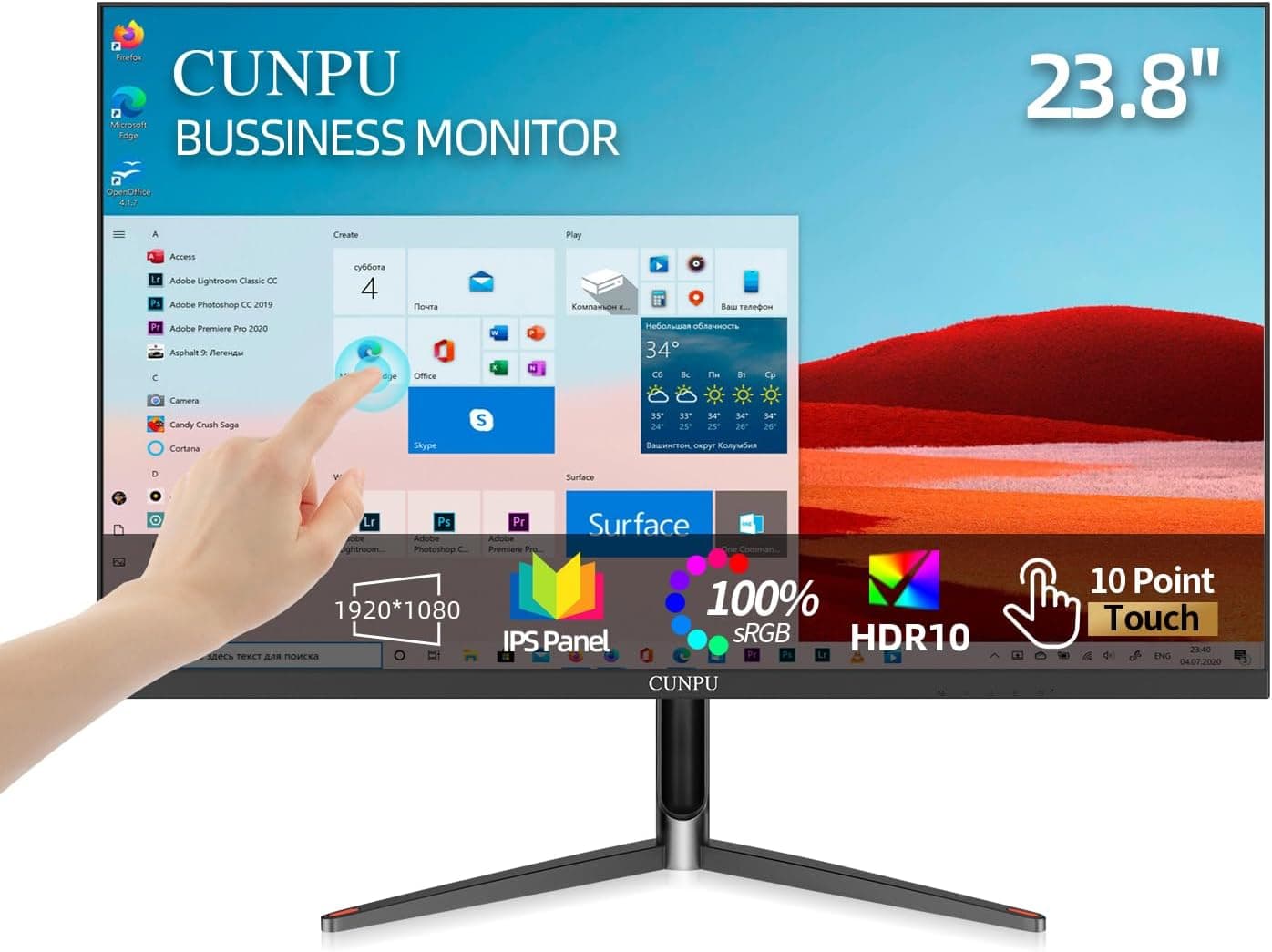
Produits analysés›CUNPU 24 Inch Touchscreen Monitor, 10 Point Touch, FHD 1080P 75Hz IPS Screen, 100% SRGB, VESA Wall Mountable, Tilt Adjustment, VGA HDMI USB for PC, Laptop Business & Work Station, Warehouse
CUNPU 24 Inch Touchscreen Monitor, 10 Point Touch, FHD 1080P 75Hz IPS Screen, 100% SRGB, VESA Wall Mountable, Tilt Adjustment, VGA HDMI USB for PC, Laptop Business & Work Station, Warehouse
4 sur Amazon|152 notes|ASIN B0DC6NG3K3|www.amazon.com
152 avis rédigés analysés · dernière mise à jour Sep 22, 2026
Analysé le Sep 22, 2026· 152 avis rédigés dans cette analyse· Échantillon disponible · pas tous les acheteurs
Fiabilité des avis
79/ 100Note B
Reviews mostly sound authentic and detailed, with no promotional phrasing, a slight mismatch between star ratings and wording, and a mix of top and mid-range ratings, supporting a generally trustworthy score.
Lien affilié — la commission est la même quel que soit le score.
La lecture de 30 secondes
Avant de décider
Un point de départ, pas un verdict d'achat
Ce que les clients apprécient
Great value and responsive touch
Reviewers consistently praise the monitor's excellent price-to-performance ratio, with responsive touch and bright display. Many note it works flawlessly for budget setups, including with Raspberry Pi.
Le principal point de vigilance
Included cables and USB port issues
Several reviewers report that the supplied HDMI and USB cables are poor quality or fail to work, and one experienced a loose USB port that required taping. Some also note weak instructions and no height adjustment.
Avant de choisir
Check compatibility and cable needs
One reviewer warns the monitor is not compatible with MacOS, and another notes that a USB cable is required for touch functionality. Also, the stand does not allow height or tilt adjustment.
Several reviewers describe the monitor as a strong budget purchase, citing impressive specs for the money and satisfaction with gaming use.
Le principal point de vigilance
Durability concerns over time
Several reviewers report the monitor failing or coming apart after months to a couple of years, including a dead screen and a failing power cord.
Avant de choisir
May need manual calibration
Two reviewers note that setup benefits from adjusting settings in your GPU software, including color, brightness, and VRR.
Description
10 Pointi Touch Control 2 CUNPU VS Basic Touch 3 Soonth Texture 4 Versatile Connectivity 5 IPS Color Previous page Next page 1 FHD 2 Ultrathin Bezel 3 Eye Care 4 Mount Ready Why does the touchscreen stop working when I connect via HDMI or VGA? HDMI/VGA transmits only video signals. For touch, connect a USB-A to USB-B cable from your PC to the monitor's USB-B port. Ensure it's securely plugged and the PC recognizes the monitor as a touch device. If not, check drivers or touch settings. Which devices support touchscreen functionality? When the monitor is connected to a Windows PC or mini PC, it supports multi-touch functionality. This feature is not supported when connected to a MacOs,smartphone, tablet, game console (PS, Xbox, Switch), TV stick, or when using a capacitive stylus. Why does the touch response appear on my laptop screen instead of the CUNPU 24" touchscreen monitor? Windows: Go to Control Panel > Hardware and Sound > Tablet PC Settings > Setup to map touch to the monitor. Touch stops working after sleep/wake? Windows disables USB devices to save power. Go to Device Manager → Universal Serial Bus controllers → USB Root Hub → Power Management and uncheck "Allow the computer to turn off this device to save power." What desk size do I need for a 24" monitor? For a 24-inch monitor, choose a desk with a depth of at least 24 inches (60 cm) and a width of at least 48 inches (120 cm) for comfortable use, though a depth of 28–30 inches (70–76 cm) is ideal for proper eye-to-screen distance. CUNPU Touchscreen Monitor Parameter 24" Touchscreen Monitor Add to Cart 27" Touchscreen Monitor Add to Cart 1440P Touchscreen Monitor Add to Cart 32" Touchscreen Monitor Add to Cart Screen Size 24 27 27 31.5 10 Point Touch With Win ✔ ✔ ✔ ✔ Single Touch With MacOS ✘ ✘ ✔ ✔ Panel Type IPS IPS IPS+Tempered Glass Nano IPS Resolution FHD(1920x1080) FHD(1920x1080) QHD (2560x1440) FHD(1920x1080) Color Gamut SRGB:100% SRGB:100% SRGB:100% SRGB:100% Mounting Type 100*100mm 100*100mm 100*100mm 100*100mm Stand Tilt Tilt Tilt Tilt Port HDMI, DP& USBB HDMI, DP& USBB 65W USBC, HDMI, DP& USB USBC, HDMI, DP& USB
Comparez les compromis
Produits similaires, côte à côte
Une sélection aléatoire de produits analysés de la même catégorie. Des produits différents ne sont pas nécessairement interchangeables.
Inclus ne signifie pas vérifié authentique. Signalé ne signifie pas prouvé faux. Ce sont des classifications analytiques.
Affichage de 3 extraits illustratifs, pas l'ensemble complet des avis.
Inclus dans l'analyse5.0/5 étoiles
5.0 out of 5 stars
“AS OTHERS NOTED. USB CABLE REQUIRED FOR TOUCH SCREEN.
The cable it came with was junk. It kept having slippage issues. Changed it now works great. I paired this With an inexpensive Mini PC to create a personal/family hub and calendar center. Similar to those being all the craze currently. For less than $500 this being a computer and not a tablet loaded with subscription apps is WAY cheaper and WAY MORE POWERFUL. I can put YouTube up and get recipes and such while cooking etc. we loaded it with our google calendar, rocket money etc. my wife thinks I'm a genius. Muahahaha little does she know...wait what. Enjoy the pictures I still need to do cable management. All in all great product this far out of the box.”
Signaux détectés : Détail spécifique : quantity, entity, scenario, comparison · Se lit comme une voix authentique
Inclus dans l'analyse1.0/5 étoiles
1.0 out of 5 stars
“I've been using this screen for my Home Assistant calendar and chore chart for several months now and it's been great. I have it hooked up to a raspberry pi 4 and the screen performs well. It's bright, responsive and is just what I was looking for. I would highly recommend based on my few months of use.
August 12, 2025 Update: After 8 months of use, the monitor now decides to go into deep sleep mode after a few minutes and can't be woken with the power button. It's essentially usable for about a minute, but if you stop using the computer/monitor, it will go dark and won't work anymore. No way to contact seller either.”
Signaux détectés : Détail spécifique : quantity, entity, scenario, process · Se lit comme une voix authentique
Inclus dans l'analyse5.0/5 étoiles
5.0 out of 5 stars
“ORIGINAL REVIEW:
Usb port for touch screen extremely loose and will not hold the USB cable in no matter the side used. Had to tape it to the back of the monitor in order for it to stay in. Only accepts like half the plug.
NEW REVIEW:
Seller quickly reached out and after a couple photos, it was determined there had been some motherboard shifting during shipment and they sent out a replacement. I checked the fit as soon as it came in and everything was nice and tight as it should be!
Touch works great, 1080p on this size is HUGE but it works great for a PC based POS.”
Signaux détectés : Détail spécifique : entity, process · Se lit comme une voix authentique
Une chose de moins à chercher
Avant d'acheter : questions rapides
Will the touchscreen work with my device — Windows, Raspberry Pi, or Mac?
Touch works well on Windows and Raspberry Pi, and most buyers report it's responsive right out of the box once connected via USB. Mac users should note that macOS doesn't support touch input on this monitor — it'll work as a standard display, but the touch layer won't function. If cross-platform touch is essential, check your OS compatibility before ordering.
Do I need special drivers, and how do I set up touch on a dual-monitor setup?
For most Windows and Pi setups, it's plug-and-play — no extra drivers required. The catch is multi-monitor mapping: the included instructions are thin here, and several users say they had to dig through forums to assign touch to the correct screen. On Windows you can usually fix this in Tablet PC Settings under "Setup," but budget a little time if you're running two displays.
Are the included cables reliable, and is the stand adjustable?
This is the most common gripe. A number of reviewers found the bundled USB and HDMI cables caused flickering touch or signal dropouts, and swapping in quality cables solved it — so it's worth having spares on hand. The stand tilts but doesn't adjust for height, and it's VESA-mountable if you'd rather use an arm or wall bracket for better ergonomics.
How durable is it, and what happens if something goes wrong?
Overall build quality is solid for the price, though one buyer reported a unit failing after eight months — the seller replaced it under warranty, which speaks well to after-sales support. As with any budget monitor, treat the cables as the weak link and keep your purchase record handy. If you're risk-averse, confirm the current return and warranty terms before buying.
Is it worth the money, and who is it best suited for?
For the price, it's a strong value — 1080p IPS, 100% sRGB, and responsive 10-point touch that punches above its cost. It's ideal for Raspberry Pi projects, POS or kiosk builds, and budget dual-screen workstations. It's less suited to Mac users needing touch or anyone prioritizing height-adjustable ergonomics. Many TikTok and Reddit users sum it up as "great budget touch monitor, just bring your own cable."
Does this monitor really run at 180Hz, and what do I need to enable it?
Yes — it's a native 180Hz panel, but you'll need to switch it on manually. Connect via the included HDMI cable (or a DisplayPort-capable setup), then set 180Hz in your GPU's display settings; it defaults to a lower refresh rate out of the box. Many Reddit and YouTube users note that enabling Adaptive Sync/FreeSync alongside it gives the smoothest experience, and it works with both AMD and NVIDIA cards.
How does the VA panel perform for gaming and everyday work?
The 3000:1 contrast gives noticeably deeper blacks than typical IPS budget monitors, which shines in dark game scenes and movies. For fast-paced competitive shooters, some TikTok and Reddit users mention mild ghosting/smearing in dark transitions — it's great for casual gaming, students, and office work, but color-critical creators or hardcore FPS players may prefer an IPS panel.
The stand looks basic — can I adjust the height or mount it?
Correct, the included stand only tilts (-5° to 20°) and doesn't offer height, swivel, or pivot adjustment, and a few users find the base slightly wobbly. The good news: it's VESA 100×100mm compatible, so a monitor arm or desk mount solves ergonomics entirely — a popular fix among dual-monitor and dorm-room setups.
What if I receive a unit with a dead pixel or backlight bleed?
Budget monitors can vary unit to unit, and some buyers report stuck pixels or corner bleed — but KOORUI backs it with a 3-year manufacturer warranty. If your unit arrives defective, contact the seller for a replacement or refund promptly; most users who did so report a smooth resolution, so inspect the screen within the return window.
Is it good value, and who is it best suited for?
At around $120, it's widely praised as one of the best budget 180Hz options — ideal for students, casual gamers, home-office users, and compact or dual-monitor setups. Just set expectations: no built-in speakers, a single HDMI plus VGA, and basic ergonomics. If you need height adjustment, color accuracy, or built-in audio, consider spending more on an IPS alternative.
Les réponses se limitent à la fiche du fabricant et aux avis que nous avons analysés. Les questions que ces sources ne permettent pas de traiter restent sans réponse ici.