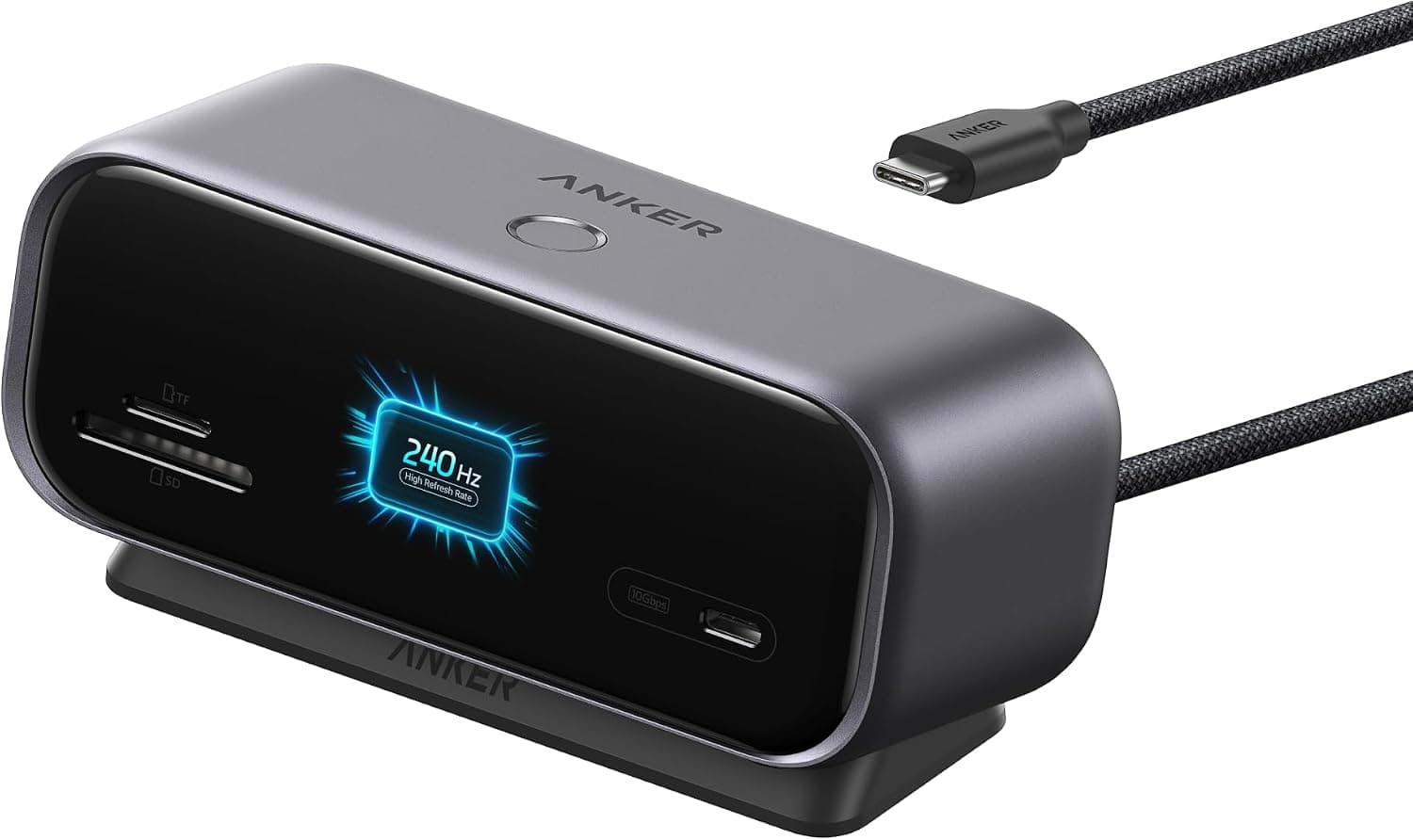
Anker Nano 10in1 USB C Hub, Smart Display Hub, Docking Station Dual Monitor

Anker Nano 10in1 USB C Hub, Smart Display Hub, Docking Station Dual Monitor

4 Amazonでの評価評価15件www.amazon.com
分析日 Sep 26, 2026
レビューの信頼性
82/ 100評価 B
Reviews generally match their star ratings, with most including specific, checkable details, no promotional phrasing, and many sounding authentic, though ratings lean toward the top with some mid-range opinions.
アフィリエイトリンクです。紹介料はスコアの結果にかかわらず同額です。

商品説明

240 Hz Display 2 Ultra-Smooth Motion 3 Work and Play 4 Faster Visual Feedback Previous page Next page 1 Customizable Focus Timer 2 Your Desk Companion 3 Personalize Your Display 4 Web and App Control 5 Compact Space-Saver Previous page Next page 1 10-in-1 Connectivity 2 Declutter Your Desk 3 80W Host Charging 4 10Gbps Data Transfer 5 Magnetic Base Previous page Next page 1 Button Control Guide 2 Universal Compatibility 3 Resolution Support 4 Display Modes 5 Important Product Notes Model Number: A210C [Anker Desktop USB-C Hub] High-Bandwidth Chip Architecture: Powered by an advanced display controller, the hub efficiently manages video and data bandwidth across all ports. It is designed to support up to dual 2K@240 Hz displays alongside high-speed data transfer. (Note: Dual 2K@240 Hz output requires a host laptop USB-C port that supports for DP 2.1 with DSC 3:1). Minimal Footprint to Free Up Space: Measuring 5.12 × 1.97 × 2.19 in, the compact upright design takes up minimal desk space. Rear-facing ports route cables out of sight, keeping your setup clean and uncluttered. A Screen You Can Personalize: Beyond port status, the display doubles as a desktop photo frame and focus companion, timing your work sessions and reminding you to take gentle breaks throughout the day. Snap On for a Better Angle: The included magnetic base snaps on to lift the display to a comfortable viewing angle, while the residue-free adhesive keeps the hub stable on your desk. The base is washable and reusable. (Note: Adhesion performance may vary depending on the surface.) Compatibility: Works with laptops whose USB-C ports support Power Delivery, DisplayPort 1.2 / 1.4 / 2.1, and either USB4 or Thunderbolt 3 / 4 / 5. Supports Windows 10 / 11 and macOS. (Note: On macOS, both external monitors will display identical content. This device is not compatible with Linux.) Notes: 1. Extended display mode differs by system. On Windows, each external monitor can show different content. On macOS, both external monitors show the same content. 2. Dual 2K@240 Hz output requires a host laptop USB-C port that supports DP 2.1 with DSC 3:1. Video output is supported through HDMI and DisplayPort only. USB-C monitors are not supported. 3. Charger not included. For best performance, use a 65W or higher USB-C charger. Without an external charger, the hub draws power from your laptop for basic functionality. 4. The USB-A ports and the front USB-C port support data transfer only. They do not support charging or video output.
トレードオフを比較

似た商品を並べて比較

同じカテゴリの分析済み商品から無作為に選んでいます。商品が異なれば、単純に置き換えられるとは限りません。

根拠を確認する

レビュー抜粋からわかること

「分析対象」は真正性が確認されたことを意味しません。「フラグ付き」も捏造と証明されたことを意味しません。いずれも分析上の分類です。

参考として3件の抜粋を表示しています。レビュー全体ではありません。

分析対象5つ星中4.0

Excellent Docking Station, Just Wish It Had Two HDMI Ports

“This docking station has worked great for my setup and has turned out to be one of the more useful accessories I've purchased. Everything connected quickly, performs reliably, and the additional ports make it easy to hook up multiple devices without constantly swapping cables. My only disappointment was my own fault. I didn't look closely enough before ordering and assumed it had two HDMI outputs. When it arrived, I realized one of the video connections is actually a DisplayPort. Since my previous docking station used dual HDMI, that meant I had to buy an additional cable to make the switch. Other than that minor issue, I have zero complaints. The dock is well-built, has plenty of connectivity options, and handles everything I've thrown at it. The smart display is a neat feature, and I like how the port layout helps keep cables organized and out of sight. If you're considering this dock, just make sure the HDMI/DisplayPort configuration matches your needs. If it does, I highly recommend it.”

検出されたシグナル:具体的な記述:entity, scenario, process · 実体験に基づく自然な文章

分析対象5つ星中5.0

Another Anker Win – The Perfect Desktop Hub!

“Let me start by saying how much I LOVE Anker hardware, and this 10-in-1 Nano Hub absolutely does not disappoint. The convenience of having a single dock connected to all of my external peripherals with just a single cable running to my laptop is a game-changer for keeping my workspace clean and organized. The built-in smart display mini-screen is a very cool feature and surprisingly informative. My external monitor works perfectly through it, outputting exactly as expected without any display issues or lag. It is sleek, powerful, and easily one of my new favorite additions to my desk. Highly recommended for anyone looking to streamline their setup!”

検出されたシグナル:具体的な記述:quantity, scenario · 実体験に基づく自然な文章

分析対象5つ星中5.0

Great Compact Hub

“The hub quality is excellent, and its compact design fits nicely into a desk setup. It has one HDMI and one DisplayPort for monitor connections. Tested it with a MacBook M5 and M4 Mac mini. It can drive a Gigabyte M28U at 4K 144Hz. Run it with a Lenovo laptop and LG 27U and Dell U2422H monitors. The display performance was good, and the hub remained relatively cool for extended use. Using a 65W USB-C power supply, the hub can charge my Lenovo laptop. However, Anker does not include a power adapter in the package.”

検出されたシグナル:具体的な記述:quantity, entity, scenario, process · 実体験に基づく自然な文章

調べる手間をひとつ減らす

購入前によくある質問

Will this hub actually run two monitors at the same time, or is that just marketing?

Yes—dual-monitor output is one of its strongest features, and most reviewers confirm it works smoothly for 1080p and 1440p displays. That said, a few users with ultrawide or older monitors ran into handshake issues, so it's worth checking your monitor's input specs before buying. If you're on a mainstream Dell, LG, or Samsung panel, you should be fine.

Does it work with MacBooks and Windows laptops, or do I need special drivers?

It's plug-and-play on both macOS and Windows—no drivers required. MacBook users (M1/M2/M3) report a clean single-cable setup, and Windows users appreciate that it just works out of the box. Linux users should note that a few have reported minor quirks, so it's not the safest pick if you're on Ubuntu or Fedora.

Is the smart display actually useful, or just a gimmick?

It depends on your workflow. Fans say it's genuinely handy for monitoring port activity and power draw at a glance, and it adds a premium feel to the desk. Skeptics on Reddit and TikTok call it a novelty that wears off after a week—so if you're buying purely for the display, temper your expectations. If you're buying for the ports and it happens to have a screen, you'll be happy.

How does it compare to cheaper 10-in-1 hubs from Ugreen or Baseus?

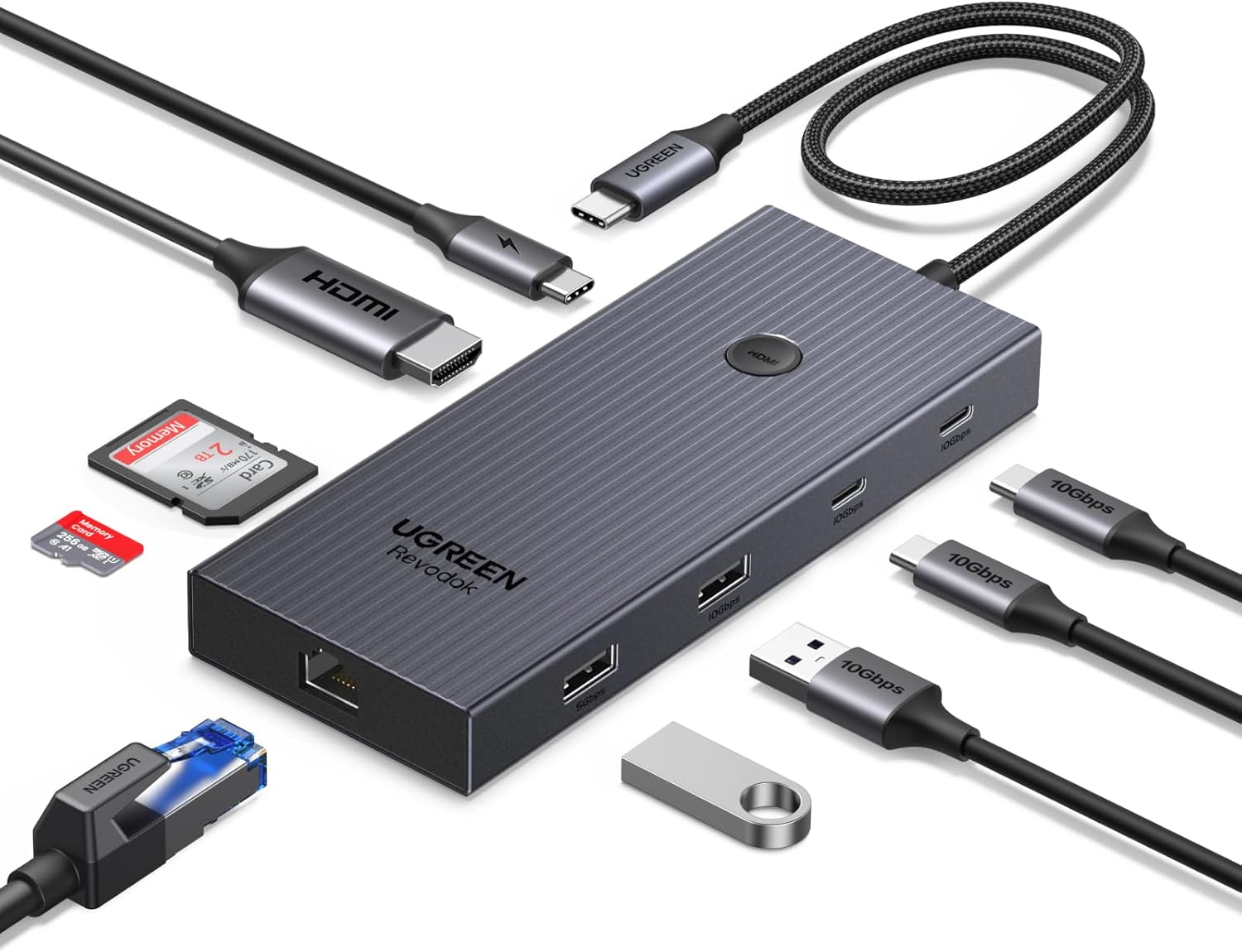
You're paying a premium for Anker's build quality, cooler operation, and the integrated display. Ugreen's Revodok Pro offers more HDMI ports for less, and Baseus undercuts it on price—but reviewers consistently say the Anker feels more solid and runs cooler under load. If raw port count is your priority, go cheaper; if reliability and desk aesthetics matter, the Anker earns its price.

What if my monitor isn't compatible—can I return it?

Yes, standard return policies apply, and Anker's after-sales support has a solid reputation among reviewers. That said, to avoid the hassle, double-check that your monitors support USB-C alt mode or DisplayPort over USB-C before ordering. A quick look at your monitor's spec sheet will save you the round trip.

同カテゴリーのレビュー数が多い類似商品より: VIENON USB Hub 7-in-1, Aluminum USB C Hub Multiport Adapter for Laptop & PC

Does this hub work with both USB-C and USB-A laptops?
メーカーの商品情報より

Yes. The manufacturer states the hub has both USB-C and USB-A male host connectors, so it works with newer USB-C devices and traditional USB-A laptops without a separate adapter.

How many ports does the hub have and what types are they?
メーカーの商品情報より

The listing describes it as a 7-in-1 hub with 1 x USB 3.0 port, 4 x USB 2.0 ports, and 2 x USB-C 2.0 ports, and also mentions a 60W PD charging port. Note that the listing text is inconsistent about the exact port breakdown.

Can it charge my laptop while I use it?
「functionality」に言及する8件の採用レビューよりメーカーの商品情報より

The listing says the USB-C PD port supports pass-through charging up to 60W. However, one reviewer reported that it would not pass power through to their laptop, so results may vary.

Do all the ports work reliably?
「functionality」に言及する8件の採用レビューより

Reviews are mixed. Some customers say it works well and lets them connect several devices without complications, while others report ports that stopped working, loose or flimsy sockets, or devices that disconnect on their own.

How durable is this hub?
「durability」に言及する1件の採用レビューよりメーカーの商品情報より

Reviews are mixed on durability. One reviewer said it broke after four months, and another described the USB sockets as loose and flimsy, though the listing notes an aluminum alloy housing that is scratch resistant.

回答はメーカーの商品情報と分析対象のレビューの範囲に限られます。これらの情報源で裏付けられない質問には回答していません。

透明性のある設計

分析結果を理解する