ユーザーが気に入っている点
Good value and solid picture
Several reviewers describe the monitor as good value, with solid build and vivid picture quality for the price.
購入に関する総合評価
Several reviewers praise picture quality and value, but some report refresh-rate and display failures.
Buyers seeking a budget-friendly gaming monitor who value vivid picture quality and smooth performance, based on several positive reports.
Buyers who need confirmed advertised refresh rates or reliable HDR handling, given reports of lower-than-claimed Hz and HDR signal failures.
30秒でわかる要点
ユーザーが気に入っている点
Several reviewers describe the monitor as good value, with solid build and vivid picture quality for the price.
主な注意点
Some reviewers report serious display problems, including HDR signal failure and a monitor running at a lower refresh rate than advertised.
選ぶ前に
Reviews mention different KTC models and refresh rates, so confirm the exact model and specs match what you expect.
同カテゴリーのレビュー数が多い類似商品より: KOORUI 24 Inch Gaming Monitor, 180Hz 1080P VA Display with 3000:1 Contrast
ユーザーが気に入っている点
Several reviewers describe the monitor as a strong budget purchase, citing impressive specs for the money and satisfaction with gaming use.
主な注意点
Several reviewers report the monitor failing or coming apart after months to a couple of years, including a dead screen and a failing power cord.
選ぶ前に
Two reviewers note that setup benefits from adjusting settings in your GPU software, including color, brightness, and VRR.
商品説明
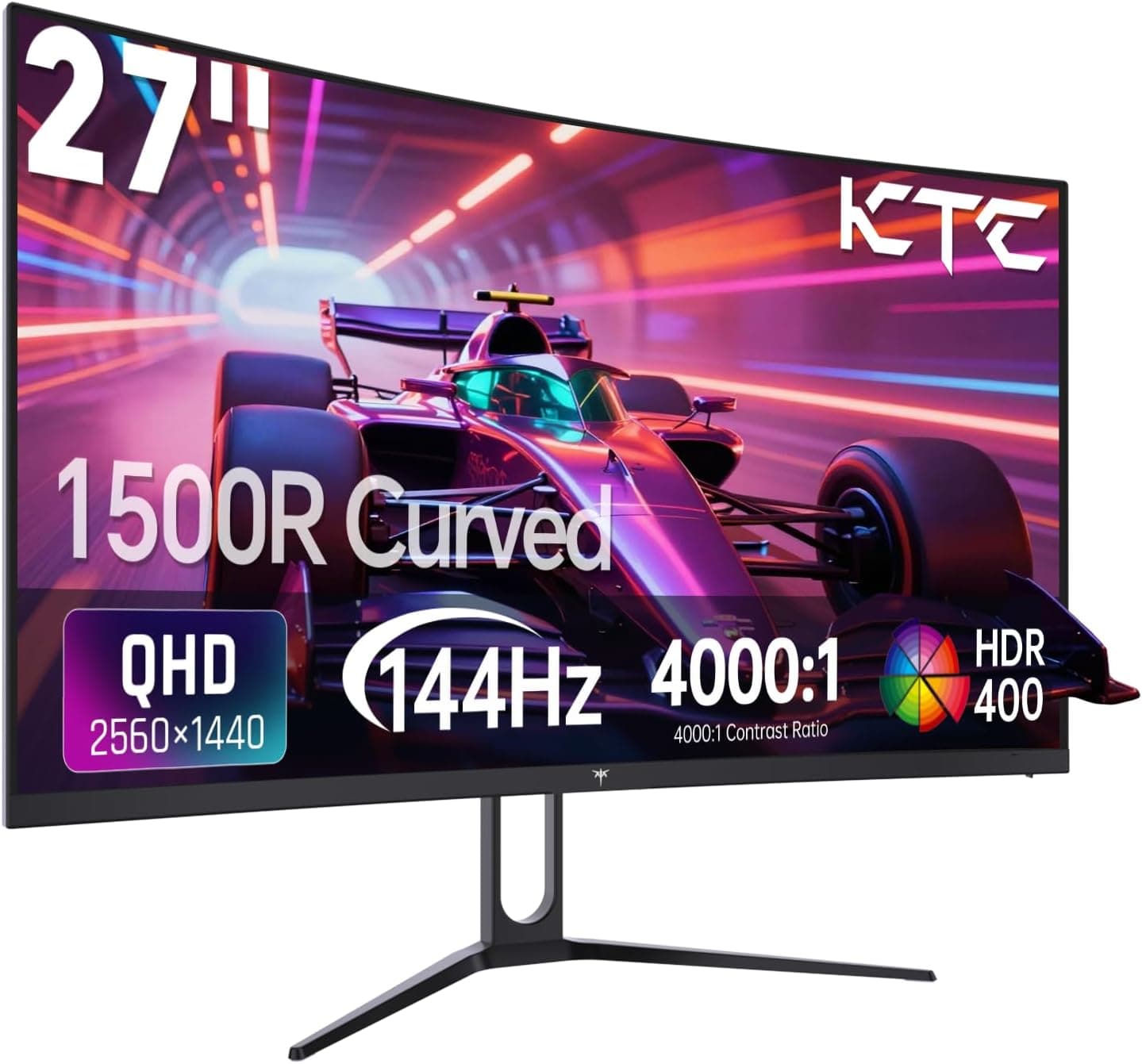
Product description 1500R curved monitor provides an ultimate sense of immersion, allowing you to be fully engaged in every aspect of gaming or watching movies. Previous page KTC 27inch QHD 1440P curved monitor enhances your viewing experience, bringing every detail to life. 144Hz refresh rate delivers a higher quality and smoother visual experience. Adaptive Sync eliminates screen tearing and delivers a smooth gaming experience. Next page 1 2K QHD 1440P 2 144Hz Refresh Rate 3 Adaptive Sync Previous page This 27-inch curved monitor boasts higher color accuracy and contrast. HDR400 delivers more vivid and realistic visual effects. 4000:1 contrast ratio delivers deep blacks and bright whites. Next page 1 Colors 2 HDR400 3 4000:1 Contrast Previous page Next page Product Details Comparison 27inch QHD 144Hz Curved Add to Cart 27inch QHD 180Hz Curved Buying Options 27inch QHD 240Hz Curved Add to Cart 32inch QHD 240Hz Curved Add to Cart 32inch FHD 240Hz Curved Add to Cart 32inch FHD 165Hz Curved Add to Cart 32inch QHD 180Hz Curved Add to Cart Customer Reviews 4.4 out of 5 stars 2,050 4.5 out of 5 stars 2,197 4.4 out of 5 stars 2,050 4.4 out of 5 stars 2,050 4.4 out of 5 stars 2,050 4.4 out of 5 stars 2,050 4.4 out of 5 stars 2,050 Price $179.99$179.99 — $269.99$269.99 $299.99$299.99 $199.99$199.99 $179.99$179.99 $229.99$229.99 Screen Size 27" 27" 27" 32" 32" 32" 32" Panel Type HVA Fast HVA HVA VA HVA VA HVA Resolution QHD (2560x1440) QHD (2560x1440) QHD (2560x1440) QHD (2560x1440) FHD (1920x1080) FHD (1920x1080) QHD (2560x1440) Refresh Rate 144Hz 180Hz 240Hz 240Hz 240Hz 165Hz 180Hz (Up to 185Hz) Response Time 3ms MPRT 1ms MPRT 1ms MPRT 1ms MPRT 1ms MPRT 1ms MPRT 1ms MPRT Contrast Ratio 4000:1 4000:1 2500:1 4000:1 3500:1 3000:1 5000:1 Color Gamut 129% sRGB 120% sRGB 124% sRGB 122% sRGB 125% sRGB 122% sRGB 126% sRGB Curvature 1500R 1500R 1000R 1000R 1500R 1500R 1500R HDR HDR400 HDR HDR HDR HDR HDR HDR Hardware Interface HDMI2.0 x2, DP1.4 x1, USB2.0 HDMI2.0 x2, DP1.4 x2, USB2.0 HDMI2.0 x2, DP1.4 x2, USB2.0 HDMI2.0 x2, DP1.4 x2, USB2.0 HDMI2.0 x2, DP1.4 x2, USB2.0 HDMI2.0 x2, DP1.4 x1 HDMI2.0 x2, DP1.4 x2, USB2.0 Mounting Type 100×100mm 100×100mm 100×100mm 100×100mm 100×100mm 100×100mm 100×100mm Speakers NO NO NO NO NO NO NO
トレードオフを比較
同じカテゴリの分析済み商品から無作為に選んでいます。商品が異なれば、単純に置き換えられるとは限りません。

Alienware 34 240Hz QD-OLED Curved Gaming Monitor - AW3425DW - 34.2-inch WQHD (3440 x 1440) 0.03ms Display, 1800R Curve, AMD FreeSync Premium Pro, VESA AdaptiveSync, DisplayHDR TrueBlack 400
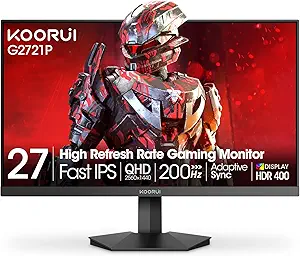
KOORUI 27" Gaming Monitor, 200Hz 1ms Fast IPS, WQHD (2560 x 1440p) HDR 400 Display, DCI-P3 95% Color Gamut, FreeSync Premium, Adaptive G-Sync, HDMI x 2, DisplayPort, G2721P

Sceptre New 24-inch Gaming Monitor 100Hz FreeSync 2X HDMI 1X DP Build-in Speakers, Machine Black 2026 (E248W-FW100T Series)
根拠を確認する
「分析対象」は真正性が確認されたことを意味しません。「フラグ付き」も捏造と証明されたことを意味しません。いずれも分析上の分類です。
参考として3件の抜粋を表示しています。レビュー全体ではありません。
Worked great for 16 months, now it's having serious display issues
“I bought this KTC H27E6 on May 9, 2025, and for the first 16 months I was actually pretty happy with it. Unfortunately, about three weeks ago, it started having some really annoying display issues, and they've made me seriously question the quality of this monitor. The biggest problem happens at 320Hz, which is exactly why I bought it in the first place. I started noticing horizontal lines across the screen, along with some pretty bad flickering and weird visual glitches. What's really strange is that changing the refresh rate affects the problem. At 320Hz it's at its worst, at 120Hz the lines disappear, at 60Hz they come back, and at 144Hz sometimes they're there and sometimes they're not. I've also been getting these weird rectangular glitches on the screen, with distorted colors and flickering. And this isn't even while gaming. It happens when I'm just using Windows normally, browsing the internet or doing everyday stuff. At first I thought it might be a cable issue, so I tried both HDMI and DisplayPort with different cables. Unfortunately, that didn't fix anything. What really bothers me is that this monitor isn't even a year and a half old. I don't expect a monitor to last forever, but I definitely expect it to last longer than this, especially one marketed for high-refresh-rate gaming. And to make things worse, I'm from Argentina. If I need to send this monitor back for warranty service, I might end up having to pay a ridiculous amount in international shipping. I haven't contacted KTC about that yet, but it's definitely something I'm worried about. I haven't had the chance to test it on another PC yet, so I can't say with 100% certainty what's causing the issue. But I've already tried different cables, and the problems keep happening. I've attached some pictures so you can see what I'm talking about. It's honestly a shame because I really liked this monitor when it was working properly. But having these kinds of issues after just 16 months is extremely disappointing. I really hope KTC can offer a reasonable solution, especially for customers outside the US. Right now, though, I can't recommend it based on my experience.”
検出されたシグナル:具体的な記述:entity, quantity, process · 実体験に基づく自然な文章
Didn't support HDR.
“I ordered the KTC 24 inch QHD 180Hz H24T7. The panel performs alright in standard SDR mode. But the internal board has a severe hardware bug/defect when handling her signals. Whenever any software tries to send a. HDR signal the display immediately spares out with colorful vertical static lines, blacks out, and restarts. Lowering refresh rate, changing display cables, and reinstalling graphics drivers does nothing. I had to use CRU to manually strip HDR capability to maintain the software functionality on my system. If you are buying strictly for SDR, it works fine. But if you plan to enable HDR, be aware that you may also receive a unit that doesn't actually support it, despite the claim. SDR performance wise, the colors are pretty skewed towards blue and manually adjusting the colors doesn't do enough yo correct it. General color accuracy is poor.”
検出されたシグナル:具体的な記述:entity, quantity, process · 実体験に基づく自然な文章
Good Quality, Fair Price
“Feels super solid, the picture quality is amazing. Would definitely suggest this if you looking for high end visuals on a budget friendly monitor. Should anything change I’ll update the review, but out of the box it works like a charm, I’m hitting 300fps on most games with settings maxed, but I also have good gpu to back it.”
検出されたシグナル:具体的な記述:quantity, scenario · 実体験に基づく自然な文章
調べる手間をひとつ減らす
Great question — it works with both. The KTC H27S5C supports FreeSync and is G-Sync Compatible, so NVIDIA users can enable Adaptive Sync through the NVIDIA Control Panel without issues. Many Reddit and YouTube reviewers confirmed smooth, tear-free performance on RTX cards, though you may need to enable it manually in your GPU settings.
It depends on your setup. The included stand does have some wobble, which several TikTok reviewers flagged — but the monitor is VESA 100×100mm compatible, so a monitor arm solves it cleanly and cheaply. As for audio, there are indeed no built-in speakers, so plan for headphones or external speakers. If those two things matter a lot to you, factor them into your budget.
Honest answer: HDR400 is entry-level — it adds brightness and vibrancy but won't match HDR600+ or OLED panels, and savvy users on Reddit are right to call that out. That said, the 4000:1 VA contrast and 129% sRGB coverage deliver genuinely rich colors and deep blacks for the price. The 1500R curve, meanwhile, gets consistent praise as "just right" — immersive for gaming and movies without feeling distorted for everyday work.
If you're a competitive FPS player chasing every frame, the 180Hz or 240Hz variants are worth the extra spend. But for most gamers — especially those playing RPGs, sims, or single-player titles — the jump from 60Hz to 144Hz is the transformative one, and this model nails it at the lowest price. Several buyers noted they were perfectly happy with 144Hz and only "regretted" it in hindsight after trying higher refresh rates.
Returns follow the standard retailer policy you purchased through (Amazon, etc.), so check the listing's return window before buying — most buyers report hassle-free exchanges for panel defects. To minimize risk, test the monitor immediately upon arrival with a solid-color screen test, and keep the original box during the return window. Community feedback suggests KTC's after-sales support is responsive, though going through the retailer is usually faster for dead pixels or excessive backlight bleed.
同カテゴリーのレビュー数が多い類似商品より: KOORUI 24 Inch Gaming Monitor, 180Hz 1080P VA Display with 3000:1 Contrast
Yes — it's a native 180Hz panel, but you'll need to switch it on manually. Connect via the included HDMI cable (or a DisplayPort-capable setup), then set 180Hz in your GPU's display settings; it defaults to a lower refresh rate out of the box. Many Reddit and YouTube users note that enabling Adaptive Sync/FreeSync alongside it gives the smoothest experience, and it works with both AMD and NVIDIA cards.
The 3000:1 contrast gives noticeably deeper blacks than typical IPS budget monitors, which shines in dark game scenes and movies. For fast-paced competitive shooters, some TikTok and Reddit users mention mild ghosting/smearing in dark transitions — it's great for casual gaming, students, and office work, but color-critical creators or hardcore FPS players may prefer an IPS panel.
Correct, the included stand only tilts (-5° to 20°) and doesn't offer height, swivel, or pivot adjustment, and a few users find the base slightly wobbly. The good news: it's VESA 100×100mm compatible, so a monitor arm or desk mount solves ergonomics entirely — a popular fix among dual-monitor and dorm-room setups.
Budget monitors can vary unit to unit, and some buyers report stuck pixels or corner bleed — but KOORUI backs it with a 3-year manufacturer warranty. If your unit arrives defective, contact the seller for a replacement or refund promptly; most users who did so report a smooth resolution, so inspect the screen within the return window.
At around $120, it's widely praised as one of the best budget 180Hz options — ideal for students, casual gamers, home-office users, and compact or dual-monitor setups. Just set expectations: no built-in speakers, a single HDMI plus VGA, and basic ergonomics. If you need height adjustment, color accuracy, or built-in audio, consider spending more on an IPS alternative.
回答はメーカーの商品情報と分析対象のレビューの範囲に限られます。これらの情報源で裏付けられない質問には回答していません。
透明性のある設計