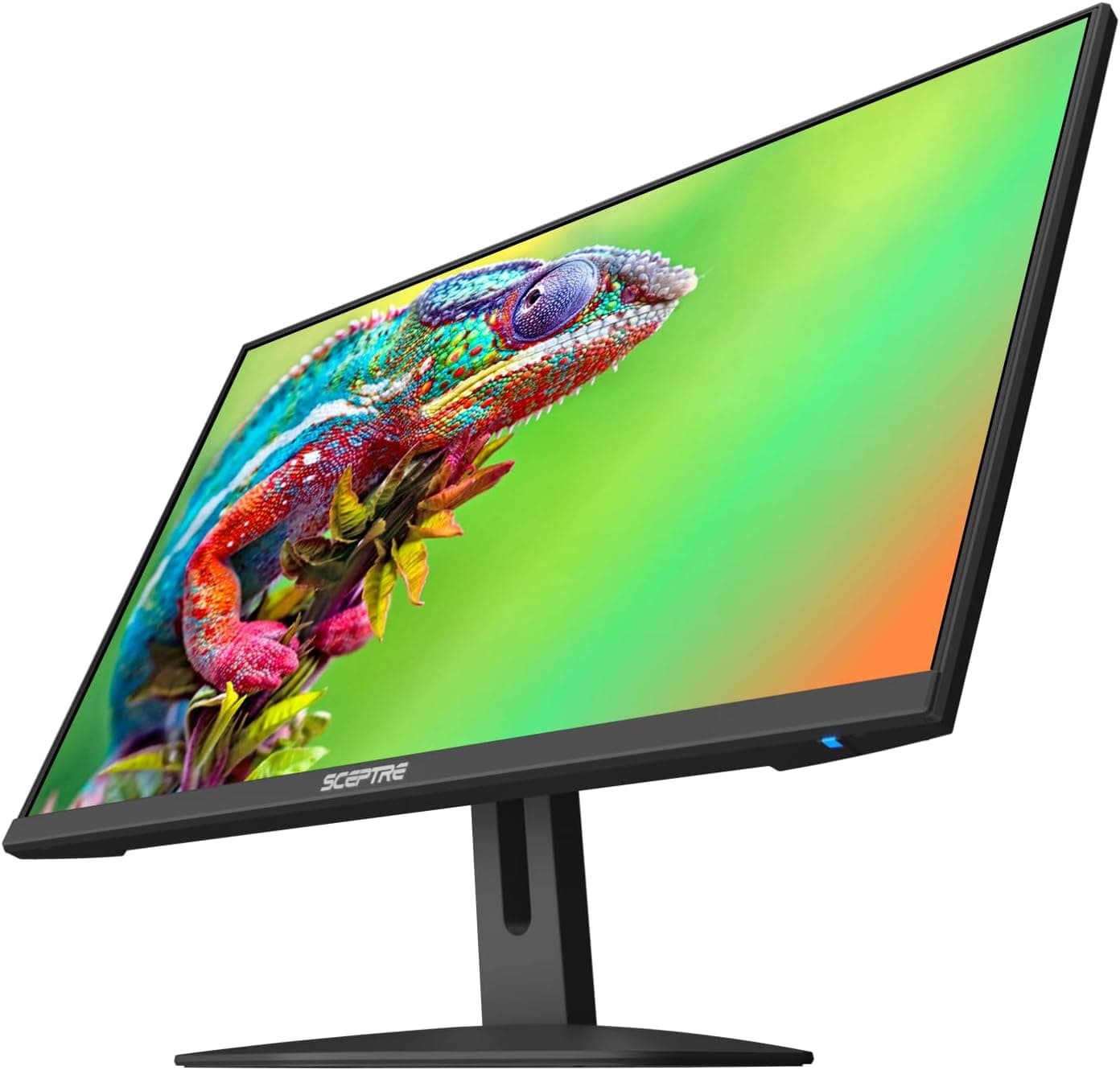
Sceptre New 24-inch Gaming Monitor 100Hz FreeSync 2X HDMI 1X DP Build-in Speakers, Machine Black 2026 (E248W-FW100T Series)
購入に関する総合評価
Solid display with weak built-in speakers
Good screen quality and value, but built-in speakers are widely criticized and one reviewer reports short lifespan under continuous use
主な長所
- Good screen quality. Several reviewers describe the display as clear, sharp, and good for graphics, gaming, and video monitoring.
- Good value. Two reviewers explicitly call it a solid value or good price for the screen quality.
- Multiple input options. One reviewer notes a lot of HDMI input options, useful for video input monitoring.
主な短所
- Poor built-in speakers. Several reviewers criticize the speakers, with one calling them the worst they have heard, so buyers needing audio should plan for external speakers.
- Short lifespan under continuous use. One reviewer reports the monitor lasting only 10-12 months when left on 24/7, and notes return shipping makes the warranty impractical.
- Limited adjustability. One reviewer traveling with the monitor notes it is not very adjustable.
おすすめの人
Buyers who mainly need a clear, affordable display for gaming, work, or video monitoring and can use separate speakers.
おすすめしない人
Buyers who rely on built-in speakers for audio, or who plan to leave the monitor on continuously around the clock.
商品説明
Immersive Experience: Dive into captivating in-game worlds on a vibrant 24-inch display. Slim bezels maximize your viewing area, pulling you deeper into the action. Smooth Gameplay: Conquer every challenge with fluid, responsive graphics. The 100Hz refresh rate eliminates choppiness and delivers a winning edge in fast-paced games. Console Ready: Connect effortlessly to your PC or gaming console with a variety of ports, including 2 x HDMI and 1 x DP.
トレードオフを比較
似た商品を並べて比較
同じカテゴリの分析済み商品から無作為に選んでいます。商品が異なれば、単純に置き換えられるとは限りません。

KTC 27 Inch Curved Gaming Monitor, 1440P QHD 144Hz 1500R PC Monitor, H27S5C

LG 27UP850K-W 27-inch UltraFine 4K UHD IPS DisplayHDR 400 Computer Monitor

KEFEYA Laptop Screen Extender, 14" Portable Monitor for Laptop, 1440P QHD Triple Screen Monitor Extender for 13"-17" Laptops, HDMI/USB-C for MacBook, Windows, Chrome, Switch, Plug & Play
調べる手間をひとつ減らす
購入前によくある質問
Does this monitor really run at 100Hz, and what cable do I need?
Yes — it hits 100Hz, but you'll want to use the DisplayPort connection to guarantee it. HDMI works too, though some users on Reddit noted they had to order a DP cable separately since only an HDMI cable is included in the box. Quick tip: enable FreeSync in your GPU settings after connecting, and you're set.
Is the stand adjustable, or will I need a monitor arm?
The stand offers tilt only — no height or swivel adjustment. Plenty of TikTok and Reddit users mention stacking books or grabbing a VESA arm to get the screen to eye level. If ergonomics matter to you, budget for a mount; the 100x100mm VESA compatibility makes that easy.
How good are the built-in speakers for gaming?
They're genuinely convenient for meetings, videos, and casual play, and they keep your desk clutter-free. That said, most reviewers describe them as "laptop-grade" — fine for dialogue, light on bass. For immersive gaming, a headset or soundbar will serve you better.
I keep seeing "1ms BR" — is that the same as response time?
Good catch — "1ms BR" means 1ms blur reduction, not true gray-to-gray response time. It's a marketing distinction worth knowing, but in practice the 100Hz panel feels smooth and responsive for fast-paced games. Just go in with realistic expectations rather than comparing it to a premium 1ms GTG esports panel.
Is this a good fit for a dual-monitor setup or a first gaming monitor?
Absolutely — the near-bezel-less design is one of its most-praised features, and dual-monitor users love how cleanly the panels line up. At 24" with 1080p, 100Hz, FreeSync, and 100% sRGB, it's a favorite among students, remote workers, and parents buying a first gaming monitor. If you need height adjustment or premium audio out of the box, factor those extras into your budget.
同カテゴリーのレビュー数が多い類似商品より: KOORUI 24 Inch Gaming Monitor, 180Hz 1080P VA Display with 3000:1 Contrast
Does this monitor really run at 180Hz, and what do I need to enable it?
Yes — it's a native 180Hz panel, but you'll need to switch it on manually. Connect via the included HDMI cable (or a DisplayPort-capable setup), then set 180Hz in your GPU's display settings; it defaults to a lower refresh rate out of the box. Many Reddit and YouTube users note that enabling Adaptive Sync/FreeSync alongside it gives the smoothest experience, and it works with both AMD and NVIDIA cards.
How does the VA panel perform for gaming and everyday work?
The 3000:1 contrast gives noticeably deeper blacks than typical IPS budget monitors, which shines in dark game scenes and movies. For fast-paced competitive shooters, some TikTok and Reddit users mention mild ghosting/smearing in dark transitions — it's great for casual gaming, students, and office work, but color-critical creators or hardcore FPS players may prefer an IPS panel.
The stand looks basic — can I adjust the height or mount it?
Correct, the included stand only tilts (-5° to 20°) and doesn't offer height, swivel, or pivot adjustment, and a few users find the base slightly wobbly. The good news: it's VESA 100×100mm compatible, so a monitor arm or desk mount solves ergonomics entirely — a popular fix among dual-monitor and dorm-room setups.
What if I receive a unit with a dead pixel or backlight bleed?
Budget monitors can vary unit to unit, and some buyers report stuck pixels or corner bleed — but KOORUI backs it with a 3-year manufacturer warranty. If your unit arrives defective, contact the seller for a replacement or refund promptly; most users who did so report a smooth resolution, so inspect the screen within the return window.
Is it good value, and who is it best suited for?
At around $120, it's widely praised as one of the best budget 180Hz options — ideal for students, casual gamers, home-office users, and compact or dual-monitor setups. Just set expectations: no built-in speakers, a single HDMI plus VGA, and basic ergonomics. If you need height adjustment, color accuracy, or built-in audio, consider spending more on an IPS alternative.
回答はメーカーの商品情報と分析対象のレビューの範囲に限られます。これらの情報源で裏付けられない質問には回答していません。
透明性のある設計