ユーザーが気に入っている点
Clear picture and good value
Several reviewers describe clear picture quality and good value for the price, with some calling it a solid everyday monitor.
購入に関する総合評価
Several reviewers praise picture quality and value, but one reports multi-monitor failure and another notes no speakers.
Buyers seeking a simple, affordable monitor for basic everyday computer use with a single display.
Buyers who need to connect multiple monitors to a laptop or require built-in speakers.
30秒でわかる要点
ユーザーが気に入っている点
Several reviewers describe clear picture quality and good value for the price, with some calling it a solid everyday monitor.
主な注意点
One reviewer reports the monitor only works when a single monitor is attached to a laptop and fails with multiple monitors.
選ぶ前に
One reviewer notes this monitor has no speakers, so plan for separate audio if you need sound.
同カテゴリーのレビュー数が多い類似商品より: KOORUI 24 Inch Gaming Monitor, 180Hz 1080P VA Display with 3000:1 Contrast
ユーザーが気に入っている点
Several reviewers describe the monitor as a strong budget purchase, citing impressive specs for the money and satisfaction with gaming use.
主な注意点
Several reviewers report the monitor failing or coming apart after months to a couple of years, including a dead screen and a failing power cord.
選ぶ前に
Two reviewers note that setup benefits from adjusting settings in your GPU software, including color, brightness, and VRR.
商品説明
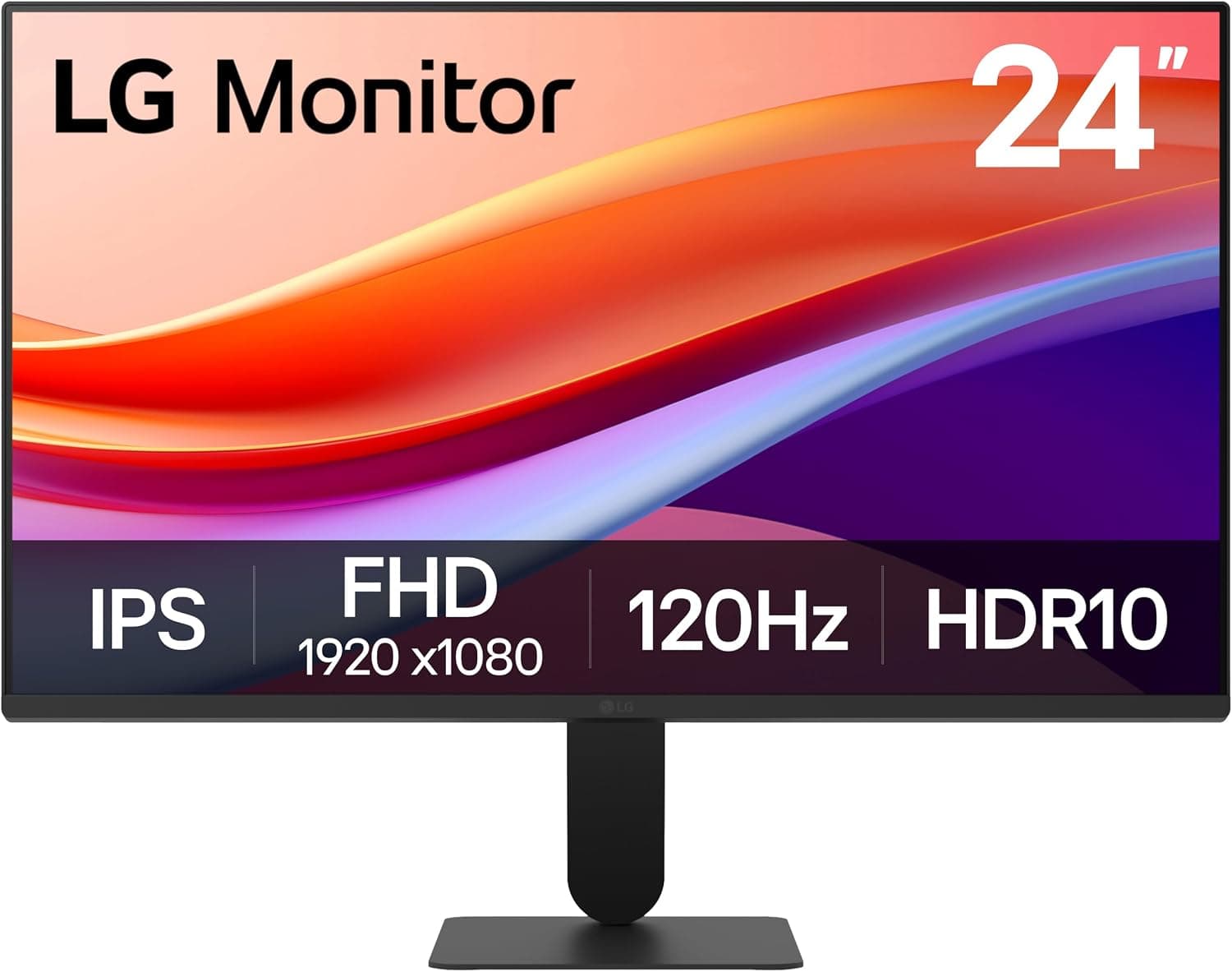
The 24" class (23.8" screen) Full HD (1920 x 1080) IPS monitor delivers sharp, vibrant visuals from virtually any angle—ideal for working ...and even playing from home. Whether you're tackling emails, browsing the web, or managing projects, this monitor helps you stay clear, focused, and productive. Its ultra-slim bezels and 3-side virtually borderless design bring a clean, modern look to any home office setup. The sleek stand adds a floating feel that’s perfect for dual monitor workstations or minimal desk spaces. A 120Hz refresh rate ensures smoother scrolling and frame transitions, while 1ms Motion Blur Reduction (MBR) keeps fast-moving visuals crisp—great for multitasking or after-hours gaming. With HDR10 and up to 99% sRGB color gamut coverage, this LG monitor delivers vivid, accurate color across everything from video calls to creative projects. Whether you're outfitting a new home office or upgrading your current work-from-home setup, the LG 27U411A-B monitor offers the clarity, speed, and style you need to stay productive and inspired. ¹Software installation required. Visit Support on LG.com to download.
トレードオフを比較
同じカテゴリの分析済み商品から無作為に選んでいます。商品が異なれば、単純に置き換えられるとは限りません。

KTC 27 Inch QHD Computer Monitor, 2K 144Hz 1440P Gaming Monitor, Eye Care PC Monitor for Office Gamers, HDMI/DP, FreeSync & G-Sync, HDR10, VESA, Tilt Adjustable, H27T27S

ASUS ZenScreen MB16AHV 15.6 Inch 1080p Portable Monitor

VILVA Portable-Monitor-for-Lapto - 15.6'' 1080P FHD IPS Display USB-C HDMI Portable Monitor for Laptop with Cover and Speakers External Monitor for Laptop/PC/Mac/Phone/Xbox Switch/PS4/
根拠を確認する
「分析対象」は真正性が確認されたことを意味しません。「フラグ付き」も捏造と証明されたことを意味しません。いずれも分析上の分類です。
参考として3件の抜粋を表示しています。レビュー全体ではありません。
Above average monitor
“I am satisfied not only with this monitor, but another 32" LG I've owned for several years as well. Picture quality, contrast, brightness, are all good. As a matter of fact, I wish one could dial down the screen brightness a tad more for use in poorly lit locations. All in all, the are quality monitors for a fair price.”
検出されたシグナル:具体的な記述:entity, quantity, scenario · 実体験に基づく自然な文章
Great picture quality, No speakers
“Great picture quality. Value for money. The screen is adjustable, not what the reviews say, you just have to try a bit harder. However there is no speakers on this. Rufus AI responds with yes for speaker availability. Really wanted a monitor with speaker but it's fine ig”
検出されたシグナル:具体的な記述:comparison, process · 実体験に基づく自然な文章
Simple 27-inch monitor that does the job
“I set this LG 27U411A-B up on the desk and it was easy to get going. The 27-inch Full HD IPS screen looks clear for everyday use, and the size fits the space I had without taking over the desk. Nothing flashy about it, just a solid monitor I've been happy to use.”
検出されたシグナル:具体的な記述:entity, quantity, scenario · 実体験に基づく自然な文章
調べる手間をひとつ減らす
It's a "24-inch class" monitor with a 23.8-inch viewable screen — the standard for this size category, so it lines up neatly with most dual-monitor arms and desks. The 3-side virtually borderless bezels and slim stand give it a compact footprint, which is why so many home-office users pair two side by side. Just note the stand is tilt-only, so if you need height adjustment, plan on a VESA mount.
No — this model doesn't include speakers, only a 3.5mm headphone jack. This is one of the most common surprises in reviews, so if you're planning to use it for video calls or streaming, budget for a pair of desktop speakers or headphones. Many buyers mention this as the one thing they wish they'd checked before ordering.
It's a productivity-first panel that games comfortably. The 120Hz refresh rate makes scrolling and motion noticeably smoother than 60Hz, and 1ms Motion Blur Reduction plus Dynamic Action Sync help with casual play. That said, HDR10 here is entry-level (250 nits brightness), and there's no DisplayPort — so competitive gamers may want a dedicated gaming monitor, while casual players and multitaskers will be perfectly happy.
Strong for the price. With up to 99% sRGB coverage and Full HD IPS, colors look vivid and accurate from wide angles — creatives and office workers alike call it out as a highlight. Reader Mode lowers blue light and Flicker Safe reduces screen flicker, which remote workers doing 8-hour days frequently praise for reducing eye strain.
Return and refund terms depend on the retailer, so check the listing's policy before buying — most buyers report smooth returns for dead pixels or backlight bleed. Overall, sentiment is strongly positive: it's widely regarded as excellent value for a 120Hz, sRGB-accurate LG panel. The main reasons people send it back are the missing speakers and the non-adjustable stand, so if those aren't dealbreakers, it's a solid buy.
同カテゴリーのレビュー数が多い類似商品より: KOORUI 24 Inch Gaming Monitor, 180Hz 1080P VA Display with 3000:1 Contrast
Yes — it's a native 180Hz panel, but you'll need to switch it on manually. Connect via the included HDMI cable (or a DisplayPort-capable setup), then set 180Hz in your GPU's display settings; it defaults to a lower refresh rate out of the box. Many Reddit and YouTube users note that enabling Adaptive Sync/FreeSync alongside it gives the smoothest experience, and it works with both AMD and NVIDIA cards.
The 3000:1 contrast gives noticeably deeper blacks than typical IPS budget monitors, which shines in dark game scenes and movies. For fast-paced competitive shooters, some TikTok and Reddit users mention mild ghosting/smearing in dark transitions — it's great for casual gaming, students, and office work, but color-critical creators or hardcore FPS players may prefer an IPS panel.
Correct, the included stand only tilts (-5° to 20°) and doesn't offer height, swivel, or pivot adjustment, and a few users find the base slightly wobbly. The good news: it's VESA 100×100mm compatible, so a monitor arm or desk mount solves ergonomics entirely — a popular fix among dual-monitor and dorm-room setups.
Budget monitors can vary unit to unit, and some buyers report stuck pixels or corner bleed — but KOORUI backs it with a 3-year manufacturer warranty. If your unit arrives defective, contact the seller for a replacement or refund promptly; most users who did so report a smooth resolution, so inspect the screen within the return window.
At around $120, it's widely praised as one of the best budget 180Hz options — ideal for students, casual gamers, home-office users, and compact or dual-monitor setups. Just set expectations: no built-in speakers, a single HDMI plus VGA, and basic ergonomics. If you need height adjustment, color accuracy, or built-in audio, consider spending more on an IPS alternative.
回答はメーカーの商品情報と分析対象のレビューの範囲に限られます。これらの情報源で裏付けられない質問には回答していません。
透明性のある設計