Was Kunden gut finden
Good value for everyday monitor use
Several reviewers describe this as a solid, affordable monitor with good picture quality for everyday tasks and basic setups.
Unser Kauf-Fazit
Good value for everyday display use, but no audio jack and height is not adjustable
Buyers wanting an affordable everyday monitor for basic office tasks, a second screen, or simple setups where picture quality and value matter more than audio output or height adjustment.
Buyers who need a built-in 3.5 mm audio output jack or adjustable stand height.
Die 30-Sekunden-Lektüre
Was Kunden gut finden
Several reviewers describe this as a solid, affordable monitor with good picture quality for everyday tasks and basic setups.
Der wichtigste Vorbehalt
One reviewer notes the monitor lacks a 3.5 mm audio output jack, requiring an HDMI audio extractor for consoles without their own audio output.
Bevor Sie sich entscheiden
One reviewer wishes the monitor had height adjustment, so check whether the fixed stand height suits your desk setup.
Von einem ähnlichen Produkt mit mehr Bewertungen in dieser Kategorie: KOORUI 24 Inch Gaming Monitor, 180Hz 1080P VA Display with 3000:1 Contrast
Was Kunden gut finden
Several reviewers describe the monitor as a strong budget purchase, citing impressive specs for the money and satisfaction with gaming use.
Der wichtigste Vorbehalt
Several reviewers report the monitor failing or coming apart after months to a couple of years, including a dead screen and a failing power cord.
Bevor Sie sich entscheiden
Two reviewers note that setup benefits from adjusting settings in your GPU software, including color, brightness, and VRR.
Beschreibung
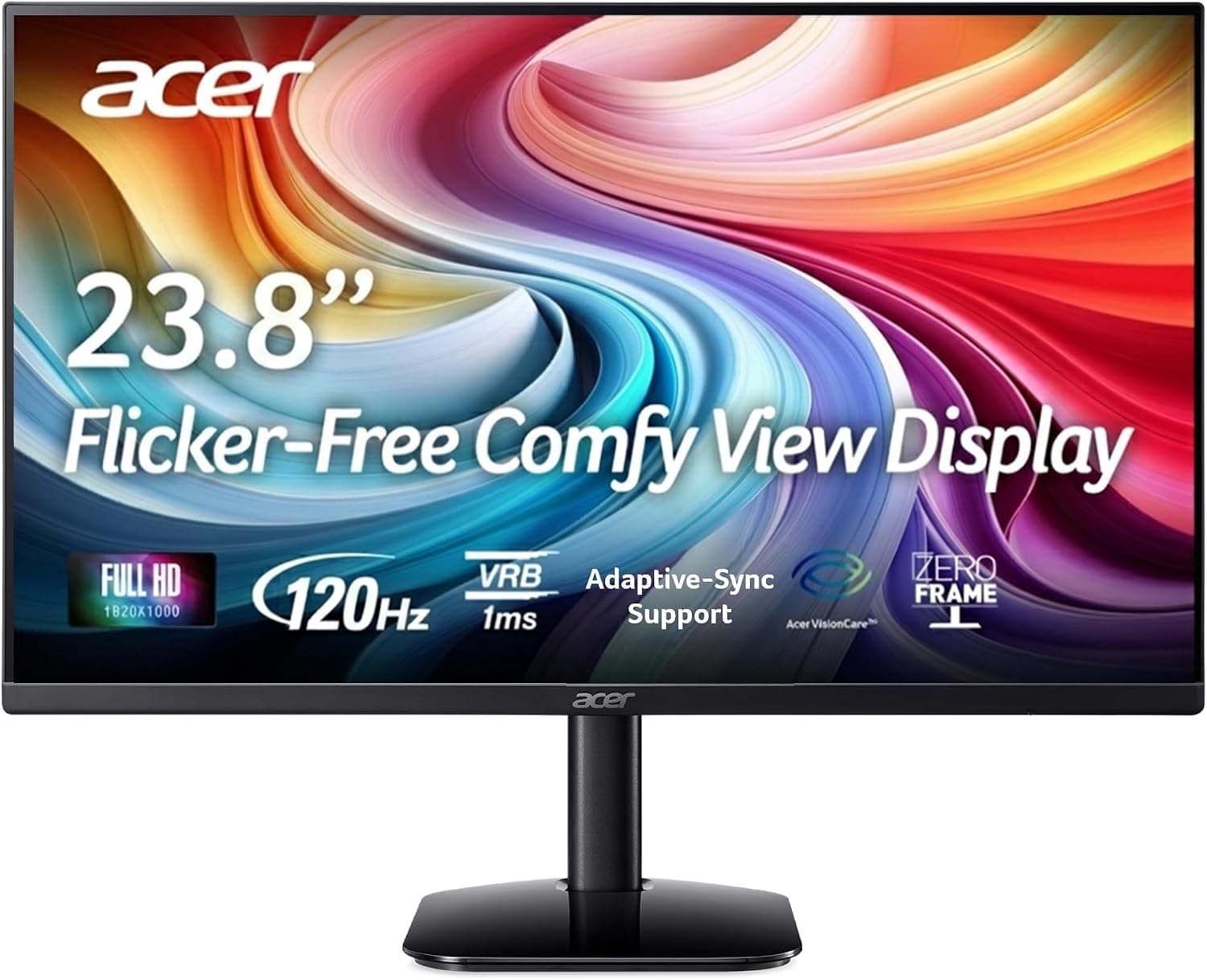
Acer KA242Y 23.8-inch monitor has an amazing thin enclosure with a frameless bezel. Get fast refresh rates thanks to the Adaptive-Sync Support product that matches the refresh rate of your monitor with your graphics card. The 1920 x 1080 Full HD resolution with an incredible 100,000,000:1 contrast ratio lets you enjoy High-Definition entertainment in the comfort of your home. Enjoy the accurate color performance presented by IPS technology, and vivid color in every viewing angle. The eye protect technology also gives you a comfortable viewing experience while Energy Star® compliance helps you save money and energy. (UM.QX2AA.010)
Vor- und Nachteile vergleichen
Eine zufällige Auswahl analysierter Produkte aus derselben Kategorie. Unterschiedliche Produkte sind nicht zwangsläufig austauschbar.

SAMSUNG 34' Odyssey G5 Ultra-Wide Gaming Monitor with 1000R Curved Screen, 165Hz, 1ms, FreeSync Premium, Large Display, Eye Comfort, Multiple Ports, WQHD, LC34G55TWWNXZA, Black

ELECROW Portable Monitor with Keyboard, 14 Inch Lapdock Display with Built-in Battery & RPi5 Adapter, 1080P FHD IPS USB C Computer Monitors Compatible with Raspberry Pi, PC, Phone, Mac, Game Console

Sceptre 27-Inch FHD LED Gaming Monitor 75Hz 2X HDMI VGA Build-in Speakers, Ultra Slim Metal Black
Belege prüfen
Einbezogen bedeutet nicht als authentisch bestätigt. Markiert bedeutet nicht als Fälschung nachgewiesen. Dies sind analytische Einordnungen.
3 veranschaulichende Auszüge werden angezeigt, nicht der gesamte Rezensionsbestand.
A Solid Everyday Monitor with a Smooth 120Hz Display
“I've worked with everything from basic office monitors to high-end gaming displays, and there's definitely something to be said for a good, affordable monitor that handles everyday tasks well. This Acer 23.8-inch display offers a nice combination of features, including a Full HD IPS panel and a 120Hz refresh rate. The IPS technology is especially appealing for its viewing angles, while the higher refresh rate makes scrolling, moving windows, and general desktop use feel noticeably smoother than a traditional 60Hz monitor. At 23.8 inches, 1080p is a reasonable resolution for office work, browsing, and everyday computing. It's also a practical size for a secondary display or a workstation where desk space is limited. While it isn't intended to compete with high-end 4K monitors, it offers a useful balance of screen size, smoothness, and everyday functionality.”
Erkannte Signale: Konkretes Detail: quantity, entity · Liest sich wie eine authentische Stimme
Great bang for your buck
“It was time for me to upgrade the dual monitors I was using, and stumbled upon these. These were exactly what I was looking for - thin bezel, full HD, and with vesa mount. These color seems to be on point, and I like that now I have more desktop real estate compared to the slightly smaller ones being replaced. Connection was super simple, and it even came with an hdmi cable. While there were only two inputs - hdmi and vga, I managed to make it work. It would’ve been great if it had a few more option for input - like a display port, or even a dvi. I look forward to using these monitors for years to come.”
Erkannte Signale: Konkretes Detail: quantity, entity, comparison, process · Liest sich wie eine authentische Stimme
No frills, great value. What you see is what you get.
“Great value. For 80 bucks, it's hard to balk. I use it for my digital microscope at my solder station, so I don't have to deal with tiny screens or magnifying glasses. I hooked my old AppleTV up to it for when I'm not working on the microscope, and I was surprised by the picture quality. For a no frills, budget monitor, it delivers!”
Erkannte Signale: Konkretes Detail: quantity, scenario, entity · Liest sich wie eine authentische Stimme
Eine Sache weniger zu suchen
No — the KA242Y G0bi has no built-in speakers and no audio output. You'll want external speakers or headphones connected to your PC. This is one of the most common surprises mentioned by first-time buyers, so plan accordingly.
The included stand only tilts (-5° to 25°) — it doesn't adjust for height. If ergonomics matter to you, the monitor is VESA 100 x 100mm compatible, so a monitor arm or a height-adjustable VESA stand is an easy fix that many office-setup users recommend.
Yes — you can hit 120Hz at 1080p over HDMI, and an HDMI cable is included in the box. Note that this is HDMI 1.4 (no DisplayPort), and the "1ms" figure is VRB rather than true 1ms GTG, so treat the 120Hz as a smoothness bonus for everyday use rather than a hardcore gaming spec.
For most people, yes — 1080p at ~24" gives a comfortable pixel density that keeps text and spreadsheets crisp without scaling headaches. The IPS panel with 99% sRGB and a matte finish also helps reduce glare and eye strain during long work sessions. If you need more screen real estate, a 27" 1440p is the usual step up.
It's backed by a 3-year parts and labor warranty from Acer, which covers defects like dead pixels under normal use. For change-of-mind returns, check the retailer's policy before buying — most major sellers offer a standard return window, and buyers report the setup is simple enough to test quickly out of the box.
Von einem ähnlichen Produkt mit mehr Bewertungen in dieser Kategorie: KOORUI 24 Inch Gaming Monitor, 180Hz 1080P VA Display with 3000:1 Contrast
Yes — it's a native 180Hz panel, but you'll need to switch it on manually. Connect via the included HDMI cable (or a DisplayPort-capable setup), then set 180Hz in your GPU's display settings; it defaults to a lower refresh rate out of the box. Many Reddit and YouTube users note that enabling Adaptive Sync/FreeSync alongside it gives the smoothest experience, and it works with both AMD and NVIDIA cards.
The 3000:1 contrast gives noticeably deeper blacks than typical IPS budget monitors, which shines in dark game scenes and movies. For fast-paced competitive shooters, some TikTok and Reddit users mention mild ghosting/smearing in dark transitions — it's great for casual gaming, students, and office work, but color-critical creators or hardcore FPS players may prefer an IPS panel.
Correct, the included stand only tilts (-5° to 20°) and doesn't offer height, swivel, or pivot adjustment, and a few users find the base slightly wobbly. The good news: it's VESA 100×100mm compatible, so a monitor arm or desk mount solves ergonomics entirely — a popular fix among dual-monitor and dorm-room setups.
Budget monitors can vary unit to unit, and some buyers report stuck pixels or corner bleed — but KOORUI backs it with a 3-year manufacturer warranty. If your unit arrives defective, contact the seller for a replacement or refund promptly; most users who did so report a smooth resolution, so inspect the screen within the return window.
At around $120, it's widely praised as one of the best budget 180Hz options — ideal for students, casual gamers, home-office users, and compact or dual-monitor setups. Just set expectations: no built-in speakers, a single HDMI plus VGA, and basic ergonomics. If you need height adjustment, color accuracy, or built-in audio, consider spending more on an IPS alternative.
Die Antworten beschränken sich auf das Angebot des Herstellers und die von uns analysierten Rezensionen. Fragen, die diese Quellen nicht abdecken, werden hier nicht beantwortet.
Transparent von Grund auf