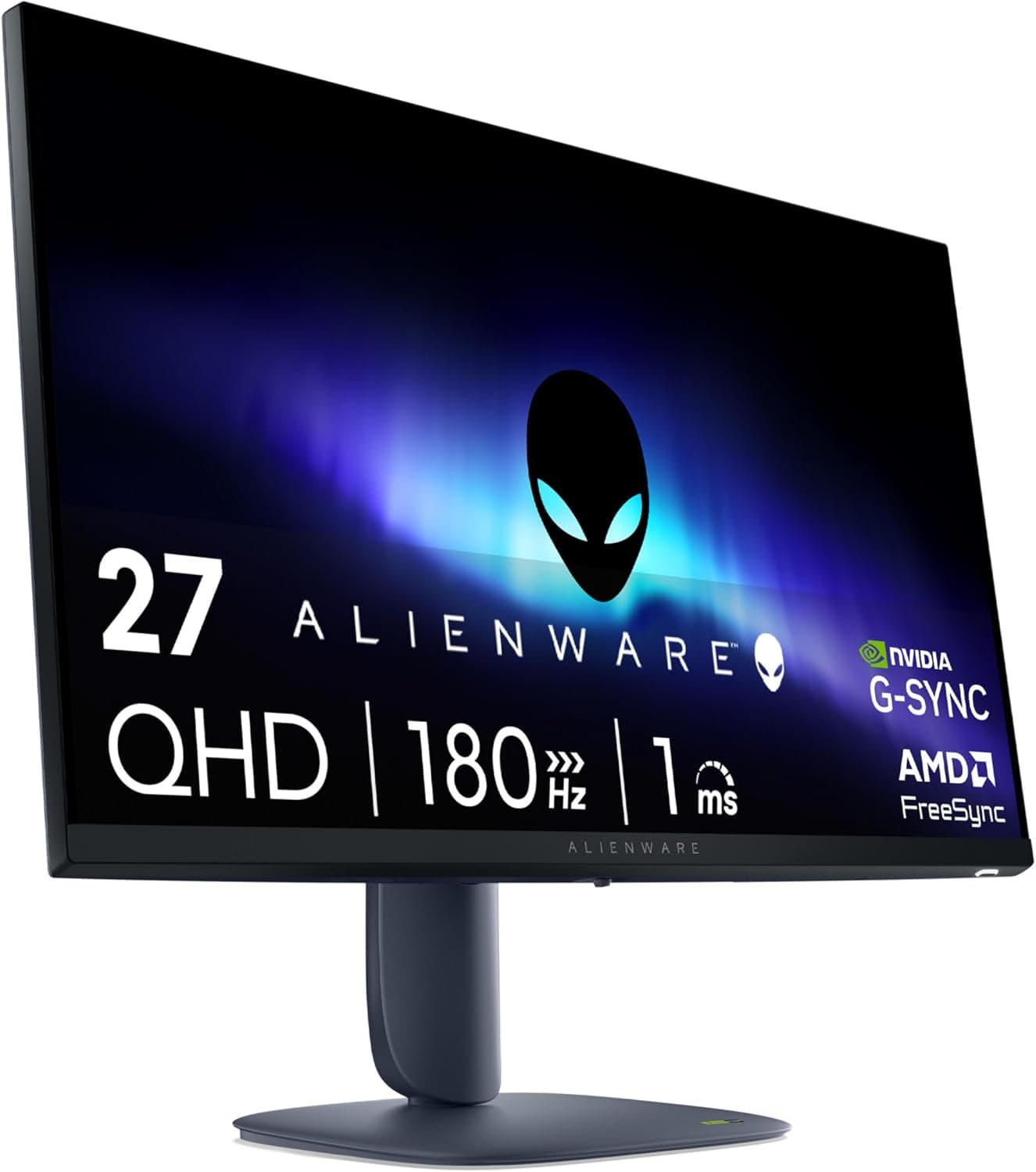
Alienware 27 Gaming Monitor AW2725DM, WQHD Fast IPS, 180Hz, G-SYNC, VESA
Unser Kauf-Fazit
Strong gaming monitor with a notable power-light quirk
Several reviewers praise sharp, smooth gaming visuals, but one reports an annoying power light and another a signal-loss black screen.
Hauptstärken
- Sharp, vibrant picture quality. Several reviewers describe crisp, clear images and vibrant colors, with one noting minimal IPS glow.
- Smooth gaming motion. One reviewer reports smooth motion from the high refresh rate and working G-SYNC and FreeSync.
- Easy setup and adjustability. Two reviewers mention simple assembly or plug-and-play setup, and one highlights the adjustable stand.
Hauptnachteile
- Annoying power light. One reviewer returned the monitor mainly because the power light was bothersome, despite otherwise fine function.
- Occasional black-screen hang. One reviewer reports the monitor sometimes gets stuck on a black screen after losing signal and needs a power cycle.
Geeignet für
Gamers who want a sharp, smooth 27-inch display for titles like League of Legends and Overwatch and who value easy setup and adjustability.
Weniger geeignet für
Buyers who are sensitive to indicator lights or need a monitor that reliably recovers from signal loss without a manual power cycle.
Beschreibung
Alienware 27 Gaming Monitor - AW2725DM. Bring your favorite games to life in a 27” QHD gaming monitor featuring a Fast IPS panel, vivid color and smooth visuals.
Vor- und Nachteile vergleichen
Ähnliche Produkte im direkten Vergleich
Eine zufällige Auswahl analysierter Produkte aus derselben Kategorie. Unterschiedliche Produkte sind nicht zwangsläufig austauschbar.

LG 27GS60QC-B Ultragear 27-inch Curved Gaming Monitor QHD (2560x1440) 180Hz 1ms 1000R AMD FreeSync HDR10 HDMIx2 DisplayPort Borderless Design Black Stabilizer DAS Crosshair FPS Counter - Black

domyfan 14" Laptop Monitor Extender, FHD 1080P IPS Dual Laptop Screen Extender, HDMI/USB-A/Type-C Plug and Play for Windows, Mac, Chrome, Android, Xbox, Switch, PS5, Work with 13.3”-17” Laptops

Samsung 32" ViewFinity S7 (S71H) 4K UHD IPS HDR10 High Resolution Monitor
Eine Sache weniger zu suchen
Vor dem Kauf: kurze Fragen
Is the 180Hz refresh rate and G-SYNC actually usable, and does it work with my NVIDIA GPU?
Yes — the AW2725DM runs at its full 180Hz over DisplayPort, and G-SYNC compatibility works with NVIDIA cards (it also supports FreeSync for AMD). One tip from Reddit and YouTube reviewers: make sure you're using the included DisplayPort 1.4 cable and enable the higher refresh rate in your GPU control panel, since Windows sometimes defaults to 60Hz out of the box.
How does this monitor perform with a PS5 or Xbox, and is "console mode" worth it?
Console mode optimizes the picture for consoles, and you'll get a smooth 120Hz — which is the cap on current PS5 and Xbox Series X, not a limitation of the monitor. Many TikTok and Reddit users note the listing can make 180Hz sound console-ready, so set expectations: it's excellent for console gaming at 120Hz, but the full 180Hz is a PC-only benefit.
Will the stand fit my desk, and can I mount it on an arm?
The circular base and cylindrical column look great but take up real desk depth — a common complaint among small-desk users, several of whom switched to a VESA arm within days. Good news: it has a standard 100x100mm VESA pattern, plus full height, tilt, swivel, and pivot adjustment, so mounting or fine-tuning ergonomics is easy.
Is the HDR and color quality good enough for both gaming and light creative work?
For gaming and everyday use, colors are vibrant thanks to 95% DCI-P3 coverage, and the hardware low blue light is praised for reducing eye strain without tinting the image. Be realistic about HDR, though — VESA DisplayHDR 400 is entry-level, and users consistently say not to buy this for a true HDR experience. For light photo/video editing it's solid; for color-critical professional work, calibrate it first.
What's missing that I should know before buying — and how's the warranty?
There are no built-in speakers and no USB-C video input, which surprises laptop users especially — this monitor is happiest paired with a desktop GPU over DisplayPort or HDMI. On the plus side, it's backed by Dell's 3-year Advanced Exchange warranty, which buyers frequently cite as a major trust signal and reason to choose Alienware over cheaper 27" QHD 180Hz alternatives.
Von einem ähnlichen Produkt mit mehr Bewertungen in dieser Kategorie: KOORUI 24 Inch Gaming Monitor, 180Hz 1080P VA Display with 3000:1 Contrast
Does this monitor really run at 180Hz, and what do I need to enable it?
Yes — it's a native 180Hz panel, but you'll need to switch it on manually. Connect via the included HDMI cable (or a DisplayPort-capable setup), then set 180Hz in your GPU's display settings; it defaults to a lower refresh rate out of the box. Many Reddit and YouTube users note that enabling Adaptive Sync/FreeSync alongside it gives the smoothest experience, and it works with both AMD and NVIDIA cards.
How does the VA panel perform for gaming and everyday work?
The 3000:1 contrast gives noticeably deeper blacks than typical IPS budget monitors, which shines in dark game scenes and movies. For fast-paced competitive shooters, some TikTok and Reddit users mention mild ghosting/smearing in dark transitions — it's great for casual gaming, students, and office work, but color-critical creators or hardcore FPS players may prefer an IPS panel.
The stand looks basic — can I adjust the height or mount it?
Correct, the included stand only tilts (-5° to 20°) and doesn't offer height, swivel, or pivot adjustment, and a few users find the base slightly wobbly. The good news: it's VESA 100×100mm compatible, so a monitor arm or desk mount solves ergonomics entirely — a popular fix among dual-monitor and dorm-room setups.
What if I receive a unit with a dead pixel or backlight bleed?
Budget monitors can vary unit to unit, and some buyers report stuck pixels or corner bleed — but KOORUI backs it with a 3-year manufacturer warranty. If your unit arrives defective, contact the seller for a replacement or refund promptly; most users who did so report a smooth resolution, so inspect the screen within the return window.
Is it good value, and who is it best suited for?
At around $120, it's widely praised as one of the best budget 180Hz options — ideal for students, casual gamers, home-office users, and compact or dual-monitor setups. Just set expectations: no built-in speakers, a single HDMI plus VGA, and basic ergonomics. If you need height adjustment, color accuracy, or built-in audio, consider spending more on an IPS alternative.
Die Antworten beschränken sich auf das Angebot des Herstellers und die von uns analysierten Rezensionen. Fragen, die diese Quellen nicht abdecken, werden hier nicht beantwortet.
Transparent von Grund auf