Was Kunden gut finden
Impressive image quality praised
Several reviewers highlight the monitor's picture quality, with some calling it the best monitor they have owned.
Unser Kauf-Fazit
Several reviewers praise image quality, but multiple reports of 4K failure and Xbox issues limit confidence
Buyers seeking a gaming monitor with strong image quality who do not require Xbox compatibility or guaranteed 4K operation.
Buyers who need reliable 4K output or plan to use the monitor with an Xbox Series X.
Die 30-Sekunden-Lektüre
Was Kunden gut finden
Several reviewers highlight the monitor's picture quality, with some calling it the best monitor they have owned.
Der wichtigste Vorbehalt
Two reviewers report problems using the monitor with an Xbox Series X, and one says 4K produced a black screen while 1080p worked.
Bevor Sie sich entscheiden
One reviewer notes the monitor can take a while to wake from hibernation and to switch from HDMI to DisplayPort.
Von einem ähnlichen Produkt mit mehr Bewertungen in dieser Kategorie: KOORUI 24 Inch Gaming Monitor, 180Hz 1080P VA Display with 3000:1 Contrast
Was Kunden gut finden
Several reviewers describe the monitor as a strong budget purchase, citing impressive specs for the money and satisfaction with gaming use.
Der wichtigste Vorbehalt
Several reviewers report the monitor failing or coming apart after months to a couple of years, including a dead screen and a failing power cord.
Bevor Sie sich entscheiden
Two reviewers note that setup benefits from adjusting settings in your GPU software, including color, brightness, and VRR.
Beschreibung
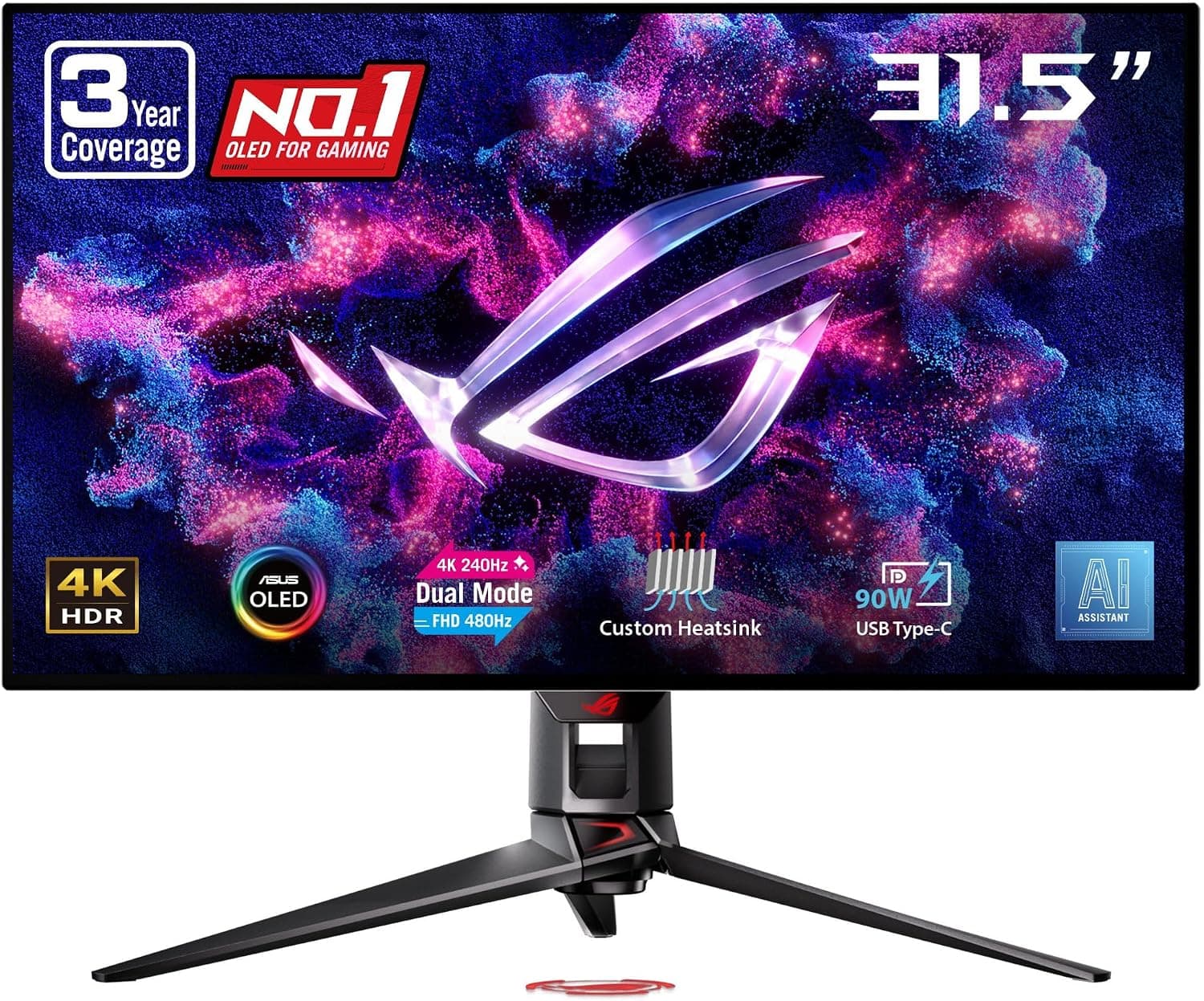
The ROG Swift OLED PG32UCDP is a 32-inch WOLED gaming monitor with a groundbreaking dual-mode feature that lets you switch between 4K @ 240 Hz or FHD @ 480 Hz visuals. Third-generation ROG OLED technology delivers vibrant colors, the deepest black hues, and the brightest highlights. And a 0.03ms gray-to-gray (GTG) response time ensures blur-free action, even during intense gameplay. Plus, a new AI Assistant improves gaming experience an advanced custom heatsink provides exceptional passive cooling performance to reduce the risk of burn-in, helping ensure longevity of the OLED panel.
Vor- und Nachteile vergleichen
Eine zufällige Auswahl analysierter Produkte aus derselben Kategorie. Unterschiedliche Produkte sind nicht zwangsläufig austauschbar.

CRUA 49" Curved Gaming Monitor | DQHD(5120 * 1440), 144Hz/165Hz, 1500R, 32:9, AMD FreeSync, 120% sRGB, Height Adjustable Ultra-Wide Screen Monitors, HDMI 2.1 & DP 1.4, Wall Mount Install- Black

ZUMWALT Laptop Screen Extender, 14" Triple Portable Monitor for Laptop, 1080P FHD Screen Extender Monitors for 13"-16.5", Monitor Extender for MacOS/Windows/Chrome (Built-in Speakers)

QQH Laptop Screen Extender, 15.6" Triple Portable Monitor with Ultra-Slim FHD IPS Display, One Cable USB-C Monitor Extender Compatible with MacOS, Windows, Android for 12-16" Laptop (Driver Need)
Belege prüfen
Einbezogen bedeutet nicht als authentisch bestätigt. Markiert bedeutet nicht als Fälschung nachgewiesen. Dies sind analytische Einordnungen.
3 veranschaulichende Auszüge werden angezeigt, nicht der gesamte Rezensionsbestand.
Fast shipping and Safe Delivery
“Fast shipping and safe delivery right to my home. The quality is excellent, and the value for the money is amazing. Everything was well packaged and arrived in perfect condition. I'm looking forward to gaming on it and experiencing the performance boost it will bring. Highly recommended!”
Erkannte Signale: Konkretes Detail: process, scenario · Liest sich wie eine authentische Stimme
i got 2 dead monitors at 2 years.
“ALL ASUS products now seem to die right at warranty end now. and good luck getting warranty service. I refuse to buy anything else from them. monitor and motherboard wise, I was a super fan for 20 yeas. now they went downhill.”
Erkannte Signale: Konkretes Detail: quantity, entity · Liest sich wie eine authentische Stimme
Wonderful Monitor.
“Wonderful picture and a great monitor. Only issue is that it can take a while to get out of hibernation and when you change setting to DP from HDMI if your HDMI is an Xbox. Still not taking a star off for it though.”
Erkannte Signale: Konkretes Detail: entity, scenario · Liest sich wie eine authentische Stimme
Eine Sache weniger zu suchen
It's genuinely useful, but with realistic expectations. A dedicated hotkey flips between modes in seconds, and competitive players love the 480Hz fluidity for shooters while switching back to 4K for everything else. That said, many Reddit users note the switch can reset some display settings or briefly disrupt game windows, so it's best treated as a session-level toggle rather than something you'll flip mid-match. If you mainly play one genre, you may not use it often—but when you do, it delivers.
This is the most common caveat in user discussions. Because it's a WOLED panel, fine text can show slight color fringing, and productivity-focused reviewers on Reddit often mention eye strain during the first week. ASUS's Clear Pixel Edge feature softens this noticeably, and most users adapt quickly—but if your day is 80% spreadsheets and documents, a QD-OLED or IPS alternative may suit you better. For mixed gaming-and-work use, it's a manageable trade-off most people accept.
Yes—ASUS includes burn-in coverage in the 3-year warranty, which is a big reassurance and frequently praised since it's uncommon in this category. The custom heatsink and passive cooling genuinely keep panel temperatures down, and OLED Care features (pixel cleaning, screen saver, target mode) run automatically. That said, cautious users still hide static taskbars and HUDs as good practice. Think of the warranty as a safety net, not a license to leave a static logo on screen for hours.
For 4K at 240Hz, you'll want a high-end GPU (think RTX 4080/4090 class) to make the most of it—many buyers pair it with exactly that tier. It's G-SYNC Compatible and works smoothly with PS5 and Xbox Series X at their supported refresh rates, and the USB-C port with 90W power delivery is a favorite among laptop users for single-cable docking. Just note that hitting 240Hz in demanding AAA titles requires aggressive settings or DLSS/FSR; esports titles are where the high refresh truly shines.
The PG32UCDP's edge is its dual-mode flexibility and matte WOLED finish, which some prefer over glossy QD-OLED for bright rooms. The PG32UCDM (QD-OLED) generally wins on color volume and text clarity, while models like the MSI MPG 321URX and LG 32GS95UE offer similar panels at sometimes lower prices. Value-wise, buyers consistently say it's worth it *if* gaming and HDR are your priority—but if you're productivity-first or budget-sensitive, comparing alternatives (and waiting for a sale) is a smart move many community members recommend.
Von einem ähnlichen Produkt mit mehr Bewertungen in dieser Kategorie: KOORUI 24 Inch Gaming Monitor, 180Hz 1080P VA Display with 3000:1 Contrast
Yes — it's a native 180Hz panel, but you'll need to switch it on manually. Connect via the included HDMI cable (or a DisplayPort-capable setup), then set 180Hz in your GPU's display settings; it defaults to a lower refresh rate out of the box. Many Reddit and YouTube users note that enabling Adaptive Sync/FreeSync alongside it gives the smoothest experience, and it works with both AMD and NVIDIA cards.
The 3000:1 contrast gives noticeably deeper blacks than typical IPS budget monitors, which shines in dark game scenes and movies. For fast-paced competitive shooters, some TikTok and Reddit users mention mild ghosting/smearing in dark transitions — it's great for casual gaming, students, and office work, but color-critical creators or hardcore FPS players may prefer an IPS panel.
Correct, the included stand only tilts (-5° to 20°) and doesn't offer height, swivel, or pivot adjustment, and a few users find the base slightly wobbly. The good news: it's VESA 100×100mm compatible, so a monitor arm or desk mount solves ergonomics entirely — a popular fix among dual-monitor and dorm-room setups.
Budget monitors can vary unit to unit, and some buyers report stuck pixels or corner bleed — but KOORUI backs it with a 3-year manufacturer warranty. If your unit arrives defective, contact the seller for a replacement or refund promptly; most users who did so report a smooth resolution, so inspect the screen within the return window.
At around $120, it's widely praised as one of the best budget 180Hz options — ideal for students, casual gamers, home-office users, and compact or dual-monitor setups. Just set expectations: no built-in speakers, a single HDMI plus VGA, and basic ergonomics. If you need height adjustment, color accuracy, or built-in audio, consider spending more on an IPS alternative.
Die Antworten beschränken sich auf das Angebot des Herstellers und die von uns analysierten Rezensionen. Fragen, die diese Quellen nicht abdecken, werden hier nicht beantwortet.
Transparent von Grund auf