Was Kunden gut finden
Stunning picture and vivid colors
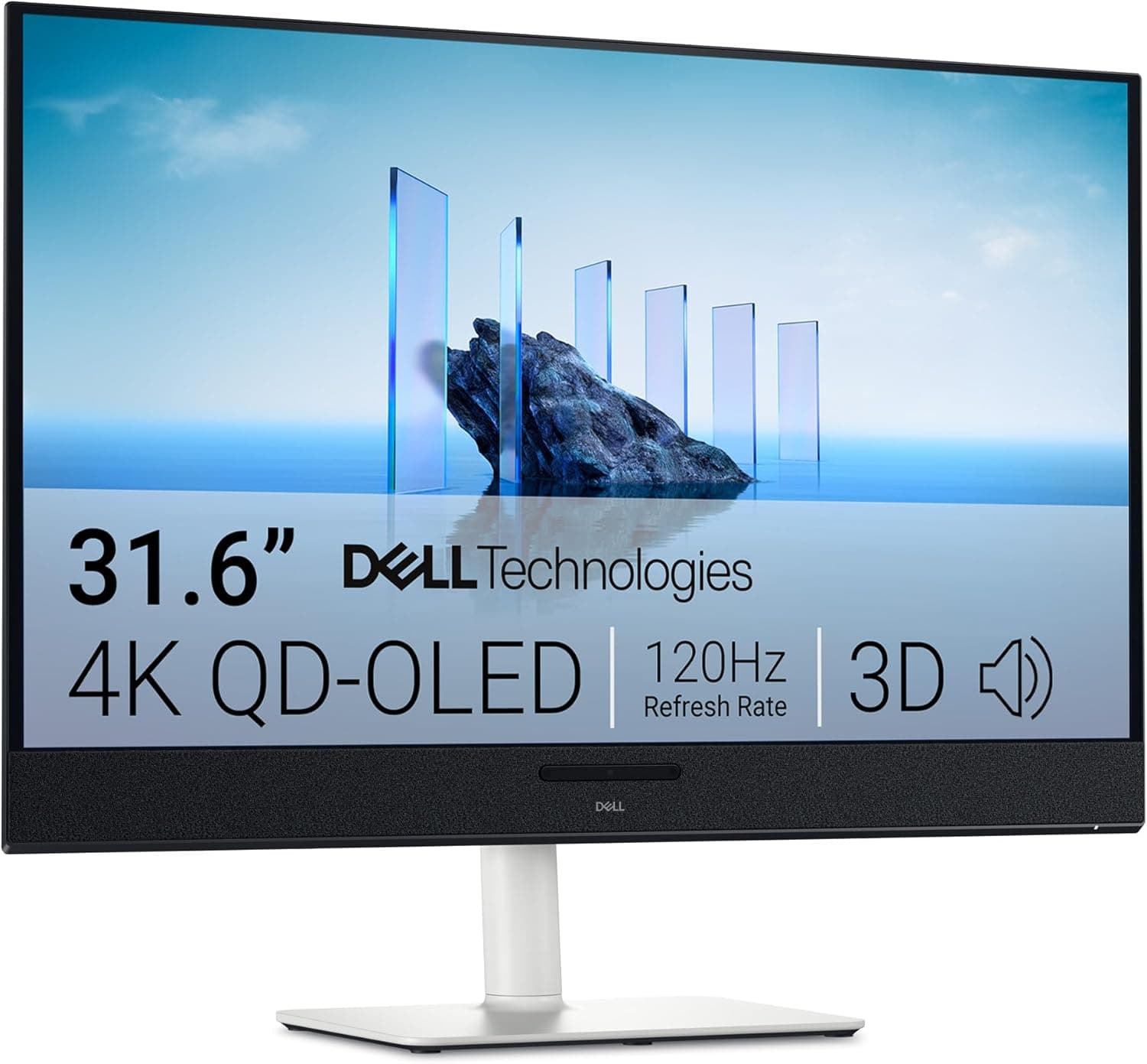
Reviewers consistently praise the gorgeous 4K QD-OLED image, vivid colors, and clear text for both work and gaming. Many also find the built-in speakers surprisingly good.
Die 30-Sekunden-Lektüre
Was Kunden gut finden
Reviewers consistently praise the gorgeous 4K QD-OLED image, vivid colors, and clear text for both work and gaming. Many also find the built-in speakers surprisingly good.
Der wichtigste Vorbehalt
Some users report buggy Dell firmware/drivers, Windows 11 power/sleep conflicts, and USB-C power delivery problems. A few also received damaged or previously opened units.
Bevor Sie sich entscheiden
Gamers should note only one HDMI 2.1 port and that USB-C may not work well for big games; installing the latest firmware first is recommended. The audio is also described as gimmicky by one reviewer.
Von einem ähnlichen Produkt mit mehr Bewertungen in dieser Kategorie: KOORUI 24 Inch Gaming Monitor, 180Hz 1080P VA Display with 3000:1 Contrast
Was Kunden gut finden
Several reviewers describe the monitor as a strong budget purchase, citing impressive specs for the money and satisfaction with gaming use.
Der wichtigste Vorbehalt
Several reviewers report the monitor failing or coming apart after months to a couple of years, including a dead screen and a failing power cord.
Bevor Sie sich entscheiden
Two reviewers note that setup benefits from adjusting settings in your GPU software, including color, brightness, and VRR.
Erst dein Anwendungsfall
7 von 52 Erwähnungen beschreiben eine negative Erfahrung (13 %).
3 von 23 Erwähnungen beschreiben eine negative Erfahrung (13 %).
4 von 21 Erwähnungen beschreiben eine negative Erfahrung (19 %).
1 von 13 Erwähnungen beschreiben eine negative Erfahrung (8 %).
0 von 7 Erwähnungen beschreiben eine negative Erfahrung (0 %).
10 von 19 Erwähnungen beschreiben eine negative Erfahrung (53 %).
7 von 11 Erwähnungen beschreiben eine negative Erfahrung (64 %).
8 von 10 Erwähnungen beschreiben eine negative Erfahrung (80 %).
Eine Rezension kann mehrere Themen ansprechen. Die Prozentsätze beziehen sich auf die von uns analysierten Rezensionen, nicht auf alle Käufer oder die allgemeine Ausfallrate des Produkts.
Vor- und Nachteile vergleichen
Eine zufällige Auswahl analysierter Produkte aus derselben Kategorie. Unterschiedliche Produkte sind nicht zwangsläufig austauschbar.

ASUS 27” 1080P Gaming Monitor (VZ279QG1R) - Full HD, IPS, 75Hz, 1ms, Extreme Low Motion Blur, FreeSync, Eye Care, DisplayPort, HDMI, Tilt Adjustable, Ultra-Slim,Black

SANSUI 27 Inch Curved 240Hz Gaming Monitor FHD 1080P, 1500R Curve Computer Monitor, 130% sRGB, 4000:1 Contrast, HDR, FreeSync, MPRT 1Ms, Low Blue Light, HDMI DP Ports, Metal Stand, Cable Incl.

ZZA 27 Inch 4K Gaming Monitor,UHD(3840x2160) 4K 144Hz Flat Monitor, Adaptive Sync,HDMI 2.1 & DP 1.4,Tilt Adjustment PC Monitor, Wall Mountable, for Work, Streaming, and Home Office, Black
Belege prüfen
Einbezogen bedeutet nicht als authentisch bestätigt. Markiert bedeutet nicht als Fälschung nachgewiesen. Dies sind analytische Einordnungen.
3 veranschaulichende Auszüge werden angezeigt, nicht der gesamte Rezensionsbestand.
Nearly the Monitor to End all other Monitors
“Exceptional at the sale price. I got this monitor gaming even if it isn't marketed as such. Nearly every expectation I had of this monitor. So here is a simple PROs and CONs PROS: -Stunning and vivid colors -Super responsive for face paced games. -Sound Quality is great! Not the best in the industry, but you will have to fork out at least 50% more than the non-sale price before you start to notice better quality. -3D Spatial Audio its pretty cool -90w Power delivery from USB C Video Upstream Port! Steam Deck and Macbook users will love this. -Simple Setup. Dell's 1 screw assembly is still amazing -You max the brightness, you will be know what a flashbang looks like :P -HUGE!! For people who are space limited and use their PC as their primary entertainment device. Get this instead of some TV that is loaded with a bunch of apps and a slow response time. CONS -Lack of i/o. No USB A ports, and no RJ-45/Networking. I can't help but feel like this should be considered a standard for monitors in 2026. Most folks use just a laptop, so having a wired network connection on this would have increased perceived value and good will towards the customer than the cost of actually including one more i/o port -No Video Output. Calling this a con is only in the fact that I it comes so close to being "THE" monitor. Having video output/downstream so I can daisy chain multiple monitors together like the Apple Studio Displays. -3D audio is great, but not well supported yet. Not a knock against the monitor, but a feature you will have to seek out in your media consumption to experience. Suggested Movies and Games to try with this monitor to experience it. Movies - Gravity, DUNE, Top Gun Maverick Games - Counter Strike 2, Resident Evil 4 Remake. TLDR; This is the best monitor I have used that isn't "professional" grade. All the cons I have I knew when purchasing. In the end I solved 2 of the 3 issues I had with a small USB-C OTG hub with some USB-A and networking. BEST OVERALL VALUE IN MONITORS TODAY”
Erkannte Signale: Konkretes Detail: scenario, comparison, quantity · Erwähnt: color, sound quality, value for money · Liest sich wie eine authentische Stimme
Dell really dropped the ball on this one.
“Beautiful image (I believe it's a Samsung panel) but the Dell firmware and drivers are extremely buggy, are not user friendly, have some very annoying issues with Windows 11 "Power & Sleep" settings, and have probable conflicts with other PC display drivers. See below for more details: After a "Turn screen off" timeout occurs, this display can prevent Windows 11 from turning on ANY displays currently connected to your PC. This requires you to either unplug and re-plug ALL the displays currently connected or to reset the PC and loose any unsaved work. It also has issues going into and coming out of "Windows Sleep Mode". It will sometimes not turn off the "pixel refresh" it does while Windows is in sleep mode and the screen is on standby. This means after you turn your PC back on, your screen will be cycling through brightly colored screens every second or so "Red, Green, Blue and White" and you will need to manually turn the monitor off and on again to fix this. And speaking of the "Pixel Refresh", this screen requires it with every 4 hours of use (this is standard and is also on my other QD-OLED display) but it WONT TELL YOU WHEN IT'S REQUIRED. No pop-up, nothing! My MSI screen FORCES the pixel refresh after 4 hours of continual use, but Dell assumes every user is going to have the screen in standby mode within every 4 hours of use or so and assumes no-one will use the display to stream more than 4 hours of video at a time. you need to manually check and run the the pixel refresh from the OSD menu (this usually takes about 3-5 minutes), and instead of turning back on when it finishes, it simply powers off and requires you to baby sit the screen and manually turn it back on when it's done. I recommend waiting until Dell releases firmware to address these issues, or play it real safe and wait until another revision of this Display is made next year. Dell really dropped the ball on this one.”
Erkannte Signale: Konkretes Detail: entity, process, scenario · Erwähnt: display quality · Liest sich wie eine authentische Stimme
WOW TRES BONNE ECRAN POUR MAIS JEUX AAA
“Les couleur ses juste wow incroyable pour jouer a mes AAA en 4k HDR 120 ben suffisant avec un bon câble hdmi 48g sa parfait moi de toute façon avec 7800x3d et ddr8000 rtx4070ti tout a ultra hdr on raytracing on frame génération x2 on dlss qualité voire dlaa sa se tien autour des 65 a 80 fps se qui est très bien pour jouer au AAA bien sûr libre a vous de jouer a 1440p pour 120 l'écran reste très jolie avec sa réponde de 0.03ms 60 fps donne le ressentie 4k de mon ancienne samsung odyssée g5 a 120 je recommande. Pour le son spacial ca fonctionne bien mais son de bonne qualité pas plus sa reste 5x 5w mais ses ok pour toi dans ta pièce informatique de toute facon ont utilise pas mal tous de bon casque audio. Remarque ne oas mettre ecran veille juste la ferme quands vous avez terminer de tout façon ses mieux parce que apres 4h de travail des que tu ferme elle fait sont mode rafraîchissant de qd led apres 4h mais ses pas grave si tu la ferme apres 8h ecran apres 4h va attendre que tu la ferme pour faire son rafraîchissant ses pour sa ses mieux ferme que ecran veille ses une habitude très simple a prendre piton on/off juste a arriere très accessible et si tu ferme par erreur apres 4h durant son 15 a 20min de rafraîchissant il te sort un message et réponds non et elle repart et continuera plus sont rafraîchissant....”
Erkannte Signale: Konkretes Detail: entity, quantity, scenario · Erwähnt: color, display quality · Liest sich wie eine authentische Stimme
Eine Sache weniger zu suchen
Yes, it has five 5W built-in speakers with AI-enhanced 3D Spatial Audio and head-tracking. Reviewers describe the sound as great and "actually really nice for what they are," though one called it "gimmicky" and not the best in the industry.
Yes, reviewers report it is super responsive for fast-paced games, with no motion blur and deep blacks that help with dark maps in FPS games. It supports up to a 120Hz refresh rate, 0.03ms response time, and AMD FreeSync Premium Pro.
It has one HDMI 2.1 port and three USB ports, plus USB-C connectivity. One reviewer notes the single HDMI 2.1 slot is a downside, and another mentions that using USB-C display output through a GPU can cause boot issues due to its 90W power delivery.
Yes, reviewers using it for work 8+ hours a day report text is very clear for Word and Excel, and one business user said it is "SO nice to read on." The listing cites 4K resolution, QD-OLED technology, and a 99% DCI-P3 color gamut.
Reviewers repeatedly call it exceptional or fantastic at the sale price, with one noting you would have to spend at least 50% more to get better sound. The listing also highlights a 1-Year Advanced Exchange Service and Premium Panel Exchange warranty.
Von einem ähnlichen Produkt mit mehr Bewertungen in dieser Kategorie: KOORUI 24 Inch Gaming Monitor, 180Hz 1080P VA Display with 3000:1 Contrast
Yes — it's a native 180Hz panel, but you'll need to switch it on manually. Connect via the included HDMI cable (or a DisplayPort-capable setup), then set 180Hz in your GPU's display settings; it defaults to a lower refresh rate out of the box. Many Reddit and YouTube users note that enabling Adaptive Sync/FreeSync alongside it gives the smoothest experience, and it works with both AMD and NVIDIA cards.
The 3000:1 contrast gives noticeably deeper blacks than typical IPS budget monitors, which shines in dark game scenes and movies. For fast-paced competitive shooters, some TikTok and Reddit users mention mild ghosting/smearing in dark transitions — it's great for casual gaming, students, and office work, but color-critical creators or hardcore FPS players may prefer an IPS panel.
Correct, the included stand only tilts (-5° to 20°) and doesn't offer height, swivel, or pivot adjustment, and a few users find the base slightly wobbly. The good news: it's VESA 100×100mm compatible, so a monitor arm or desk mount solves ergonomics entirely — a popular fix among dual-monitor and dorm-room setups.
Budget monitors can vary unit to unit, and some buyers report stuck pixels or corner bleed — but KOORUI backs it with a 3-year manufacturer warranty. If your unit arrives defective, contact the seller for a replacement or refund promptly; most users who did so report a smooth resolution, so inspect the screen within the return window.
At around $120, it's widely praised as one of the best budget 180Hz options — ideal for students, casual gamers, home-office users, and compact or dual-monitor setups. Just set expectations: no built-in speakers, a single HDMI plus VGA, and basic ergonomics. If you need height adjustment, color accuracy, or built-in audio, consider spending more on an IPS alternative.
Die Antworten beschränken sich auf das Angebot des Herstellers und die von uns analysierten Rezensionen. Fragen, die diese Quellen nicht abdecken, werden hier nicht beantwortet.
Transparent von Grund auf