Was Kunden gut finden
Great typing feel and sound
Many reviewers praise the satisfying key feel, smooth typing, and pleasant creamy or thocky sound. Several also highlight the premium build quality and customization options.

Die 30-Sekunden-Lektüre
Was Kunden gut finden
Many reviewers praise the satisfying key feel, smooth typing, and pleasant creamy or thocky sound. Several also highlight the premium build quality and customization options.
Der wichtigste Vorbehalt
One reviewer reported both 2.4GHz and Bluetooth failing within a month and poor customer support. Another described random key failures and connectivity problems.
Bevor Sie sich entscheiden
The 96% layout with numpad and arrow keys feels cluttered to some, and reviewers note it takes time to get used to, especially coming from a standard keyboard.
Von einem ähnlichen Produkt mit mehr Bewertungen in dieser Kategorie: Inateck Foldable Mini Keyboard with Trackpad, 3-Device Bluetooth
Was Kunden gut finden
Reviewers consistently praise the easy Bluetooth pairing and multi-device switching, the foldable portable design, and the value for money. Several also find it pleasant to type on with a responsive trackpad.
Der wichtigste Vorbehalt
A recurring concern is durability: multiple reviewers report keys stopping working or the keyboard falling apart after weeks to a few months of use. Some also mention connection issues between sections.
Bevor Sie sich entscheiden
It has no dongle, so installing an OS may require another keyboard, and multimedia keys are default until toggled with Fn+Esc. It supports three Bluetooth links via Fn+1/2/3, and one reviewer notes it feels a bit cheap and is only tested with iPad.
Erst dein Anwendungsfall
7 von 33 Erwähnungen beschreiben eine negative Erfahrung (21 %).
2 von 12 Erwähnungen beschreiben eine negative Erfahrung (17 %).
2 von 10 Erwähnungen beschreiben eine negative Erfahrung (20 %).
1 von 8 Erwähnungen beschreiben eine negative Erfahrung (13 %).
1 von 8 Erwähnungen beschreiben eine negative Erfahrung (13 %).
4 von 12 Erwähnungen beschreiben eine negative Erfahrung (33 %).
4 von 10 Erwähnungen beschreiben eine negative Erfahrung (40 %).
4 von 7 Erwähnungen beschreiben eine negative Erfahrung (57 %).
Eine Rezension kann mehrere Themen ansprechen. Die Prozentsätze beziehen sich auf die von uns analysierten Rezensionen, nicht auf alle Käufer oder die allgemeine Ausfallrate des Produkts.
Von einem ähnlichen Produkt mit mehr Bewertungen in dieser Kategorie: Inateck Foldable Mini Keyboard with Trackpad, 3-Device Bluetooth
6 von 22 Erwähnungen beschreiben eine negative Erfahrung (27 %).
4 von 17 Erwähnungen beschreiben eine negative Erfahrung (24 %).
0 von 9 Erwähnungen beschreiben eine negative Erfahrung (0 %).
2 von 7 Erwähnungen beschreiben eine negative Erfahrung (29 %).
0 von 6 Erwähnungen beschreiben eine negative Erfahrung (0 %).
6 von 11 Erwähnungen beschreiben eine negative Erfahrung (55 %).
4 von 11 Erwähnungen beschreiben eine negative Erfahrung (36 %).
4 von 9 Erwähnungen beschreiben eine negative Erfahrung (44 %).
Vor- und Nachteile vergleichen
Eine zufällige Auswahl analysierter Produkte aus derselben Kategorie. Unterschiedliche Produkte sind nicht zwangsläufig austauschbar.

Rii RK907 Ultra-Slim Compact USB Wired Keyboard for MAC and PC-Black(1PCS) | Full-Sized,Wired QWERTY Keyboard,Plug and Play,Home or Office for Mac and PC,Windows10/8/7/Vista/XP
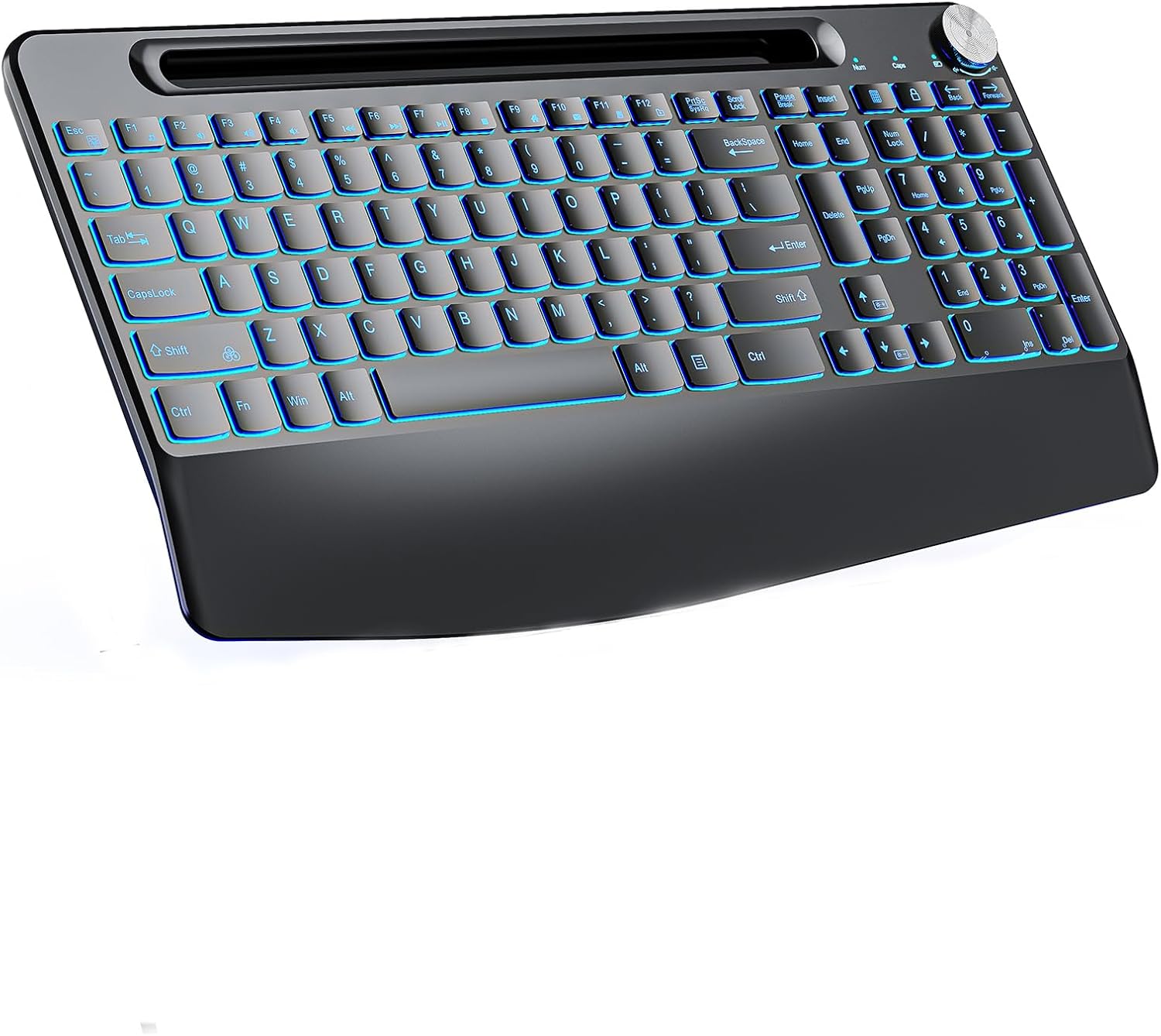
JOMAA 2.4G Wireless Silent Keyboard, Rechargeable,with 7 Colored Backlits &Phone Holder &Wrist Rest,Lighted up Full Size Keyboard for Mac Windows Laptop PC

ProtoArc XK04 Foldable Compact Keyboard for Phone and Tablet, Black | Pocket-Sized, PU Leather Cover, Bluetooth 3-Device Workflow, for Business Travelers, On-the-go Typing
Belege prüfen
Einbezogen bedeutet nicht als authentisch bestätigt. Markiert bedeutet nicht als Fälschung nachgewiesen. Dies sind analytische Einordnungen.
3 veranschaulichende Auszüge werden angezeigt, nicht der gesamte Rezensionsbestand.
Phenomenal performance and value
“TLDR: If you can adapt to the extremely compact layout of the K4 HE, I believe it provides the best value and would highly recommend. I returned this and chose the Q5 HE. While the keyboard was one of the best I've tried (comparisons below), the numpad/arrow key layout felt too cluttered, hurting accuracy and typing speed, and unfortunately I just couldn't adapt to it. If there was adequate spacing (ASUS ROG Scope II 96 managed this with the same dimensions), I would have kept this over the Q5 HE despite the inferior build quality since it's a great value. Note: I tested both editions—Standard and Special—and very much preferred the Standard edition for the textured/matte Cherry profile RGB keys over the lower contrast/opaque OSA profile keys of the Special Edition. Both versions are solid and keycap profile/RGB just comes down to preference. ~~Pros:~~ 1. Premium build with sound-dampening foam (deep, thocky acoustics right out of the box - no ping or echo) 2. Intuitive web utility (Keychron Launcher) for full customization. 3. Multiple connections: Bluetooth, wired, wireless. 4. Low latency with 1000hz polling (8,000hz is imperceptible). 5. Hall Effect: adjustable actuation, Rapid Trigger, quad-actuation, analog keys, and high durability. 6. High-quality keycaps and RGB (Standard keycaps are textured; Special is smooth). 7. Full-size functionality in a compact layout. 8. Great value for a premium Hall Effect keyboard. 9. Long battery life. 10. Multi-OS support (Mac-ready with Windows keycaps included). 11. Easy switching between profiles for gaming/productivity. 12. Actuation force (40g) increases on press for better Hall Effect feedback. 13. Right-angle USB cable (monitor-compatible without speed loss). ~~Cons:~~ 1. Multiple keys felt scratchy despite relubrication (known factory lube issue specific to Gateron switches, not Keychron). 2. Analog keys are hard to use in games and not widely supported. 3. Awkward numpad/arrow layout—ROG Scope II 96 Wireless offers a better design for the same dimensions. 4. Limited switch customization compared to mechanical boards (but stock switches feel superior). 5. Keyboard is tall with no wrist rest, and finding one with matching width is tough unless it's Keychron branded. 6. Boxed-in case design/switch wells makes cleaning harder. ~~~Comparison of Contenders:~~~ Corsair K70 (Cherry Red) - ⭐: The most hollow, low quality keyboard I've tried for a premium price. Loud spring ping and sound profile are among the worst I've heard. I came from one of Corsair's membrane boards and the K70 was my first mechanical - it left me deeply disappointed even without any expectations going into it. Keychron Q5 Pro - ⭐⭐: The Q series is Keychron's quality series and have the best build quality/weight of any keyboard I've tried. Unfortunately, the Pro version lacks versatility and is made strictly for productivity. It had KSA profile keycaps which were definitely not for me (extremely deep dish keycaps with tall height). ROG Scope II 96 Wireless (Snow/Storm/Silent Brown Switch Comparison) - ⭐⭐⭐⭐: This is the only board I've tried that came close to matching the K4 HE. The sound profile was creamy, no spring ping (would need a spacebar mod), good build quality (inferior to K4), though it lacked all of the hall effect features at a higher price point and was more prone to typing errors with the lighter keys. Easy to clean and water resistant. There is also a known reported issue of keys seizing to work on different connection modes, indicating possible firmware issues. Armoury Crate is an atrocious disaster to work with and attempts to install non-essential bloatware. ~Note: I tried Silent Brown, Snow, and Storm switches. Silent brown felt scratchy, Storm was too loud, and Snow was nearly perfect. Keychron Q5 HE - ⭐⭐⭐⭐⭐: In terms of productivity, gaming performance, sound profile, build quality, and ease-of-use web-based software, the Keychron Q5 HE checks all the boxes (minus adapting to south-facing RGBs) and comes out on top over all others that I've tried. Unfortunately, it's still plagued by variable QC of individual Gateron switches, which can feel slightly scratchy due to uneven factory lubrication.”
Erkannte Signale: Konkretes Detail: entity, comparison, scenario · Erwähnt: compact size, typing experience, key feel · Liest sich wie eine authentische Stimme
Love it!
“Just got this thing a few days ago, have been interested in trying a HE keyboard for a while and between the looks (my desk and computer case have the same black + wood aesthetic) and it keeping the numpad decided to give this one a shot. I did not expect how much better this would feel and sound than my 9 year old corsair K70 keyboard that I've been using. This keyboard sounds incredible, all those fancy words people use like thocky or marbley or what have you. Its quieter in general and just pleasant sound and feels wise right out of the box. I haven't messed with the settings a ton. I immediately dropped the actuating point to 1mm and rapid trigger to .2 just to see if I'd notice and have just been trying to get used to the keyboard like you would with any new keyboard. It feels very natural but noticeably more responsive. It kind of reminds me of typing on the browns of my old keyboard where the "tactile bump" would let me know the key actuated, except in this case the actuation point is so much higher that just contacting the key enough for a deliberate press is basically the same thing. I'm not trying to type differently, just trying to get used to the slightly different layout like you would with any new keyboard and I can already tell I'm bottoming out less. Its crazy to think that this keyboard is only slightly more expensive than my old keyboard for how much higher quality it is and how much better it sounds along with the new tech. For my own gripes, its kinda crazy to me that print screen isn't a default button. I really disliked that numlock by default is backlit a different color when you're able to use the numpad. I saw people saying you can swap the behavior in the software for some of the keyboards but I couldn't find it for this one. Last thing is the smaller 0 on the numpad is tough to get used to, I definitely press more to the left on the normal wider 0 most of the time which I didn't appreciate until it was smaller. I did solve all of those issues by just rebinding keys in a way that works for me. I made the top right RBG toggle print screen, I rebound the numpad to the number row keys so I could keep the numlock light off, and I made what is by default right arrow into another 0 key so both of those keys work as 0 and sometimes I end up pressing either... and then I shifted the arrow keys over since I never use right control or right shift normally. YMMV on what works for you there but that pretty much solved my issues. Would recommend, really happy I decided to pull the trigger on this.”
Erkannte Signale: Konkretes Detail: quantity, entity, comparison · Erwähnt: sound quality, key feel · Liest sich wie eine authentische Stimme
Other than incorrigible layout, overall solid, durable keyboard that takes a little getting used to.
“Overall, I like this keyboard a lot. I type QWERTY quickly, and this keyboard replaces a Microsoft non-ergonomic low-profile one with lettering long obliterated and key caps at this point largely worn down with indentations from daily use. Keypresses are satisfyingly tactile and noisy, and the heft of the keyboard overall reminds me of the old school IBM AT style from back in the day. One thing those older keyboards have in their favor which this one lacks are distinct regions for sets of keys like arrows, Del / Home / End (Ins, where art thou?). While highly programmable, I'd rather not leave vast swaths uncapped solely to carve out and customize my own intuitive dead zones to mimic gulfs between those once touch-distinctive regions. Now I find myself having to hunt and peck for the down arrow or other keys that were readily findable otherwise. That's the main and really only thing I miss here, but those few keys I needed to were trivial to swap. Otherwise, in terms of key layout I really like how the keys are both a good size per key for my relatively small hands, and are slightly narrow toward the top to minimize fat fingering adjacent keys. That way the proximity is close but not the hair's breadth that with my previous keyboard could at rapid fire make for mistakes. The Hall effect sensitivity at my age and stage in life given my withering patience these days means I doubt I'm inclinced to explore half measured keypresses that gamers might find useful. For my work and whatever other writing I'm fine with 0s and 1s and not fractions of presses for whatever intermezzo in between. The apparently real wood paneling on either side of the keyboard is a nice but unnecessary touch, I don't care about decor. That extends to the keycap LEDs which while nice if I'm in a festive mood aren't vital. The keyboard offers either bluetooth or 2.4 GHz connectivity, but I'm fine with and glad the manufacturer provided a wire for the USB C port. I might explore wireless but really don't need it, and given accessing the battery even if I just wanted to be a bore and remove it entirely "involves removing keycaps and screws to separate the top case from the bottom" I probably won't. I've read a few isolated cases where fire resulted, but apparently Keychron's warranty and customer support excel, so here's hoping I never have to use them.”
Erkannte Signale: Konkretes Detail: entity, scenario, comparison · Erwähnt: key feel, noise level, build quality, typing experience · Liest sich wie eine authentische Stimme
Eine Sache weniger zu suchen
Multiple reviewers describe it as near silent or having only a low level of noise, with one noting it was almost dead silent compared to a prior mechanical keyboard. Another calls it "not too loud, but just perfect linear."
The listing states it keeps most keys but with more condensed spacing, and reviewers confirm it takes time to get used to. One reviewer found the numpad/arrow key layout too cluttered and returned it, while another said the compact layout just takes time to adapt to.
Yes, the listing says the Launcher web app lets you remap keys, set macros, adjust actuation points, and toggle rapid trigger with no installation needed. Reviewers also mention adjustable features and excellent customization options.
Yes, the listing states it supports macOS and Windows with OS toggle support and extra system keycaps. One reviewer confirms it connects to their Mac via Bluetooth and works well.
No, the listing states the wood special edition keycaps are not shine-through, and the keycaps are OSA double-shot PBT.
Von einem ähnlichen Produkt mit mehr Bewertungen in dieser Kategorie: Inateck Foldable Mini Keyboard with Trackpad, 3-Device Bluetooth
The listing states it uses Bluetooth 5.3 and supports quick switching between 3 devices, with a dedicated indicator light for each channel. A reviewer confirms the 3 link options (Fn+1, Fn+2, Fn+3) and says they set one to Windows and one to Linux.
Yes, the listing describes a built-in touchpad for precise control, zooming, switching windows, and opening browsers. Reviewers describe the trackpad as decent and fairly responsive, though one noted difficulty with double taps or two-finger taps.
The listing says it folds down to 18cm x 11.4cm x 1.8cm and weighs only 228g, fitting easily into a laptop bag. Reviewers call it lightweight without feeling flimsy and like that it folds up for a sense of security and protection.
Reviewers report mixed long-term results: some say it feels sturdy and robust, while several report keys stopping working after about a month, 7 weeks, or a few months, and one says it fell apart with teenage use. One reviewer had a connection issue after 2 months but received a hassle-free warranty replacement from Inateck support.
The listing states it is compatible with Windows, iPad OS, Android, and iOS. Reviewers confirm pairing with an iPad, a Samsung Galaxy Tablet S9+, a Windows tablet, PS4, and Mac.
Die Antworten beschränken sich auf das Angebot des Herstellers und die von uns analysierten Rezensionen. Fragen, die diese Quellen nicht abdecken, werden hier nicht beantwortet.
Transparent von Grund auf