Einbezogen bedeutet nicht als authentisch bestätigt. Markiert bedeutet nicht als Fälschung nachgewiesen. Dies sind analytische Einordnungen.
3 veranschaulichende Auszüge werden angezeigt, nicht der gesamte Rezensionsbestand.
In die Analyse einbezogen4.0/5 Sternen
A Compact and Versatile Mouse Mover
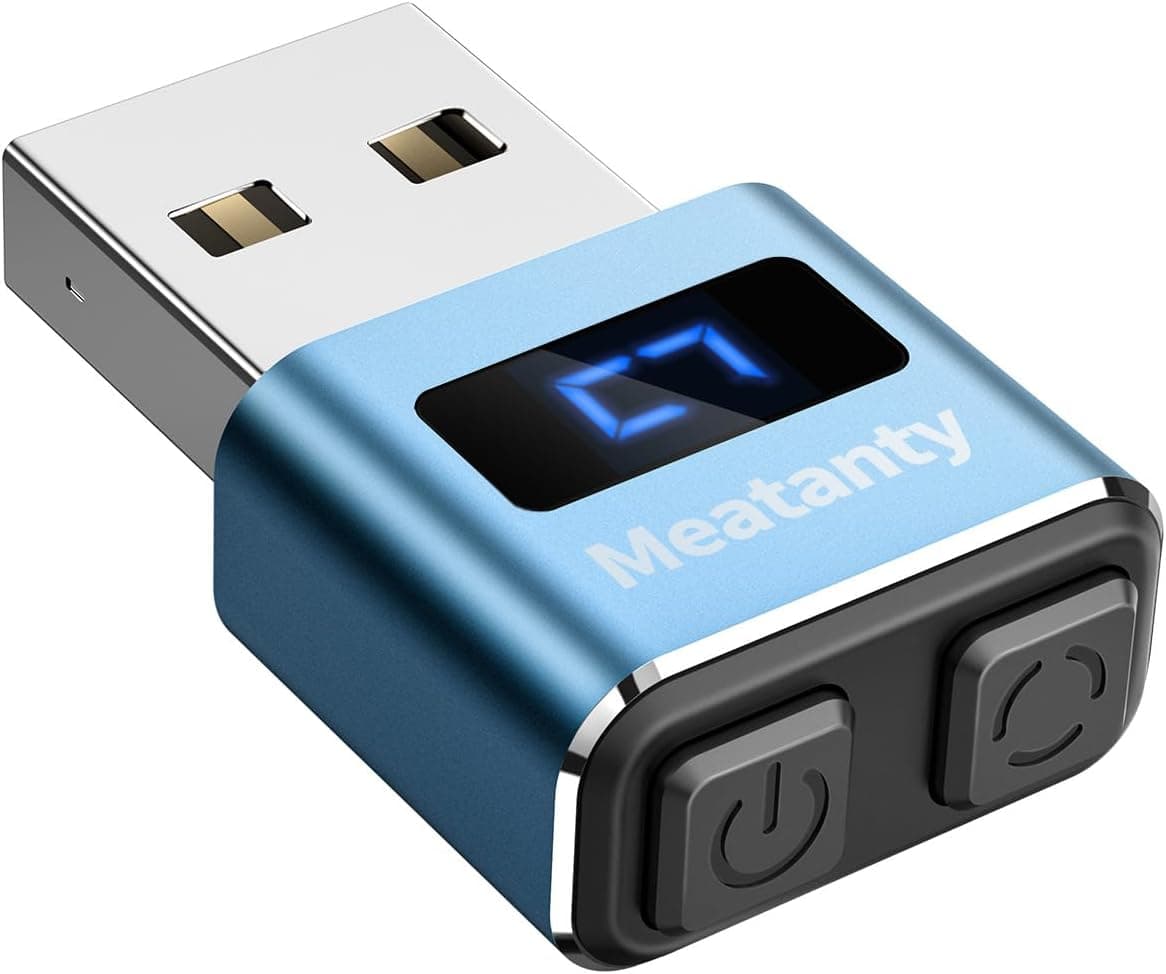
“The Meatanty USB Mouse Jiggler is a small and discreet device designed to keep your computer active by simulating mouse movement. Its compact size and separate mode options make it a versatile tool for various scenarios. While it offers convenience and functionality, there are some limitations that may affect its overall appeal. One of the standout features of the Meatanty USB Mouse Jiggler is its compact size. The device is small and unobtrusive, allowing you to easily carry it with you or leave it connected to your computer without taking up much space. The discreet design ensures that it remains unnoticed while it performs its intended function of simulating mouse movement. The separate mode options add flexibility to the device's functionality. With the ability to switch between continuous movement mode and random movement mode, you can choose the mode that best suits your needs. Continuous movement mode provides consistent mouse movement, which can be useful for preventing screen lock or keeping computer sessions active. On the other hand, random movement mode offers more unpredictable mouse motions, creating a more natural simulation of user activity. Setting up the Meatanty USB Mouse Jiggler is straightforward and hassle-free. Simply plug it into a USB port, and it starts working immediately. The device is compatible with most operating systems, ensuring broad compatibility across various computers and laptops. However, it is important to note that the Meatanty USB Mouse Jiggler has some limitations that may affect its appeal to certain users. Firstly, while it effectively simulates mouse movement, it does not provide any additional functionality beyond that. It does not offer customization options or advanced features, which may be disappointing for those seeking more control or automation options. Furthermore, the device's effectiveness may be dependent on the specific software or security measures in place on the computer it is connected to. Some systems may have detection mechanisms that can identify the mouse jiggling activity as non-human, potentially flagging it as suspicious behavior. It is important to consider these factors and ensure that the device aligns with the intended usage and security policies in your environment. In conclusion, the Meatanty USB Mouse Jiggler offers convenience and versatility as a compact and discreet mouse mover. Its separate mode options and ease of use make it suitable for various scenarios where simulated mouse movement is desired. However, it lacks advanced features and customization options, and its effectiveness may be influenced by individual system settings and security measures. If you are in need of a simple and portable solution to keep your computer active, the Meatanty USB Mouse Jiggler could be a viable option, but it is important to consider its limitations and compatibility with your specific setup.”
Erkannte Signale: Konkretes Detail: entity · Erwähnt: settings, functionality, movement
In die Analyse einbezogen5.0/5 Sternen
Works good for Microsoft Teams
“I’ve been using this Meatanty metal mouse jiggler daily for a while now, and it’s been completely reliable. The build quality is better than I expected—the metal casing gives it a solid, durable feel compared to the cheaper plastic ones out there. It’s compact and doesn’t take up much space, so I just leave it plugged in and forget about it. Performance-wise, it does exactly what I need. I mainly use setting 3, and it’s been perfect. It keeps my system active consistently without interrupting anything I’m working on. More importantly, it keeps my Microsoft Teams status set to available, which has been a big reason I got it in the first place. I haven’t had any issues with it dropping or acting erratically. Setup is as simple as it gets—plug and play, no software or drivers required. It runs quietly and smoothly, and there’s no noticeable interference while I’m actually using my mouse. I also like that it’s hardware-based, so there’s nothing installed on the computer itself. It’s straightforward and works exactly as advertised without any extra hassle. Overall, this is one of those simple tools that just works. If you need something dependable to keep your system active throughout the day, this has been a great solution for me.”
Erkannte Signale: Konkretes Detail: entity, comparison, process · Erwähnt: functionality, movement · Liest sich wie eine authentische Stimme
In die Analyse einbezogen5.0/5 Sternen
Does Exactly What It's Supposed To -- Just Adjust the Mode
“This does what it's supposed to do: keeps my work computer from going to sleep and keeps my Teams status showing as available, even when I step away. Out of the box, hitting the power button defaults to a mode that's way too intense -- the cursor movement is noticeable enough that you'd really only want that setting if you were stepping away to make lunch or something similar (meaning, it would be hard to select something or use your mouse). Once I switched to a lower mode, though, it became so imperceptible that I just leave it running all the time without it interfering with my actual work. That adjustability is really the key feature here. Build quality feels solid too -- the metal casing gives it a sturdier feel than I expected for the price. No software or setup required, just plug it in, turn it on, and pick a mode. Pretty good price for a well-made product that does exactly what it claims.”
Erkannte Signale: Konkretes Detail: scenario, process · Erwähnt: settings, on/off switch, movement, functionality · Liest sich wie eine authentische Stimme