Was Kunden gut finden
Compact yet capable for daily tasks
Several reviewers found it compact and powerful, handling Windows, Linux servers, video surveillance, and light gaming without strain.
Unser Kauf-Fazit
Several reviewers report quiet, reliable performance for everyday and server tasks, though storage quality drew one complaint.
Buyers wanting a small, quiet mini PC for office, home server, or light gaming use who are comfortable upgrading storage or RAM.
Buyers who want strong gaming performance or dependable included storage without planning any upgrades.
Die 30-Sekunden-Lektüre
Was Kunden gut finden
Several reviewers found it compact and powerful, handling Windows, Linux servers, video surveillance, and light gaming without strain.
Der wichtigste Vorbehalt
One reviewer reported the shipped SSD was the weak point of an otherwise solid build, so storage quality may vary by configuration.
Bevor Sie sich entscheiden
One reviewer saw frame rates rise after adding RAM, suggesting buyers should consider their memory needs for gaming.
Von einem ähnlichen Produkt mit mehr Bewertungen in dieser Kategorie: GMKtec M5S Mini PC AMD Ryzen 5400U 16GB DDR4 (Upgradable RAM) 256GB SSD
Was Kunden gut finden
Several reviewers found this mini PC works well for basic web use and streaming at a good price, with one noting it handled constant streaming and web activities flawlessly for over a year.
Der wichtigste Vorbehalt
Several reviewers report severe slowness, freezing, and crashes even with basic tasks like web browsing, emails, or switching windows; one said a 32GB RAM upgrade did not help.
Bevor Sie sich entscheiden
Three reviewers reported their unit stopped powering on after roughly one to one and a half years of use, so long-term reliability may be a consideration.
Beschreibung
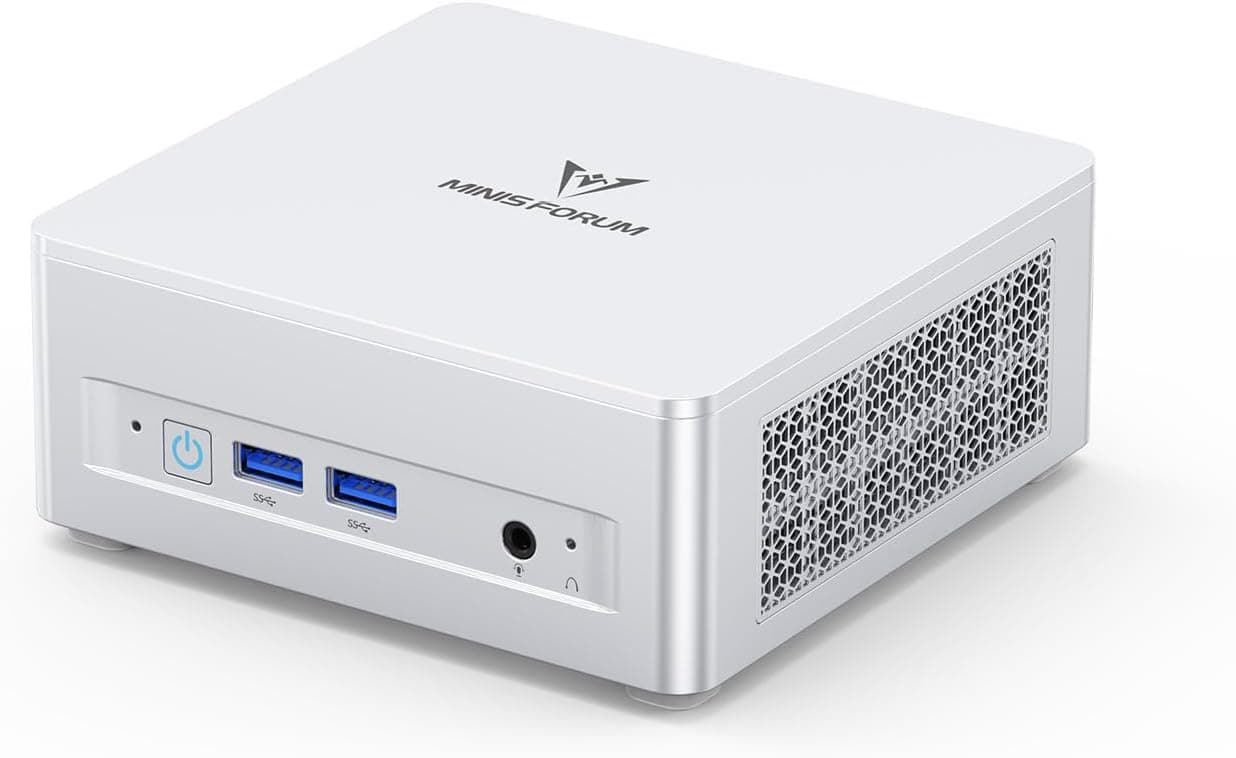
【Powerful CPU Performance】 The MINISFORUM UM780L Slim Mini PC is powered by the high-performance AMD Ryzen 7 7840HS processor, packing 8 Cores and 16 Threads with a Max Turbo Frequency up to 5.1GHz and a 16MB L3 cache. Engineered for exceptional multitasking capabilities and smooth efficiency, the hardware configuration supports dynamic TDP scaling up to a blazing 70W in Performance Mode to handle complex computing tasks and fluid daily workflows with absolute stability. 【LPDDR5X 7500MHz RAM & Massive Storage Capacity】 These responsive Mini Computers come equipped with 16GB of onboard LPDDR5X memory running at an ultra-fast 7500MT/S to dramatically minimize lagging during heavy software operations. Featuring a pre-installed 500GB M.2 2280 PCIe 4.0 NVMe SSD, the motherboard uniquely supports dual-slot storage expansion up to 2x 4TB (up to 8TB total storage potential) to eliminate drive constraints while delivering lightning-fast reading speeds. 【Triple Screen Display Output Workspace】 This compact Mini Computer delivers immersive workspace expansion by supporting up to three independent displays simultaneously. Maximize efficiency across multiple tasks using the comprehensive triple-output array: 1x HDMI 2.1 TMDS (4K@60Hz), 1x Type-C USB4 (supporting up to 8K@60Hz or 4K@120Hz), and 1x DisplayPort 1.4 (4K@120Hz) to seamlessly optimize everyday data monitoring and coding workflows. 【Advanced Full-Featured USB4 Productivity】 The MINISFORUM UM780L Slim Mini Desktop PC features a full-featured rear USB4 port delivering blistering transfer speeds up to 40Gbps for handling large files and complex creative projects. This versatile connectivity pathway supports robust 65W-100W PD-IN power delivery to safely charge the host device while simultaneously providing a reliable 15W power output to seamlessly power connected peripherals. 【Stable High-Efficiency Network Connectivity】The UM780L Slim Mini Desktop PC features a 2.5Gbps LAN Ethernet port, delivering a robust and consistent network signal. Also equipped with Wi-Fi 6E and Bluetooth 5.2, it efficiently lowers CPU workload, enhances network efficiency, and minimizes latency. Enjoy seamless, high-speed data transmission for an uninterrupted experience. 【Extensive Desktop Interface Portfolio】 This Mini Desktop Computer provides a professional interface lineup to seamlessly connect all your creative tools and external peripherals. The chassis houses 1x Full-featured USB4, 1x HDMI 2.1 TMDS, 1x DP 1.4, 1x 2.5G LAN, 2x front USB 3.2 Gen2, 2x rear USB 2.0, 1x 3.5mm Audio Combo Jack, and support for wall mounting. *Note: System drivers must be updated properly before reinstalling the operating system.*
Vor- und Nachteile vergleichen
Eine zufällige Auswahl analysierter Produkte aus derselben Kategorie. Unterschiedliche Produkte sind nicht zwangsläufig austauschbar.

GMKtec Mini PC Computer, G10 Ryzen 5 3500U (Beats N150/4300U/3200U), 16GB RAM 512GB SSD 2.5GbE NIC LAN Desktop Office Home Business HTPC, Triple 4K Display, WiFi, BT, USB-C, DP, Type-C PD, HDMI 2.1

BOSGAME M4 Mini PC Desktop Computers, AMD Ryzen 7 8745HS, 32GB DDR5, 1TB PCle SSD, 4K Triple Display, USB4.0, Dual 2.5G LAN & Wi-Fi 6E & BT5.2, Compact Silent PC for Gaming, Office, Design

GMKtec Mini PC with Intel Core i7-1185G7 Processor (Up to 4.8 GHz) 16GB DDR4 1TB SSD NIC i226V RJ45 2.5G Iris Xe Graphics USB4.0 Desktop Mini Computers WiFi 6, BT 5.2/ DP, HDMI M2
Belege prüfen
Einbezogen bedeutet nicht als authentisch bestätigt. Markiert bedeutet nicht als Fälschung nachgewiesen. Dies sind analytische Einordnungen.
3 veranschaulichende Auszüge werden angezeigt, nicht der gesamte Rezensionsbestand.
Solid Linux build box save for the included disk
“The M1-1390 is quite the powerhouse, rivaling even my Framework 16 laptop in terms of raw compute. I'm using it as a Linux build box for my little homelab and it's quite well-suited to that. The RAM is 2x16GB DDR3200 dual-rank, which is fine. The only thing that's crap is the storage. In my build at least, they shipped a Crucial E100. Yes, it's 1TB, but apparently the write capacity is famously bad with this model (80 TBW?) to the point that I have to actually minimize disk writes if I want it to last more than 5 years, which I do! There's also supposed to be a second M.2 slot somewhere, but it eludes me to this day. Anyway, good purchase, would buy again.”
Erkannte Signale: Konkretes Detail: entity, quantity, comparison, scenario · Liest sich wie eine authentische Stimme
Works well with AI
“I originally had a problem with the screen, but I am thinking that this is a Linux bug and not the fault of the PC. The one I got has 64GB ram and 16 cores. It came with the oculink adapter. I use it with a pcie sled that has an external GPU. Without the GPU it has no problems with LLM's and generative AI, however, it is a good bit slower than the external card. Most LLM's are fast enough to be usable. Not everything is going to work without an external GPU if using Comfy UI. I use Kubuntu and for the most part it runs well. I recommend wiping windows and installing some flavor of Linux before booting windows for maximum speed and privacy.”
Erkannte Signale: Konkretes Detail: quantity, entity, comparison, scenario · Liest sich wie eine authentische Stimme
Big dependability in a tiny space
“This is my first Mini PC. I run a recording studio from my home, and while it's just been a hobby I'm almost ready to go pro (I record music and voice overs). I also bought a secondary drive, which installed super easy. Boot time is the snap of a finger, it's as reliable AF, and I had zero problems connecting, right out of the box. It's compact and powerful. I run two monitors, one HDMI, one DP, and both render perfectly. I don't need a high frame rate because I'm running audio software and the occasional Steam game. I highly recommend this.”
Erkannte Signale: Konkretes Detail: scenario, process, entity · Liest sich wie eine authentische Stimme
Eine Sache weniger zu suchen
The 16GB LPDDR5X memory is soldered to the board, so 16GB is the fixed ceiling — it can't be expanded after purchase. That's the trade-off for the ultra-fast 7500MT/s speed and slim chassis. If you already know you'll need 32GB down the road, it's worth choosing a model with socketed SODIMM memory instead. Many Reddit users flag this as the one spec to double-check before buying.
It ships with Windows pre-installed and ready to use out of the box. One important caveat straight from the product notes: if you ever reinstall the operating system, update the system drivers first — otherwise you may lose Wi-Fi or other functionality. A few YouTube reviewers learned this the hard way, so keep the driver package handy before any clean install.
In Performance Mode (up to 70W), the fan is audible under sustained heavy loads like video export or benchmarking — most users describe it as noticeable but tolerable, and near-silent for everyday office work. On displays, yes: HDMI 2.1, DisplayPort 1.4, and USB4 each drive an independent screen, so triple 4K output is genuinely supported. TikTok and forum users consistently praise the multi-monitor flexibility for its size.
The pre-installed 500GB PCIe 4.0 NVMe drive sits in an M.2 2280 slot, and there's a second slot available — together supporting up to 2x 4TB for 8TB total. Swapping or adding a drive is straightforward for anyone comfortable with a screwdriver. Just note the stock 500GB fills up quickly if you work with large media files, so budgeting for a second drive is smart.
It's an excellent fit for office and home productivity, multi-monitor workflows, homelab/NAS setups, digital signage, students, and light or emulated gaming thanks to the Radeon 780M. It's less ideal for hardware tinkerers who want upgradeable RAM, silence-focused users, or anyone expecting desktop-class AAA gaming. If you've read the soldered-memory spec and it fits your needs, sentiment across reviews is overwhelmingly positive on performance-per-size and value.
Von einem ähnlichen Produkt mit mehr Bewertungen in dieser Kategorie: GMKtec M5S Mini PC AMD Ryzen 5400U 16GB DDR4 (Upgradable RAM) 256GB SSD
For office apps, web browsing, video calls, streaming, and light photo editing, the 5400U is genuinely capable — its 4 cores/8 threads boost to 4.0GHz and handle multitasking smoothly. Where it falls short is heavy gaming and serious video editing, and that's the honest caveat many Reddit and YouTube reviewers raise. If your day looks like spreadsheets, browser tabs, and Netflix, you'll be happy; if you're chasing AAA games, look at the M6 Ultra instead.
Yes, and it's one of the M5S's best features. You get two M.2 2280 PCIe 3.0 slots (up to 8TB each) plus dual SO-DIMM slots for up to 64GB RAM, so upgrading is straightforward with a screwdriver. That said, plenty of TikTok and forum users admit 256GB fills up fast once Windows and updates settle in — budgeting for a second SSD from day one is a smart move, and the spare slot means you don't have to clone your drive.
The dual Realtek 2.5Gbps ports are the M5S's secret weapon for homelab fans running NAS, pfSense/OPNsense, or home servers — it's why this model gets recommended so often in self-hosting communities. WiFi 6E and Bluetooth 5.2 are solid for normal use, though some users note internal antennas give weaker range than a laptop, so if your router is far away, the wired ports are your friend.
Absolutely — you get HDMI 2.0 (4K@60Hz), DisplayPort (up to 8K@60Hz), and USB-C (PD/DP/Data) for triple-display setups, a setup office users consistently praise for productivity. It ships with Windows 11 pre-installed and activated, and it also runs Ubuntu/Linux well if that's your preference. Just note the USB-C port handles display and data, not charging — the included 19V adapter powers the unit.
It's a low-risk purchase for the right user. The fan is near-silent at idle and only becomes noticeable under sustained load, which most reviewers call acceptable rather than annoying, and the standard return window covers you if it's not to your taste. The main "regret" pattern online comes from gamers expecting more than the Radeon iGPU can give — so if you're a casual gamer, student, office worker, or homelab tinkerer, this is excellent value; if you need serious GPU horsepower, size up to the M6 Ultra.
Die Antworten beschränken sich auf das Angebot des Herstellers und die von uns analysierten Rezensionen. Fragen, die diese Quellen nicht abdecken, werden hier nicht beantwortet.
Transparent von Grund auf