Was Kunden gut finden
Good picture quality for everyday use
Several reviewers praise the display quality and picture, with some using it for work or as a second screen.
Unser Kauf-Fazit
Several reviewers praise picture quality and setup, but multiple reports describe monitors failing or not staying on.
Buyers seeking a monitor with strong picture quality for basic desk use, who can accept some risk of reliability problems.
Buyers who need dependable, uninterrupted display performance for daily work or critical tasks.
Die 30-Sekunden-Lektüre
Was Kunden gut finden
Several reviewers praise the display quality and picture, with some using it for work or as a second screen.
Der wichtigste Vorbehalt
Three reviewers report the monitor stopped working, would not display, or showed lines and flickering, including one failure after nine days.
Bevor Sie sich entscheiden
One reviewer set it up as a second screen for a Mac and found setup easy, which may matter if you plan a similar use.
Von einem ähnlichen Produkt mit mehr Bewertungen in dieser Kategorie: KOORUI 24 Inch Gaming Monitor, 180Hz 1080P VA Display with 3000:1 Contrast
Was Kunden gut finden
Several reviewers describe the monitor as a strong budget purchase, citing impressive specs for the money and satisfaction with gaming use.
Der wichtigste Vorbehalt
Several reviewers report the monitor failing or coming apart after months to a couple of years, including a dead screen and a failing power cord.
Bevor Sie sich entscheiden
Two reviewers note that setup benefits from adjusting settings in your GPU software, including color, brightness, and VRR.
Beschreibung
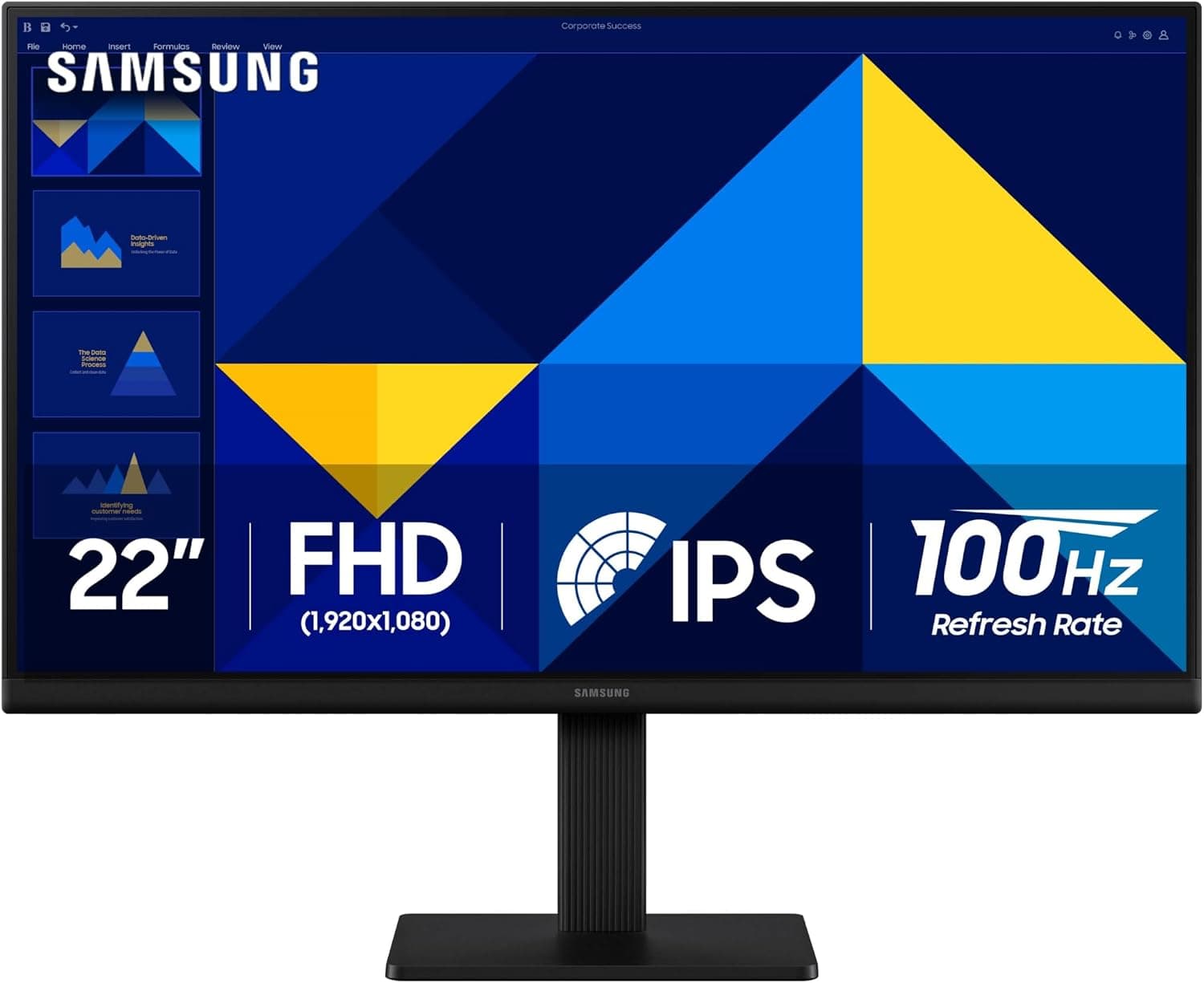
Samsung’s 22" S3 Business Essential Monitor enables smooth performance, heightened productivity, and greater comfort. The IPS Panel delivers a stunning color experience across the entire display with less color washing, offering clarity from any viewpoint so tones stay consistent and accurate. The 100Hz refresh rate reduces lag and motion blur while playing games, watching videos, or working. Game Picture Mode with optimizable game settings enables instant adjustment of color and image contrast. Eye Saver Mode protects vision, reduces blue light and screen flicker, and extends comfort even during long sessions. The ergonomic super-slim design is a stylish addition to any environment, while ultra-thin border bezels make the most of screen space. Multiple connectivity enables devices to be plugged straight into the monitor for increased flexibility.¹Default refresh rate is set to 60Hz, and may be adjusted to 100Hz in the monitor's settings. ²Image simulated for demonstration purposes.
Vor- und Nachteile vergleichen
Eine zufällige Auswahl analysierter Produkte aus derselben Kategorie. Unterschiedliche Produkte sind nicht zwangsläufig austauschbar.

Deco Gear 40" Ultrawide Curved Monitor, 5120x2160, 5K2K, 21:9 75Hz 1ms MPRT

CUNPU 24 Inch Touchscreen Monitor, 10 Point Touch, FHD 1080P 75Hz IPS Screen, 100% SRGB, VESA Wall Mountable, Tilt Adjustment, VGA HDMI USB for PC, Laptop Business & Work Station, Warehouse

Sceptre New 24-inch Gaming Monitor 100Hz FreeSync 2X HDMI 1X DP Build-in Speakers, Machine Black 2026 (E248W-FW100T Series)
Belege prüfen
Einbezogen bedeutet nicht als authentisch bestätigt. Markiert bedeutet nicht als Fälschung nachgewiesen. Dies sind analytische Einordnungen.
3 veranschaulichende Auszüge werden angezeigt, nicht der gesamte Rezensionsbestand.
Worked well ... until it didn't.
“Monitor was great until it wasn't. I returned to my desk after being away for the afternoon, only to be met with a screen that was full of lines and flickering. In case you were wondering, there was no warning for the issue beforehand. The screen worked 100% perfectly until suddenly it didn't. I did the usual tests, things like power cycling and changing cables. As you can see that didn't work, and I'm inclined to believe the problem is internal since the "no input" screen also had lines. Such a pain to replace right before the holidays. Did I mention I've only had this monitor for 6 months? Actually, a little less. Return window already closed so I just placed an order for a new one coming from my usual brand. I made the mistake of getting this one because I saw it after the death of an older monitor and I hung a lot of expectation on the household name aspect. Figured since it was Samsung it must be durable. Considering I don't put my monitors through any amount of real strain, I was really surprised. Two stars because for the 5-6 months it worked, it did work really well.”
Erkannte Signale: Konkretes Detail: process, scenario · Liest sich wie eine authentische Stimme
Monitor does not stay on
“Monitor will not display when turn on my PC. Only by pushing the power button in back and holding it a few seconds will it come on. May stay on a few minutes and then randomly goes to sleep. I tried different settings. No change. Then I hired a IT professional to work on this. He couldn't fix the problem.”
Erkannte Signale: Konkretes Detail: process · Liest sich wie eine authentische Stimme
A really good monitor! With a really high quality and resolution I still have it after a year
“A really good monitor! With a really high quality and resolution I still have it after a year and good durability! With a nice size for my desk.”
Erkannte Signale: Konkretes Detail: process, scenario · Liest sich wie eine authentische Stimme
Eine Sache weniger zu suchen
Yes — the S30GD's stand tilts but doesn't adjust for height or swivel, which is the most common caveat in user reviews. If ergonomics matter (tall users, standing desks), plan on a VESA wall mount or monitor arm; the 75x75mm VESA pattern makes that easy. Many Reddit users say a $25 arm transforms the setup.
No speakers — you'll need external speakers or headphones, a surprise several buyers mention in reviews. In the box you get the monitor, tilt stand, and HDMI cable (plus a D-Sub/VGA port on the rear). It's plug-and-play with laptops, desktops, and consoles over HDMI.
Out of the box it runs at 60Hz — you'll need to switch to 100Hz in the monitor settings (and confirm it in your OS display settings). With FreeSync/G-Sync compatibility, a 5ms response time, and Game Picture Mode, it's a solid pick for casual and console gaming; TikTok and YouTube reviewers call it "smooth for the price," though competitive players may want a 144Hz+ panel.
The IPS panel delivers consistent colors at wide angles with less color washing, and Eye Saver Mode plus flicker-free backlighting keep long sessions comfortable — a favorite among students and office workers. Two honest caveats: brightness tops out at 250 nits, and the glossy finish can reflect windows in bright rooms, so position it away from direct light.
At its price point, it's one of the better budget IPS monitors — Samsung build quality, slim bezels, and 100Hz smoothness earn consistent praise (4.5/5 from 1,700+ reviews). It's ideal for students, home-office productivity, dual-monitor setups, and casual gaming. If you need height adjustment, built-in audio, or serious gaming specs, consider stepping up — but for everyday work and streaming, most buyers say it's excellent value.
Von einem ähnlichen Produkt mit mehr Bewertungen in dieser Kategorie: KOORUI 24 Inch Gaming Monitor, 180Hz 1080P VA Display with 3000:1 Contrast
Yes — it's a native 180Hz panel, but you'll need to switch it on manually. Connect via the included HDMI cable (or a DisplayPort-capable setup), then set 180Hz in your GPU's display settings; it defaults to a lower refresh rate out of the box. Many Reddit and YouTube users note that enabling Adaptive Sync/FreeSync alongside it gives the smoothest experience, and it works with both AMD and NVIDIA cards.
The 3000:1 contrast gives noticeably deeper blacks than typical IPS budget monitors, which shines in dark game scenes and movies. For fast-paced competitive shooters, some TikTok and Reddit users mention mild ghosting/smearing in dark transitions — it's great for casual gaming, students, and office work, but color-critical creators or hardcore FPS players may prefer an IPS panel.
Correct, the included stand only tilts (-5° to 20°) and doesn't offer height, swivel, or pivot adjustment, and a few users find the base slightly wobbly. The good news: it's VESA 100×100mm compatible, so a monitor arm or desk mount solves ergonomics entirely — a popular fix among dual-monitor and dorm-room setups.
Budget monitors can vary unit to unit, and some buyers report stuck pixels or corner bleed — but KOORUI backs it with a 3-year manufacturer warranty. If your unit arrives defective, contact the seller for a replacement or refund promptly; most users who did so report a smooth resolution, so inspect the screen within the return window.
At around $120, it's widely praised as one of the best budget 180Hz options — ideal for students, casual gamers, home-office users, and compact or dual-monitor setups. Just set expectations: no built-in speakers, a single HDMI plus VGA, and basic ergonomics. If you need height adjustment, color accuracy, or built-in audio, consider spending more on an IPS alternative.
Die Antworten beschränken sich auf das Angebot des Herstellers und die von uns analysierten Rezensionen. Fragen, die diese Quellen nicht abdecken, werden hier nicht beantwortet.
Transparent von Grund auf