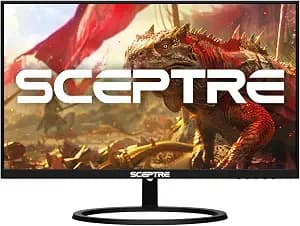
Sceptre IPS 27 Inch 2K 2560 x 1440p QHD 75Hz DisplayPort HDMI 99% sRGB Build-in Speakers Machine Black (E275W-QPT)
Beschreibung
27" Quad HD IPS LED Monitor2560 x 1440 Quad HD Resolution IPS Panel Up to 75Hz Refresh Rate Edgeless Design DisplayPort & HDMI x2
Vor- und Nachteile vergleichen
Ähnliche Produkte im direkten Vergleich
Eine zufällige Auswahl analysierter Produkte aus derselben Kategorie. Unterschiedliche Produkte sind nicht zwangsläufig austauschbar.

LG 34G600A-B 34-inch Ultragear WQHD (3440 x 1440) Curved Gaming Monitor 160Hz, AMD FreeSync Premium, HDR10, Built-in Speaker, Reader Mode, HDMI 2.1, DisplayPort, Tilt/Height/Swivel Stand, Black

SAMSUNG 25" Odyssey G4 Series FHD Gaming Monitor, IPS, 240Hz, 1ms, G-Sync Compatible, AMD FreeSync Premium, HDR10, Ultrawide Game View, DisplayPort, HDMI, Fully Adjustable Stand, LS25BG402ENXGO

Dell 24 Plus Monitor - S2425HSM - 23.8-inch FHD (1920x1080) 144Hz 1ms Display, 2 x 3W Speakers, HDMI Connectivity, Height/Tilt/Pivot/Swivel Adjustability, AMD FreeSync - Ash White
Eine Sache weniger zu suchen
Vor dem Kauf: kurze Fragen
Is the stand really as wobbly and limited as some reviews say?
The included stand is functional but basic. It provides stable tilt adjustment, but as noted in many YouTube setup videos, it does not offer height, swivel, or pivot adjustments and can have a slight wobble. For users who value a rock-solid or ergonomic setup, we highly recommend using its standard 75x75mm VESA mount with a third-party monitor arm or stand, which is a popular and effective solution mentioned across tech forums.
How usable are the built-in speakers, and can I rely on them for video calls?
The speakers are best considered a convenient backup. As echoed in countless Reddit threads, they are sufficient for system sounds or a quiet Zoom call in a pinch, but they lack bass and volume for music, movies, or immersive gaming. Most happy customers plan from the start to use headphones or a pair of affordable external speakers for a much better experience.
I'm worried about getting a unit with dead pixels. What's the warranty and return policy?
Sceptre covers dead pixels under their standard limited warranty. While the vast majority of units arrive perfectly fine, we understand the concern. We recommend checking your monitor carefully upon arrival. Our return window provides a hassle-free way to exchange the product if you encounter any manufacturing defects, giving you peace of mind with your purchase.
Is this monitor good for both office work and casual gaming?
Absolutely, that's its sweet spot! The sharp 2K QHD resolution provides excellent screen real estate for multitasking and documents, while the 75Hz refresh rate and AMD FreeSync support deliver noticeably smoother gameplay than a standard 60Hz monitor for casual or older titles. It's a favorite among students and hybrid users who want great value for both productivity and entertainment.
How does this Sceptre compare to more expensive brands like Dell or LG?
This monitor excels in providing core premium features—a vibrant IPS panel and QHD clarity—at an exceptional price. Where you'll notice a difference is in the "extras": more premium brands often invest in better stands, wider color gamuts, USB hubs, and more robust build quality. If your priority is the panel quality itself on a budget, this is a standout. If you need advanced ergonomics or guaranteed factory color calibration, a higher-tier brand may be worth the investment.
Von einem ähnlichen Produkt mit mehr Bewertungen in dieser Kategorie: KOORUI 24 Inch Gaming Monitor, 180Hz 1080P VA Display with 3000:1 Contrast
Does this monitor really run at 180Hz, and what do I need to enable it?
Yes — it's a native 180Hz panel, but you'll need to switch it on manually. Connect via the included HDMI cable (or a DisplayPort-capable setup), then set 180Hz in your GPU's display settings; it defaults to a lower refresh rate out of the box. Many Reddit and YouTube users note that enabling Adaptive Sync/FreeSync alongside it gives the smoothest experience, and it works with both AMD and NVIDIA cards.
How does the VA panel perform for gaming and everyday work?
The 3000:1 contrast gives noticeably deeper blacks than typical IPS budget monitors, which shines in dark game scenes and movies. For fast-paced competitive shooters, some TikTok and Reddit users mention mild ghosting/smearing in dark transitions — it's great for casual gaming, students, and office work, but color-critical creators or hardcore FPS players may prefer an IPS panel.
The stand looks basic — can I adjust the height or mount it?
Correct, the included stand only tilts (-5° to 20°) and doesn't offer height, swivel, or pivot adjustment, and a few users find the base slightly wobbly. The good news: it's VESA 100×100mm compatible, so a monitor arm or desk mount solves ergonomics entirely — a popular fix among dual-monitor and dorm-room setups.
What if I receive a unit with a dead pixel or backlight bleed?
Budget monitors can vary unit to unit, and some buyers report stuck pixels or corner bleed — but KOORUI backs it with a 3-year manufacturer warranty. If your unit arrives defective, contact the seller for a replacement or refund promptly; most users who did so report a smooth resolution, so inspect the screen within the return window.
Is it good value, and who is it best suited for?
At around $120, it's widely praised as one of the best budget 180Hz options — ideal for students, casual gamers, home-office users, and compact or dual-monitor setups. Just set expectations: no built-in speakers, a single HDMI plus VGA, and basic ergonomics. If you need height adjustment, color accuracy, or built-in audio, consider spending more on an IPS alternative.
Die Antworten beschränken sich auf das Angebot des Herstellers und die von uns analysierten Rezensionen. Fragen, die diese Quellen nicht abdecken, werden hier nicht beantwortet.
Transparent von Grund auf