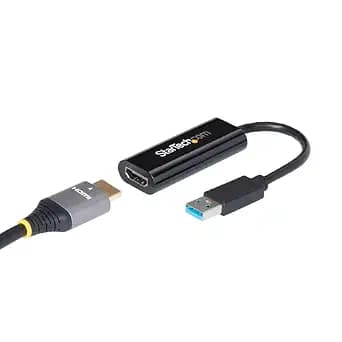
StarTech USB 3.0 to HDMI Adapter, USB-A to HDMI Display Converter, 1080P 60Hz Full HD Video Graphics Adapter, Driver Required, USB Monitor Extender for Windows PC (USB32HDES)
Beschreibung
This compact USB 3.0 to HDMI display adapter turns a USB 3.0 port into an HDMI output with 1920x1200 / 1080p video support. The adapter features a slim design and offers a compact connection with an integrated 2.4in / 62mm cable, helping to minimize clutter; an ideal space-saving solution for dual or multi-monitor applications on Windows-based Ultrabook, laptop or desktop computers. Functioning as an external video and graphics card, this USB to HDMI dongle provides a convenient way to add multi-monitor capability to a USB 3.0-enabled (Windows-based) desktop or laptop computer (optimal performance from USB 3.0, backward compatible with USB 2.0). To save space while travelling, this ultra-portable USB to HDMI display adapter features a lightweight, small footprint design that fits easily in a laptop carrying bag – the perfect solution for IT and business professionals who travel for work. Leveraging the high-bandwidth (5 Gbps) SuperSpeed USB 3.0 interface, the HDMI video converter, delivers smooth, high-definition content to your HDMI monitor, display, projector or TV, with support for resolutions up to 1920x1200 or 1080p. The adapter can be used to mirror your primary desktop, showing the same image on each display, or to extend your desktop to double your workspace and increase your productivity. This USB 3.0 to HDMI display adapter is backed by a 3-year warranty and free lifetime technical support.
Eine Sache weniger zu suchen
Vor dem Kauf: kurze Fragen
Is this adapter truly plug-and-play, or will I need to install drivers?
While marketed for easy use, a one-time driver installation is required for most Windows PCs. Think of it as "plug, install, *then* play." Many users on forums like Reddit recommend downloading the latest driver from StarTech's website *before* your adapter arrives for a smoother setup. Once installed, it's very stable.
I have a MacBook (USB-C) or a Chromebook. Will this work for me?
No, this adapter is designed specifically for Windows-based systems. A common point of frustration noted in reviews is accidental purchase by Mac users. For Macs with USB-C ports, you'll need a different type of adapter (like USB-C to HDMI).
How durable is it, and does it run hot during use?
The adapter is built for functionality over ruggedness. Based on social feedback, it's common for the unit to become warm during operation, which is normal for this type of electronics. To ensure longevity, avoid bending the connected cables sharply and provide some airflow around the adapter.
Can I use two of these adapters to add two extra monitors to my laptop?
This is not recommended for most users. While it might work in some setups, many tech community posts report system instability, crashes, or the second adapter not being recognized. For a reliable dual-monitor setup via USB, a dedicated multi-port docking station is a better investment.
What's it best used for? Is it good for gaming or watching movies?
It's perfect for everyday productivity—extending your desktop for documents, spreadsheets, web browsing, or coding. However, for fast-motion gaming or high-bitrate video playback, some users report occasional screen flickering. For basic movie watching it's generally fine, but for consistent, high-performance media use, a direct HDMI connection or more advanced dock is preferable.
Von einem ähnlichen Produkt mit mehr Bewertungen in dieser Kategorie: Moread HDMI to VGA Adapter, Male to Female, Black
Will this adapter let me use an older VGA monitor with a newer computer that only has HDMI?
Yes. Reviewers report using it to connect older VGA monitors to newer computers and laptops that only have HDMI output, and it worked as expected.
Does the adapter require any drivers to install?
No. The manufacturer states the adapter does not require any drivers for installation, and it is plug and play.
Does this adapter support audio?
No. The adapter only handles video signals; audio will continue to play through your computer's internal speakers, or you'll need a separate audio cable connection to your display device.
What is the maximum resolution this adapter supports?
It supports resolutions up to 1080p Full HD (1920x1080@60Hz), and up to 1920x1200.
Is this adapter compatible with devices like Roku, PlayStation 4, or Apple TV?
No. The manufacturer states it is not compatible with Roku streaming players, low-power HDMI devices such as PlayStation 4, Apple MacBook Pro with Retina Display, Mac mini, and Apple TV, nor with DVD or Blu-ray players that require an HDCP key.
Die Antworten beschränken sich auf das Angebot des Herstellers und die von uns analysierten Rezensionen. Fragen, die diese Quellen nicht abdecken, werden hier nicht beantwortet.
Transparent von Grund auf