Was Kunden gut finden
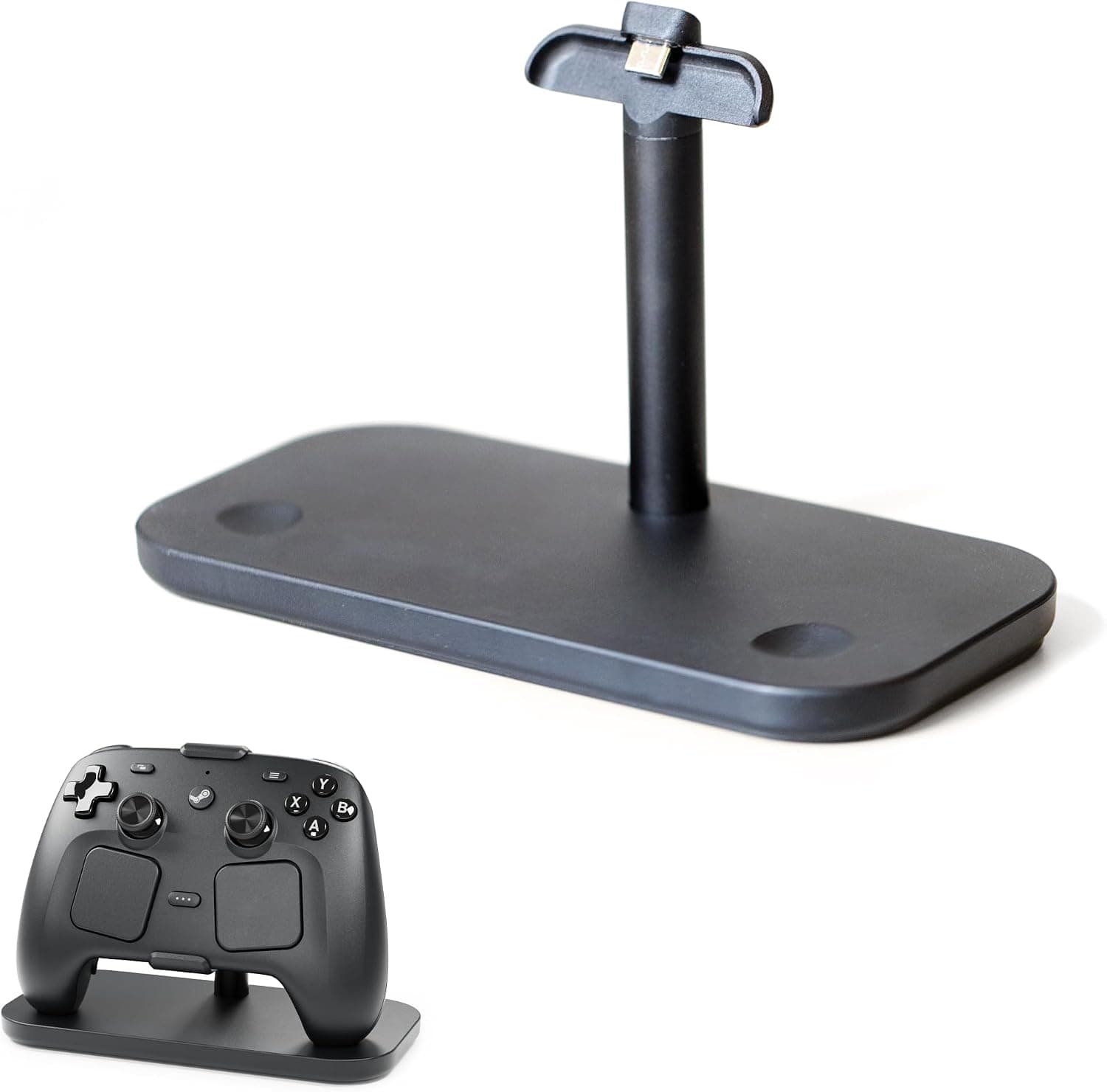
Sturdy, stable stand for the controller
Several reviewers say the weighted base keeps the stand from tipping when placing or removing the controller, and the controller sits upright and secure.
Unser Kauf-Fazit
Strong stand and puck fit, but one report of a misaligned puck slot
Buyers who want a weighted desktop stand that holds the Steam Controller's own charging puck upright and keeps it charged and ready to grab.
Buyers who need the controller to seat flush and correctly in the dock every time, given one report of a misaligned puck slot.
Die 30-Sekunden-Lektüre
Was Kunden gut finden
Several reviewers say the weighted base keeps the stand from tipping when placing or removing the controller, and the controller sits upright and secure.
Der wichtigste Vorbehalt
One reviewer found the puck sat unevenly and the controller did not sit right in the dock, despite otherwise liking the quality and packaging.
Bevor Sie sich entscheiden
The dock has no charging electronics of its own; it holds the magnetic puck that comes with the controller and uses the controller's USB-C cable.
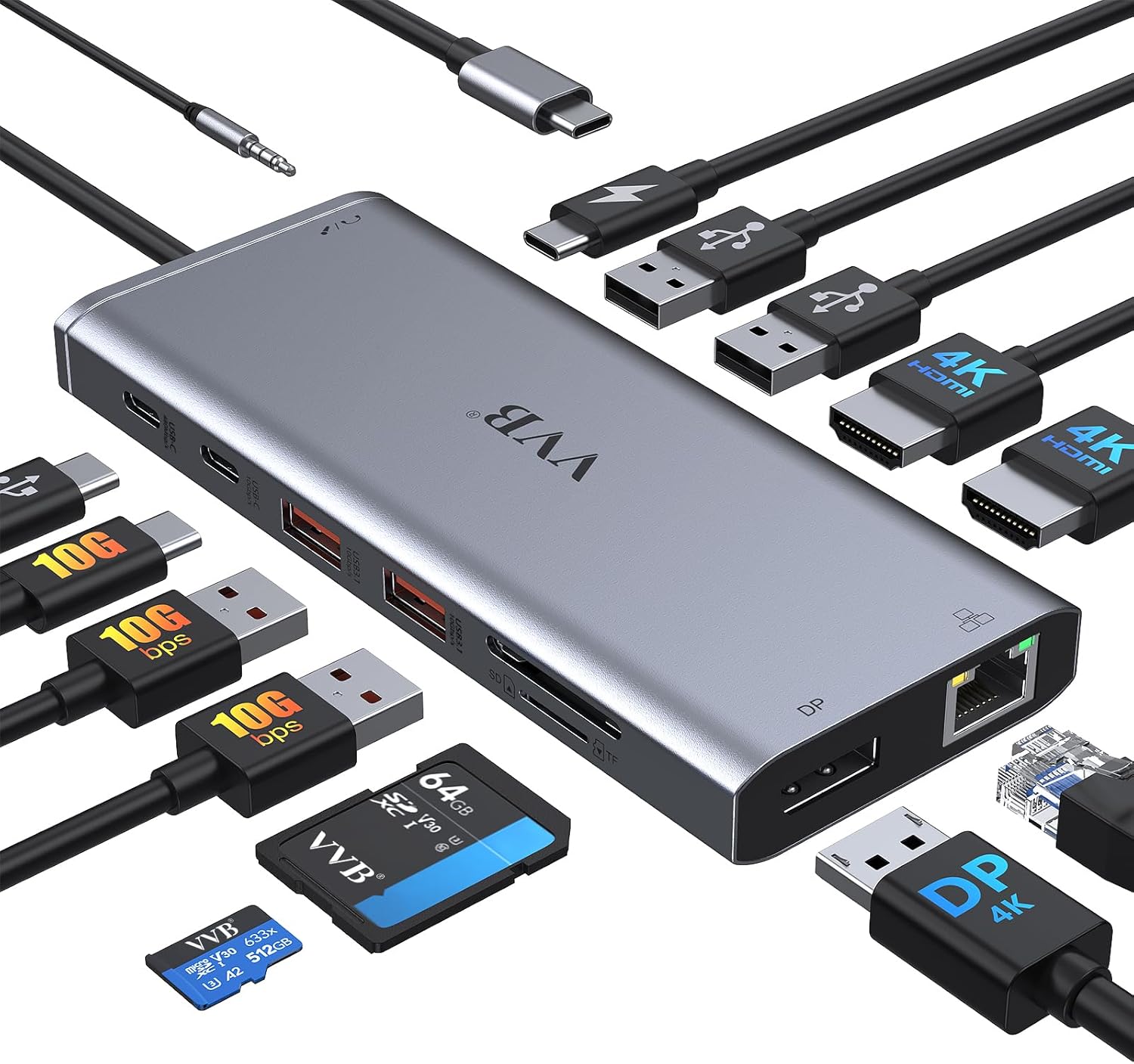
Von einem ähnlichen Produkt mit mehr Bewertungen in dieser Kategorie: USB C Laptop Docking Station Dual Monitor HDMI USB C Hub Multiport Adapter
Was Kunden gut finden
Reviewers value the wide port selection (HDMI, DisplayPort, VGA, Ethernet, SD, USB-A, headphone jack) and report it works reliably across Lenovo, HP, Microsoft, and Asus laptops, with some buying a second unit.
Der wichtigste Vorbehalt
Some users report the monitor going black when bumped, intermittent disconnects, or the internals sliding out of the case, and one Lenovo laptop would not boot while connected.
Bevor Sie sich entscheiden
Compatibility varies by laptop model, and some users note the dock gets warm or has a shorter cable, so confirm your specific setup and required ports before buying.
Beschreibung
Mechanism Grips & Accessories Bundle & Save Accessories Buying Options Gaming Pillow Bundles Buying Options Grab A Grip Buying Options 7-in-1 Bundle Buying Options Phone Controller Bundle Add to Cart Phone Console Bundle Add to Cart Customer Reviews 4.3 out of 5 stars 81 4.1 out of 5 stars 278 4.4 out of 5 stars 20 4.2 out of 5 stars 215 3.9 out of 5 stars 106 3.9 out of 5 stars 54 Price $11.99$11.99 $59.99$59.99 — $49.00$49.00 $29.00$29.00 $44.00$44.00 Designed in Oregon ✔ ✔ ✔ ✔ ✔ ✔ For Consoles ✔ ✔ ✔ ✔ ✘ ✔ For Controllers ✔ ✘ ✔ ✘ ✔ ✘ Easy to Install ✔ ✔ ✔ ✔ ✔ ✔ Unintrusive Design ✔ ✔ ✔ ✔ ✔ ✔
Vor- und Nachteile vergleichen
Eine zufällige Auswahl analysierter Produkte aus derselben Kategorie. Unterschiedliche Produkte sind nicht zwangsläufig austauschbar.
Belege prüfen
Einbezogen bedeutet nicht als authentisch bestätigt. Markiert bedeutet nicht als Fälschung nachgewiesen. Dies sind analytische Einordnungen.
3 veranschaulichende Auszüge werden angezeigt, nicht der gesamte Rezensionsbestand.
Finally, a Home for the Puck That Used to Dangle Off My Cable
“This is a charging dock for the new Steam Controller. It doesn't have its own charging electronics. Instead, it holds the magnetic charging puck that comes with the controller, and you plug the controller's USB-C cable into the back. Set the controller on the dock, the magnets grab it, and it charges standing up. That's honestly the best part. Out of the box, the puck just hangs off the end of a cable. Now it has a fixed spot, and the controller has a place to live on the desk instead of lying flat wherever I left it. Charging over USB-C gets props from me, and the cable runs out the back so it stays tidy. A cable isn't included, so use the one that came with the controller. The build feels premium. The neck is aluminum, the base is weighted, and small divots in the base line up the grips, so docking is quick. It works with or without a Mechanism Basegrip on the controller. There's one technique note. The puck magnets are strong and sit fairly high, so if you lift the controller straight up from the top, the dock can come along for the ride. Grabbing it from the lower half and tilting it off first keeps the base on the desk. It took a few tries to get used to. Overall, a sturdy, clean-looking dock that finally gives the puck a proper home. RECOMMENDED!”
Erkannte Signale: Konkretes Detail: entity, process · Liest sich wie eine authentische Stimme
Simple Desktop Stand to Keep Steam Controller Charged
“Priced at $39 at the time of my order, this steam controller provides a neat way to hold and charge the controller. Setting it up helps clear up clutter from the media center, keeping the controller upright and ready to grab instead of lying around on the desk. The plastic construction is lightweight and fairly standard for basic gaming mounts, meaning it does the job well enough without feeling overly heavy-duty. The base is plenty heavy though to keep it upright and in place. Overall, it is a straightforward and well made accessory for charging the steam controller.”
Erkannte Signale: Konkretes Detail: quantity, entity, scenario · Liest sich wie eine authentische Stimme
Awesome, but had quality issues.
“Super disappointed in this. For the most part the quality and packaging on this felt awesome. But as soon as I popped the puck in I noticed that one side was dropped a bit. I was willing to overlook it seeing that 99.9% of the time I would either not see it or not care. Then I set the controller down and it just doesn't quiet sit right in the dock and unless I squeeze the back of the controller against it(not hard or anything) it can start to intermittently connect. It's hard to tell from the pictures, but it's more noticeable in person.”
Erkannte Signale: Konkretes Detail: quantity, process · Liest sich wie eine authentische Stimme
Eine Sache weniger zu suchen
The dock is designed to hold the magnetic charging puck that comes with your Steam Controller 2 — you insert that puck into the dock, and your controller connects automatically when you set it down. If you're unsure what's in your controller box, double-check before ordering; many Reddit users flagged this as their biggest pre-purchase question, so you're in good company.
Yes — the dock supports the Steam Controller 2 with or without the Mechanism Basegrip attached, no extra accessory needed. That said, bulky third-party silicone skins may affect seating, so if you're using a non-Mechanism grip, it's worth a quick test-fit or reaching out to support before committing.
If you just want display, a $10 acrylic stand will do the job. What you're paying for here is the 325g weighted base (genuinely one-hand removable — TikTok reviewers love this), the 6061 aluminum neck, and proper magnetic charging integration. Desk-setup enthusiasts tend to feel the premium build justifies it; pure budget shoppers often don't.
Very sturdy. The substantial weighted base keeps it planted so you can lift your controller with one hand without dragging the whole stand — a detail reviewers consistently call out as a pleasant surprise. The compact footprint also means it won't dominate your desk despite the heft.
It's backed by a lifetime warranty, and standard return windows apply through the retailer. A few skeptical buyers have asked whether the lifetime warranty is actually honored — the short answer is yes, but keep your order confirmation handy. If you're on the fence, buying through a retailer with a clear return policy is the safest route.
Von einem ähnlichen Produkt mit mehr Bewertungen in dieser Kategorie: USB C Laptop Docking Station Dual Monitor HDMI USB C Hub Multiport Adapter
It is compatible with laptops that have a full-featured USB-C port supporting DisplayPort, charging, and data transfer, such as Thunderbolt 3/4/5 or USB-C 3.2 Gen 1/Gen 2 with Power Delivery and DisplayPort. Not all USB-C devices are compatible, and incompatible devices cannot use the HDMI, DP, or VGA ports.
It supports dual monitors and triple displays for Windows, with single HDMI 1 or DisplayPort up to 4K@60Hz and HDMI 2 up to 4K@30Hz. MacBook laptops only support the same image on external monitors.
Yes, it has a 100W USB-C Power Delivery port, but the safe power out is limited to 87W, and about 8W is allocated to the hub itself. A power charger and cable are not included, and at least a 65W adapter is recommended.
Experiences vary: one reviewer said it disconnects or does not work off and on and that the insides came apart, while another said bumping it can make the monitor go black for a second or two. Others reported it works well, including one who bought a second one.
One reviewer noted it gets a little warm, and the listing states the hub will heat up when it works, with 0℃–50℃ being the normal and reasonable range.
Die Antworten beschränken sich auf das Angebot des Herstellers und die von uns analysierten Rezensionen. Fragen, die diese Quellen nicht abdecken, werden hier nicht beantwortet.
Transparent von Grund auf