What people like
Adds ports and dual HDMI
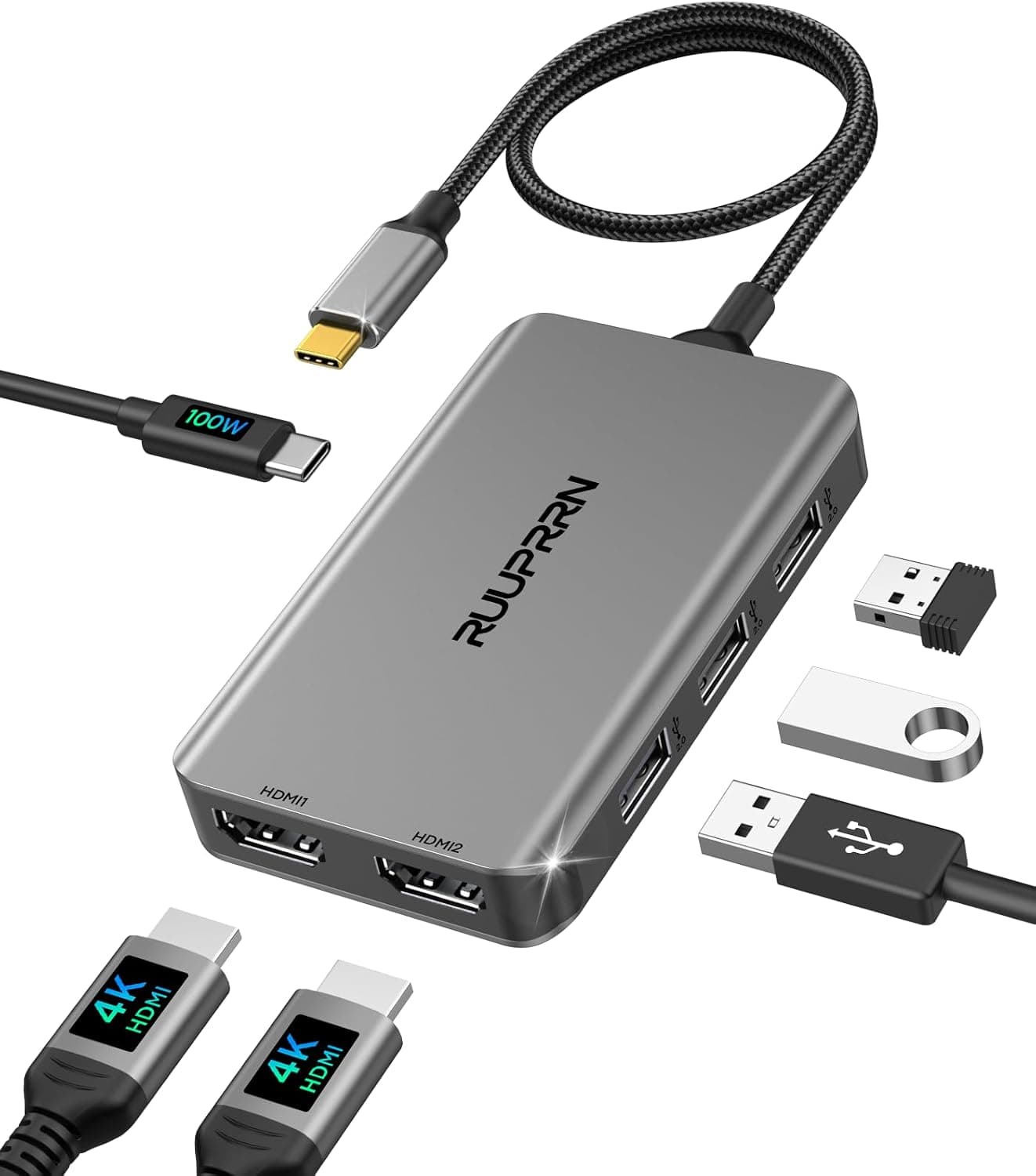
Several reviewers say the hub adds three USB-A ports and two HDMI outputs, with plug-and-play setup and a compact, lightweight build.
Our buying verdict
Several reviewers report easy plug-and-play port expansion, but two report 4K 60Hz display failures.
Buyers who mainly need extra USB-A ports and dual HDMI connections for everyday peripherals and lower-bandwidth displays.
Buyers who specifically need reliable 4K at 60Hz output from a laptop to an external display.
The 30-second read
What people like
Several reviewers say the hub adds three USB-A ports and two HDMI outputs, with plug-and-play setup and a compact, lightweight build.
The main watch-out
One reviewer reports the display output would not run 4K at 60Hz, dropping to 30Hz or 1080p; another reports HDMI port flickering and resolution problems.
Before you choose
One reviewer notes the USB-C charging pass-through reaches up to 85W depending on what your machine can provide, so check your laptop's power output.
From a similar, more-reviewed product in this category: USB C Laptop Docking Station Dual Monitor HDMI USB C Hub Multiport Adapter
What people like
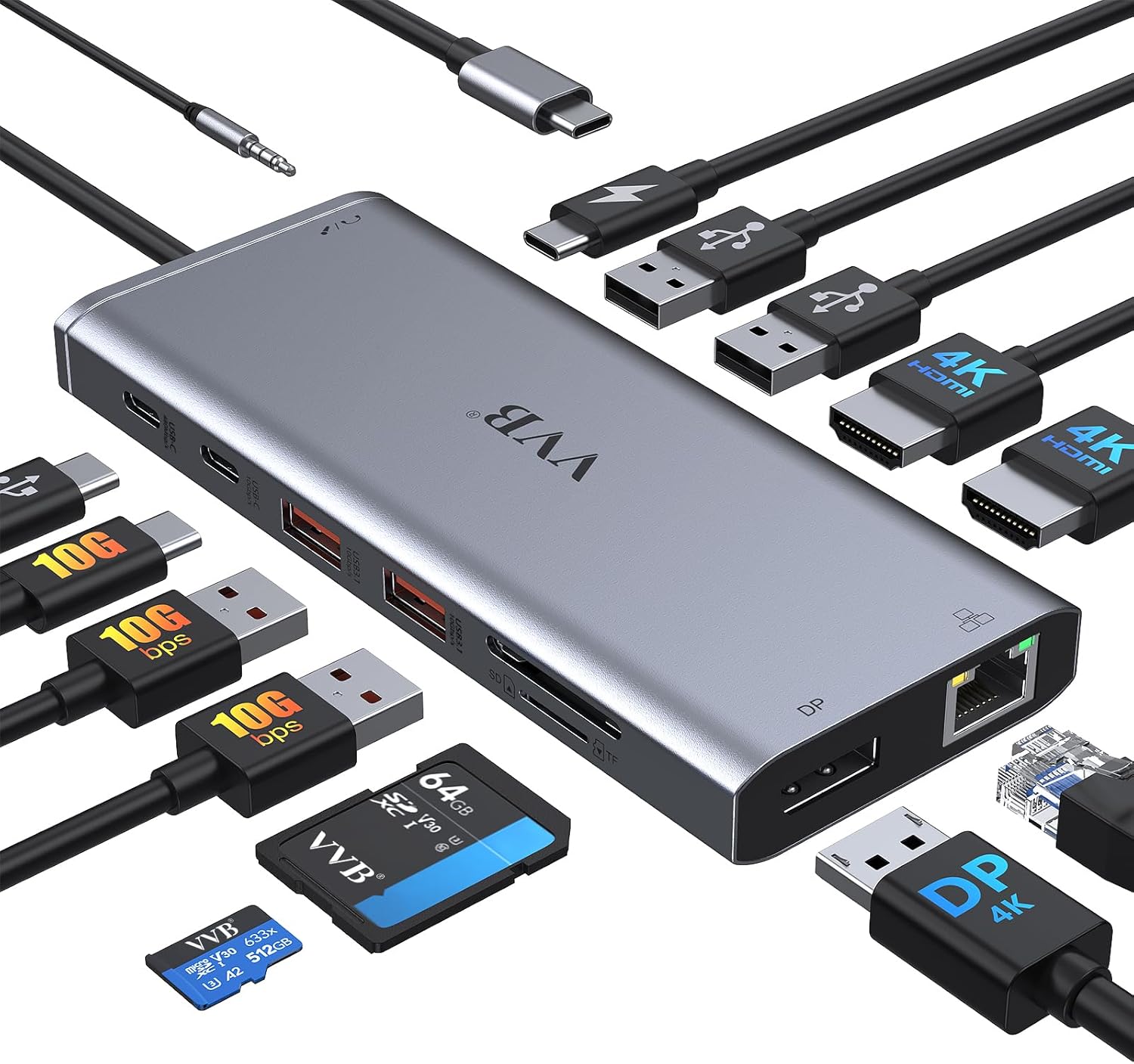
Reviewers value the wide port selection (HDMI, DisplayPort, VGA, Ethernet, SD, USB-A, headphone jack) and report it works reliably across Lenovo, HP, Microsoft, and Asus laptops, with some buying a second unit.
The main watch-out
Some users report the monitor going black when bumped, intermittent disconnects, or the internals sliding out of the case, and one Lenovo laptop would not boot while connected.
Before you choose
Compatibility varies by laptop model, and some users note the dock gets warm or has a shorter cable, so confirm your specific setup and required ports before buying.
Description
Mac os Modes 2 Windows Modes 3 Say goodbye to desk 4 480Mbps high speed 5 HDMI Resolution Previous page Next page 1 Check your equipment 2 Design professionals 3 Home Worker 4 Content Creater
Compare the trade-offs
A random selection of analyzed products from the same category. Different products are not necessarily interchangeable.

40B00135US Lenovo Thinkpad Docking Station USB C - 1 Year Warranty, Supports 4K Display, Thunderbolt 4 Dock with 135W Adapter, HDMI, DisplayPort, Thunderbolt Cables & Cloth - Lenovo Docking Station
USB C Laptop Docking Station Dual Monitor HDMI USB C Hub Multiport Adapter

SABRENT Docking Station for Asus ROG Ally, 6-Port USB Type-C, 4K@60Hz HDMI, 5Gbps USB Ports, Power Delivery, Compact Design for Gaming (DS-RA6P)
Check the evidence
Included does not mean verified authentic. Flagged does not mean proven fake. These are analytical classifications.
Showing 3 illustrative excerpts, not the complete review set.
So far so good... mostly. Updated
“Right out of the box I had an issue I've since been unable to recreate, so on one hand I hate mentioning it, on the other hand, well, that's the point of these reviews, right? To relay my experiences? First: It arrives and has "Make Life A little More Fun - Do More Enjoy More" printed on the box. This seems to be a trend with some of these Chinese brand electronics, to print odd sayings on the packaging. Whatever, doesn't affect the product, just made me think, 'geez what is this?' until I opened it. Second: Plugged power into the unit (87W adapter, MAC normally sees 86W) and plugged the USBC hub into my Mac. Mac showed it was getting 78W, so ~8W drop is not bad at all. Third: Plugged in an external backup drive and this USBC hub went dead--no power to the laptop, no binky lights on the hard drive. Unplugged everything, let it sit for a few minutes, and ever since it's been working fine. I moved the drive to all 3 USB ports, no further issues. Fourth: Popped a monitor into one of the HDMI ports, worked fine. Tested the other port, also fine. Other than that initial blip, it's been working ok. I wish it had an extra USBC port or two, but I knew it just had the one PD port when I ordered it so I didn't ding the score for my desires. Sale price of around $22 is reasonable assuming I can get some longevity out of it, if I find it craps out quickly I'll update this review and score. Updated: The PD feature in this adapter drops out when my Macbook goes to sleep, so if I want to keep the laptop charged overnight I've got to plug power directly into the laptop, bypassing this device. I've also had the adapter go non-responsive once more, requiring I reboot the Mac to get everything working again, not an issue I've had with previous similar products. I'm downgrading the score on this adapter.”
Signals matched: Specific detail: process · Reads as an authentic voice
Works as expected and the longer cord is appreciated
“This hub works as expected, and I don't have any real complaints. My favorite detail is the cord length. It's longer than most of my other dongle type adapters, which gives me more flexibility in where I place it. It's a small thing, but I appreciate having that extra room. The combination of two HDMI ports, three USB ports, and charging through the hub is useful for a basic desk setup. There are a few details in the specs worth paying attention to, though. The USB ports are USB 2.0, rated at 480Mbps, so they're better suited to things like a keyboard and mouse than transferring large files to a fast external drive. The advertised 100W charging refers to the input, with up to 90W listed for the laptop. A suitable charger is required separately. Also, check your computer's compatibility before getting this. Your USB C port needs to support video output. It works as the listing states - compatible Windows systems can extend across two separate external displays, while on a Mac, the two external monitors show the same content. The advertised 4K at 60Hz capability also depends on your connected equipment. At $26.99, the value seems reasonable for this combination of connections, especially if basic peripherals and display connections are what you need. It does what I need it to do, and the longer cord is a practical bonus.”
Signals matched: Specific detail: quantity, comparison, scenario · Reads as an authentic voice
Does not support 4K at 60Hz
“I got this specifically to ruin a 4K 60Hz display from my laptop and run a few low bandwidth peripherals and while the peripherals work fine, the display output does not support 4K at 60Hz. I ran ONLY that display and it would still not work. Windows turns it down to 30Hz and if I try and turn it to 60Hz it drops the display resolution down to 1080p. This is not a Windows nor a computer issue as my other USB-C hub happily runs a 4K 60Hz display even when also running a 1440p 144Hz display and a 2K 60Hz display from it without any issues. I think others reviewing this are not running a 4K 60Hz display and thus not running into this issue. If you run a display that is 1080p or lower you're fine, but this hub just does not support the bandwidth required for a 4K 60Hz display unfortunately. For basic stuff it's fine, but if you are purchasing this for what it's literally advertised for in the listing title, you're out of luck.”
Signals matched: Specific detail: quantity, entity, process · Reads as an authentic voice
One less thing to search
Great question — and it's the one we see most often. On **Windows**, the hub supports true dual-screen *extension* (MST), so you get two independent displays. On **macOS**, the limit is built into the OS: you can mirror both screens or extend to *one* additional display, but not two separate extended screens. Many Reddit and YouTube users flagged this, so if dual extended displays on a Mac are essential, a Thunderbolt dock is the better fit.
Your device's USB-C port must support **DisplayPort Alt Mode** (video output) — this is the make-or-break requirement. Most modern Windows laptops (Dell, HP, Lenovo, Surface, ASUS) and recent MacBooks qualify, but older or budget laptops and some phones may not. A quick check in your device specs for "DP Alt Mode" or "video output over USB-C" saves you a return. For full 4K@60Hz, your monitor and cable should also support HDMI 2.0 or higher.
Yes — the USB-C PD port passes through up to 100W, delivering roughly 90W to your laptop even with peripherals connected, which is plenty for most ultrabooks during long work sessions. Two things to note: your laptop's USB-C port must support Power Delivery, and you'll need your own **65W-or-higher** power adapter and cable (not included). A few users mention the hub runs warm under heavy load — that's normal for compact hubs, but ensure good ventilation.
The three USB-A ports are **USB 2.0 (480Mbps)** — perfectly fine for keyboards, mice, printers, and flash drives, but slower for large file transfers like 4K video. If you regularly move big files, a USB 3.0 hub may suit you better. Also note the attached cable is **30cm (about 1 ft)**; TikTok and review users often mention it's short for flexible desk layouts, so plan for a USB-C extension if you need more reach.
It's covered by a **1-year manufacturer warranty**, and standard retailer return policies apply if it's not the right fit — just confirm compatibility first to avoid hassle. This hub shines for **Windows office and home workers, students, and remote professionals** who want an affordable, plug-and-play way to add a second screen plus keyboard, mouse, and charging in one compact unit. It's less ideal for Mac users needing dual extended displays or creatives who depend on high-speed USB 3.0 transfers.
From a similar, more-reviewed product in this category: USB C Laptop Docking Station Dual Monitor HDMI USB C Hub Multiport Adapter
It is compatible with laptops that have a full-featured USB-C port supporting DisplayPort, charging, and data transfer, such as Thunderbolt 3/4/5 or USB-C 3.2 Gen 1/Gen 2 with Power Delivery and DisplayPort. Not all USB-C devices are compatible, and incompatible devices cannot use the HDMI, DP, or VGA ports.
It supports dual monitors and triple displays for Windows, with single HDMI 1 or DisplayPort up to 4K@60Hz and HDMI 2 up to 4K@30Hz. MacBook laptops only support the same image on external monitors.
Yes, it has a 100W USB-C Power Delivery port, but the safe power out is limited to 87W, and about 8W is allocated to the hub itself. A power charger and cable are not included, and at least a 65W adapter is recommended.
Experiences vary: one reviewer said it disconnects or does not work off and on and that the insides came apart, while another said bumping it can make the monitor go black for a second or two. Others reported it works well, including one who bought a second one.
One reviewer noted it gets a little warm, and the listing states the hub will heat up when it works, with 0℃–50℃ being the normal and reasonable range.
Answers are limited to the manufacturer's listing and the reviews we analysed. Questions those sources cannot support are not answered here.
Transparent by design