What people like
Strong picture quality and ultrawide gaming
Several reviewers praise the vibrant colors, deep blacks, and crisp resolution, and say the extra ultrawide screen space improves gaming.
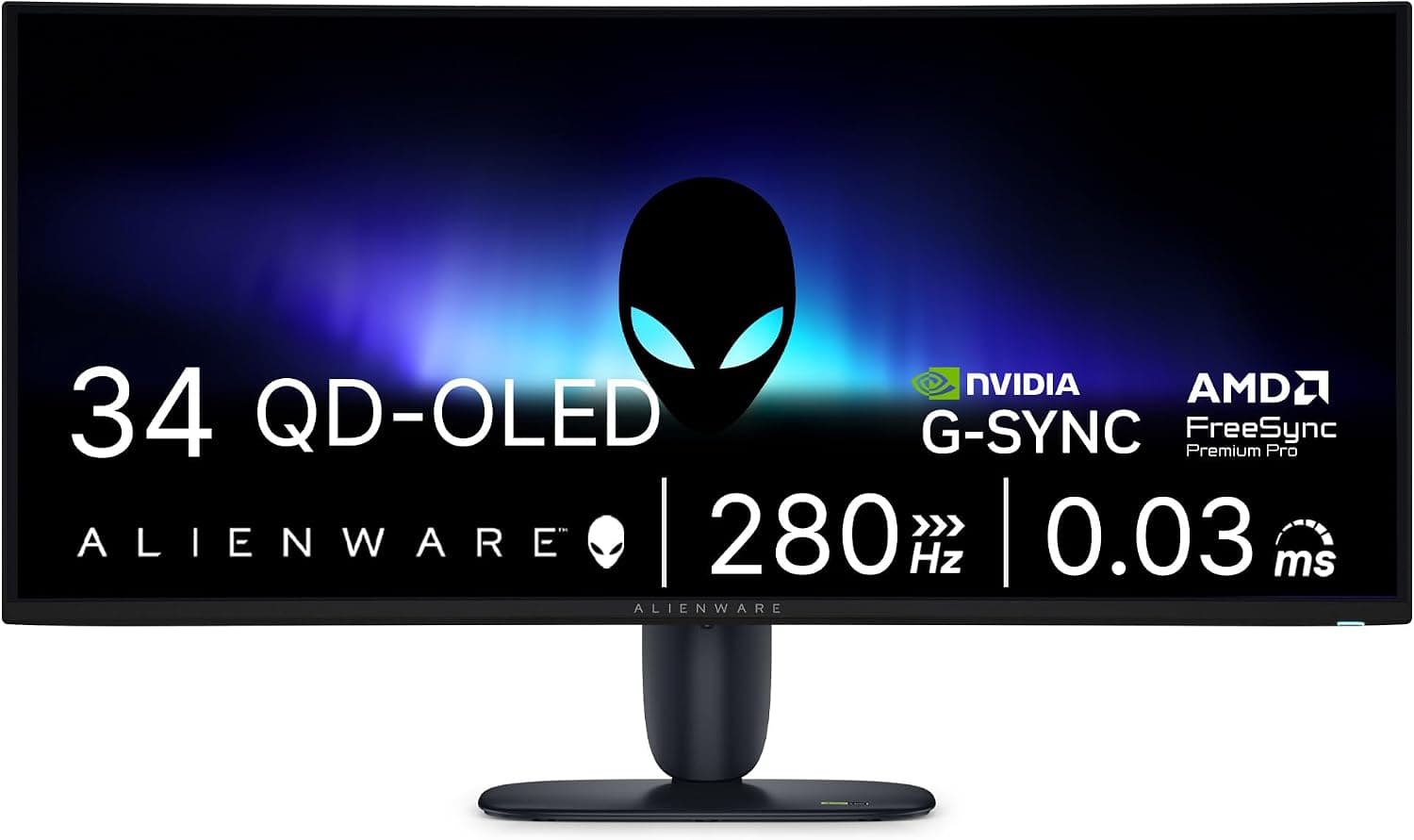
Our buying verdict
Reviewers praise picture quality and ultrawide gaming, but some report flickering or a cloudy color cast.
Gamers who want an ultrawide OLED monitor for immersive play and everyday use, and who value extra screen space over guaranteed uniformity.
Buyers who need flicker-free variable refresh performance or consistently accurate colors without a cloudy cast.
The 30-second read
What people like
Several reviewers praise the vibrant colors, deep blacks, and crisp resolution, and say the extra ultrawide screen space improves gaming.
The main watch-out
One reviewer saw a white film or cloudiness on colors, and another reported mild flickering and light banding with VRR.
Before you choose
One reviewer notes the extra viewable area benefits games like DOTA, Dyson Sphere Program, and Project Zomboid, but not all games may use it.
From a similar, more-reviewed product in this category: KOORUI 24 Inch Gaming Monitor, 180Hz 1080P VA Display with 3000:1 Contrast
What people like
Several reviewers describe the monitor as a strong budget purchase, citing impressive specs for the money and satisfaction with gaming use.
The main watch-out
Several reviewers report the monitor failing or coming apart after months to a couple of years, including a dead screen and a failing power cord.
Before you choose
Two reviewers note that setup benefits from adjusting settings in your GPU software, including color, brightness, and VRR.
Description
Dive into ultrawide immersion with the AW3426DW, featuring QD-OLED Penta Tandem™ technology and RGB stripe subpixels for vibrant, true-to-life colour performance.
Compare the trade-offs
A random selection of analyzed products from the same category. Different products are not necessarily interchangeable.

ForHelp 15.6inch Portable Monitor,1080P USB-C HDMI Second External Monitor for Laptop,PC,Mac Phone,PS,Xbox,Swich,IPS Ultra-Thin Zero Frame Gaming Display/Premium Smart Cover

Samsung 27" Odyssey G5 (G51F) Gaming Monitor - QHD (1440P), 180Hz, 1ms, AMD FreeSync, HDR10, Height Adjustable Stand, Black Equalizer, Virtual Aim Point, Auto Source Switch+, LS27FG512ENXZA
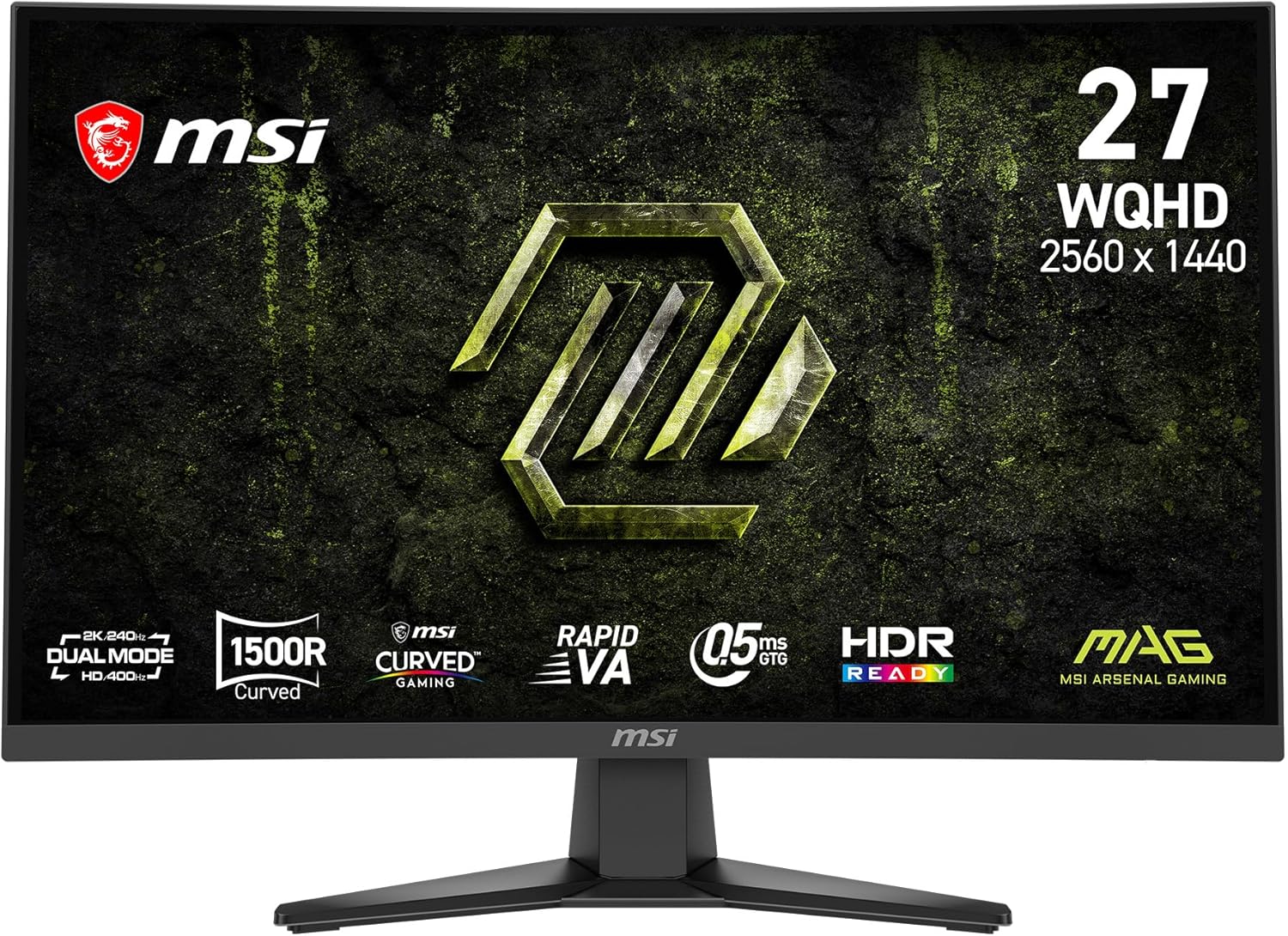
msi MAG 275CQDF X24 27-inch 2560 x 1440 (QHD) Gaming Monitor, AMD FreeSync Premium, Dual Mode with WQHD 240Hz and HD 400Hz, HDR Ready, HDMI, VESA, Tilt, 0.5ms, Black
Check the evidence
Included does not mean verified authentic. Flagged does not mean proven fake. These are analytical classifications.
Showing 3 illustrative excerpts, not the complete review set.
21:9 gaming is much better than 16:9 gaming
“I play all different types of games, but the extra viewable area in DOTA when using ultrawide is what really sold me on going for the UHD. the upgrade has been amazing, and the extra screen space has also been a noticeable gaming upgrade for games like Dyson Sphere Program and Project Zomboid. I am a bit concerned that it's making me more prone to motion sickness in FPS games, but could be I'm just getting older. hard to know for sure. the curve felt weird the first few days, but now it feels totally normal. the extra space also a HUGE upgrade for spreadsheets and multi-window productivity work. It is a lot of pixels, so make sure you have a powerful enough GPU. I've had to reduce settings on a few games after upgrading to this screen from a 16:9 1440p...so now I'm shopping for a new GPU which is very painful. Regardless, it's an amazing looking screen and the ultrawide is a noticeable upgrade in many games I've tried already.”
Signals matched: Specific detail: comparison, scenario, entity · Reads as an authentic voice
I love this thing
“This thing is a beast. I was leaning towards an MSI one, same panel same everything, but I grabbed this one because it was on sale for $170 off or so, and because the plugs don't show. The MSI one has horrible cable placement. Everything looks great and it's an amazing thing for the price. I love the size and I was actually really surprised but how nice the stand that it came with was. Everything about this is great and I honestly only have one complaint that was EASILY dealt with. It's nice and bright but can go nice and dim. Holy crap, the black colors on this are just so deep, with no purple glow. It prompts you to install some Alienware software, like a week into using it. Press the 3 dots and change your preferences, and it never happens again. Some people said it autoinstalled - that's just not true, you pressed something for sure. Also be sure to use only the wipe it comes with.”
Signals matched: Specific detail: entity, quantity, comparison · Reads as an authentic voice
Great Ultrawide Monitor for Gaming and Everyday Use
“I bought this Alienware 34-inch QD-OLED for my main gaming PC, and I've been really happy with it. The picture quality is what stands out the most. The colors look great, the blacks are deep, and games look fantastic on the ultrawide screen. The 280Hz refresh rate is also a nice bonus, especially for games that can take advantage of it. I also use my PC for everyday stuff, so having the extra screen space is really convenient when working with multiple windows. It's definitely not a cheap monitor, but I'm happy with my purchase. If you're looking for a 34-inch ultrawide OLED for gaming, this one is worth considering.”
Signals matched: Specific detail: entity, quantity, scenario · Reads as an authentic voice
One less thing to search
This is one of the most common questions on Reddit and YouTube, and the good news is the AW3426DW's new RGB stripe subpixel layout was specifically engineered to sharpen text clarity compared to earlier QD-OLED panels. Most users report it's perfectly comfortable for spreadsheets, documents, and coding. That said, if you're a pixel-perfectionist doing fine print work all day, it's worth seeing one in person — but for mixed work-and-play setups, it holds up well.
Great catch — this confuses a lot of shoppers. The 300-nit figure refers to typical full-screen SDR brightness, while 1300 nits is peak brightness in HDR highlights (small areas of the screen). This is normal OLED behavior: full-screen brightness is intentionally limited to protect the panel, while HDR specular highlights hit much higher. In practice, HDR content in Dolby Vision looks stunning, and SDR is bright enough for most rooms — just don't expect a uniformly blazing 1300 nits across the whole screen.
Yes — and this is genuinely one of the monitor's strongest selling points. Dell's 3-Year Advanced Exchange Service explicitly includes OLED burn-in coverage, plus Premium Panel Exchange. Many TikTok and Reddit users cite this as the reason they felt safe buying OLED at all. As with any warranty, normal wear terms apply, but burn-in is not excluded the way it is on many competitor panels — a real peace-of-mind differentiator.
For full 280Hz at UWQHD, you'll want a modern GPU (think RTX 40-series or RX 7000-series class) and to connect via the included DisplayPort 1.4 cable — that's the most reliable path to max refresh rate. HDMI 2.1 works well too, but check your GPU's bandwidth. If you're on older hardware, you'll still get a great experience at lower refresh rates; the 0.03ms response and G-SYNC/FreeSync support keep motion buttery regardless. Just temper expectations if you're not running a high-end card.
Two concerns we hear often, so let's tackle both. On the matte finish: it does slightly soften that "glossy pop" some dark-room cinephiles crave, but it dramatically reduces reflections — most users find it a fair trade, especially in bright rooms. On the curve and size: the 1800R curve and 34" width take roughly a week to feel natural, and you'll want at least 30 inches of desk depth. Measure your desk before ordering — a few buyers wish they had. Once adjusted, most describe the immersion as "worth it."
From a similar, more-reviewed product in this category: KOORUI 24 Inch Gaming Monitor, 180Hz 1080P VA Display with 3000:1 Contrast
Yes — it's a native 180Hz panel, but you'll need to switch it on manually. Connect via the included HDMI cable (or a DisplayPort-capable setup), then set 180Hz in your GPU's display settings; it defaults to a lower refresh rate out of the box. Many Reddit and YouTube users note that enabling Adaptive Sync/FreeSync alongside it gives the smoothest experience, and it works with both AMD and NVIDIA cards.
The 3000:1 contrast gives noticeably deeper blacks than typical IPS budget monitors, which shines in dark game scenes and movies. For fast-paced competitive shooters, some TikTok and Reddit users mention mild ghosting/smearing in dark transitions — it's great for casual gaming, students, and office work, but color-critical creators or hardcore FPS players may prefer an IPS panel.
Correct, the included stand only tilts (-5° to 20°) and doesn't offer height, swivel, or pivot adjustment, and a few users find the base slightly wobbly. The good news: it's VESA 100×100mm compatible, so a monitor arm or desk mount solves ergonomics entirely — a popular fix among dual-monitor and dorm-room setups.
Budget monitors can vary unit to unit, and some buyers report stuck pixels or corner bleed — but KOORUI backs it with a 3-year manufacturer warranty. If your unit arrives defective, contact the seller for a replacement or refund promptly; most users who did so report a smooth resolution, so inspect the screen within the return window.
At around $120, it's widely praised as one of the best budget 180Hz options — ideal for students, casual gamers, home-office users, and compact or dual-monitor setups. Just set expectations: no built-in speakers, a single HDMI plus VGA, and basic ergonomics. If you need height adjustment, color accuracy, or built-in audio, consider spending more on an IPS alternative.
Answers are limited to the manufacturer's listing and the reviews we analysed. Questions those sources cannot support are not answered here.
Transparent by design