What people like
Smooth, high-contrast OLED gaming
Several reviewers praise the OLED picture, deep blacks, vibrant colors, and smooth 240Hz motion for gaming.
Our buying verdict
Reviewers praise smooth, high-contrast gaming, but several report the screen surface is hard to clean without streaks.
Buyers who want a high-refresh OLED monitor for smooth, high-contrast gaming and who can accept careful screen cleaning.
Buyers who need a screen surface that stays clean easily or who expect strong built-in audio.
The 30-second read
What people like
Several reviewers praise the OLED picture, deep blacks, vibrant colors, and smooth 240Hz motion for gaming.
The main watch-out
Two reviewers report the surface is very difficult to clean, with one saying cleaning left permanent streaks and smudges.
Before you choose
One reviewer found VESA mount installation difficult and briefly thought the monitor was incompatible with their mount.
From a similar, more-reviewed product in this category: KOORUI 24 Inch Gaming Monitor, 180Hz 1080P VA Display with 3000:1 Contrast
What people like
Several reviewers describe the monitor as a strong budget purchase, citing impressive specs for the money and satisfaction with gaming use.
The main watch-out
Several reviewers report the monitor failing or coming apart after months to a couple of years, including a dead screen and a failing power cord.
Before you choose
Two reviewers note that setup benefits from adjusting settings in your GPU software, including color, brightness, and VRR.
Description
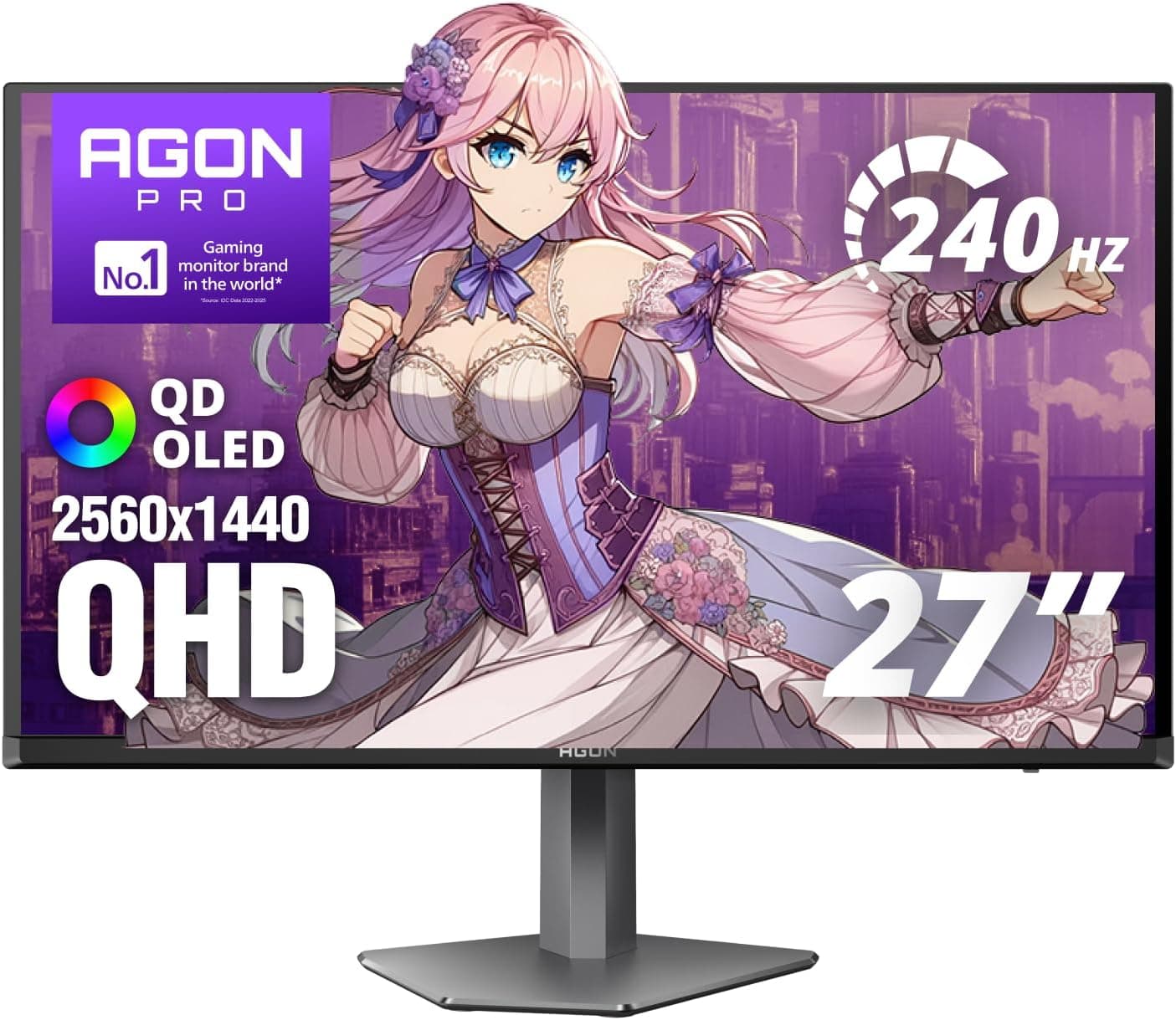
Get into the world of E-Sports and become the next legend with the AGON PRO AG276QZD2 27-inch class OLED gaming monitor, equipped with all the features you need to claim victory as the next legend. Its QHD 2460x1440 resolution, OLED display panel offers superb picture quality and sharp imagery to show even the finest details. Experience unbeatable speed with its hyper-responsive 240Hz up to 280Hz refresh rate and blazing-fast 0.03ms (GTG) response time ensure unparalleled smoothness and fluidity to your games, eliminating ghosting and motion-blur. With G-Sync, you’ll get the most fluid, tear-free gaming experience at its highest performance no matter what GPU you use. This ensures that you’ll always get a high refresh rate, as well as low framerate compensation, for the most smooth gaming possible. With the latest HDR10 technology, colors are more accurate than ever before with greater depth, nuance, and vibrancy. The convenient, all-in-one software AOC G-MENU lets you customize your AGON PRO monitor’s performance, create custom gaming profiles for quick switching, adjust RGB brightness, change Light FX, sync AGON devices and peripherals, and more.
Compare the trade-offs
A random selection of analyzed products from the same category. Different products are not necessarily interchangeable.

SAMSUNG LC24F390FHNXZA 24-inch Curved LED FHD 1080p Gaming Monitor (Super Slim Design), 60Hz Refresh Rate w/AMD FreeSync Game Mode

KTC 24 inch Gaming Monitor QHD 180Hz, Fast IPS 1440p Computer Monitor, Up to 185Hz, 1ms, G-Sync/FreeSync, HDR400, Height Adjustable, 2 x HDMI, 1 x DP H24T7
Acer Monitor 21.5-inch (Renewed)
Check the evidence
Included does not mean verified authentic. Flagged does not mean proven fake. These are analytical classifications.
Showing 3 illustrative excerpts, not the complete review set.
Glass canon: Great gaming experience, but too many downsides
“Pros: - Great gaming performance for the big discount of the time. - No noticeable burnin so far (over 1000 hours of use). - Uses the DDC protocol (makes it easy to control brightness from the PC without messing with the clunky interface of the monitor). Cons: - Surface is very difficult to clean. Seriously it's really bad. - Subpixel layout sucks for text rendering. - Slight magenta tint instead of true blacks (pretty sure all QD-OLED displays have this issue). - Annoying maintainance cycle with a blinking bright light you can't disable (I covered it with black electrical tape). - Extremely fragile: My brother had the same monitor, but the slightest ding (super gentle tap) ruined the panel. - No repair options for the panel. Overall, I don't recommend it because the cons outweigh the pros, but I have to admit the gaming experience is excellent.”
Signals matched: Specific detail: quantity, process · Reads as an authentic voice
True Instant Response, Rich QD-OLED Contrast
“Coming from high-refresh IPS panels, the jump to this 240Hz QD-OLED panel eliminates motion blur and ghosting entirely. The near-instant 0.03ms pixel response keeps fast camera pans sharp and readable in competitive shooters, while G-Sync compatibility handles variable frame rates without micro-stutter or tearing. Contrast is where the display stands out. With per-pixel dimming and VESA DisplayHDR True Black 400 certification, shadow details stay legible in dark game environments without backlight bleed or gray haze. The semi-gloss coating preserves deep blacks in dim setups, and the compact stand footprint leaves plenty of desk clearance for low-DPI mouse swipes. Note that 240Hz requires DisplayPort 1.4, as the onboard HDMI 2.0 ports cap at 144Hz.”
Signals matched: Specific detail: quantity, entity, comparison, process · Reads as an authentic voice
Impossible to clean without permanent streaks
“It's an okay budget pick for the specs, but it suffers from some problems. This thing has needed more cleaning in the little bit I've had it than either of the two monitors that I have had for years. Not to mention I tried using glass cleaner that's not supposed to streak, and yet it's now got permanent smears and smudges from a single cleaning session. Furthermore it constantly gets these little dots on the surface, hence the constant cleaning, and I know it's not from me talking or anything like that since I've never had them on any of the other monitors I have even though I've had them for years! I was planning on buying 2 more to have all my monitors be the same size and brand, but I cannot in good faith recommend this monitor to anyone.”
Signals matched: Specific detail: comparison, process · Reads as an authentic voice
One less thing to search
It's built for gaming first. The QD-OLED panel delivers gorgeous color and contrast, but many Reddit and YouTube users note that small text can show slight color fringing due to the subpixel layout. If you split time between spreadsheets and shooters, it's workable — but if you're coding or writing eight hours a day, an IPS panel may be gentler on the eyes.
It's the most common pre-purchase question, and the honest answer is: yes, OLED panels can retain static images over long periods. AOC includes OLED care features, and most users gaming a few hours a day report no issues — but if you leave a static desktop up for 10+ hours daily, consider a Mini-LED alternative for peace of mind.
You'll want a reasonably modern GPU to hit high frame rates at 2560x1440 — mid-to-high-tier cards from the last few generations are the sweet spot. G-Sync compatibility means smooth, tear-free play across NVIDIA and AMD setups, and the 280Hz overclock is a nice bonus for competitive titles. If you're on older hardware, expect to tune settings rather than max everything out.
The panel itself feels premium, with a three-sided thin bezel and solid height/tilt/pivot adjustment. Two things users consistently flag: the downward-facing ports are fiddly to reach, and the built-in speakers are tinny — fine for a quick video, not for real gaming audio. Plan on a headset or soundbar, and consider a VESA arm if desk space is tight.
For pure gaming, most reviewers call it one of the best value QD-OLEDs in its class — you're getting 240Hz, 0.03ms response, HDR True Black, and excellent color coverage without flagship pricing. Where it falls short is as an all-rounder: if you need a bigger screen, better speakers, or heavy productivity use, it may not be the best fit. Gamers who buy it *as a gaming monitor* tend to be the happiest owners.
From a similar, more-reviewed product in this category: KOORUI 24 Inch Gaming Monitor, 180Hz 1080P VA Display with 3000:1 Contrast
Yes — it's a native 180Hz panel, but you'll need to switch it on manually. Connect via the included HDMI cable (or a DisplayPort-capable setup), then set 180Hz in your GPU's display settings; it defaults to a lower refresh rate out of the box. Many Reddit and YouTube users note that enabling Adaptive Sync/FreeSync alongside it gives the smoothest experience, and it works with both AMD and NVIDIA cards.
The 3000:1 contrast gives noticeably deeper blacks than typical IPS budget monitors, which shines in dark game scenes and movies. For fast-paced competitive shooters, some TikTok and Reddit users mention mild ghosting/smearing in dark transitions — it's great for casual gaming, students, and office work, but color-critical creators or hardcore FPS players may prefer an IPS panel.
Correct, the included stand only tilts (-5° to 20°) and doesn't offer height, swivel, or pivot adjustment, and a few users find the base slightly wobbly. The good news: it's VESA 100×100mm compatible, so a monitor arm or desk mount solves ergonomics entirely — a popular fix among dual-monitor and dorm-room setups.
Budget monitors can vary unit to unit, and some buyers report stuck pixels or corner bleed — but KOORUI backs it with a 3-year manufacturer warranty. If your unit arrives defective, contact the seller for a replacement or refund promptly; most users who did so report a smooth resolution, so inspect the screen within the return window.
At around $120, it's widely praised as one of the best budget 180Hz options — ideal for students, casual gamers, home-office users, and compact or dual-monitor setups. Just set expectations: no built-in speakers, a single HDMI plus VGA, and basic ergonomics. If you need height adjustment, color accuracy, or built-in audio, consider spending more on an IPS alternative.
Answers are limited to the manufacturer's listing and the reviews we analysed. Questions those sources cannot support are not answered here.
Transparent by design