What people like
Portable, sturdy, and easy to use
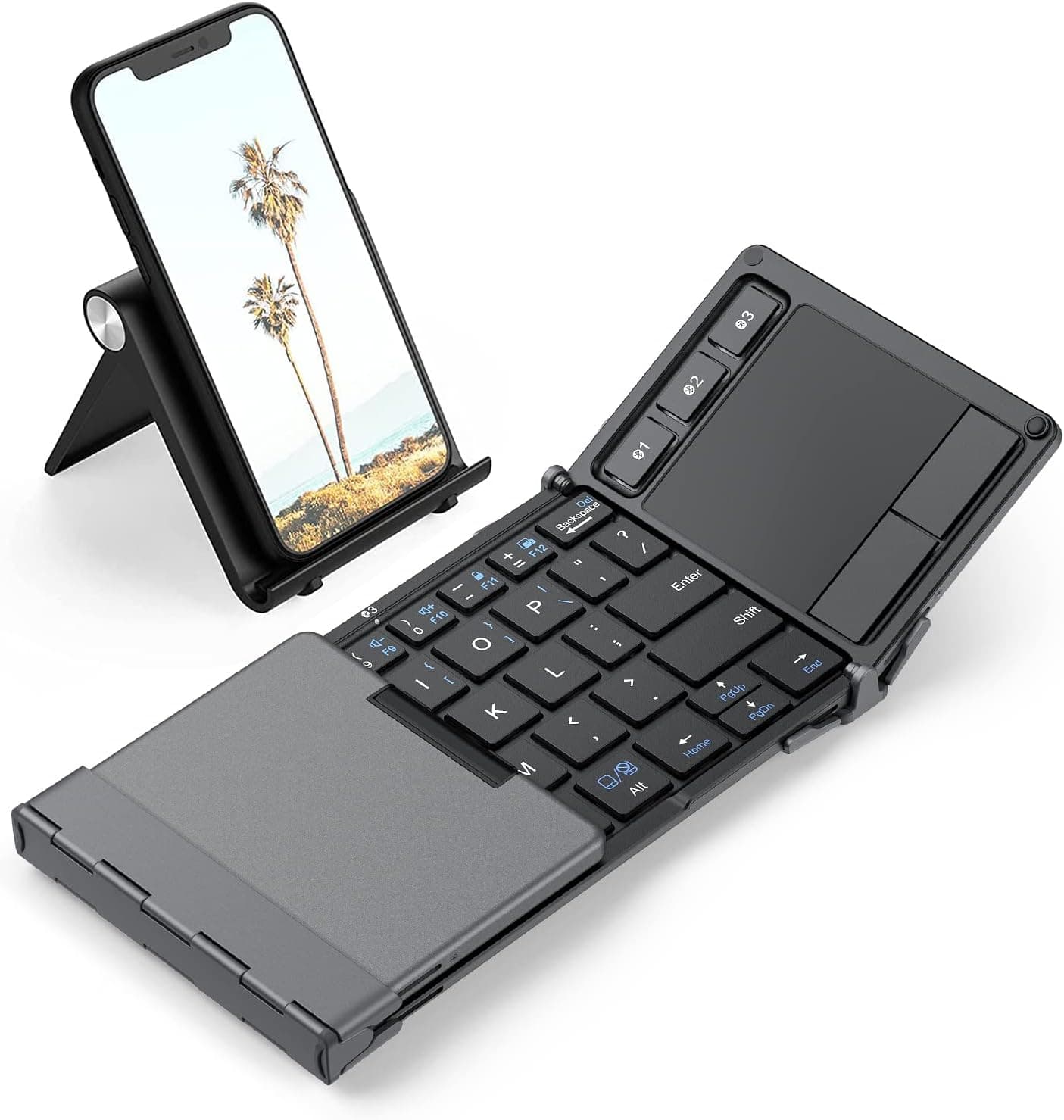
Reviewers consistently praise the keyboard's compact foldable design, solid build quality, and reliable everyday performance. Many also highlight smooth multi-device switching and long battery life.
The 30-second read
What people like
Reviewers consistently praise the keyboard's compact foldable design, solid build quality, and reliable everyday performance. Many also highlight smooth multi-device switching and long battery life.
The main watch-out
One reviewer reported that the touchpad did not work and that the seller did not respond to multiple requests for help. This suggests a potential risk with touchpad reliability and after-sale support.
Before you choose
The keyboard works across many devices and operating systems, but one user found it inconvenient for a specific phone model. Consider whether you need the touchpad and confirm compatibility with your intended devices.
From a similar, more-reviewed product in this category: Razer Joro Wireless Gaming Keyboard, Portable Compact 75%, Low Profile Keys
What people like
Reviewers praise the solid build, responsive scissor keys, and stable wired and Bluetooth connections.
The main watch-out
One reviewer reports the keyboard sleeps after 5-10 minutes idle, so the first keys typed are missed; battery life without lights is also a concern.
Before you choose
Synapse software needs broad input permissions, and there's no SteamOS version, limiting Fn-lock and key customization on some setups.
Your use case first
27 of 293 mentions describe a negative experience (9%).
16 of 145 mentions describe a negative experience (11%).
33 of 140 mentions describe a negative experience (24%).
171 of 492 mentions describe a negative experience (35%).
116 of 328 mentions describe a negative experience (35%).
108 of 303 mentions describe a negative experience (36%).
68 of 226 mentions describe a negative experience (30%).
53 of 152 mentions describe a negative experience (35%).
One review can mention several topics. Percentages describe the reviews we analysed, not all buyers or the product's overall failure rate.
From a similar, more-reviewed product in this category: Razer Joro Wireless Gaming Keyboard, Portable Compact 75%, Low Profile Keys
9 of 35 mentions describe a negative experience (26%).
2 of 13 mentions describe a negative experience (15%).
2 of 11 mentions describe a negative experience (18%).
0 of 8 mentions describe a negative experience (0%).
4 of 13 mentions describe a negative experience (31%).
5 of 12 mentions describe a negative experience (42%).
5 of 11 mentions describe a negative experience (45%).
9 of 11 mentions describe a negative experience (82%).
Compare the trade-offs
A random selection of analyzed products from the same category. Different products are not necessarily interchangeable.
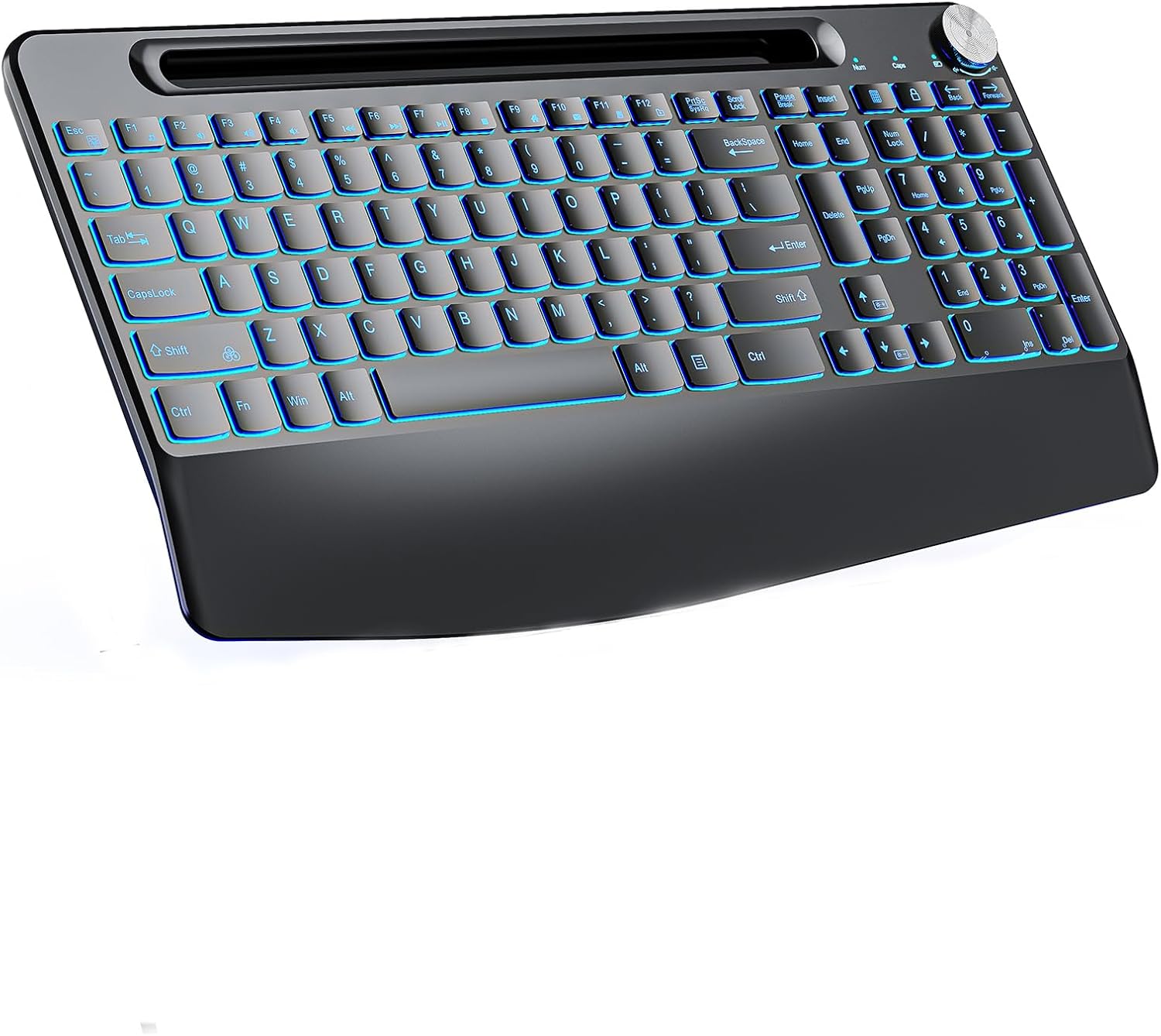
JOMAA 2.4G Wireless Silent Keyboard, Rechargeable,with 7 Colored Backlits &Phone Holder &Wrist Rest,Lighted up Full Size Keyboard for Mac Windows Laptop PC

ProtoArc XK01 TP Foldable Keyboard with Touchpad, 0.65 in Keycaps, Black | Multi-touch Trackpad, 88-key, Full Shortcut Row, 3-device Bluetooth 5.1 Switching, USB-C Charging for Mobile Productivity

MONSGEEK FUN60 Ultra Rapid Trigger Gaming Keyboard 8k Magnetic Switch TMR Aluminum Wired Keyboard 60% White Shine-Through MagMech, Glare Magnetic Switch
Check the evidence
Included does not mean verified authentic. Flagged does not mean proven fake. These are analytical classifications.
Showing 3 illustrative excerpts, not the complete review set.
Killer Product for the Mobile Office Work Crowd
“Ever try to use a laptop at a crowded airport bar during a flight delay? Or on an airplane with increasingly shrinking seat space? Now you don't have to. Remember the netbook craze where you ended up with a very underpowered laptop and low resolution screen? They call those mini/micro-laptops now and they are still underpowered with low res screens. Wireless keyboards aren't new, and portable bluetooth keyboards seem to be a dime a dozen... So what does the iClever BK08 offer that the countless other pocket bluetooth keyboards don't? True productivity in a pocket form factor. If paired with a screen that can display full-sized apps then you might have a real-deal laptop replacement. I am tired of lugging my laptop around, or having to keep a car nearby just to hold my computer and accessories in case I need to do work. Don't even get me started on a "lapdock" for a smartphone that has all the form factor drawbacks to a laptop with none of the processing horsepower. After getting fed up with my trusty but slightly flawed smartphone after a 10 minute unexpected work task took 30, I decided to upgrade to a folding phone so I could do no-kidding office work on my phone and display the level of detail I needed. After about a week I knew I was keeping the phone, but the onscreen keyboard was doing quirky things here and there I wasn't quite appreciating. For short periods of time it was fine, but if I wanted to do real productivity work the onscreen keyboard wasn't going to do. So I decided I needed a separate keyboard that was ultra-portable. After an hour of hour of looking around on Amazon, there was only one real option for me. The iClever BK08 had a touchpad with two physical buttons. Click and drag with one hand? Check. Right click for a context menu? Check. Right shift key? Check. All the keys you'd expect to have (Ctrl, Alt, Tab, F1-F12, etc)? Check. Being able to do office work productively anywhere without lugging around a tech pack? Check. And that's priceless. The keyboard was a little bigger than I was hoping for. After all this is a keyboard I bought to fold and go in a pant pocket. But after a couple of times actually walking around with it and unfolding it at a bar during happy hour (or on a random concrete pillar to type something out before I got distracted and forgot) the size of the keyboard actually became an advantage. One thing I noticed after only a couple of uses was that my typing speed was about the same as when using my laptop. On a lark I actually laid the iClever keyboard down by my laptop keyboard (coincidentally where the trackpad sits) and it has a typing surface that is about the same size. Not bad for something that fits in a pocket. I live in a walkable community, and one of the things that is going to be right next to my keys for when I am on the go is this keyboard. Definitely a game changer. Match this keyboard up with the right smartphone (and maybe a cheap, lightweight phone stand) and you have laptop replacement that bypasses the tablet device class altogether. You can use this with any device that accepts bluetooth keyboards, though, including tablets. For context I have included photos of the iClever BK08 keyboard placed by a foldable smartphone with unfolded screen, a tablet, and a laptop keyboard. The laptop has a 15" screen and the keyboards are roughly the same size. While using the keyboard I have had no issue with character pickup on the bluetooth connection, and trackpad has been accurate. The keyboard does not seem to have a power level indicator but I have not had an issue so far with battery life. I actually purchased two of these products, and one of the keyboards stays in my car in case I need to take an unscheduled meeting or work stop. The pack in phone/tablet stand works well, but I use a smaller product that folds a little flatter the cost me about $6. I keep the stand in my car in case I need to set my phone on an uneven surface. One improvement I would suggest is to have a multi-touch capable trackpad, but if using this with a touchscreen smartphone like I am it isn't really noticed because I zoom from the touchscreen. I only tested for multi-touch after reading a 1-star review that mentioned they could not scroll with two fingers. That is the first time I even thought to try it, so hadn't noticed. Also, another item for the wishlist would be backlit keys. But compared to the productivity boost this keyboard has provided me those are minor omissions. As a final side note: for gaming you would probably want to adhere some type of no-skid surface to the bottom of the keyboard. Bottom Line: This product combined with the right mobile device (smartphone, tablet, etc) can provide a laptop replacement-level productivity boost in a pocket form factor. This is a killer product for those want a mobile office without all the bulk.”
Signals matched: Specific detail: scenario, comparison, entity · Mentions: portability, compact size, functionality · Reads as an authentic voice
Its what I have been waiting for. **UPDATED***
“Update: I have had this now for 6 years. 6 years of abuse. Of getting tossed in bags and drawers. Months of non use. It still works just like it did when I bought it. It still holds a charge for a good long time. I pulled it out without thinking about it and paired it too my S23 Ultra for an extra long conversation with my mother and it worked. I had not used it in a year, maybe longer. Of all things I have bought, this one still surprises me with its actual usefulness. It doesn't age and go obsolete like so many of our purchases do. It just keeps doing its job. I have uploaded updated photos as well. Original Review: I am writing the review for the iClever folding keyboard. I bought this little guy in order to be able to send a nice email from my phone or tablet. Its almost impossible for me to send a email from my phone with any speed or accuracy thanks to my fat fingers. I have been looking for a folding bluetooth keyboard like this for some time. I needed one with a touchpad that would allow me to control other aspects of my tablet or phone. This seems to fit the bill wonderfully. Let me begin with construction. Construction seem to be on the outside mostly metal, I can only assume aluminum. The gray sliders that wrap around the hinges seem to be plastic. I was not as thrilled about that. But the hinges themselves when you open it up are actually the aluminum material. Once its unfolded you see the inside is made up of a black matte plastic. The keys show little to know fingerprints. The trackpad, which is a bit smoother, does tend to show your greasy cheeto covered fingerprints. I will give it a B+ in build. I only wish it had metal hinge protectors/sliders rather than plastic. In functioning, its as simple as it gets, well, for the most part. You charge it up, which doesn't take long. This keyboard can have 3 seperate profiles for 3 seperate devices. You can switch between devices as simple as FN + 1 or 2 or 3 bluetooth buttons right above the key pad. It is currently connected to my phone, an LG G6, and my tablet , an Asus Zenpad 3S. Both paired with no problem. The keyboard will work with IOS, android, and windows, and has a separate setting for each. This is to make sure that specialty buttons, such as the Windows key, or Android home button work appropriately. The keyboard size is small. But even with my large hands, I can still touch type on it. My only problem with that is home row colon/semi-colon button is half sized, making it hard to get a place on without looking. There area physical notches on the f and j keys to help you find your place. I did have an issue of touching the pad and starting to type in a completely new area. That was a bit annoying, but very easily fixed. There are many shortcuts for common operations on the keyboard for all operating systems, even media controls. The touchpad works great. It is responsive and multitouch. It has two standard mouse buttons below. I have not found any issue with that at all and is really the selling feature for this fold up keyboard. You really don't have to touch your phone at all when using this thing. Except to bring your phone or tablet off the lock screen. I have not found a way for the keyboard to bypass that, other than setting your device to unlock near this keyboard, which is a bad security move if I do say so. Both the keyboard and the touchpad worked with little to no lag. If there was any, if was far less than I could notice or even care. Works absolutely fantastic. The keyboard charges with standard micro usb. I don't know how long the battery will last with use on on sleep. With the current crop of wireless keyboards stating they will last months with out replacing batteries, I hope this will go about a month with infrequent use. It does come with a micro usb cord(a short one) and a nice carry bag. If you want to do a bit more serious typing on your tablet or phone, I HIGHLY recommend this. Its done everything I needed it to do and it does it well while looking good at the same time. It seems very durable, but only time will tell on that. I will let you know if anything changes over the course of the next few months.”
Signals matched: Specific detail: quantity, process, entity · Mentions: functionality, connectivity · Reads as an authentic voice
It does what I need and lightens my load.
“In thinking about a review, I'm realizing how old I am. In the late 1990s, I had a clamshell keyboard for my PalmPilot Pro. Then, around the time I got my Vx, there was the folding keyboard that collapsed into something not much bigger than the PDA. I really liked this keyboard, because the keys were almost full-sized. Over the years, I've investigated a number of different portable keyboards to use with my devices and haven't never been completely happy - not because of the functionality, but because of the size. They're bigger than I want to carry around. A year ago or so, I bought a Moleboxes Bluetooth keyboard with touchpad. It was very functional. But it's bigger than I want to carry around in my bag, just in case I want to use it. Also, it's a monotasker in that it only works with one device at a time. So I carried it around to use with my Android tablet, and got a keyboard clam case for the little 8-inch Windows tablet I carry around for when Android isn't enough, e.g., running presentations. But, that has me hauling 4 devices. I'm fairly well pleased with the iClever keyboard. The fact that I'm able to use it with my Android and Windows tablets, as well as my phone, is exactly what I was looking for. Switching can be a little slow as it re-connects, but it's a matter of pushing a couple of buttons rather than re-pairing the devices. I get the fact that small keyboards often have to come up with creative keyboard combinations to get all the options. And the iClever is no exception. However, they're not bad - although, the loss of the apostrophe/quotation physical key takes some getting used to. I keep hitting the Enter key when I want to use a contraction or a possessive. I do wish that the keys were a little bit bigger. I've long fingers, and there's a bit of cramping-ness that goes on when I use the keyboard. But that's par for the course with keyboards like this. One thing to keep in mind is that this is a $40 keyboard. While I've found the keys to be responsive, the touchpad can be finicky. But, given that touchpads alone have some pretty high prices for top-quality devices, this shouldn't be a surprise. And the performance is no worse than the other inexpensive, portable keyboards I've used. I'm definitely pleased with this purchase. PS: I still use the Moleboxes keyboard. It's connected via a Bluetooth adapter to the PC that functions as our family server.”
Signals matched: Specific detail: entity, comparison, process · Mentions: portability, foldable, compact size · Reads as an authentic voice
One less thing to search
Yes. It connects and switches between up to three Bluetooth-enabled devices with a single tap, and reviewers report easily using it across an iPhone, Samsung phone, and tablets.
The touchpad supports cursor movement on iPadOS, but tap-to-click and gestures depend on system settings; you can drag by double-tapping and holding on the pad or by holding the left button. Note that the touchpad is not compatible with Samsung DeX mode.
It uses a hall-switch design that turns on when fully unfolded and off when folded, so there are no power buttons to deal with. If no light appears, charge it for 15 minutes and unfold it again.
Reviewers describe it as sturdy and well-built, with one reporting it survived a drop on concrete and another saying it still worked after six years of being tossed in bags and drawers. The listing notes an aircraft-grade aluminum body with reinforced hinges.
It charges via USB-C and the listing states up to 60 days of use on a single 2-hour charge, with auto-sleep when folded. Reviewers mention it holds a charge for a long time and charges quickly.
From a similar, more-reviewed product in this category: Razer Joro Wireless Gaming Keyboard, Portable Compact 75%, Low Profile Keys
The listing states Bluetooth 5.0 with pairing for up to three devices across Windows, Mac, handhelds, and mobile, with shortcuts to switch between them. Reviews are mixed on wireless reliability: one reviewer reported stable, fast Bluetooth, while others reported connection problems and missed keystrokes after the keyboard sleeps.
The listing describes ultra low-profile switches with quick, precise actuation and satisfying tactile feedback. Reviewers who liked it compared the feel to laptop scissor keys and Apple-style chiclet keys, calling it quiet with good tactile response, though one noted the spacebar is small.
The listing says it weighs 374 g and is 16.5 mm thin with a full function row and full-sized arrow keys. Reviewers described it as sturdy and minimalist, and one noted the static angle is a deliberate trade-off for a keyboard meant to be carried around.
The listing advertises Chroma RGB with 16.8 million colors and dynamic effects. Reviewers reported a glow around the keys rather than through the lettering, secondary symbols that are hard to see, and one said the lighting stayed on while the PC was locked.
The listing ties Snap Tap and Chroma customization to Razer Synapse 4. Reviewers noted that some functions, such as turning off Fn lock to use F1–F12 directly, require Synapse, and one complained there is no Synapse software for SteamOS.
Answers are limited to the manufacturer's listing and the reviews we analysed. Questions those sources cannot support are not answered here.
Transparent by design