What people like
Sturdy, responsive, reliable connections
Reviewers praise the solid build, responsive scissor keys, and stable wired and Bluetooth connections.
The 30-second read
From a similar, more-reviewed product in this category: Razer Joro Wireless Gaming Keyboard, Portable Compact 75%, Low Profile Keys
What people like
Reviewers praise the solid build, responsive scissor keys, and stable wired and Bluetooth connections.
The main watch-out
One reviewer reports the keyboard sleeps after 5-10 minutes idle, so the first keys typed are missed; battery life without lights is also a concern.
Before you choose
Synapse software needs broad input permissions, and there's no SteamOS version, limiting Fn-lock and key customization on some setups.
Your use case first
From a similar, more-reviewed product in this category: Razer Joro Wireless Gaming Keyboard, Portable Compact 75%, Low Profile Keys
9 of 35 mentions describe a negative experience (26%).
2 of 13 mentions describe a negative experience (15%).
2 of 11 mentions describe a negative experience (18%).
0 of 8 mentions describe a negative experience (0%).
4 of 13 mentions describe a negative experience (31%).
5 of 12 mentions describe a negative experience (42%).
5 of 11 mentions describe a negative experience (45%).
9 of 11 mentions describe a negative experience (82%).
Compare the trade-offs
A random selection of analyzed products from the same category. Different products are not necessarily interchangeable.

O3C Rapid Trigger Hall Effect Keyboard Suitable for OSU and Geometry Dash Rhythm Game Macro Keypad with Magnetic Linear Switches (Black, Gateron Jade Pro Green Switch)

ProtoArc Foldable Bluetooth Keyboard, XK01 Full-Size Portable Wireless Keyboard for Travel, 105 Keys, 0.65" Keycaps, Multi-Device Sync for iPad Tablet Smartphone Laptop PC Windows iOS Android, Black

CZUR K5S Bluetooth Keyboard with Touchpad, Wireless & Wired, Rechargeable
Check the evidence
Included does not mean verified authentic. Flagged does not mean proven fake. These are analytical classifications.
Showing 2 illustrative excerpts, not the complete review set.
The Perfect Upgrade for My Tech Shop
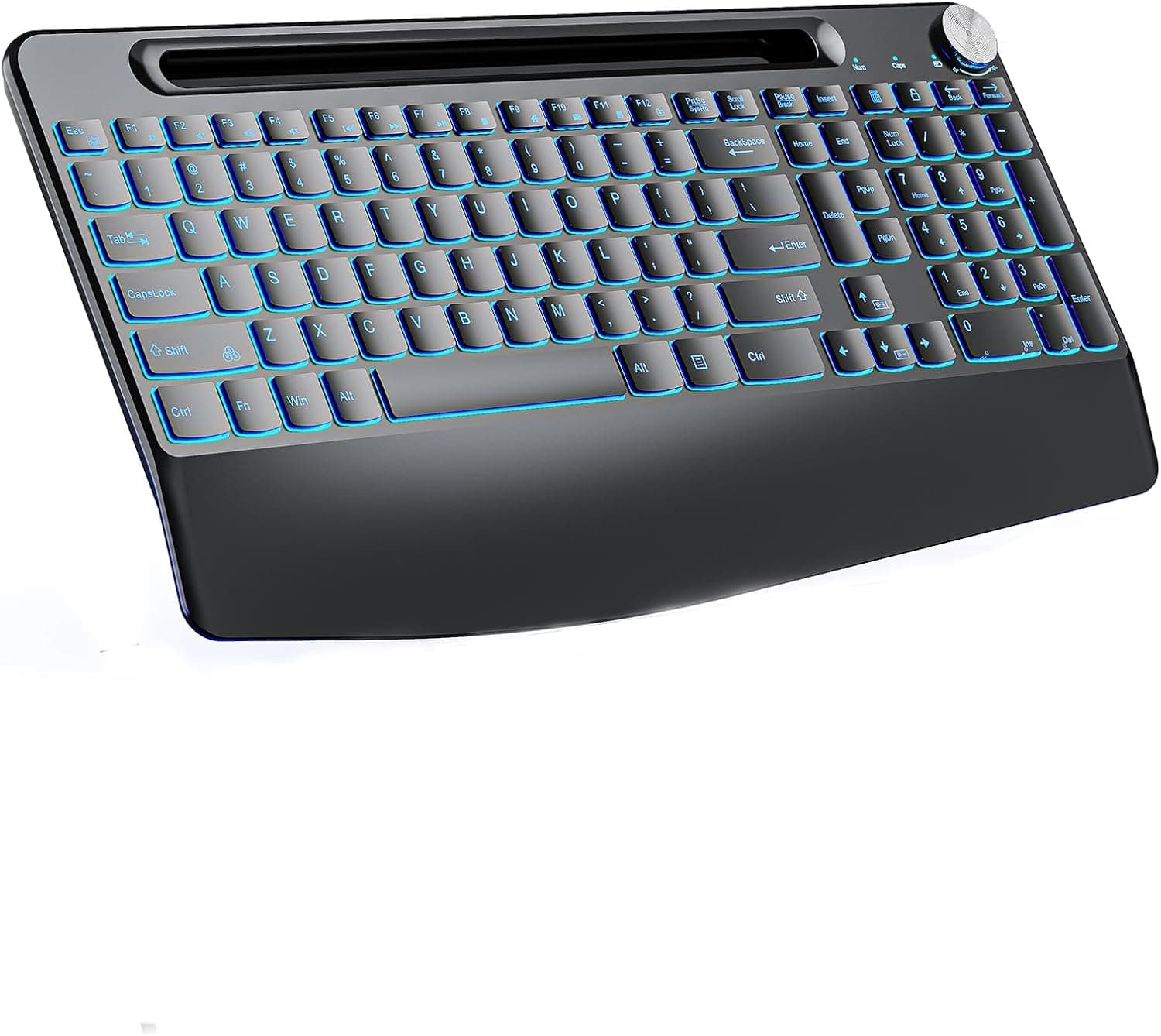
“I picked up this JOMAA wireless keyboard for my desk at the shop, and it has been an outstanding addition to my setup. When I’m deep into a PC build or handling technical repairs, I need a workspace that is organized and efficient. This keyboard feels professional and high-quality, but it’s the "silent" aspect that really stands out. The keys have a soft, tactile feel without the loud clicking, which is great when my three boys are nearby or when I’m trying to focus on a complex project. The integrated phone holder and wrist rest are absolute game-changers for productivity. I can keep my phone propped up to monitor messages or parts lists while I work, and the built-in wrist rest makes those long sessions of typing much more comfortable. The 7-color backlight is vibrant and helps me see the keys perfectly even when I’m working in lower light to check monitor calibrations. Being rechargeable is a huge plus—no more hunting for batteries right in the middle of a job. If you are looking for an outstanding, full-size keyboard that balances modern features with a clean, ergonomic design, this is a fantastic choice! Pros: Whisper-Quiet Typing: The silent keys provide a smooth, professional feel that won’t disturb anyone around you. Built-in Convenience: The phone holder and wrist rest are incredibly practical features that help keep your desk clutter-free and ergonomic. Vibrant RGB Customization: The 7-color backlighting is bright and easy to adjust, adding a high-tech look to any office or gaming setup. Long-Lasting Rechargeable Battery: Reliable wireless performance that saves you the hassle and cost of constantly replacing batteries. Cons: Full-Size Footprint: Because it includes a number pad, phone holder, and wrist rest, it takes up a bit more desk space, so make sure you have room for it. Stand Angle: The phone holder works best with standard-sized cases; if you have an extra-thick rugged case, it might sit at a slightly steeper angle.”
Signals matched: Specific detail: entity, scenario · Reads as an authentic voice
Great Features, Minor Dongle Tradeoff
“This is a solid keyboard that works exactly as expected. Everything functions well, and it’s been reliable in use. My favorite feature is the volume wheel at the top—it’s simple but really handy. The only downside is needing the USB dongle, which means you have to remember to bring it along if you switch devices. Not a dealbreaker, just something to keep in mind.”
Signals matched: Specific detail: entity, comparison · Reads as an authentic voice
One less thing to search
From a similar, more-reviewed product in this category: Razer Joro Wireless Gaming Keyboard, Portable Compact 75%, Low Profile Keys
The listing states Bluetooth 5.0 with pairing for up to three devices across Windows, Mac, handhelds, and mobile, with shortcuts to switch between them. Reviews are mixed on wireless reliability: one reviewer reported stable, fast Bluetooth, while others reported connection problems and missed keystrokes after the keyboard sleeps.
The listing describes ultra low-profile switches with quick, precise actuation and satisfying tactile feedback. Reviewers who liked it compared the feel to laptop scissor keys and Apple-style chiclet keys, calling it quiet with good tactile response, though one noted the spacebar is small.
The listing says it weighs 374 g and is 16.5 mm thin with a full function row and full-sized arrow keys. Reviewers described it as sturdy and minimalist, and one noted the static angle is a deliberate trade-off for a keyboard meant to be carried around.
The listing advertises Chroma RGB with 16.8 million colors and dynamic effects. Reviewers reported a glow around the keys rather than through the lettering, secondary symbols that are hard to see, and one said the lighting stayed on while the PC was locked.
The listing ties Snap Tap and Chroma customization to Razer Synapse 4. Reviewers noted that some functions, such as turning off Fn lock to use F1–F12 directly, require Synapse, and one complained there is no Synapse software for SteamOS.
Transparent by design