What people like
Good value for the price
Several reviewers describe the monitor as a strong budget purchase, citing impressive specs for the money and satisfaction with gaming use.

The 30-second read
From a similar, more-reviewed product in this category: KOORUI 24 Inch Gaming Monitor, 180Hz 1080P VA Display with 3000:1 Contrast
What people like
Several reviewers describe the monitor as a strong budget purchase, citing impressive specs for the money and satisfaction with gaming use.
The main watch-out
Several reviewers report the monitor failing or coming apart after months to a couple of years, including a dead screen and a failing power cord.
Before you choose
Two reviewers note that setup benefits from adjusting settings in your GPU software, including color, brightness, and VRR.
Description
Product description KEFEYA 14Inch QHD 2160X1440P IPS Portable Screen Triple Monitor Extender Innovation & Efficiency (Not fits for Macbook Air/Pro with M1/M2/M3 chips directly, please buy the customized H6 video signal conversion Hub ) Are you still looking for a second computer/laptop monitor to extend the contents of your desktop across multiple screens? KEFEYA S2 PRO MAX QHD IPS portable laptop monitor extender will increase your work efficiency by 200%. KEFEYA specializes in portable monitor screen extender, aiming to provide reliable laptop multiple screen solutions to customers for more convenience and productivity. Overall, the newest KEFEYA S2 PRO MAX portable triple laptop monitor lets you extend your workspace by using it as a second and third cellphone/Mac/Laptop/Computer display. The portable double extended screen offers versatile functionality that suits a wide range of applications, from professional work to entertainment and everything in between. It enhances productivity, convenience, and multitasking capabilities by providing additional screen real estate and the flexibility to customize your workspace according to your needs. Two portable screen were separate designed for more flexible connection We can connect the dual portable screens to a laptop and a iPad or andriod device with the included full-featured USB-C/C cable through their full-featured USB-C ports/Thunderbolts. KEFEYA S2 PRO MAX portable laptop screen extender monitor is Plug and Play, which works with processors of: M1 Pro/Max, M2 Pro/Max and M3 Pro/Max in MacOS(NOT fits for M1, M2 and M3 chips, should by the customized H6 thunderbolt/USB-C port to HDMI video signal conversion Hub-ASIN: B0FRRVFN25), Intel Core i5/i7/i9 in Windows. The included HDMI to USB-C cable provides convenince for gaming devices. We can connect the KEFEYA screen extender to our Surface Pro and Chrimebook through their full-featured USB-C/thunderbolts ports, no systerm limitation means more flexible application. 14" portable dual monitor with QHD 1440P Resolution ensures you with image quality, you can see a clearer picture, no flash, blur and no noise, spots. Needn't frequently twist neck on the meeting and no more position or posture limitation with the flexible foldable design and 178°IPS screen. 72% NTSC and 100% sRGB Color Gamut means higher color reproduction that provides you with richer colors and makes images/videos more vivid. The Anti Glare Display with 4 level blue light filter and 3 modes of temperature adjustment reduces the blue light damage to eyes and skin, and reduces your eye fatigue caused by staring at the screen for a long time. Enhance productivity, convenience and multitasking capabilities on trip or remote work Foldable & Come with a premium PU leather handbag The Newest 1440P KEFEYA double monitor extender is light weight and foldable which means you can easily carry to office and go anywhere at anytime to build your personal mobile workstation quickly. The outer carbon fiber reinforced plastic make it wear-resistant and scratch-resistant. Multitasks with triple screen, maximize your efficiency up to 300%. Unlock your productivity potential with KEFEYA triple portable monitors, seamlessly multitask or monitor everything. As an extra portable dual-monitor , it adheres to the concept of "simple" and "efficient" and aims to create a more productive and colorful world for people's work and life. The KEFEYA S2 PRO MAX Portable Triple Monitor is widely used in business, academy, medicine, finance, family and other fields, which is a way that people work or entertain, not limited to the application of the product. ABOUT COMPABILITY KEFEYA S2 PRO MAX Portable Triple Monitor is compatible with all brands and covers varities of models if your laptop's panel diagonal from 13 to17.3 inches and carries with M1 Pro/Max, M2 Pro/Max, M3 Pro/Max or Intel Core i5/i7/i9 processors. Each portable screen of KEFEYA S2 PRO MAX requires both power and a video signal in order to function: Power can be supplied via either the laptop's USB-A/ USB-C ports or extra power charger with USB-A port, video signal is carried through the laptop's HDMI/ DisplayPort or full-featured USB-C port. With laptop's full function USB-C port can transmit power and video signals at the same time, only need one cable to make one monitor of KEFEYA S2 PRO MAX work (2 screens connection requires 2 full-featured USB-C/C cables). If your laptop has two full-featured Type-C(USB-C) ports/Thunderbolts, just use two USB-C to USB-C cables to connect two screens. One for each side. If your laptop have one full-featured Type-C(USB-C) and HDMI port, then connect one screen with the included USB-C to USB-C cable, connect the other screen with the included HDMI to USB-C cable for display(video signal transmission) and USB-A to USB-C cable for power supply. 3 included cables are needed in this scenario. If your laptop just has one HDMI port with some USB-A ports, doesn't have any USB-C port/ thunderbolts, you need buy the customized H6 (B0FRRVFN25) USB-A/USB-C to HDMI video signal conversion Hub(with transfer chip inside), then connect the first portable monitor with HDMI for video transmition+USB-A port for power supply, and connect the second portable monitor with H6 (B0FRRVFN25) for video signal transmition + an extra power plug with USB-C port to offer the power. If your laptop has neither a full-featured Type-C(USB-C) port nor a HDMI port, then an extra USB 3.0 to Dual HDMI output adapter/docking station or hub with MST is needed. We need two HDMI ports to connect to tansmit data and video signal, one DHMI port to connet each portable screen, also need a USB-A to USB-C cable or external power source to power each portable screen, normally we need 4 ports (two HDMI and two USB-A) to connenct the portable tripple sceen monitor extender in this case. Warm tips: 1. How to get a brighter screen? Make sure we have torn off the screen protectors and our laptop have enough power or it has been connected to power supply, or try to power the monitors from an external power supplies. The next step is trying to increase both of the "Backlight" and "Brightness" value through the multifunction key on top of each portable monitor's panel. 2. Why does one monitor show "No Signal"? There may be a connection failure or the computer port does not support video output and transmission. Normally USB-A port and non full-featrued USB-C port can not output and transmite video signal directly, we need buy the H6 video signal conversion Hub to transfer video signal from USB-A or non full-featured USB-C port. Generally, this happens because the screen is only connected to the Type-C cable, but the USB-C port of the laptop only supports the power supply function(not full-featured) and can not transmite real time video signal, so you only need to use the included HDMI to USB-C cable to connect to the portable screen to provide a video signal. Please contact for troubleshooting if the portable monitor always show "No Signal" after your several attempts. Before you buy: PLEASE CHCECK if your Laptop's Panel Dimensions fit in the range of: Width(Left to right): 11.6-16.1'' Height(Top to bottom): ≧8.1'' Thickness(Display Panel): ≦0.33'' The Triple screen laptop monitor Extender is not compatible with M1/ M2/M3 chips MacBook AIR/Pro directly, should buy the customized H6 (B0FRRVFN25) video signal conversion Hub: MacBook Air (M1 2020), MacBook Air (M2 2022); MacBook Pro 13" (M1 2020), MacBook Pro 13" (M2 2022), Macbook Pro 14" (M3 2024), Macbook Air (M3 2024) Attention: The portable monitor extender for laptop should be placed at a stable and flat desk. The kickstand can be used after you adjust the angle of the laptop screen to what is most comfortable for you. We do not recommend placing the product on your knees to prevent it from falling over due to gravity. Please drop us a line with the detailed model name and brand of your laptop for compatibility and connection, or docking station or hub recommendations, we will get back to you within 24 hours. KEFEYA is alway aimed at providing the best products and customer services for you. See More
Compare the trade-offs
A random selection of analyzed products from the same category. Different products are not necessarily interchangeable.

KTC 27 Inch QHD Computer Monitor, 2K 144Hz 1440P Gaming Monitor, Eye Care PC Monitor for Office Gamers, HDMI/DP, FreeSync & G-Sync, HDR10, VESA, Tilt Adjustable, H27T27S

domyfan 14" Laptop Monitor Extender, FHD 1080P IPS Dual Laptop Screen Extender, HDMI/USB-A/Type-C Plug and Play for Windows, Mac, Chrome, Android, Xbox, Switch, PS5, Work with 13.3”-17” Laptops
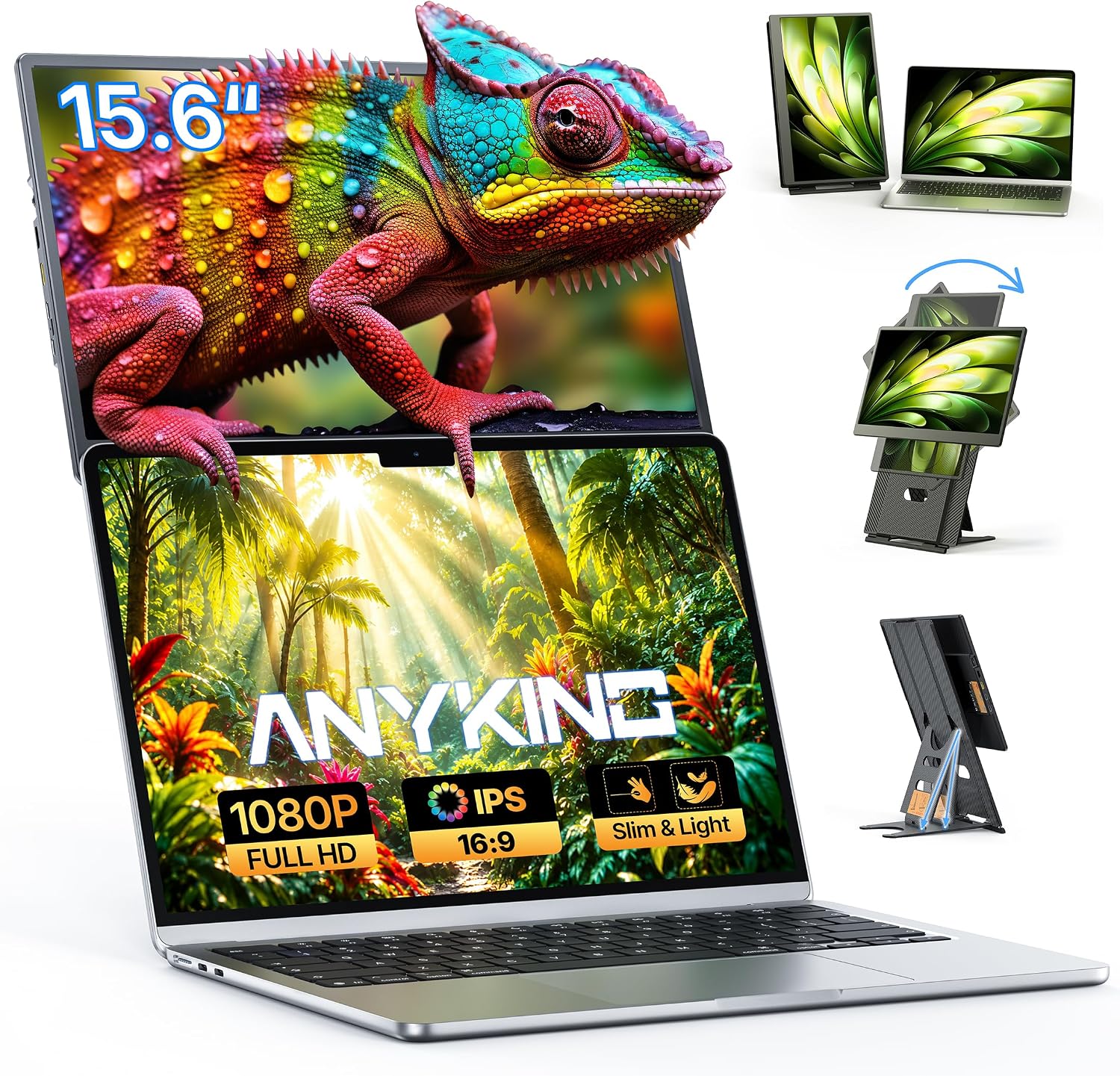
Laptop Screen Extender 15.6", 5 Modes & Detachable Slim Portable Monitor
Check the evidence
Included does not mean verified authentic. Flagged does not mean proven fake. These are analytical classifications.
Showing 3 illustrative excerpts, not the complete review set.
5.0 out of 5 stars
“The KEFEYA Laptop Screen Extender has truly transformed the way I work while on the move. This gives me a workstation setup while traveling that matches, and may even even beat, my home office setup, It's become an indispensable tool for productivity. Multitasking, organizing tasks, or simply working more efficiently—this extender provides tons of space for everything with two extra screens. Whether I'm in a hotel, waiting in the airport, or at a cafe, setting up my workspace is no issue. One of its standout features is its compact design. My biggest concern was if it would be too heavy and large/bulky to easily carry around and be useful, but this wasn't the case at all. It folds up within itself very neatly, and it easily fits into my backpack. It also comes with a nice bag to keep it in as well. I've had one other portable monitor and it was kind of a weird shape and the display was mediocre. However, this one is phenomenal. The screens are the perfect size and you can really notice the FHD resolution - the display quality is excellent. This makes it much easier on the eyes when working on reports and spreadsheets, and for entertainment it is definitely awesome. The KEFEYA Laptop Screen Extender also has impressively flexibly compatibility options, with a ton of setup options and it works for both mac and PC (plus other options. I know it has including HDMI, USB-A, and USB-C, and allows different options based on if you need power through the USB-C or not as well. Regardless of your setup, it should have you covered. In conclusion, the KEFEYA laptop screen extender is a definite must have if you travel frequently, especially for professionals looking to enhance their on-the-go work experience. The productivity boost, convenience, display quality, and compatibility are all top notch. If you value these attributes in your mobile workspace setup, this extender comes highly recommended.”
Signals matched: Specific detail: scenario, comparison, quantity · Mentions: productivity, display quality, setup · Reads as an authentic voice
Awesome image quality
“Awesome image quality. The only complaint I have is that it’s a little awkward to put on, and it uses all of my usb outlets plus the hdmi. Other than that, I like it a lot and it has made my life a lot easier.”
Signals matched: Specific detail: entity, process · Mentions: display quality, connectivity, setup · Reads as an authentic voice
5.0 out of 5 stars
“”
One less thing to search
From a similar, more-reviewed product in this category: KOORUI 24 Inch Gaming Monitor, 180Hz 1080P VA Display with 3000:1 Contrast
Yes — it's a native 180Hz panel, but you'll need to switch it on manually. Connect via the included HDMI cable (or a DisplayPort-capable setup), then set 180Hz in your GPU's display settings; it defaults to a lower refresh rate out of the box. Many Reddit and YouTube users note that enabling Adaptive Sync/FreeSync alongside it gives the smoothest experience, and it works with both AMD and NVIDIA cards.
The 3000:1 contrast gives noticeably deeper blacks than typical IPS budget monitors, which shines in dark game scenes and movies. For fast-paced competitive shooters, some TikTok and Reddit users mention mild ghosting/smearing in dark transitions — it's great for casual gaming, students, and office work, but color-critical creators or hardcore FPS players may prefer an IPS panel.
Correct, the included stand only tilts (-5° to 20°) and doesn't offer height, swivel, or pivot adjustment, and a few users find the base slightly wobbly. The good news: it's VESA 100×100mm compatible, so a monitor arm or desk mount solves ergonomics entirely — a popular fix among dual-monitor and dorm-room setups.
Budget monitors can vary unit to unit, and some buyers report stuck pixels or corner bleed — but KOORUI backs it with a 3-year manufacturer warranty. If your unit arrives defective, contact the seller for a replacement or refund promptly; most users who did so report a smooth resolution, so inspect the screen within the return window.
At around $120, it's widely praised as one of the best budget 180Hz options — ideal for students, casual gamers, home-office users, and compact or dual-monitor setups. Just set expectations: no built-in speakers, a single HDMI plus VGA, and basic ergonomics. If you need height adjustment, color accuracy, or built-in audio, consider spending more on an IPS alternative.
Transparent by design