What people like
Easy setup and simple app use
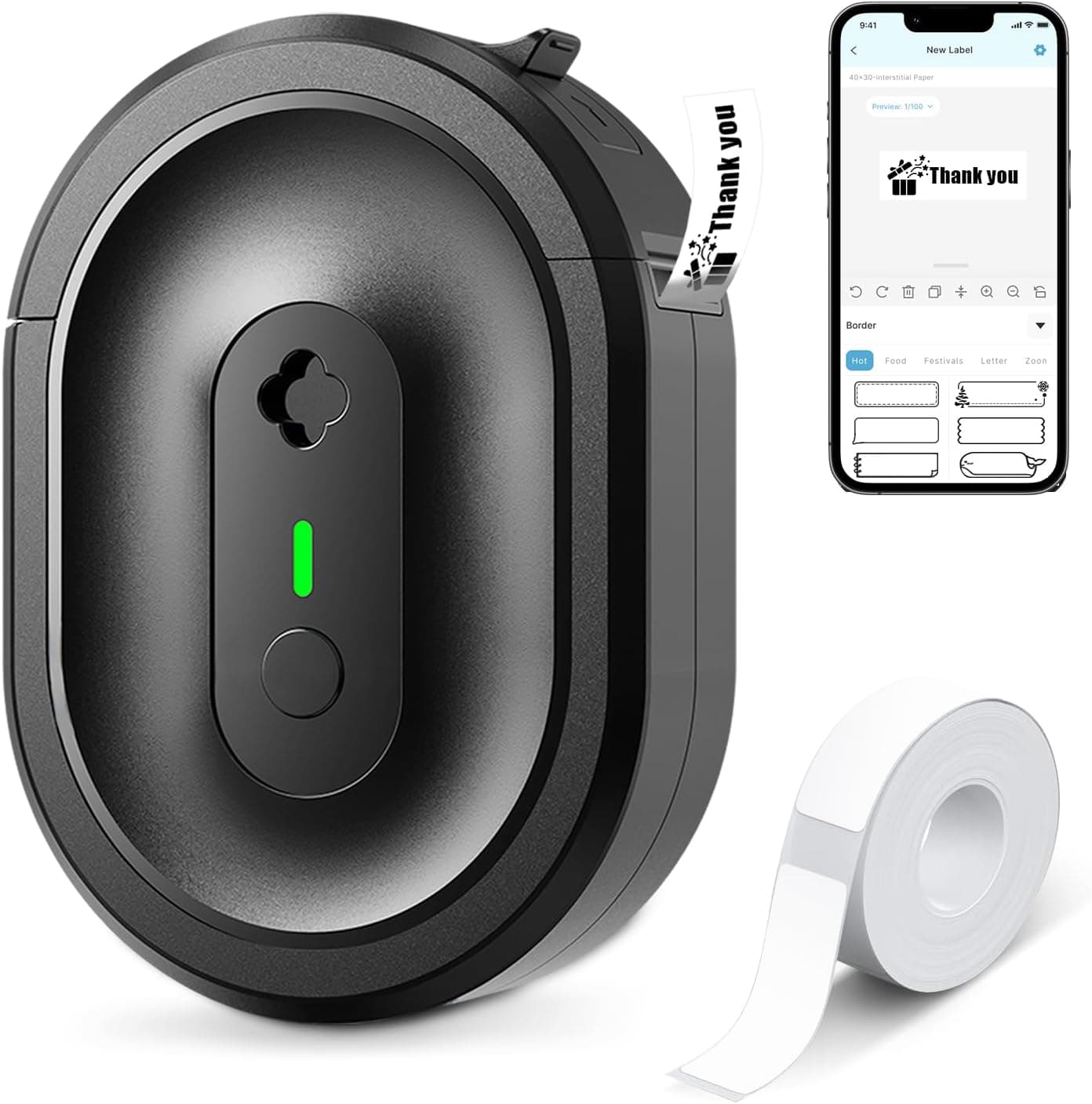
Reviewers repeatedly say this label maker is easy to set up and use, with quick Bluetooth pairing and a simple app. Many also praise the clear print quality and compact size.
The 30-second read
What people like
Reviewers repeatedly say this label maker is easy to set up and use, with quick Bluetooth pairing and a simple app. Many also praise the clear print quality and compact size.
The main watch-out
One reviewer warns to keep the labels out of the dishwasher, suggesting they may not hold up to that kind of exposure.
Before you choose
The printer produces small stickers about one inch by a centimeter, and while continuous-feed labels are sold separately, you are limited to the short height. If you need more versatile labeling, this may not be the right fit.
From a similar, more-reviewed product in this category: MUNBYN RealWriter 941 Bluetooth USB 4x6 Shipping Thermal Label Printer
What people like
Reviewers consistently say this printer is easy to set up and use, with fast, clear label output. Many also highlight the company's top-tier customer support.
Before you choose
One reviewer notes that when changing label sizes, you must also update the size in your Amazon or eBay printing options, not just on the printer. It's worth confirming your preferred settings on both your computer and selling platform.
The main watch-out
One reviewer notes that when switching label sizes, you must also change the size in your Amazon or eBay printing options and your computer settings before printing.
Your use case first
20 of 225 mentions describe a negative experience (9%).
13 of 194 mentions describe a negative experience (7%).
37 of 184 mentions describe a negative experience (20%).
20 of 111 mentions describe a negative experience (18%).
16 of 74 mentions describe a negative experience (22%).
15 of 64 mentions describe a negative experience (23%).
7 of 51 mentions describe a negative experience (14%).
0 of 48 mentions describe a negative experience (0%).
One review can mention several topics. Percentages describe the reviews we analysed, not all buyers or the product's overall failure rate.
Compare the trade-offs
A random selection of analyzed products from the same category. Different products are not necessarily interchangeable.

Portable Printer Wireless for Travel – Inkless Thermal Printer, Supports 8.5x11 Inch Thermal Paper, Bluetooth Compatible with iOS/Android/Laptop, Includes 2 Rolls + 10 Sheets Paper Kit

ORGBRO Label Maker Machine with Tape, X1 Portable Bluetooth Mini Label Printer, Support Pre-Cut & Continuous Label, Wireless Small Label Makers with Versatile App for School Home Office Organization

Portable Printer Wireless for Travel, D80 Thermal Printer, Inkless Printers, Compatible with iOS, Android, Laptop, Supports 8.5" x 11" US Letter & A4 & A5 for Home Use, Office, Vehicles, Black
Check the evidence
Included does not mean verified authentic. Flagged does not mean proven fake. These are analytical classifications.
Showing 3 illustrative excerpts, not the complete review set.
Super easy to use, but keep labels out of the dishwasher
“This little label maker is very portable and extremely simple to get up and running right out of the box. Connecting it via Bluetooth to the app was quick, and the app offers a lot of useful font choices, borders, and templates for organizing around the house or office. The thermal print quality is sharp and clear for basic labeling on jars, bins, and storage boxes. The setup process is intuitive enough that anyone can start printing stickers within a few minutes. My only real downside is something to keep in mind if you plan to use this for children's items: because it uses thermal printing, running labeled water bottles or food containers through the dishwasher will cause the stickers to turn completely black and unreadable from the heat. As long as you hand wash labeled bottles or use it on dry household organization projects, it is a great, convenient tool for the price.”
Signals matched: Specific detail: process, scenario · Mentions: ease of use, compact size, customizability, print quality, practicality · Reads as an authentic voice
BEST purchase ever!
“THIS IS THE BEST THING EVER!!! I had one of those old school embossing tape label maker and it was awful. The letters would get stuck, they would skip, and I had to enter a letter one by one. I was skeptical about this but it is quite literally the easiest thing to use. I’ve only ever had to set it up once via Bluetooth. It connects seamlessly every single time I turn on the label maker - it honestly puts my bluetooth headphones to shame. Why do they always not pair correctly? Anyway It’s so versatile! I’ve used this to label our drawers for baby clothes. I’ve used this to label all the purées I made for her. It has been so reliable and I haven’t even had to charge it yet?? I don’t know what this sorcery is, but it makes me want to label everything I own The app itself is really intuitive and easy to use. I love that I can print multiple labels at once! Highly recommend!”
Signals matched: Specific detail: comparison, process · Mentions: ease of use · Reads as an authentic voice
A great BASIC little printer
“I recommend this machine so long as one has their expectations managed. It produces stickers that are about one inch by a centimeter or so. They're great for small jobs like naming your file folders. While continuous feednlables are available separately, you're limited to the short height. If you're looking for something more versatile, this isn't it. That said, it's a great little printer. The app is a tiny bit clunky but it gets the job done. The printer seems durable and has performed quickly and efficiently. The stickers are good quality and the flexibility of printing design is limited only by sticker size and imagination. Know that this is a black and white only printer. For the basics? Worth it. For something more versatile, try another device.”
Signals matched: Specific detail: quantity, scenario, comparison · Mentions: print quality, practicality, customizability · Reads as an authentic voice
One less thing to search
Setup is simple: download the free "Nada Print" app and connect the printer via Bluetooth, which works with both iOS and Android devices. Reviewers report it connects seamlessly and only needs to be paired once.
It is very compact, measuring 1.25"D x 3.03"W x 4.29"H and weighing only 4 ounces, so it can slip into a pocket. Reviewers describe it as small, portable, and easy to carry.
Label lengths are fixed and come in sizes including 12×40 mm, 14×40 mm, 14×50 mm, and 14×75 mm, and continuous label tapes are not supported. It ships with pre-cut white labels (14×40 mm).
No, it uses BPA-free direct thermal technology, so it prints without ink, toner, or ribbons, and it only produces black text. It has a built-in rechargeable lithium battery, so no battery replacements are needed.
Yes, the free "Nada Print" app offers 1,000+ symbols, 270+ frames, and 100+ fonts, plus support for icons, text, tables, barcodes, QR codes, images, and more. Reviewers confirm the app provides plenty of fonts, icons, and templates for customizing labels.
From a similar, more-reviewed product in this category: MUNBYN RealWriter 941 Bluetooth USB 4x6 Shipping Thermal Label Printer
For the vast majority of users, yes. The RealWriter 941 supports Windows, macOS, and Chromebook via USB, with Bluetooth as a convenient wireless option. Most reviewers say they were printing labels within 10–15 minutes. One tip from seasoned users: install the MUNBYN driver first and set your label size to 4x6 before your first print — that's the step that trips up a few people.
No ink, no toner — ever. It's a true thermal printer, which is one of the biggest reasons small sellers love it. You can use any standard 4x6 thermal labels, though MUNBYN's own labels are the most commonly recommended for consistent feed and print quality. Just make sure they're direct thermal (not thermal transfer).
Honest answer: USB is the most rock-solid option, and many power users keep it plugged in for high-volume days. Bluetooth works well for most people, but a few TikTok and Reddit users noted occasional pairing hiccups with older laptops or certain macOS versions. If you print dozens of labels a day, USB is your safest bet; for lighter use, Bluetooth is perfectly fine.
It prints up to 150mm/s — fast enough that most sellers describe it as "instant" compared to inkjet label printing. It's also notably quiet; several reviewers said they can print while on calls without anyone noticing. Small business owners and Amazon FBA sellers consistently call it reliable for daily, high-volume shipping.
This is one of the most praised aspects of the product. Reviewers repeatedly mention fast, friendly support that resolves issues — including replacements for the rare unit that arrives damaged or with a jammed roller. It also comes with a standard warranty and is eligible for returns through the platform you purchased from, so you're covered if it's not the right fit for your workflow.
Answers are limited to the manufacturer's listing and the reviews we analysed. Questions those sources cannot support are not answered here.
Transparent by design