
ORGBRO Label Maker Machine with Tape, X1 Portable Bluetooth Mini Label Printer, Support Pre-Cut & Continuous Label, Wireless Small Label Makers with Versatile App for School Home Office Organization
Description
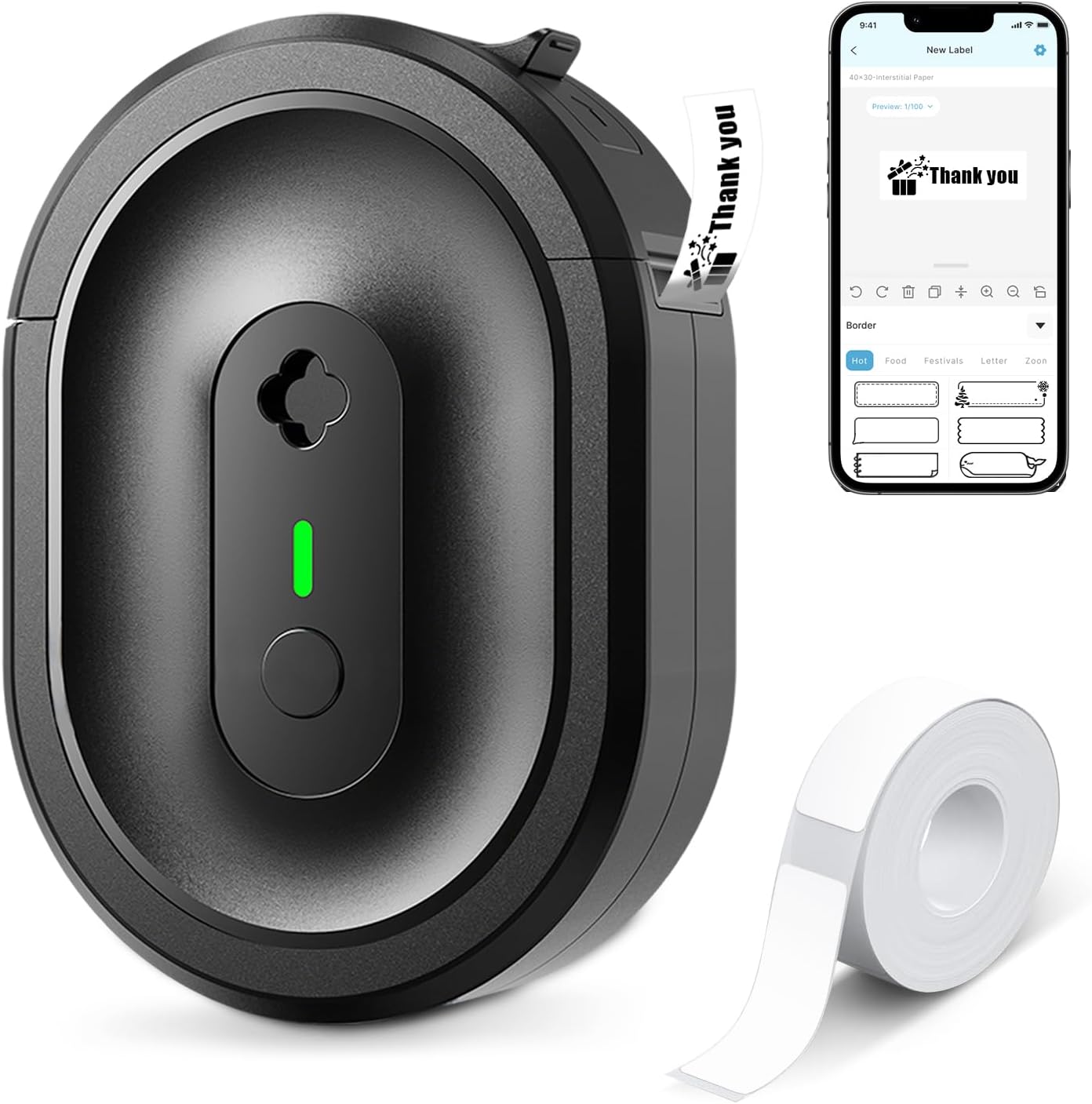
Wide Range of Applications: ORGBRO X1 label maker is suitable for home organization (spices, food containers, date labeling, storage boxes, tool storage...); school and office supplies (name tags, file classification, stationery...); equipment identification or item labeling (switches, controllers, cables, cups, etc.); Easy to Use: This label maker machine with tape APP connects and sets up the device in under a minute without any payment or registration required; Creates labels quickly and easily; Half the weight and size of traditional label maker, ORGBRO label printer are portable and can be operated with one hand; Feature-Rich and Template-Diverse: XeasyLabel APP offers over 15 languages, 95 fonts, and 550 materials, all free to use, for easy label customization; ORGBRO label maker can print various text, numbers, graphics, symbols, logos, barcodes, QR codes, etc; Save Time and Money: X1 thermal label maker uses thermal technology to deliver high-quality prints without the need for ink or toner; The label maker machine with tape built-in 2000mAh rechargeable battery provides longer operating times than other brands, saving you time and money (Note: please fully charge before first use); Label Durability: ORGBRO label maker comes with a roll of 12 x 40 mm white pre-cut labels; ORGBRO labels waterproof, oil-resistant, and abrasion-resistant. No residue remains after removal; Supports continuous label paper (15 mm width) and fixed-length labels (12 x 40 mm); We recommend using ORGBRO thermal label paper for optimal print quality
Compare the trade-offs
Similar products, side by side
A random selection of analyzed products from the same category. Different products are not necessarily interchangeable.

Portable Printer Wireless for Travel – Inkless Thermal Printer, Supports 8.5x11 Inch Thermal Paper, Bluetooth Compatible with iOS/Android/Laptop, Includes 2 Rolls + 10 Sheets Paper Kit

Portable Printer Wireless for Travel, D80 Thermal Printer, Inkless Printers, Compatible with iOS, Android, Laptop, Supports 8.5" x 11" US Letter & A4 & A5 for Home Use, Office, Vehicles, Black
Label Maker N12 Bluetooth Thermal Label Printer, Black
One less thing to search
Before you buy: quick questions
Is the ORGBRO label maker truly easy to use for someone who's not tech-savvy?
Absolutely! The overwhelming feedback highlights its ease of use. The Bluetooth pairing is straightforward, and the companion app is intuitive with drag-and-drop design. Many users, including parents and seniors, have shared on platforms like TikTok how they had it set up and printing their first labels within minutes. It's designed for simplicity first.
Can I use any brand of label tape, or am I locked into buying ORGBRO's tapes?
The printer is designed for use with standard 1.57" (40mm) wide label rolls. While ORGBRO tapes are guaranteed for compatibility and quality, many users have successfully used other brands. However, based on social media discussions, results with third-party tapes can vary—some work perfectly, while others may cause jams or smudging. For reliable performance, we recommend starting with our official tapes.
How durable are the printed labels? Are they smudge-proof or waterproof?
The prints are smudge-resistant under normal handling and provide excellent clarity for indoor organization. However, as noted in some user reviews, they are not fully waterproof or chemical-resistant. They are perfect for labeling pantry containers, books, cables, and office supplies. For labels that will face moisture, grease, or outdoor conditions (like in a garage or workshop), you might want to consider a dedicated industrial label maker.
What's the real deal with battery life and charging?
The built-in battery typically lasts for several intermittent printing sessions. A common point mentioned in reviews is that for marathon labeling projects (50+ labels non-stop), you may need to recharge. It charges via a Micro-USB cable (included), but a wall adapter is not. We advise keeping it charged between uses for the best experience.
Who is this label maker best suited for, and who might want to look at other options?
This label maker is a fantastic, value-packed choice for home organizers, students, crafters, and small office use. It excels at creating stylish, custom labels quickly. If your primary needs are automatic cutting after every label or creating extremely durable, industrial-grade labels for harsh environments, you might be happier with a model like a Brother P-touch. The ORGBRO shines for its app versatility, portability, and fun, creative labeling.
From a similar, more-reviewed product in this category: Label Maker N12 Bluetooth Thermal Label Printer, Black
How do I set up and connect this label maker?
Setup is simple: download the free "Nada Print" app and connect the printer via Bluetooth, which works with both iOS and Android devices. Reviewers report it connects seamlessly and only needs to be paired once.
How small is the label maker, and is it easy to carry around?
It is very compact, measuring 1.25"D x 3.03"W x 4.29"H and weighing only 4 ounces, so it can slip into a pocket. Reviewers describe it as small, portable, and easy to carry.
What label sizes does it support, and can I use continuous tape?
Label lengths are fixed and come in sizes including 12×40 mm, 14×40 mm, 14×50 mm, and 14×75 mm, and continuous label tapes are not supported. It ships with pre-cut white labels (14×40 mm).
Does it need ink or toner, and what color does it print?
No, it uses BPA-free direct thermal technology, so it prints without ink, toner, or ribbons, and it only produces black text. It has a built-in rechargeable lithium battery, so no battery replacements are needed.
Can I customize the labels with fonts, icons, and templates?
Yes, the free "Nada Print" app offers 1,000+ symbols, 270+ frames, and 100+ fonts, plus support for icons, text, tables, barcodes, QR codes, images, and more. Reviewers confirm the app provides plenty of fonts, icons, and templates for customizing labels.
Answers are limited to the manufacturer's listing and the reviews we analysed. Questions those sources cannot support are not answered here.
Transparent by design