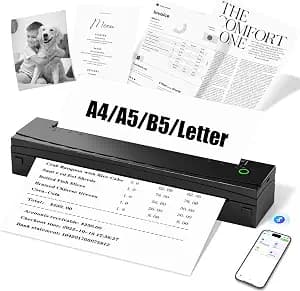
Portable Printer Wireless for Travel, D80 Thermal Printer, Inkless Printers, Compatible with iOS, Android, Laptop, Supports 8.5" x 11" US Letter & A4 & A5 for Home Use, Office, Vehicles, Black
Description
Portable Printer - Only supports thermal paper (does not support regular copy paper), supports black and white printing. The NDYIN D80 thermal printer is compact and weighs only 1.2 pounds. Whether placed in a car, backpack, or during business trips, the D80 Bluetooth thermal printer is your reliable companion for handling office documents, inventory lists, business checks, and other tasks.; Inkless printing - Supports thermal paper in US letter, A4, A5, and B5 sizes. This portable printers wireless for travel adopts advanced direct thermal technology to achieve inkless and eco-friendly printing without the need for ink cartridges.; Strong Compatibility - The inkless portable printer supports iOS 13 and above, Android systems and PC, but does not support Chromebook. When printing on the go, simply download the "NADA Print" app to print wirelessly via Bluetooth. PC users need to install the driver from our website that showed on user manual.; High Quality Printing - The NDYIN D80 portable thermal printer uses advanced inkless technology to produce clear, high-resolution printouts. This wireless printer portable is equipped with a 2600mAh battery, allowing for continuous use of up to 49 minutes on a single charge and the printing of approximately 200 sheets of paper.; Widely Applicable - Package includes: D80 portable printer, 20 sheets of US standard folded letter paper, user manual, guide card and Type-C data cable (charger adapter not included). Special thermal paper is required for use; ordinary paper cannot be used. This ink-free thermal printer is suitable for home, school, travel and office. This multi-functional printer also supports tattoo transfer paper, making it suitable for both daily printing and tattoo art creation.
Compare the trade-offs
Similar products, side by side
A random selection of analyzed products from the same category. Different products are not necessarily interchangeable.
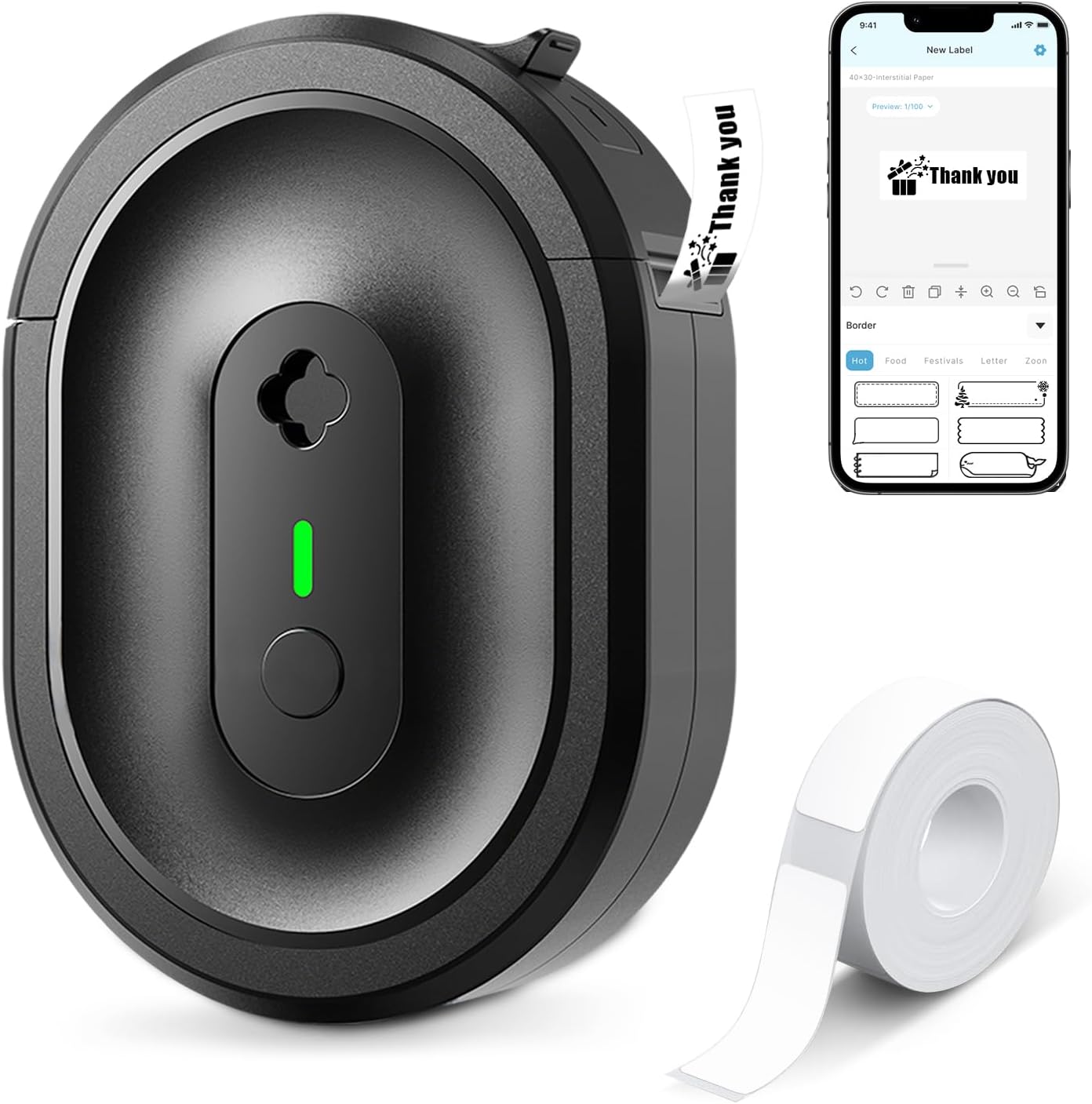
Label Maker N12 Bluetooth Thermal Label Printer, Black

Portable Printer Wireless for Travel – Inkless Thermal Printer, Supports 8.5x11 Inch Thermal Paper, Bluetooth Compatible with iOS/Android/Laptop, Includes 2 Rolls + 10 Sheets Paper Kit

ORGBRO Label Maker Machine with Tape, X1 Portable Bluetooth Mini Label Printer, Support Pre-Cut & Continuous Label, Wireless Small Label Makers with Versatile App for School Home Office Organization
One less thing to search
Before you buy: quick questions
Does this printer use standard letter paper, and how does the "8.5 x 11" size work?
No, it uses special thermal paper rolls (like receipt paper). The "8.5 x 11" capability refers to the app's ability to format a document to that size. It prints in sections on a narrower roll, and you can then assemble them to create a full letter-sized sheet. Many TikTok and YouTube reviewers show this "tiling" feature in action—it's perfect for boarding passes or documents, but not for feeding single sheets of standard paper.
How durable are the prints, and can I use them for important documents or labels?
Prints are thermal, similar to receipts. They can fade over time if exposed to direct heat, sunlight, or friction. They're ideal for temporary items like travel itineraries, grocery lists, or kids' crafts. For archival documents or labels that need to last years, this isn't the best tool. A common piece of feedback from users is to avoid using it for anything you need to be permanent.
Is the wireless setup truly easy, and what devices does it work with?
Yes, setup is consistently praised for being straightforward. The printer connects via Bluetooth to the companion app on iOS and Android devices. For Windows or macOS laptops, you typically connect via Bluetooth and use the app as a "printer." The key is ensuring your device has Bluetooth capability. Some users note that switching between paired devices occasionally requires a quick reconnection in the app.
Who is this portable printer actually best suited for?
It's a hit with specific groups: Travelers needing last-minute boarding passes, students or organizers who love portable note-taking, and parents looking for a compact, ink-free way to print activities or lists. If your main need is printing high-volume full-page documents or vibrant photos at home, a traditional inkjet or a dedicated photo printer would be a better fit.
What's your return policy if the printer doesn't meet my needs?
We offer a 30-day return window for items in new condition. Given the unique nature of thermal printing, we encourage you to review the sizing and print longevity details above to ensure it matches your expectations. Our support team is available to answer any specific compatibility questions before you purchase to help you get it right the first time.
From a similar, more-reviewed product in this category: Label Maker N12 Bluetooth Thermal Label Printer, Black
How do I set up and connect this label maker?
Setup is simple: download the free "Nada Print" app and connect the printer via Bluetooth, which works with both iOS and Android devices. Reviewers report it connects seamlessly and only needs to be paired once.
How small is the label maker, and is it easy to carry around?
It is very compact, measuring 1.25"D x 3.03"W x 4.29"H and weighing only 4 ounces, so it can slip into a pocket. Reviewers describe it as small, portable, and easy to carry.
What label sizes does it support, and can I use continuous tape?
Label lengths are fixed and come in sizes including 12×40 mm, 14×40 mm, 14×50 mm, and 14×75 mm, and continuous label tapes are not supported. It ships with pre-cut white labels (14×40 mm).
Does it need ink or toner, and what color does it print?
No, it uses BPA-free direct thermal technology, so it prints without ink, toner, or ribbons, and it only produces black text. It has a built-in rechargeable lithium battery, so no battery replacements are needed.
Can I customize the labels with fonts, icons, and templates?
Yes, the free "Nada Print" app offers 1,000+ symbols, 270+ frames, and 100+ fonts, plus support for icons, text, tables, barcodes, QR codes, images, and more. Reviewers confirm the app provides plenty of fonts, icons, and templates for customizing labels.
Answers are limited to the manufacturer's listing and the reviews we analysed. Questions those sources cannot support are not answered here.
Transparent by design