Nvnceiw KSKJPO15
Description
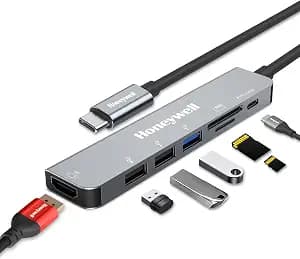
Introducing the Honeywell 7-in-1 Type C Docking Station, a versatile solution that transforms a single USB-C port into 7 ports for hassle-free connectivity. This docking station supports PD charging up to 100W, lightning-fast USB 3.0 data transfer at 5GBPS, dual USB 2.0 ports, and 4K UHD HDMI display mirroring. It features high-speed SD and Micro SD card slots, Fast Role Swap PD 3.0 technology, and is compatible with Type-C devices, offering plug-and-play simplicity. Backed by a 3-Year Manufacturer Warranty.
Compare the trade-offs
Similar products, side by side
A random selection of analyzed products from the same category. Different products are not necessarily interchangeable.

ACASIS Dual DP DisplayLink Adapter for M1/M2/M3/M4 MacBook Air/Pro

Docking Station Dual Monitor, WAVLINK Displayport Docking Station with Dual DP, HDMI, 100W PD in, 10Gbps USB A/C, 2.5G Ethernet Port for Dell/HP/Lenovo etc, Windows Systerm Computer Only
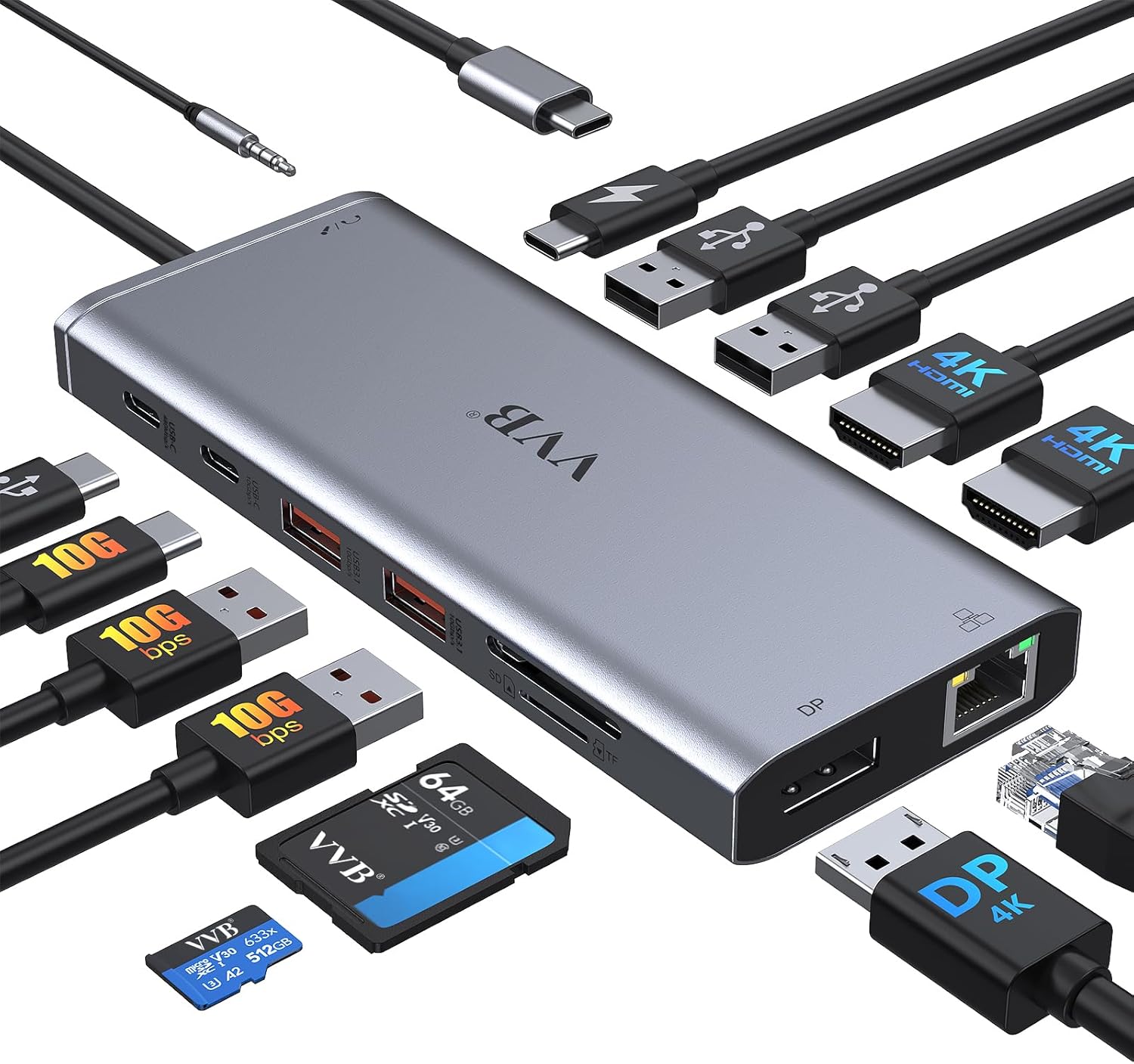
USB C Laptop Docking Station Dual Monitor HDMI USB C Hub Multiport Adapter
One less thing to search
Before you buy: quick questions
このドックは、PD対応のUSB-CとDP Alt Modeを備えた私のノートパソコンで動作しますか? そして使用中に充電されますか?
DisplayPort Alt ModeとUSB-C Power Delivery(最大100 W)をサポートするほとんどのUSB-Cノートパソコンは問題なく動作します。ドックを使用している間にノートパソコンを充電できますが、電力を多く消費するデバイスが多い場合、充電が一時的に抑制されることがあります。不確かなら、デバイスの仕様を確認すれば良いでしょう。
接続できるディスプレイは何台までですか、そして4Kは可能ですか?
ドックは4K出力をサポートしますが、パフォーマンスはホストコンピュータとディスプレイの数によって異なる場合があります。単一の4Kモニターの場合は通常問題ありません;4Kディスプレイを2台使用する場合、パフォーマンスが低下するか、低いリフレッシュレートに依存することがあります。最適なバランスを取るには、多くのユーザーは1080pまたは1台の4Kモニターを選択します。
USBポートはいくつありますか、そしてUSB-Cポートは複数ありますか?
このドックはUSB-A、HDMI、Ethernetなどの幅広いポートを提供し、PD用のアップストリームUSB-Cポートも備えています。主なUSB-C PD入力を1つ持っています。より多くのUSB-C接続が必要な場合は、電源供給付きハブが役立ちますが、日常的な作業の大半は依然としてドックに依存します。
ドライバーをインストールする必要がありますか、それともプラグアンドプレイですか?
WindowsおよびmacOSでは基本的にプラグアンドプレイです。ほとんどのセットアップはすぐに動作しますが、一部の構成では迅速なドライバーインストールや再起動を求められる場合があります。重いソフトウェアは必要ありません。
保証や返品ポリシーはありますか、そして価格に見合う価値はありますか?
返品ポリシーは販売者によって異なりますが、多くのリストには合理的な返品期間が設けられています。一般的なオフィス用途においては、優れた作りと幅広いポートセットのおかげで、ドックは総じて高い価値と見なされます。複数のUSB-Cポートや複数のディスプレイで実際に4K60を実現したい場合は、上位機種を比較することをおすすめします。問題が発生した場合は、販売者の保証とサポートオプションを確認してください。
From a similar, more-reviewed product in this category: USB C Laptop Docking Station Dual Monitor HDMI USB C Hub Multiport Adapter
Will this docking station work with my laptop?
It is compatible with laptops that have a full-featured USB-C port supporting DisplayPort, charging, and data transfer, such as Thunderbolt 3/4/5 or USB-C 3.2 Gen 1/Gen 2 with Power Delivery and DisplayPort. Not all USB-C devices are compatible, and incompatible devices cannot use the HDMI, DP, or VGA ports.
Can I use it with multiple monitors?
It supports dual monitors and triple displays for Windows, with single HDMI 1 or DisplayPort up to 4K@60Hz and HDMI 2 up to 4K@30Hz. MacBook laptops only support the same image on external monitors.
Does it charge my laptop while I use the other ports?
Yes, it has a 100W USB-C Power Delivery port, but the safe power out is limited to 87W, and about 8W is allocated to the hub itself. A power charger and cable are not included, and at least a 65W adapter is recommended.
Do reviewers find it reliable?
Experiences vary: one reviewer said it disconnects or does not work off and on and that the insides came apart, while another said bumping it can make the monitor go black for a second or two. Others reported it works well, including one who bought a second one.
Does it get hot during use?
One reviewer noted it gets a little warm, and the listing states the hub will heat up when it works, with 0℃–50℃ being the normal and reasonable range.
Answers are limited to the manufacturer's listing and the reviews we analysed. Questions those sources cannot support are not answered here.
Transparent by design