Included does not mean verified authentic. Flagged does not mean proven fake. These are analytical classifications.
Showing 3 illustrative excerpts, not the complete review set.
Included in analysis4.0/5 stars
It works, software is required, wish it wasnt usb 2.0
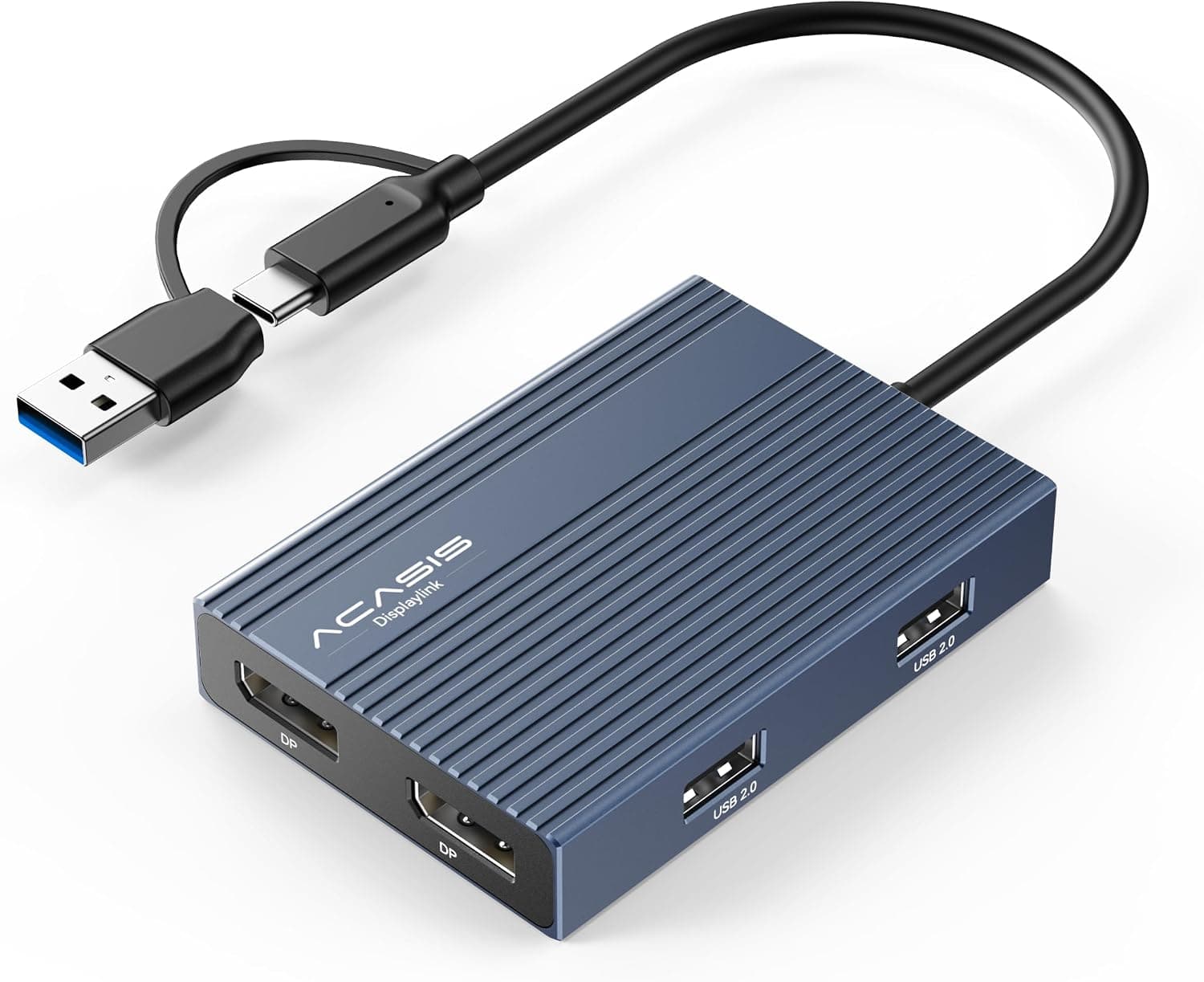
“This is an okay dock to have if you are needing something a bit more on the go. First thing about this is that you do require your charger to be plugged into this in order to get it to work if you are using the usb. Do not worry you still can charge your device while using this laptop dock. The next thing as well is that you will need to install drivers. It is definitely not perfect. This allows connection of up to two monitors with this device which is not bad for a small dock but it is not perfect. It flickers a little bit and sometimes freezes considering it uses software to output video especially for macs that only support one output. It is not too heavy which is good for me to take out on the go. The cable between the dock and your laptop is very short so be aware of that when trying to use this dock. The cable is also integrated into the dock so it is really hard to replace if damaged. I do like that the dock uses displayport. The displayport does support 4k but i do feel using type c works better than usb. Regardless it is a nice thing to have. You can charge through the dock but only if you use type c. This is not thunderbolt so you lose that capability. Charging does take a bit of a hit when using this dock plugged into your computer. It is not to big of a hit but you can notice it does not charge as fast as a direct connection. The device can get a little warm when using this but the casing helps dissipate most od it. There are three USB ports and ond type c port. You can plug in thumb drive and there are no issues plugging in a 2.5. hard drive so long as there is an external power going into the docking station. The transfer rate is slow though as all ports are only 2.0 USB port speed. This is a bit of a downgrade to a 2.0. The device is pretty compact and it also pretty prone to scratches. That being said the USB C hub works like a charm and unlike many other docks this allows for up to two screens at 4k so long as you install the software. Overall this is definitely great for work but a bit pricey for what you get as you only get usb 2.0. Regardless I have had no issues using this device. I am able to use this with my two screens at work. It also something I can take on the go if needed. The only issue I do see is that the cable is a tad bit short and you only get usb 2.0”
Signals matched: Specific detail: entity, process · Reads as an authentic voice
Included in analysis5.0/5 stars
Worked Smoothly With My M3 MacBook Pro
“I got this ACASIS DisplayLink adapter to use with my MacBook Pro running an M3 processor, and it has worked without any issues for my setup. MacBook display setups can sometimes feel more complicated than they should, especially when trying to expand ports and connect external monitors, so I was happy that this adapter did what I needed without turning into a troubleshooting project. The adapter gives me a much cleaner workstation setup with the two DisplayPort outputs, extra USB-A ports, and power delivery support all in one compact device. I especially like that it supports DisplayLink, which is useful for Mac users who need more flexibility with external displays. I attached the instruction manual to my review because there are some steps to follow for activating that but it is all listed there which I appreciated! LIKED: * Worked without issues with my M3 MacBook Pro * Two DisplayPort outputs are useful for a multi-monitor setup * 100W PD charging support helps reduce cable clutter * Three USB-A ports are convenient for accessories and peripherals * Compact design is easy to keep on a desk or carry with a laptop * Helpful option for turning a MacBook into a fuller workstation setup I also appreciate having USB-A ports built in. A lot of newer laptops keep getting slimmer while somehow expecting all my accessories to magically become USB-C overnight. This makes it easier to keep using keyboards, mice, drives, and other peripherals without needing a separate pile of adapters. Overall, I am very pleased with this adapter. It worked well with my M3 MacBook Pro, added the ports I needed, and helped make my desk setup feel much more complete. Definitely recommend for MacBook users who want a cleaner external display and peripheral setup without having to juggle multiple dongles.”
Signals matched: Specific detail: entity, scenario · Reads as an authentic voice
Included in analysis5.0/5 stars
Two 27"
“Now, I feel lucky to have two 27" 4K monitors connected to my 14" MacBook Pro here in my home office. Setting them up was a breeze—just used this small adapter and two DisplayPort cables, which worked immediately and perfectly. I love how unobtrusive this little adapter is on my desk. Plus, it allows me to easily connect USB Type-A devices, which Apple has surprisingly left out of some recent products. Unlike many bulky docking stations, this compact box does the same job without taking up much space. Just one USB Type-C connection powers all the ports on the adapter, so I don’t lose many of my computer’s ports—yet I gain so much more functionality. Now, I can effortlessly move my laptop between my business and home setups while keeping the same monitor configuration, making my work much more efficient, and all without breaking the bank.”
Signals matched: Specific detail: quantity, entity, scenario, process · Reads as an authentic voice