
Sceptre 34-Inch Curved Ultrawide WQHD Monitor, 3440 x 1440, R1500, Up to 180Hz/165Hz, DisplayPort x2, 100% sRGB, 1ms, Built-in Speakers, Black (C345B-QUT168 Series)
Description
Sceptre new curved 34" gaming monitor up to 180+Hz, 1500R culvature Freesync premium.
Compare the trade-offs
Similar products, side by side
A random selection of analyzed products from the same category. Different products are not necessarily interchangeable.

ASUS Business VA24DQFS - 24 Inch Full HD Monitor - Frameless, Ergonomic, Adaptive Sync, EPEAT Gold - 100 Hz, 16:9 IPS Panel, 1920 x 1080 - DP, HDMI, D-Sub, USB Hub, Speaker
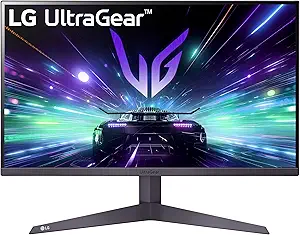
LG 27GS50F-B 27-inch FHD (1920 x 1080) Ultragear Gaming Monitor with 180Hz, 1ms MBR, HDR10, AMD FreeSync, HDMI, DisplayPort, 3-Side Virtually Borderless Design, Black

Upperizon Portable Monitor 21.5 inch FHD 110% sRGB 120Hz IPS HDR HDMI USB-C Travel Monitor for Laptop MacBook PC Surface PS5 Xbox, Large External Display with Kickstand & Speakers, VESA Compatible
One less thing to search
Before you buy: quick questions
Sind die Verarbeitungsqualität und der Standfuß wirklich so schlecht, wie es einige Reddit-Posts behaupten?
Der Monitor bietet ein ausgezeichnetes Preis-Leistungs-Verhältnis bei der Panel-Leistung, aber um diesen Preis zu erreichen, wurden Kompromisse bei den Materialien gemacht. Der Standfuß besteht aus leichtem Kunststoff und bietet nur eine Neigungsverstellung (keine Höhen-, Schwenk- oder Pivot-Verstellung). Er ist stabil für den typischen Gebrauch, kann aber auf wackeligen Tischen zittern. Viele Nutzer in Foren wie Reddit kombinieren ihn sofort mit einer ~30 $ teuren VESA-Halterung für einen stabileren und ergonomischeren Aufbau, was wir empfehlen, wenn Ihnen die Anpassbarkeit wichtig ist.
Wie häufig sind tote Pixel, und wie lauten die Garantie- und Rückgaberichtlinien, wenn ich ein fehlerhaftes Gerät erhalte?
Während die überwiegende Mehrheit der Geräte problemlos ist, kann die Qualitätskontrolle der Panels in dieser Preisklasse variieren. Eine kleine Anzahl von Kunden berichtet, Monitore mit toten oder steckengebliebenen Pixeln erhalten zu haben. Sceptre bietet eine standardmäßige, eingeschränkte Garantie von einem Jahr. Wir raten dringend, Ihren Monitor bei Ankunft gründlich zu überprüfen. Unser Rückgabefenster beträgt 30 Tage für eine volle Rückerstattung bei Hardwareproblemen, sodass Sie ihn problemlos umtauschen können.
Meine Grafikkarte ist eine [RTX 3060 / RX 6600 XT]. Kann sie Gaming auf diesem 3440x1440 Ultra-Wide-Monitor bewältigen?
Das ist eine sehr gute Frage! Eine Auflösung von 3440x1440 hat etwa 35 % mehr Pixel als Standard-1440p. Eine Mittelklasse-Grafikkarte wie eine RTX 3060 oder RX 6600 XT kann viele E-Sport-Titel (wie Valorant, Apex Legends) mit hohen Bildraten bewältigen, um die 165 Hz zu nutzen. Für anspruchsvolle AAA-Spiele (wie Cyberpunk 2077) müssen Sie wahrscheinlich mittlere bis hohe Einstellungen (nicht ultra) verwenden oder Upscaling-Technologien wie DLSS/FSR für eine flüssigere Leistung aktivieren. Es ist ein fantastischer, zukunftssicherer Monitor, wenn Sie planen, Ihre GPU später zu verbessern.
Sind die integrierten Lautsprecher brauchbar, oder sollte ich den Kauf externer Lautsprecher einplanen?
Ehrlich gesagt, planen Sie, Ihr eigenes Audiosystem zu verwenden. Wie viele TikTok- und YouTube-Tester humorvoll anmerken, sind die integrierten Lautsprecher sehr einfach – sie sind leise und haben kaum Bässe, eignen sich also höchstens für Systemtöne im Notfall. Für Gaming, Musik, Filme oder Anrufe sollten Sie Kopfhörer, ein separates Lautsprechersystem oder eine Soundbar für ein richtiges Erlebnis verwenden.
Für wen ist dieser Monitor AM BESTEN geeignet und wer sollte eine teurere Alternative in Betracht ziehen?
Dieser Monitor ist perfekt für preisbewusste Gamer und Multitasker, die ein immersives Ultra-Wide-Erlebnis mit hoher Bildwiederholrate wollen, ohne viel Geld auszugeben. Sie zahlen für die Panel-Technologie selbst. Ziehen Sie eine teurere Alternative von Marken wie Gigabyte, Dell oder LG in Betracht, wenn: Sie einen vollständig verstellbaren Standfuß ab Werk benötigen, professionelle Farbgenauigkeit für die Foto-/Videobearbeitung brauchen, eine längere Garantie (z.B. 3 Jahre) priorisieren oder keine Toleranz für mögliche Panel-Uniformitätsprobleme haben.
From a similar, more-reviewed product in this category: KOORUI 24 Inch Gaming Monitor, 180Hz 1080P VA Display with 3000:1 Contrast
Does this monitor really run at 180Hz, and what do I need to enable it?
Yes — it's a native 180Hz panel, but you'll need to switch it on manually. Connect via the included HDMI cable (or a DisplayPort-capable setup), then set 180Hz in your GPU's display settings; it defaults to a lower refresh rate out of the box. Many Reddit and YouTube users note that enabling Adaptive Sync/FreeSync alongside it gives the smoothest experience, and it works with both AMD and NVIDIA cards.
How does the VA panel perform for gaming and everyday work?
The 3000:1 contrast gives noticeably deeper blacks than typical IPS budget monitors, which shines in dark game scenes and movies. For fast-paced competitive shooters, some TikTok and Reddit users mention mild ghosting/smearing in dark transitions — it's great for casual gaming, students, and office work, but color-critical creators or hardcore FPS players may prefer an IPS panel.
The stand looks basic — can I adjust the height or mount it?
Correct, the included stand only tilts (-5° to 20°) and doesn't offer height, swivel, or pivot adjustment, and a few users find the base slightly wobbly. The good news: it's VESA 100×100mm compatible, so a monitor arm or desk mount solves ergonomics entirely — a popular fix among dual-monitor and dorm-room setups.
What if I receive a unit with a dead pixel or backlight bleed?
Budget monitors can vary unit to unit, and some buyers report stuck pixels or corner bleed — but KOORUI backs it with a 3-year manufacturer warranty. If your unit arrives defective, contact the seller for a replacement or refund promptly; most users who did so report a smooth resolution, so inspect the screen within the return window.
Is it good value, and who is it best suited for?
At around $120, it's widely praised as one of the best budget 180Hz options — ideal for students, casual gamers, home-office users, and compact or dual-monitor setups. Just set expectations: no built-in speakers, a single HDMI plus VGA, and basic ergonomics. If you need height adjustment, color accuracy, or built-in audio, consider spending more on an IPS alternative.
Answers are limited to the manufacturer's listing and the reviews we analysed. Questions those sources cannot support are not answered here.
Transparent by design