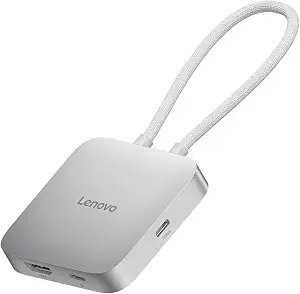
USB C Hub Docking Station Dual Monitor for Laptop, MacBook Air/Pro Dock Adapter Multiport Dongle with 2 HDMI Ports 4K 60Hz, 100W PD Charging, 3 USBA 3.0 & USBC

USB C Hub Docking Station Dual Monitor for Laptop, MacBook Air/Pro Dock Adapter Multiport Dongle with 2 HDMI Ports 4K 60Hz, 100W PD Charging, 3 USBA 3.0 & USBC

4 on Amazon557 ratingswww.amazon.com
Review reliability
83/ 100Grade B
Reviews are highly detailed and consistent with their star ratings, cover topics in a balanced way, and show no promotional language, with many sounding authentic, though most ratings are very high and few are mid-range.
Affiliate link — commission is the same whatever the score.

The 30-second read

Before you decide

A starting point, not a buying verdict

What people like

Plug-and-play dual 4K monitors

Many reviewers say the dual HDMI ports work flawlessly at 4K 60Hz with no lag, and setup is quick and plug-and-play. The 100W PD charging is also praised for keeping laptops powered while using all ports.

The main watch-out

Heat and reliability concerns

One reviewer reports the hub gets very hot with two monitors connected and sometimes randomly disconnects, requiring replugging. Another says it died after a couple months and had issues with port speed and power delivery.

Before you choose

Check 4K 120Hz compatibility

If you plan to use a 4K 120Hz monitor, note that one reviewer says this hub would not work with theirs. Otherwise, it is described as lightweight and portable for travel or office use.

Your use case first

Your concerns

device quality

Mixed experiences

15 of 80 mentions describe a negative experience (19%).

ports

Mostly positive

8 of 65 mentions describe a negative experience (12%).

setup

Mostly positive

2 of 18 mentions describe a negative experience (11%).

ease of use

Mostly positive

0 of 12 mentions describe a negative experience (0%).

portability

Mostly positive

0 of 12 mentions describe a negative experience (0%).

value for money

Mixed experiences

14 of 42 mentions describe a negative experience (33%).

charging performance

Mixed experiences

9 of 23 mentions describe a negative experience (39%).

durability

Mostly negative

17 of 21 mentions describe a negative experience (81%).

One review can mention several topics. Percentages describe the reviews we analysed, not all buyers or the product's overall failure rate.

From a similar, more-reviewed product in this category: USB C to USB Hub Multiport Adapter with 4 USB-A & 3 USB-C 3.0 Port

functionality

Mixed experiences

23 of 115 mentions describe a negative experience (20%).

versatility

Mostly positive

5 of 52 mentions describe a negative experience (10%).

port capacity

Mixed experiences

6 of 34 mentions describe a negative experience (18%).

cord length

Mostly positive

3 of 22 mentions describe a negative experience (14%).

ease of use

Mostly positive

0 of 17 mentions describe a negative experience (0%).

value for money

Mixed experiences

11 of 36 mentions describe a negative experience (31%).

power output

Mostly negative

17 of 25 mentions describe a negative experience (68%).

durability

Mixed experiences

8 of 17 mentions describe a negative experience (47%).

Compare the trade-offs

Similar products, side by side

A random selection of analyzed products from the same category. Different products are not necessarily interchangeable.

Check the evidence

What the review excerpts say

Included does not mean verified authentic. Flagged does not mean proven fake. These are analytical classifications.

Showing 3 illustrative excerpts, not the complete review set.

Included in analysis1.0/5 stars

Died after a couple months - don't buy.

“Update: I left my prior review too early. After a while, I noticed that this hub didn't work well at all. It seems like maybe the ports are not as fast as advertised and/or not delivering enough power and the peripherals I had plugged in started having issues. It also wouldn't work with my 4k 120hz monitor, which I still think is fair. What I don't think is fair is that the thing seems completely dead after only a couple months. It's not only a waste of money, it's ewaste. It's terrible to make such low quality electronics bound for the landfill. Please don't buy this. You can probably get a decent one from a name brand for a few bucks more. --- Old review: I've been using this for about a week to add some extra ports to my laptop. I haven't used the HDMI ports because my monitor is USB C. However, my monitor only has one extra USB C port for peripherals. So I have this plugged into my monitor with 2 2.4ghz dongles for my keyboard and mouse, webcam, and ipad plugged into it. It's working just fine with those devices. This compares favorably to an Anker 7-in-1 hub I bought a few years ago. It's got a different port selection. I bought it because it has one more USB A port than my Anker one. Also compared to the Anker, it's smaller and lighter. I'd say if this has the ports you need, go for it and save some money over the other options.”

Signals matched: Specific detail: quantity, entity, process · Mentions: ports, charging performance, durability · Reads as an authentic voice

Included in analysis5.0/5 stars

Easy to use really love it

“I’ve been using this USB-C hub for a while now and it’s been a game changer for my setup. The dual HDMI ports work perfectly—both monitors run smooth at 4K 60Hz with no lag or flickering. Plug-and-play setup, no extra drivers needed, which is super convenient. The 100W PD passthrough charging is a big plus—my MacBook Pro charges quickly even while running dual displays and other peripherals. The extra USB-A 3.0 ports are very handy for my keyboard, mouse, and external drive, and the additional USB-C port gives me flexibility. Build quality feels solid and compact, so it’s easy to carry around with my laptop bag. I’ve used cheaper hubs before that overheat or lose connection, but this one stays cool and stable even with everything plugged in. Overall, if you’re looking for a reliable multiport dock for your laptop or MacBook, this is definitely worth it. It’s made my work setup much more productive and clutter-free.”

Signals matched: Specific detail: quantity, entity, scenario, process · Mentions: ports, setup, charging performance, ease of use · Reads as an authentic voice

Included in analysis5.0/5 stars

Excellent USB-C Hub

“I’m extremely satisfied with this USB-C hub docking station. Setup was quick and completely plug-and-play with my laptop and MacBook. The dual HDMI ports work flawlessly — I’m able to run two external monitors in 4K at 60Hz without any lag or signal issues. The 100W Power Delivery charging is a huge plus because it keeps my laptop fully powered while using all the ports. The additional USB-A 3.0 and USB-C ports are very convenient for connecting peripherals like a keyboard, mouse, and external drive at the same time. Build quality feels solid and durable, and the device stays cool even during long work sessions. It has significantly improved my productivity by turning my laptop into a full workstation. Highly recommend this hub if you need a reliable dual monitor setup with strong performance and great value for the price!”

Signals matched: Specific detail: quantity, entity, scenario, process · Mentions: setup, ports, charging performance, ease of use · Reads as an authentic voice
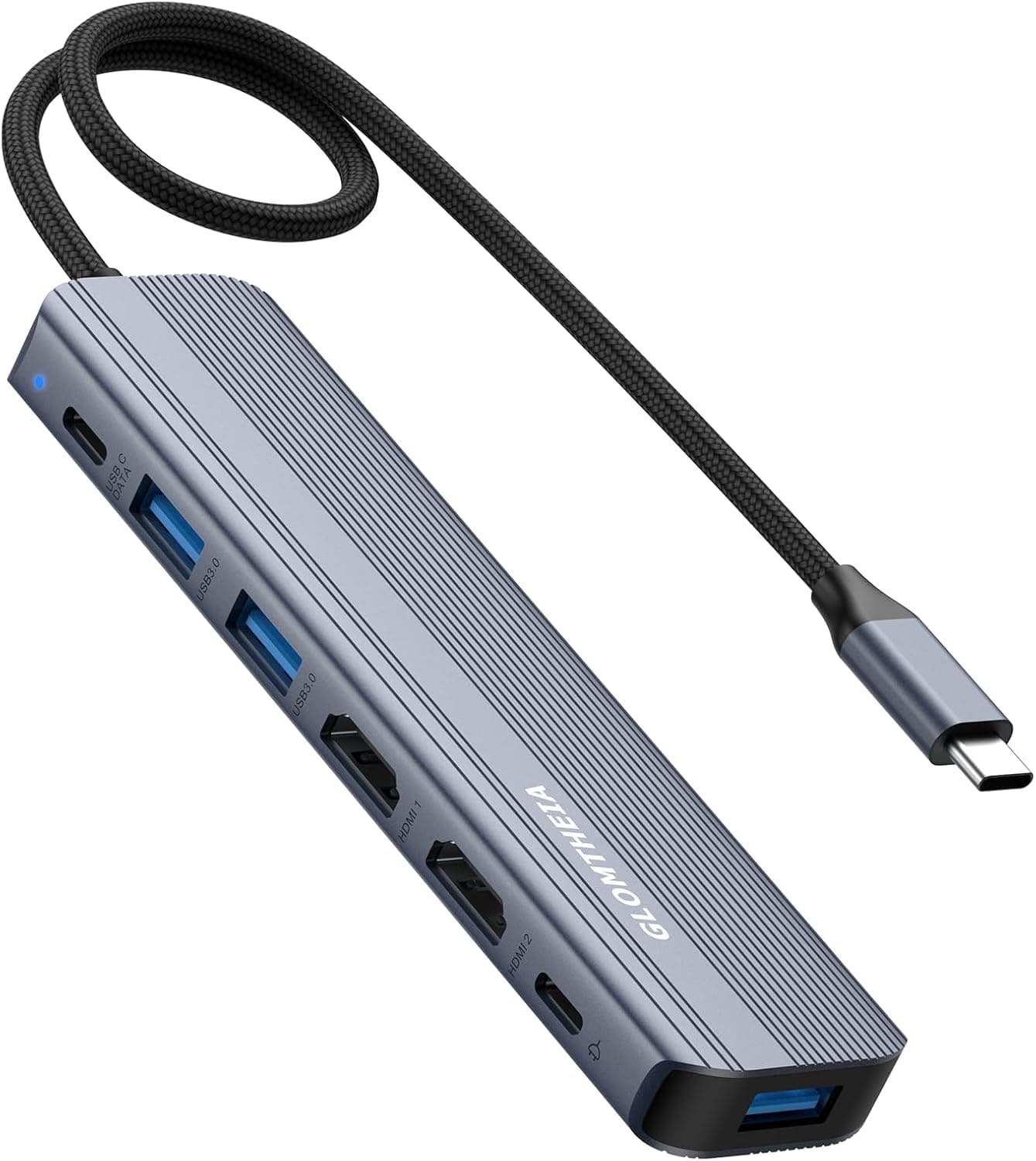
One less thing to search

Before you buy: quick questions

Does this hub support dual monitors at 4K 60Hz?
From 8 kept reviews mentioning "ports"From the manufacturer's listing

Yes. The listing states dual HDMI supports 4K@60Hz on Windows and dual 4K@60Hz in mirror/extend (SST) mode on Mac, and multiple reviewers report running two external monitors at 4K 60Hz with no lag or flickering.

Is it plug-and-play, or do I need to install drivers?
From 4 kept reviews mentioning "setup"From the manufacturer's listing

It is plug-and-play. The listing describes plug-and-play compatibility with MacBook Pro/Air (2016+), Dell XPS, HP Spectre, ThinkPad and other USB-C laptops with DP Alt Mode, and reviewers confirm setup was quick with no extra drivers needed.

Does the 100W PD charging keep a laptop powered while all ports are in use?
From 4 kept reviews mentioning "charging performance"From the manufacturer's listing

The listing says it powers your laptop at up to 100W (20V/5A) while using all ports, and reviewers report their laptops and MacBook Pro charge quickly even while running dual displays. Note that the charger is not included.

Does the hub get hot or disconnect during use?
From 4 kept reviews mentioning "durability"

One reviewer reported that it gets really hot with two monitors connected and sometimes randomly disconnects, requiring an unplug/replug. Other reviewers did not report this, so experiences vary.

Is the hub portable and well built?
From 4 kept reviews mentioning "portability"

Reviewers describe it as thin, lightweight, and easy to carry for travel, with a solid aluminum construction and a thick, durable connecting cable.

From a similar, more-reviewed product in this category: USB C to USB Hub Multiport Adapter with 4 USB-A & 3 USB-C 3.0 Port

Does this hub support charging?
From the manufacturer's listing

No. The manufacturer's note states this device only supports data transmission, not charging.

How many devices can I connect at once?
From the manufacturer's listing

Up to 7 devices can be connected simultaneously through a single port, including a keyboard, mouse, external HDD, and flash drives.

What data transfer speed does this hub offer?
From the manufacturer's listing

It uses USB 3.0 technology with data transfer rates up to 5Gbps, which the listing describes as 10x faster than USB 2.0.

How long is the cable on this hub?
From the manufacturer's listing

The hub has an integrated 1-foot cable, which the listing describes as offering a balance of reach and neatness for routing on a desk, in a laptop stand, or behind a monitor.

What operating systems and devices is this hub compatible with?
From the manufacturer's listing

It supports Windows, macOS, and Linux, and is listed as compatible with laptops, MacBook, tablets, USB flash drives, and iMac.

Answers are limited to the manufacturer's listing and the reviews we analysed. Questions those sources cannot support are not answered here.

Transparent by design

Understand the analysis