ユーザーが気に入っている点
Clear image and easy setup
Several reviewers report the monitor works well, with a clear picture, no odd colors, and simple plug-and-play setup.
購入に関する総合評価
Several reviewers report clear images and easy setup, but missing cables and limited adjustability are recurring concerns.
Buyers who want a basic, affordable monitor for simple display use and can supply their own cables and accept a fixed stand position.
Buyers who need height or tilt adjustment, or who rely on monitor USB ports to wake their computer from sleep.
30秒でわかる要点
ユーザーが気に入っている点
Several reviewers report the monitor works well, with a clear picture, no odd colors, and simple plug-and-play setup.
主な注意点
One reviewer reports the monitor lacks height adjustment and cannot tilt up or down, which made it difficult to use for remote work.
選ぶ前に
One reviewer received no power or HDMI cord in the box and had to buy a compatible power cord separately.
同カテゴリーのレビュー数が多い類似商品より: KOORUI 24 Inch Gaming Monitor, 180Hz 1080P VA Display with 3000:1 Contrast
ユーザーが気に入っている点
Several reviewers describe the monitor as a strong budget purchase, citing impressive specs for the money and satisfaction with gaming use.
主な注意点
Several reviewers report the monitor failing or coming apart after months to a couple of years, including a dead screen and a failing power cord.
選ぶ前に
Two reviewers note that setup benefits from adjusting settings in your GPU software, including color, brightness, and VRR.
商品説明
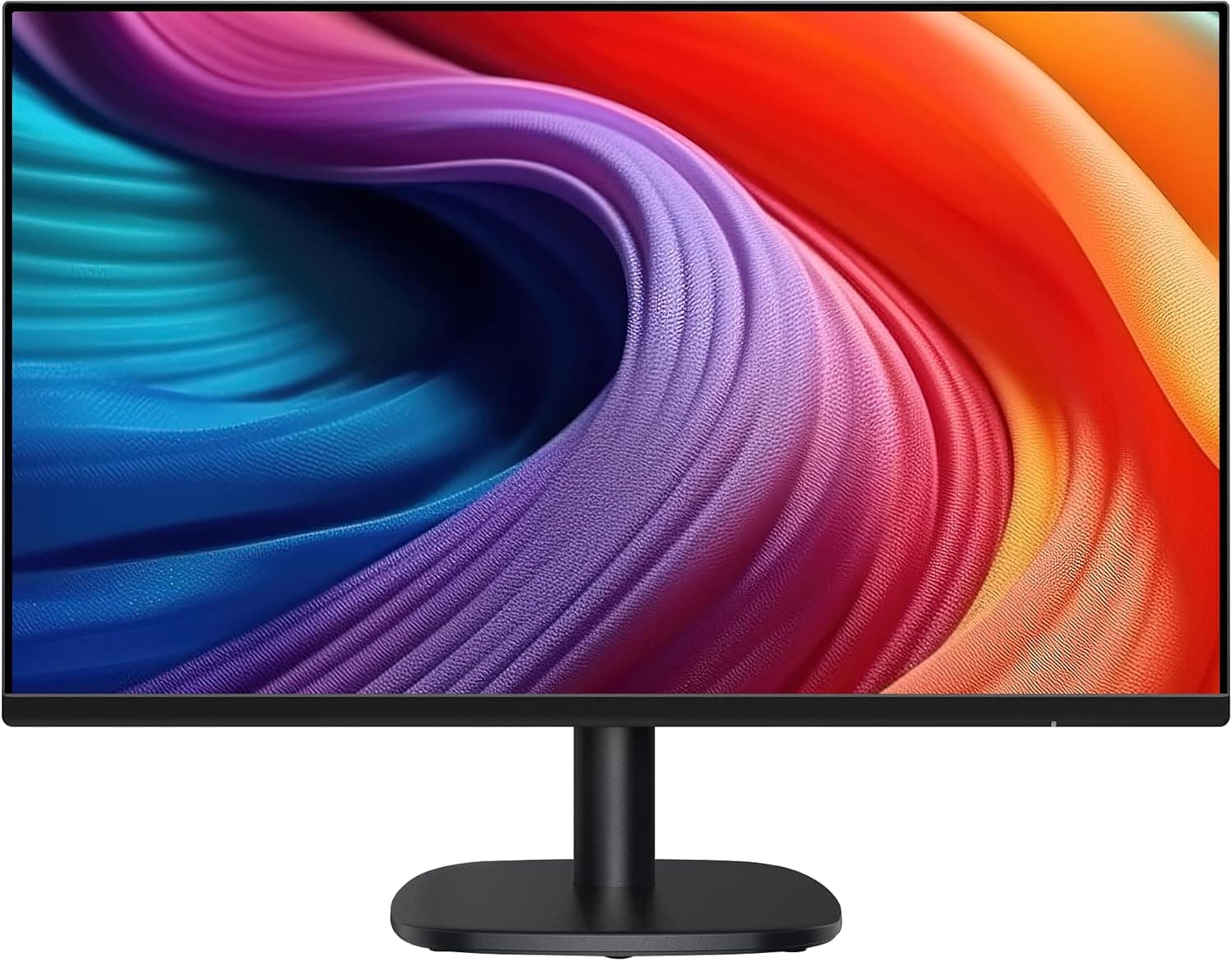
DISPLAY QUALITY: Amazon Basics 24-inch IPS LCD monitor with 1080P Full HD resolution delivers crystal clear picture quality & wide viewing angles INTENDED USE: Designed for office productivity & entertainment applications including document editing, web browsing & multimedia content consumption BUILT-IN AUDIO: Integrated speakers deliver clean & clear audio performance eliminating the need for external speakers during everyday use ERGONOMIC DESIGN: VESA-compatible mount supports flexible wall or arm positioning for comfortable viewing angles in any workspace setup REFRESH RATE: Max 100Hz refresh rate provides smooth on-screen motion for enhanced visual fluidity during work & entertainment tasks EASY SETUP: Plug-and-play installation makes it simple to connect & use right away with no additional drivers required for quick setup
トレードオフを比較
同じカテゴリの分析済み商品から無作為に選んでいます。商品が異なれば、単純に置き換えられるとは限りません。

Sceptre New 24-inch Gaming Monitor 100Hz FreeSync 2X HDMI 1X DP Build-in Speakers, Machine Black 2026 (E248W-FW100T Series)

Dell S2725HS 27 Inch Monitor, FHD (1920x1080) Display, 100Hz Refresh Rate, 1500:1 Contrast Ratio, TÜV Rheinland Eye Comfort 4 Star, Integrated 2x5W Speaker, Height/Tilt/Swivel/Pivot- Ash White Color

KTC 27 Inch Curved Gaming Monitor, 1440P QHD 144Hz 1500R PC Monitor, H27S5C
根拠を確認する
「分析対象」は真正性が確認されたことを意味しません。「フラグ付き」も捏造と証明されたことを意味しません。いずれも分析上の分類です。
参考として3件の抜粋を表示しています。レビュー全体ではありません。
Disappointed – Limited Adjustability Makes This Monitor Difficult to Use
“I just received this monitor today, and I'm disappointed that it doesn't offer height adjustment or the ability to tilt the monitor up/down. I have a 5yrs old Dell that has this simple feature. I work remotely, and since my previous monitor stopped working, I needed a replacement quickly before Monday. To add it doesn't turn on easily. It seem to be a trick with the power button. I usually read reviews carefully before purchasing, but this time I focused on the price and refresh rate and overlooked a very important feature. While the monitor has plenty of ports, the lack of basic adjustability is a major drawback. I've actually had to prop it up with a book, and lean it against the wall just to get it to a comfortable viewing height. With today's technology, I'm surprised a monitor would have such limited functionality. This was a poor purchase for my needs. Returning it is more hassle than I'm willing to deal with, but I would not purchase it again or recommend it to others, especially those who work remotely.”
検出されたシグナル:具体的な記述:quantity, comparison, scenario, process · 実体験に基づく自然な文章
Good but has some basic limits.
“Good monitor for the price. Audio quality of the built in speakers is limited. Biggest gripe is it does not have support for always on USB, and if you have the keyboard and mouse connected to the convenient close USB ports of the monitor, when the OS puts the display to sleep, it also kills the USB and then you cannot wake the PC with the keyboard nor mouse. You have to connect KB and mouse to the PC directly or other always on USB ports.”
検出されたシグナル:具体的な記述:scenario, process · 実体験に基づく自然な文章
Screen size only measures 21.5 inches diagonally from screen corner edges ( maybe 24' w/ the bezel)
“this screen size only measures 21.5 inches diagonally from screen edges, that's not 23.8 (24") so I'm returning to it to get an actual 24" screen for my desktop. I have a 22" monitor on my desk currently and this was going to get me a little more workable screen space on my smaller desk, but out of the box this monitor was smaller than mine, and the older Dell monitor's bezel is also smaller!”
検出されたシグナル:具体的な記述:quantity, comparison, scenario · 実体験に基づく自然な文章
調べる手間をひとつ減らす
It's best described as a productivity-first panel with a smooth bonus. The 100Hz refresh makes scrolling, cursor movement, and casual games noticeably smoother than 60Hz, and many Reddit and YouTube reviewers call it a pleasant upgrade for everyday use. That said, it lacks adaptive sync and tops out at 100Hz, so competitive gamers often say they wish they'd sprung for a 144Hz gaming model. For work, school, and light entertainment, it's a great fit.
They're convenient, not cinematic. Users consistently describe the audio as clear enough for video calls, podcasts, and casual YouTube, but thin for music and movies — one common quip is that they "sound like a decent laptop." If audio quality matters to you, a cheap pair of desktop speakers or headphones (there's a 3.5mm jack) is a worthwhile add-on. For meetings and everyday tasks, most buyers find them perfectly serviceable.
Yes — it's VESA compatible (100 x 100mm), so wall mounts and arms work well, and the downward-facing ports are easier to manage once it's mounted. The included stand only tilts (-5° to 20°) with no height or swivel adjustment, and some reviewers note the oval base can wobble slightly on a shaky desk. If ergonomics are a priority, budget for a VESA arm — it's the upgrade most users recommend.
It ships with an HDMI cable and power adapter, and setup is genuinely plug-and-play — no drivers needed on Windows or macOS. You get HDMI 1.4, DisplayPort 1.2, and VGA inputs, plus a 3.5mm audio in/out jack, so it connects to everything from modern laptops to older desktops. Just note the HDMI cable is included but DisplayPort and VGA cables are not, so check what your device outputs.
Returns are one of the most-praised aspects, since it's sold and supported directly by Amazon with a 1-year manufacturer warranty. A small number of buyers report stuck pixels or minor backlight bleed out of the box, but most say the exchange process was quick and hassle-free. If your unit arrives with a defect, initiate a return through your Amazon orders page — reviewers generally describe the resolution as fast and painless.
同カテゴリーのレビュー数が多い類似商品より: KOORUI 24 Inch Gaming Monitor, 180Hz 1080P VA Display with 3000:1 Contrast
Yes — it's a native 180Hz panel, but you'll need to switch it on manually. Connect via the included HDMI cable (or a DisplayPort-capable setup), then set 180Hz in your GPU's display settings; it defaults to a lower refresh rate out of the box. Many Reddit and YouTube users note that enabling Adaptive Sync/FreeSync alongside it gives the smoothest experience, and it works with both AMD and NVIDIA cards.
The 3000:1 contrast gives noticeably deeper blacks than typical IPS budget monitors, which shines in dark game scenes and movies. For fast-paced competitive shooters, some TikTok and Reddit users mention mild ghosting/smearing in dark transitions — it's great for casual gaming, students, and office work, but color-critical creators or hardcore FPS players may prefer an IPS panel.
Correct, the included stand only tilts (-5° to 20°) and doesn't offer height, swivel, or pivot adjustment, and a few users find the base slightly wobbly. The good news: it's VESA 100×100mm compatible, so a monitor arm or desk mount solves ergonomics entirely — a popular fix among dual-monitor and dorm-room setups.
Budget monitors can vary unit to unit, and some buyers report stuck pixels or corner bleed — but KOORUI backs it with a 3-year manufacturer warranty. If your unit arrives defective, contact the seller for a replacement or refund promptly; most users who did so report a smooth resolution, so inspect the screen within the return window.
At around $120, it's widely praised as one of the best budget 180Hz options — ideal for students, casual gamers, home-office users, and compact or dual-monitor setups. Just set expectations: no built-in speakers, a single HDMI plus VGA, and basic ergonomics. If you need height adjustment, color accuracy, or built-in audio, consider spending more on an IPS alternative.
回答はメーカーの商品情報と分析対象のレビューの範囲に限られます。これらの情報源で裏付けられない質問には回答していません。
透明性のある設計